The MSI Optix G27C6 is a 27-inch, 1080p curved gaming monitor with a 165Hz refresh rate, FreeSync Premium, and the strong native contrast typical of a VA panel. It can be a sensible low-cost screen for dark-room and single-player gaming, but its slow pixel response can leave visible blur in motion, and 1080p looks relatively soft across 27 inches. Buy one only if the price is clearly below newer alternatives and the seller offers a useful return policy. Check the model number carefully: the G27C6 E2 is a different, newer 170Hz model.
MSI Optix G27C6 specifications
These are MSI’s published specifications for the original G27C6; they are not independent performance measurements.
| Feature | Specification |
|---|---|
| Screen and panel | 27-inch curved VA LCD, 1500R |
| Resolution and aspect ratio | 1920 × 1080, 16:9 |
| Refresh rate | 165Hz maximum |
| Pixel density | Approximately 81.6 pixels per inch; 0.3114mm pixel pitch |
| Adaptive sync | AMD FreeSync Premium; MSI lists an activated range of 48–165Hz |
| Response-time claim | 1ms MPRT; a separate MSI regional data sheet lists 4ms GtG |
| Brightness and contrast | 250 nits typical; 3000:1 typical contrast |
| Color coverage | 90% DCI-P3 / 113% sRGB, CIE1976 |
| Inputs | 1 × DisplayPort 1.2 (up to 1080p/165Hz); 2 × HDMI 1.4 (up to 1080p/144Hz) |
| Other connections | 1 × headphone output |
| Console mode | FHD at 120Hz |
| Stand and mounting | Tilt from –5° to 20°; VESA 100 × 100mm |
| Power | 45W consumption; external 20V/2.25A adapter |
Source: MSI Optix G27C6 specifications. MSI’s regional sheet gives a 4ms GtG figure while the current specification page highlights 1ms MPRT, so the two numbers should not be treated as interchangeable pixel-response measurements: MSI regional specification sheet.
What the G27C6 is like to use
Contrast is its clearest image-quality strength
MSI rates the VA panel at 3000:1 typical contrast, and RTINGS describes its native contrast as excellent. That gives dark scenes deeper-looking blacks than many conventional IPS gaming monitors and makes the G27C6 appealing for dark-room games and video. The 1500R curve may add a sense of immersion, but it is a matter of preference; it does not improve sharpness or motion handling.
What’s actually slowing this PC down?
Pick the symptom - the matching free tool is one click away.
#1 Best Overall

- 【20V Power Cord Compatible Models】For MSI Optix 24" Gaming Monitor G241 G241V G241VC G24C6 G24C6P G2412 G2422 G2422P G242 G242P G24C4 MAG245R/MSI MAG ARTYMIS 242C 24" Curved Gaming Monitor/Optix G32CQ4 32" Optix G32CQ4 E2 32" Optix G322C 32" Optix G32C4W 32" Optix G321CQP 32" Optix G321CQP E2 32"
- 【20V Power Cord Compatible Models】for MSI Optix 27" Gaming Monitor G271 G271CP G272 G272P G273 G27C5 G272QPF G2712 G2722 G27CQ4 E2 G27C4 E2 G27C4 E3 G27C4 G27C4X G27C4W G27C6 E2 G27C6P E2 MAG275R G274QPF-QD MAG274QRF MAG274QRF-QD Curved Gaming Monitor/Optix MAG342CQR 34" Optix MAG342CQM 34"
- 【High safety factor】Our Power Supply is made of advanced IC chip with voltage protection, current protection, temperature protection, overload protection After strict testing to ensure that it is suitable for MSI Optix G24 G27 G32 Series G241 G241V G242 G24C6 G24C4 G271 G272 G273 G27C5 G2412 G2422 MAG245R G27CQ4 G27C4 G32CQ4 MAG342CQR Curved FHD Gaming Monito
- 【Product Information】Input Voltage AC100-240V; Output voltage: DC20V ;Output line length: 6.5FT; Fireproof PC Shell (more secure)+ Pure Copper Core (Longer Service Life)
- 【NOTE!】Before placing an order, please double-check that your equipment is the same as the model listed,thanks!For listing models only!!!
The published brightness is 250 nits, which is modest for a bright room. MSI’s original-model specification does not list HDR support. High VA contrast can improve the appearance of dark content, but it does not make this an HDR display. MSI lists 178-degree horizontal and vertical viewing angles, though that specification does not remove the practical limitations of viewing an LCD away from straight on.
27-inch Full HD is a sharpness compromise
At 27 inches, 1920 × 1080 works out to about 81.6 pixels per inch. Games remain playable and the larger image is easy to see, but text, fine interface details, and desktop content look less crisp than on a 24-inch 1080p screen or a 27-inch 1440p display. If you sit close to the screen, you are more likely to notice the softer image or pixel structure.
The lower resolution is easier for a modest graphics card to drive at high frame rates. That trade-off makes sense if gaming performance matters more than desktop sharpness; it is less attractive for a screen used heavily for reading, office work, or detailed creative tasks.
Rank #2

- Brand new ac power adapter.
- Great quality replacement ac/dc adapter for MSI gaming monitor.
- Supports international voltages.
- 30 Days Money Back Guarantee / 12-month worry free warranty for our product Please contact us with any questions or concerns.
Stand, mounting, and everyday use
The supplied stand adjusts for tilt only. It does not provide the height, swivel, or pivot adjustment some desk setups need. A VESA 100 × 100mm arm or a riser can address positioning, but adds cost. An anti-glare surface and 27-inch workspace help with ordinary browsing and office work, though the softer text and modest brightness are drawbacks. MSI lists Night Vision, which brightens dark areas in games; it may reveal shadows, but can also flatten the picture or make blacks look gray.
Free tools Windows power users keep installed
One-click scans. No signup required.
Gaming: 165Hz helps, but motion is not especially clear
A 165Hz refresh rate can make camera movement and interaction feel smoother than on a 60Hz or 75Hz monitor, especially when the PC can deliver high frame rates. RTINGS found very low input lag, which helps the screen feel responsive to player input. Refresh rate, input lag, and pixel response are different parts of the experience, however: a fast refresh rate does not ensure that pixels change quickly enough to keep moving objects clear.
That distinction is the G27C6’s main weakness. RTINGS found slow response times that cause blurry motion. VA transitions can be particularly noticeable in dark-to-dark scenes, where trailing or black smearing may appear behind moving objects. Individual units can vary, so no single description guarantees how every sample will look, but buyers sensitive to ghosting should treat this as a meaningful risk. It is a more comfortable fit for slower-paced, cinematic, strategy, or single-player games than for competitive shooters where clean motion is a priority.
Rank #3

- Curved 1500R, best gameplay immersion
- 165Hz Refresh Rate, 1ms response time
- AMD FreeSync, Wide Color Gamut
- Anti-Flicker, Less Blue Light
- Frameless design, 178° Wide Viewing Angle
What MSI’s “1ms” means
MSI advertises 1ms MPRT. MPRT is not the same measurement as a typical pixel transition time, often reported as GtG, and should not be read as a promise that every pixel change completes in one millisecond. Motion-picture response-time modes commonly use backlight strobing or similar blur-reduction behavior and can involve trade-offs such as reduced brightness or loss of variable refresh, depending on implementation. RTINGS’ measured assessment is more useful for setting expectations: it found slow response behavior and blurry motion despite the advertised MPRT figure.
FreeSync and NVIDIA compatibility
MSI lists FreeSync Premium with a 48–165Hz activated range. RTINGS also reports FreeSync support and G-SYNC compatibility in its testing; that is a tester’s compatibility finding, not a claim here of official NVIDIA certification. Variable refresh can reduce tearing and stutter when frame rates fluctuate within the supported range, but it cannot eliminate slow pixel transitions or ghosting.
Do these 3 things before closing this tab:
1Repair Windows errors before they cause bigger problems2Fix the driver behind crashes, sound loss and screen glitches3Clear out junk files and repair common Windows errors- Connect a gaming PC by DisplayPort if possible, then select 165Hz in Windows display settings or the graphics control panel.
- Enable Adaptive-Sync or FreeSync in the monitor’s on-screen display if the option is available.
- Enable FreeSync in AMD software, or the G-SYNC Compatible option in NVIDIA Control Panel on supported hardware.
- If using a conventional VRR setup, consider capping frame rate slightly below the monitor’s maximum—for example, around 160–162fps for a 165Hz ceiling.
- Play a game and check for tearing, brightness flicker, or trailing. VA displays can show VRR-related brightness changes as frame rates fluctuate; whether that is noticeable on a particular G27C6 unit should be tested rather than assumed.
Night Vision is a picture preference
MSI’s Night Vision feature raises visibility in dark areas. It can help expose details in a shadowy game scene, but may make blacks look gray or the overall image less natural. Compare it with the game’s brightness and gamma controls rather than treating it as a performance upgrade.
Rank #4
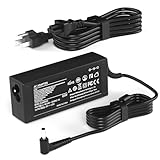
- Product Specifications: Output:65W 20V 3.25A, Input: 100-240V 50-60Hz, Connector Tip: 5.5mm*2.5mm for reliable power delivery to your MSI gaming monitor
- Compatible with MSI Optix 27-Inch Gaming Monitors: Works with G271 G271CP G272 G272P G273 G27C5 G272QPF G2712 G2722 G27CQ4 E2 G27C4 E2 G27C4 E3 G27C4 G27C4X G27C4W G27C6 E2 G27C6P E2 MAG275R G274QPF-QD MAG274QRF MAG274QRF-QD MAG342CQR MAG342CQM 34-Inch Curved Power Supply Cord
- Compatible with MSI Optix 24-Inch and 32-Inch Gaming Monitors: Fits MSI Optix 24-Inch Gaming Monitor G241 G241V G241VC G24C6 G24C6P G2412 G2422 G2422P G242 G242P G24C4 MAG245R MAG ARTYMIS 242C G32CQ4 32-Inch G32CQ4 E2 G322C G32C4W G321CQP G321CQP E2 Curved AC Adapter
- Safety Certifications and Protection Features: CE FCC RoHS certified with overvoltage output protection, overcurrent output protection, and other safety features for secure and reliable operation
- Quality Customer Support: Committed to providing high-quality power products and excellent customer service to ensure your satisfaction with every purchase
Using the G27C6 with a PS5 or Xbox
MSI lists FHD at 120Hz console mode, making the monitor suitable for a console setup aimed at 1080p high-refresh gaming. It is not a 1440p or 4K display, and its HDMI 1.4 inputs do not provide HDMI 2.1. Actual 120Hz play depends on the console’s output settings and whether the individual game offers a 120fps mode.
- Set the console’s output resolution and refresh rate to a supported 1080p/120Hz mode.
- Use a suitable HDMI input and confirm 120Hz is active in the console’s display settings.
- Check the game’s own video options; a compatible monitor cannot add a 120fps mode to a game that does not support one.
- Confirm VRR support for the exact console and configuration you plan to use rather than assuming PC FreeSync behavior carries over.
Ports and setup details
For a PC, DisplayPort is the route to the full 165Hz refresh rate. MSI specifies HDMI 1.4 up to 1080p/144Hz, so a PC connected over HDMI may not offer 165Hz. HDMI remains useful for consoles and secondary devices. The monitor also has a headphone output, a five-way OSD joystick, and an external power adapter. If buying used, confirm the correct adapter is included; do not assume a particular video cable comes with the unit unless the listing says so.
Independent reader supportYour contribution helps us test, update, and keep practical guides available for everyone.How it compares with newer choices
The original G27C6 is an older model: RTINGS’ tested unit was manufactured in December 2020. Availability is uneven; Newegg currently lists its new-product page as out of stock, which is a signal to compare exact seller condition, warranty, and return terms rather than rely on a stable new price.
Recommended Free Tools
Best Value
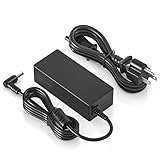
- Input: 100-240V 50-60Hz Output: 20V DC;
- Other Compatible Models--compatible with Philips 276E9QJAB/00 27" LCD Monitor, 22PFT5303/05 22-Inch Full HD LED TV 32PHT4504 24PFT5303/05 24-Inch Full HD LED TV; 276E7Q 276E7QDSW 276E7QDSW/00 276E7QDAB 276E7QDAB/00 276E6A 276E6ADSS 276E6ADSS/00 276E6ADSS/27 27" Widescreen LCD LED Monitor. compatible with PHILIPS Monitor 278E9QJAB/00; household, small electronics, sound bar, speaker, led strip, led string lights, security cameras, and other 20v dc devices
- Compatibility-- The DC 20V power cord compatible with MSI Monitor Optix G241 G241V G24C6 G27C5 G271 ADPC2045 3CB5 OPTIXG271 curved FHD freesync gaming monitor 20V DC 2.25A power cable power supply battery charger mains PSU replacement cord. Compatible with MSI Optix G24C4 monitor; Compatible with MSI Optix G32 Series monitor; Compatible with MSI Optix G27C4 Model 3CA9 monitor; Compatible with MSI gaming monitor Optix G27C4W/G27C4 G274QPF monitor power cord
- Other Compatible Models--compatible with Philips 276E9QJAB/00 27" LCD Monitor, 22PFT5303/05 22-Inch Full HD LED TV 32PHT4504 24PFT5303/05 24-Inch Full HD LED TV; 276E7Q 276E7QDSW 276E7QDSW/00 276E7QDAB 276E7QDAB/00 276E6A 276E6ADSS 276E6ADSS/00 276E6ADSS/27 27" Widescreen LCD LED Monitor. compatible with PHILIPS Monitor 278E9QJAB/00; household, small electronics, sound bar, speaker, led strip, led string lights, security cameras, and other 20v dc devices
- 【Emaks】We are USA based Company that Wants your Repeat Business .The series Number is 87249070.
| Model | What changes | Who should consider it |
|---|---|---|
| MSI G27C6 E2 | Similar curved 27-inch 1080p VA concept at 170Hz with FreeSync Premium. It is a distinct model, not a revision label to ignore. | Someone who wants a newer version of the same basic format; the extra 5Hz alone does not justify a large premium. |
| MSI G27C6P E2 | Related 27-inch 1080p/170Hz curved VA model with a more adjustable stand. | Someone who wants the format but needs better ergonomics out of the box. |
| MSI MAG 27C6F | Newer 27-inch FHD curved Rapid VA model rated at 180Hz, Adaptive-Sync, and HDR Ready; MSI advertises 0.5ms GtG. | Someone seeking a current MSI FHD curved model. The 0.5ms figure remains a manufacturer claim, not independent response-time testing. |
| MSI MAG 27CQ6PF | 27-inch 2560 × 1440, 180Hz curved Rapid VA with height, swivel, and tilt adjustment, according to MSI’s store listing. | Someone who values sharper desktop text and has a GPU capable of driving QHD games at the desired frame rate. |
| 24-inch 1080p esports monitor | Same resolution on a smaller screen gives a denser image and a more compact view; RTINGS identifies the Acer Nitro XF243Y Pbmiiprx as a better-performing budget alternative to the G27C6. | Competitive players who prioritize motion performance and edge-to-edge visibility over a large curved screen. |
Specifications and product identities: MSI G27C6 E2, MSI G27C6P E2, MSI MAG 27C6F, and MSI gaming monitors. RTINGS’ comparison of gaming performance and its named alternative appears in its G27C6 review.
Is the MSI Optix G27C6 worth buying in 2026?
There is no dependable single current price for this older model. Newegg lists the new-product page as out of stock, and used or refurbished offers can differ in condition and warranty. Judge an offer against the cost of a current 180Hz FHD or 1440p monitor, not against a stale price. For example, MSI’s store page lists the MAG 27C6F as a clearance item, with inventory and price subject to change; check the live listing before deciding.
- Consider it if it is substantially cheaper than current alternatives, you value high-contrast 1080p gaming, and you are comfortable with its motion and sharpness compromises.
- Pass if its price approaches a newer 180Hz model, if you are highly sensitive to ghosting, or if you want crisp text, HDR, or a height-adjustable stand without extra hardware.
- For used or refurbished units, favor a seller with a clear return period and stated warranty. Check the screen for dead or stuck pixels, backlight bleed, uneven gray areas, scratches, pressure marks, and signs of a worn or damaged power adapter. RTINGS notes that some measurements, including gray uniformity, can vary between units.
At the time the cited MSI store pages were checked, MSI listed the MAG 27CQ6PF at $189.99 with a limited-time price of $149.99, and the MAG 274QRF QD E2 at $279.99; those are dated store listings, not guaranteed current prices. They illustrate the kind of newer QHD upgrade to compare, rather than a promise of today’s price. The QHD options need more GPU power than 1080p, particularly at high frame rates.
Quick Recap
Product prices and availability are accurate as of the date/time indicated and are subject to change. Any price and availability information displayed on Amazon at the time of purchase will apply.




