To enter Shadow of the Erdtree, own the Elden Ring base game, defeat Mohg, and interact with the arm extending from Miquella’s cocoon. Once inside, the most useful progression tip is to explore for Scadutree Fragments and Revered Spirit Ash: their blessings strengthen you in the Realm of Shadow and can make difficult areas and bosses more manageable.
How to enter the Realm of Shadow
Shadow of the Erdtree requires the Elden Ring base game. Bandai Namco’s DLC access instructions give this route:


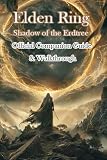
- Defeat Mohg, Lord of Blood.
- Go to Miquella’s cocoon and interact with the arm extending from it.
- After arriving in the Realm of Shadow, rest at a Site of Grace there. This first rest enables map travel between the Realm of Shadow and the Lands Between.
Entering the expansion and unlocking travel between its map and the base-game map are separate steps. If you die before resting at a Site of Grace in the Realm of Shadow, return to the cocoon to enter again.
What to do first in the Realm of Shadow
Collect the expansion’s blessing items
The Realm of Shadow has two progression systems that are separate from ordinary character leveling. Scadutree Fragments improve the Scadutree Blessing, which raises your attack power and damage negation. Revered Spirit Ash improves the Revered Spirit Ash Blessing, strengthening summoned spirits and the spectral steed. Bandai Namco says these blessings apply only in expansion areas; they do not boost your character in the Lands Between.
#1 Best Overall
For early finds near Gravesite Plain, Bandai Namco’s character-strengthening guide points to Scadutree Fragments at the Church of Consolation and Revered Spirit Ash on a hornsent corpse near the Scorched Ruins. These are starting examples, not a complete location list; some of the items can also be dropped by enemies.
Explore when progress stalls
If an area or boss is overwhelming, consider exploring nearby routes before attempting it again. Finding more blessing items can improve your survivability and damage. Both blessings can be active at once, and Bandai Namco notes that higher blessing levels require more items. They are useful reasons to search side paths rather than treating every obstacle as a mandatory straight-line fight.
How to use maps and plan exploration
Map fragments help reveal the Realm of Shadow’s regions, but a map is only one part of navigation: dungeons, hidden routes, optional areas, and quest locations can take you away from the main path. Use the map alongside exploration, and look for blessing items as you move through each area.
For a broad guide index, Bandai Namco’s official expansion guide hub collects DLC guidance. PC Gamer’s Shadow of the Erdtree guide hub groups coverage around maps, walkthroughs, quests, builds, and bosses, making it a useful way to locate help for a particular task.
Windows Errors? Fix Them Before They Spread
Repair common Windows errors and clear accumulated junk for a smoother, more stable PC - no reinstall needed.Free scan · no reinstallCrashes, No Sound, or Screen Glitches?
Random freezes, missing sound and display glitches usually trace back to one bad driver. Find and replace yours safely.Free scan · under a minuteNPC quests, builds, and boss help
Quest steps, equipment choices, and boss strategies depend on where you are and how you play, so use focused guides for the specific NPC, setup, or encounter rather than assuming a single route or build suits everyone. Before following detailed quest instructions, decide whether you want spoiler-light direction or the full sequence: quest guides can reveal discoveries and outcomes you might prefer to find yourself.
For a build, check the stats and equipment it calls for, then judge whether its playstyle fits you. For a boss, first confirm its location and whether the encounter is optional; then look for advice that addresses the actual fight and your approach, including whether you want to use summons. The available guidance does not establish one universally optimal build or route.
Printed guide and map reference
For readers who prefer a physical reference, the publisher describes Elden Ring Books of Knowledge Volume III as covering mapped locations and enemies, dungeon routes, bestiary analysis, quest steps, progression routes, and builds. Those subjects make it a relevant companion for exploration and walkthrough planning. The publisher’s store page listed it at $44.99 and marked it “Low Stock” when checked; price and availability can change.
Quick Recap
Product prices and availability are accurate as of the date/time indicated and are subject to change. Any price and availability information displayed on Amazon at the time of purchase will apply.
Quick wins for a faster PC:
Fix the driver behind crashes, sound loss and screen glitchesFind Drivers →Clear out junk files and repair common Windows errorsFree Scan →



