
Quick wins for a faster PC:
Scan for outdated or missing drivers - takes under a minuteDriver Scan →Repair Windows errors before they cause bigger problemsFix Now →Fix the driver behind crashes, sound loss and screen glitchesFind Drivers →Verdict: The Acer Nitro V 16 ANV16-41-R5AT is a capable budget gaming laptop with a Ryzen 7 8845HS, GeForce RTX 4060, upgradeable memory and storage, and enough performance for modern 1080p or 1200p gaming. Its hitch is the display: the tested 165Hz panel has poor color-gamut coverage, so it can look pale and is a poor choice for color-critical work. Loud fans, a mediocre webcam, modest battery capacity, and a rattly plastic chassis add to the compromises.
Buy this configuration when it is meaningfully cheaper than better-screened RTX 4060 laptops, and verify the exact panel and GPU power limit before paying. If the Nitro V 16 costs close to a Lenovo Legion 5-class machine with a full-sRGB display, the rival is likely the better overall purchase.
As an Amazon Associate I earn from qualifying purchases.
The exact Nitro V 16 reviewed
This review covers the Acer Nitro V 16 ANV16-41-R5AT, not every laptop sold under the ANV16-41 name. The tested specification is:
PC Slower Than It Used to Be?
A free scan shows the junk files, broken settings and background clutter dragging Windows down - then fixes them in one click.Free scan · Windows 10 & 11Outdated Drivers Are Slowing You Down
One free scan finds every outdated or missing driver and matches the right update for your exact hardware.Free scan · exact hardware match| Component | Tested specification |
|---|---|
| Processor | AMD Ryzen 7 8845HS; 8 cores, 16 threads; up to 5.1GHz |
| Graphics | Nvidia GeForce RTX 4060 Laptop GPU; 8GB GDDR6 |
| GPU power | Approximately 85W in Notebookcheck’s tested unit |
| Memory | 16GB DDR5 |
| Storage | 1TB NVMe SSD |
| Display | 16-inch IPS, 1920×1200, 16:10, 165Hz |
| Weight | About 2.5kg (5.5lb), excluding the charger |
| Operating system | Windows 11 Home on the cited retail configurations |
Notebookcheck’s full review and tested-SKU listing provide the measurements and results discussed here.
#1 Best Overall

- Unlock Transformational AI PC Experiences: Dive into a world of generative AI tools and digital assistants on Copilot+ PCs powered by an AMD Ryzen AI 300 Series processor. With advanced AI architecture and supercharged performance for elite gaming and premium productivity, these high-performance processors enable the ultimate in private, responsive, and intelligent laptop computing
- AI-Powered Performance: With an AMD Ryzen AI 5 340 processor, experience AI-ready performance with 6 cores for ultimate gaming and seamless content creation. Dive into a world of generative AI tools and digital assistants on this Copilot+ PC advanced by the AI engine performing up to 50 TOPS.
- Game Changer: Powered by NVIDIA Blackwell architecture, GeForce RTX 5060 Laptop GPU unlocks the game changing realism of full ray tracing. Equipped with a massive level of 572 AI TOPS horsepower, the RTX 50 Series enables new experiences and next-level graphics fidelity. Experience cinematic quality visuals at unprecedented speed with fourth-gen RT Cores and breakthrough neural rendering technologies accelerated with fifth-gen Tensor Cores.
- Supreme Speed. Superior Visuals. Powered by AI: DLSS is a revolutionary suite of neural rendering technologies that uses AI to boost FPS, reduce latency, and improve image quality. DLSS 4 brings a new Multi Frame Generation and enhanced Ray Reconstruction and Super Resolution, powered by GeForce RTX 50 Series GPUs and fifth-generation Tensor Cores.
- Vibrant Smooth Display: Experience exceptional clarity and vibrant detail with the 16" WUXGA 1920 x 1200 display, featuring true-to-life, accurate colors. Boasting a 180 Hz refresh rate, it minimizes motion blur, delivering smoother, more fluid animations for an enhanced gaming experience, even during fast-paced action. (16:10 aspect ratio, 300nit Brightness)
Configuration matters more than the family name
“ANV16-41” identifies a laptop family, not one fixed specification. Listings can contain the Ryzen 5 8645HS or Ryzen 7 8845HS, RTX 3050, RTX 4050, or RTX 4060 graphics, 8GB to 32GB of memory, different SSD configurations, and substantially different displays.
That makes retailer comparisons unusually error-prone. A 165Hz screen is not automatically the same screen, and an RTX 4060 Laptop GPU is not automatically the same-performing GPU. One retailer may advertise a 140W RTX 4060, while Notebookcheck measured approximately 85W in the R5AT it tested. Treat those as different configurations until the exact model documentation confirms otherwise.
RTINGS’ configuration overview also lists panel options ranging from 45% NTSC models to 100% sRGB screens and higher-resolution 2560×1600 variants. Do not infer the panel’s quality from “IPS,” “WUXGA,” or “165Hz” alone.
The display is the main hitch
The screen has the specifications gamers like to see: a spacious 16:10 aspect ratio, 1920×1200 resolution, and a 165Hz refresh rate. The extra vertical space is useful for Windows, schoolwork, and productivity, while the refresh rate can make motion feel smooth when the GPU is producing sufficiently high frame rates.
But the tested panel’s color coverage is particularly weak. Images can appear muted, pale, or washed out compared with a proper full-sRGB display. That is not a deal-breaker for playing games, browsing, or writing, but it is a serious limitation for photography, video editing, graphic design, and any workflow where accurate color matters.
This distinction is important: a high-refresh display with poor gamut is not equivalent to a 165Hz panel covering 100% of sRGB. Some ANV16-41 versions appear to use better panels, so buyers should look for an explicit gamut specification in the listing or manufacturer documentation. If the seller only says “16-inch 165Hz IPS” and does not identify the panel, assume there is still a configuration risk.
An external monitor is a practical workaround. It lets the Nitro provide its useful gaming hardware while avoiding the built-in panel’s color weakness, but it also adds cost and reduces the advantage of having a capable screen built into a portable computer.
Free tools Windows power users keep installed
One-click scans. No signup required.
Gaming performance: good 1200p gaming, not the fastest RTX 4060
The RTX 4060 is generally sufficient for modern games at the laptop’s native 1920×1200 resolution. In many titles, high or maximum settings are realistic. Demanding or poorly optimized games may require reduced settings, DLSS, or less aggressive ray tracing, and the card’s 8GB of VRAM can become restrictive with very high texture settings and ray tracing in newer releases.
Notebookcheck’s results for the tested configuration included:
- Dota 2 Reborn, 1920×1080 Ultra: 130.5 frames per second.
- X-Plane 11, 1920×1080 High: 60.7 frames per second.
- Strange Brigade, 1920×1080 Ultra: 169.7 frames per second.
- GTA V, 1920×1080 Highest: 104.6 frames per second.
These are laboratory results from one machine and one test method, not promises for every game or every ANV16-41. They nevertheless show the laptop’s intended role well: it is a strong mainstream 1080p/1200p gaming system, particularly for esports and DLSS-supported games.
The important qualification is the approximately 85W GPU power limit measured in this unit. Laptop RTX 4060 chips can perform quite differently depending on their power allowance and cooling system. A better-powered RTX 4060 laptop may be substantially faster, even though both machines use the same GPU name.
The Tool Desk
Outbyte PC Repair FREEClear out junk files and repair common Windows errorsFree Scan →Outbyte Driver Updater FREEFix the driver behind crashes, sound loss and screen glitchesFind Drivers →That makes the Nitro V 16 a good choice for buyers who want reliable mainstream gaming performance, but a less convincing choice for anyone shopping specifically for the fastest RTX 4060 implementation. It is not a bad RTX 4060 laptop; it is a conservatively configured one.
The Ryzen 7 8845HS is not the weak link
The Ryzen 7 8845HS is an efficient eight-core, 16-thread Zen 4 processor with a boost frequency up to 5.1GHz. It has enough CPU performance for gaming, multitasking, coding, general productivity, and light-to-moderate content creation.
For most owners, the processor will not be the reason to reject the Nitro. The more meaningful compromises are the display, the RTX 4060’s power configuration, and the cooling profile. A Ryzen 5 version can still be worthwhile at the right price, but it should not be treated as equivalent to the reviewed Ryzen 7/RTX 4060 model.
Cooling is adequate; noise is not subtle
The laptop does not show evidence of an uncontrolled overheating problem in the cited testing. The larger issue is how loudly it works to keep temperatures under control.
Notebookcheck measured average load noise of about 51dB, with maximum load around 52dB and approximately 54dB while running Cyberpunk 2077. Under load, the bottom surface approached 49°C, while the top surface reached roughly 41–42°C.
In practical terms, the keyboard area is not uniformly unbearable, but the fans are clearly audible and can become intrusive during demanding games. A headset is sensible, especially if you play in a shared room. Use the laptop on a hard, unobstructed surface rather than a bed or soft furniture, and check Acer’s performance, BIOS, and driver updates if the machine behaves unusually.
Plastic construction and limited portability
The Nitro V 16 uses an all-plastic chassis. That is normal at this price, but the machine does not feel especially rigid or premium. Notebookcheck noted some rattling, fingerprint-prone surfaces, and a general construction quality below more expensive Lenovo Legion or Asus ROG alternatives. The hinges are functional, and the display opens to approximately 145 degrees.
Rank #2
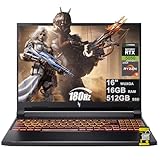
- 16GB DDR5 | 512GB SSD
- Equipped With The Most Powerful and Fast AMD 6-core Ryzen 5 240 Processor
- 16" WUXGA (1920 x 1200) IPS 180Hz, Dedicated NVIDIA GeForce RTX 5050 8GB Graphic
- 3 x USB-A 3.2, 1 x USB-C 4, 1 x HDMI 2.1, 1 x RJ45 Gigabit Ethernet, 1 x MicroSD Card Reader
- Microsoft Windows 11 Home, Backlit Keyboard, Wi-Fi 6E, 720p Webcam, Auth USB-C Hub
At about 2.5kg before adding the power adapter, this is portable in the basic sense rather than light. The cited charger adds roughly 0.48kg. Students can carry it between classes, but daily commuters should account for the combined weight and bulk.
Upgradeability is a real advantage
The chassis reportedly has two accessible RAM slots and two M.2 storage slots. That gives the Nitro V 16 more useful upgrade potential than many thin laptops and can extend its life if 16GB of memory or 1TB of storage eventually becomes limiting.
Verify the exact submodel before opening the machine. The installed memory arrangement, shielding, screw layout, warranty terms, and included drive can vary by region and SKU. Check Acer’s official ANV16-41 support page for the correct drivers and utilities, and confirm DDR5 module compatibility and SSD form factor before buying upgrades.
Independent reader supportYour contribution helps us test, update, and keep practical guides available for everyone.Ports and everyday features
The tested unit includes useful connectivity such as USB4, Ethernet, HDMI, USB ports, and Wi-Fi 6E/Bluetooth on the cited retail configuration. Exact port behavior and wireless hardware should still be checked against the seller’s SKU, particularly for regional models.
There is no built-in card reader in the tested unit. That matters to photographers and video users, who may need a USB card reader. The webcam and speakers are functional but average, with Notebookcheck specifically criticizing the webcam. For streaming, frequent video calls, or serious voice communication, budget for an external webcam, headset, or speakers. A gaming mouse is also more practical than relying on the touchpad.
Recommended Free Tools
Battery and power use
The AMD platform helps the laptop maintain moderate power use compared with several Intel-based comparison systems. Notebookcheck recorded approximately 9–13W at idle and 61–134W under load, depending on the workload.
Those figures do not translate automatically into excellent unplugged endurance. The review identifies battery capacity and battery life as weaknesses. Gaming on battery is not the intended use case: performance generally falls away from the charger, and demanding play drains the battery quickly. The large chassis and power brick also make this a less attractive choice for users who prioritize all-day mobility.
Which ANV16-41 configuration should you buy?
The Ryzen 7 8845HS with RTX 4060, 16GB RAM, and 1TB SSD is the configuration to prioritize. It offers the clearest balance of CPU capability, gaming performance, and usable starting capacity.
An RTX 4050 version can make sense only when it is clearly cheaper and your target is standard 1080p gaming. RTX 3050 versions are entry-level gaming models, not substitutes for the reviewed RTX 4060 machine. Likewise, an 8GB configuration may need an immediate memory upgrade, especially if you play newer games while multitasking.
Do these 3 things before closing this tab:
1Scan for outdated or missing drivers - takes under a minute2Repair Windows errors before they cause bigger problems3Fix the driver behind crashes, sound loss and screen glitchesAbove all, value the display specification over a headline refresh rate. A full-sRGB screen is materially more useful than a poor-gamut 165Hz panel if you also watch media, edit images, or use the laptop for creative work.
Alternatives: compare the complete configuration
A Lenovo Legion 5-class RTX 4060 laptop is the most obvious alternative when its sale price is close. Notebookcheck’s comparisons indicate that Legion models may offer a significantly better display, though the exact screen, GPU power, memory, battery, and price still need to be checked for the particular listing.
HP Victus 16 models and other 16-inch RTX 4050/4060 laptops can also be sensible alternatives. Do not assume a product family is automatically superior: compare the following items on a like-for-like basis:
- Display gamut, with 100% sRGB preferred.
- RTX 4060 power limit and cooling behavior.
- Measured fan noise under gaming load.
- Number of RAM and M.2 slots.
- Battery capacity and tested runtime.
- Weight including the charger.
- Webcam, speakers, keyboard, and port selection.
- Live price for the same CPU, GPU, RAM, and SSD class.
The Nitro’s advantage is strongest when it is substantially cheaper or when upgradeability matters more than finish and screen quality. If it approaches the price of a better-screened Legion 5, its main cost-saving compromises become difficult to justify.
What’s actually slowing this PC down?
Pick the symptom - the matching free tool is one click away.
Buying checklist
Before ordering any ANV16-41, confirm all of the following from the exact listing:
- SKU: Look for the complete model code, such as ANV16-41-R5AT, rather than only “Nitro V 16.”
- GPU: Confirm RTX 4060, RTX 4050, or RTX 3050; do not treat them as interchangeable.
- GPU wattage: Verify the stated power limit, since 85W and 140W implementations should not be expected to perform identically.
- Screen: Check resolution, refresh rate, and color gamut. Prefer an explicit 100% sRGB specification.
- Memory: Confirm capacity and, where possible, whether it uses one or two modules.
- Storage: Confirm the included SSD and whether the second M.2 slot is present and accessible.
- Connectivity: Check USB4, wireless standard, keyboard layout, and card-reader availability for your region.
- Support: Verify warranty coverage and return policy before purchase.
Historical context can help explain the value judgment but should not be mistaken for a current deal: Notebookcheck cited roughly $959 for its tested configuration during its December 2024 review period, while LaptopMedia listed a comparable model at £1,249 during its review period. Prices and stock change, so compare the live price against better-screened competitors rather than relying on those older figures.
Bottom line
The Acer Nitro V 16 ANV16-41-R5AT is a good budget gaming platform with a bad trade-off in the place you look at most. Its Ryzen 7 processor, RTX 4060, native-resolution gaming ability, USB4, and upgradeable RAM and storage are persuasive. Its poor-gamut display, approximately 85W GPU configuration, loud fans, weak webcam, modest battery, and ordinary plastic construction prevent it from being an unqualified recommendation.
Buy it when the RTX 4060 configuration is genuinely discounted and you have confirmed the panel. Avoid it for color-critical work, quiet gaming, or premium portability. If a similarly priced rival offers a full-sRGB display and a higher-powered RTX 4060, spend the difference there.
Quick Recap
Product prices and availability are accurate as of the date/time indicated and are subject to change. Any price and availability information displayed on Amazon at the time of purchase will apply.

