First identify what “lag” means in your case: local stuttering or low frame rate, a network delay or disconnect, missing multiplayer lobbies, or an online service outage. Each points to a different fix. Use the symptom-based checks below rather than changing graphics settings or router ports at random.
Quick triage: what kind of problem are you seeing?
| Symptom | Start here |
|---|---|
| The picture stutters or the frame rate drops, including in single-player | Check graphics settings, the GPU in use, background apps, and match size. |
| “Connection Lost, attempting to reconnect” appears | Check whether the internet connection or Wi-Fi activity drops when the message appears. |
| You cannot see game lobbies | Check cross-network play, game builds, filters, account visibility, and firewall settings. |
| Several players cannot use multiplayer | Check the official maintenance and known-issues pages before changing your PC or network. |
Age of Mythology: Retold stuttering or low FPS
When the game stutters in single-player as well as multiplayer, start with local rendering and system load. Age of Empires Support notes that settings may not suit every PC, including one that meets the minimum requirements.
Try low-cost graphics and system checks
- On Steam, verify the game files. Use Steam’s file-integrity check, then relaunch and see whether the problem remains.
- Reduce graphics load gradually. From the main menu, open the Graphics tab and lower resolution scale and, if needed, texture, terrain, water, shadow, or effect quality. Save changes and restart if the game prompts you to. Change one or two settings at a time and compare the same scenario so you can tell what helped.
- Check display resolution and close background apps. Apps doing heavy work can compete for system resources.
- Choose the high-performance GPU if the PC has more than one. Windows graphics settings differ for Steam and Microsoft Store versions; follow the instructions for your version in Age of Empires Support’s graphics troubleshooting guide.
Reduce the load of a large match
Large maps and high populations can tax the computers of players in a match. If performance worsens in large games, try a smaller map or a maximum population of 200 per team. Lowering zoom can also put more assets on screen and contribute to performance problems, according to the official optimization tips.
Check whether the PC meets the listed requirements
The official PC requirements page lists these specifications; check the live page in case they have changed:
#1 Best Overall

- PLEASE NOTE: THIS VERSION DOES NOT SUPPORT ON-LINE GAMING!
- Play in a 36-scenario, single-player campaign that allows players to take part in an epic mythological tale, inspired by a number of popular myths
- The revolutionary 3-D engine gives you lifelike rolling terrain, beautiful waves and water, realistic sunlight, and lush forests
- Unveil the incredible powers of the gods, including forest fires, frosts, meteors, lightning, and plagues
- Build civilisations and launch campaigns to protect your settlements
| Category | Minimum | Recommended |
|---|---|---|
| Operating system | Windows 10 version 18362 or higher | not stated in the official requirements page |
| Processor | Intel i3-4130 or AMD FX 4350 at 2.4 GHz or higher, with AVX | 3.6 GHz i5 or equivalent, with AVX |
| Memory | 8 GB RAM | 16 GB RAM |
| Graphics | NVIDIA GTX 645, AMD Vega 8, Intel Iris Graphics 550, or better | NVIDIA GTX 970 or AMD RX 570, or better |
| DirectX | Version 12 | Version 12 |
| Internet | Broadband internet | Broadband internet |
| Storage | 23 GB | 23 GB |
The requirements page says Mac, iOS, Android, and Linux are unsupported. See Age of Mythology: Retold PC requirements for current details.
“Connection Lost, attempting to reconnect”
This message calls for connection checks, not graphics adjustments. When it appears, note whether the PC is still online and whether Wi-Fi activity continues.
Rank #2

- Embark on a gaming journey of first-class offerings with the Premium Edition
- Curated to offer an elevated gaming experience day one and beyond
- Confirm the PC’s internet connection remains active.
- Review proxy settings and test with VPNs turned off; some VPN security settings can interfere with applications.
- Close other apps using substantial internet capacity.
- Open Task Manager and watch Wi-Fi activity when the reconnect message appears. If activity stops at the same time, Age of Empires Support says, “If you see the graph stop reporting data at the same time you get this pop-up, you may want to change to a landline connection.”
If Wi-Fi interruption is occurring, testing a wired connection with an Ethernet cable is an optional next step. It is not a guaranteed fix for server-side problems, firewall blocks, or local frame-rate stutter. The official steps are in the reconnect-message troubleshooting guide.
“I cannot see any game lobbies”
Missing lobbies are a visibility or multiplayer-configuration issue, not necessarily a slow connection. Check these settings with every player trying to join:
Rank #3
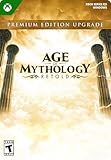
- Xbox Game Pass members or those who have access to the Standard Edition, elevate your mythological journey with the Premium Upgrade
- Enjoy: up to 7-day exclusive Advanced Access, exclusive "Freyr" New Gods Pack, Legacy Deity Portrait Pack, Expansion 1 (all-new Chinese pantheon), and Expansion 2 (additional new pantheon).
- Requires Age of Mythology: Retold, sold separately or via Game Pass subscription (Ultimate, PC, Console)
- Enable cross-network play. In the game, open Options > Game > Multiplayer and turn on “Allow Cross-Network Play.” All players attempting to join should have it enabled.
- Update to the latest game build. Confirm that everyone has installed the latest available version.
- Review firewall access. Check that the game is allowed through the local firewall or any campus firewall in use.
- Synchronize the PC clock. Make sure the computer’s date and time are correct.
- Check account visibility and online status. Review Microsoft/Xbox online and multiplayer privacy settings, or confirm Steam shows you as public and online.
- Reset lobby filters. Filters can hide otherwise available games.
Age of Empires Support’s official troubleshooting article links further guidance for multiplayer visibility problems. A June 2026 entry on the Known Issues page tracked a problem in which disabling cross-network play through in-game settings could prevent Microsoft Store and Xbox users from seeing other lobbies. Issue status can change, so check the live page rather than assuming that report remains current.
Multiplayer unavailable for multiple players
Routine maintenance can make matchmaking and other online features unavailable while campaign, skirmish, and tutorial remain playable. Arena of the Gods requires an online connection. A match already underway is disrupted if servers go offline.
Rank #4

- Transport back to a time of monsters, gods, and mortals in this real-time strategy game
- Guide 1 of 9 ancient civilizations to greatness by commanding all aspects of your empire
- Gather resources, wage war, establish profitable trade routes, build new settlements, and more
- Use mythological creatures or call upon the gods as you advance through 4 distinct ages
- Revolutionary 3D engine provides a realistic, beautiful, and captivating world
Before changing PC or router settings, check the official maintenance information and Known Issues page for service status. These pages can change; an outage should not be inferred from one player’s connection problem.
Independent reader supportYour contribution helps us test, update, and keep practical guides available for everyone.Advanced network options: ports and dedicated hosting
After basic connection and service checks, the official optimization article lists these ports for firewall or network-hardware opening or forwarding:
Best Value

- ⚡️ GREAT MATH GAME! Fantastic for reinforcing mental math skills
- ⚡️ New and Improved Game Play!
- ⚡️ Includes full-color Zeus figurine!
- ⚡️ 2-5 players Ages 8+ 15 minute play time
- 🏕 As part of HAPPY CAMPER's mission, a portion of sales from this game benefits summer camp scholarships. Thanks for your support!
| Port | Protocol |
|---|---|
| 8888 | TCP |
| 9999 | UDP |
| 3478 | TCP and UDP |
| 5222 | TCP and UDP |
Port changes are an advanced option, not a guaranteed fix or a step every player needs. The same official guide mentions the in-game “Host as Dedicated Server” option as a possible way to minimize issues. It also recommends limiting other devices using the same network ports and closing programs that use the internet. See Tips for Optimizing Age of Mythology: Retold.
Check live known issues before treating a problem as current
The official Known Issues page says it is not comprehensive and is reviewed after updates, patches, and hotfixes. Patch versions, maintenance, and issue status can change, so consult the live page when deciding whether a problem is a local configuration issue or a wider game issue.
Quick Recap
Product prices and availability are accurate as of the date/time indicated and are subject to change. Any price and availability information displayed on Amazon at the time of purchase will apply.




