
Quick wins for a faster PC:
Scan for outdated or missing drivers - takes under a minuteDriver Scan →Clear out junk files and repair common Windows errorsFree Scan →Fix the driver behind crashes, sound loss and screen glitchesFind Drivers →There is no single best equipment item in Anime Expeditions. The right choice depends on a unit’s damage type, role, attack speed, range, critical scaling and passive. A physical carry generally wants different bonuses from a magical damage dealer, while a support may value coverage or utility over raw damage.
For rerolling, use the Expedition Armory. The community reroll guide current to Update 1.0 says Expeditions opens at player level 20. Lock any stat line worth keeping before spending a reroll, because unlocked lines change and reroll items are not refunded if the equipment is later sold or scrapped. Menus, prices, drop tables and stat ranges below come from community documentation dated July and August 2026, so confirm the live game before committing a large amount of Gold or farming time.
As an Amazon Associate I earn from qualifying purchases.
How Anime Expeditions equipment works
Equipment is divided into two broad categories: standard equipment and unit-exclusive equipment. Standard pieces can be moved between compatible units and normally provide a primary stat plus a substat. Exclusive pieces are tied to a named unit and can alter, add to or improve that unit’s passive. That passive interaction is often more important than a higher-looking generic number.
The equipment reference used for this guide describes two standard equipment slots as available by default. When a unit evolves, it opens an additional slot for its exclusive equipment. Treat that slot arrangement as community documentation rather than a permanent official rule; an update can change slot counts or requirements.
#1 Best Overall

- OFFICIALLY LICENSED - This Death Note Detective L Collectible Figure is officially Licensed Death Note merchandise and makes a great gift for Death Note fans
- CUSTOM DESIGN - This Death Note Collectible Figure features the brilliant detective L in his signature crouched pose.
- MEASURES - This Death Note Detective L Collectible Figure measures approximately 6" tall
- GIFT - Packaged with Death Note branding, this Detective L PVC figure makes for an excellent and thoughtful gift for fans of the series. Whether for birthdays, holidays, or special occasions, it's a visually striking and meaningful present for Anime lovers.
- RECOMMENDED AGES - 12+
Standard equipment
Standard gear is the flexible part of a roster. A good piece can move from one carry to another as you replace units, which makes it safer to reroll than a temporary item. Its potential lines are the stats you modify with Equipment Rerolls and preserve with Equipment Locks.
Unit-exclusive equipment
Exclusive gear belongs to one named unit. It may improve the unit’s existing passive, add a new effect or strengthen a condition in the kit. Because it cannot serve your whole roster, only invest heavily when you expect to keep that unit in the lineup and have checked what the exclusive passive actually changes.
What can and cannot be rerolled
The community equipment reference says equipment stats can be changed with Equipment Rerolls and protected with Equipment Locks. It also says passives and abilities are not rerollable stats. In practice, rerolling changes eligible stat lines, not the identity of the item or its built-in ability. If the item’s passive is a poor fit, rolling more often will not repair that mismatch.
PC Slower Than It Used to Be?
A free scan shows the junk files, broken settings and background clutter dragging Windows down - then fixes them in one click.Free scan · Windows 10 & 11Outdated Drivers Are Slowing You Down
One free scan finds every outdated or missing driver and matches the right update for your exact hardware.Free scan · exact hardware matchWhat makes an item “best” for a unit?
Use four checks in order: fit with the unit, fit with the unit’s damage type, synergy with the passive and expected time in your roster. A named item is not automatically best simply because it is rarer or has a familiar name.
1. Match the unit’s role
- Main damage dealer: prioritize damage, the relevant damage-dealt stat, and then SPA or range when those stats increase real output.
- Area-of-effect carry: range can be as valuable as damage if it lets attacks reach more targets or cover a lane without repositioning.
- Fast attacker: SPA can outperform a small damage increase when the unit’s attacks are already strong and its animation or cooldown is the limiting factor.
- Support or control unit: choose the stat that improves the part of the kit you actually deploy. A passive that depends on range, for example, benefits more from range than from an irrelevant damage type.
- Critical-scaling unit: use critical stats only when the unit’s kit or passive converts them into meaningful damage. Critical lines are not universal upgrades.
2. Match physical and magical damage
Physical Damage Dealt and Magical Damage Dealt are type-specific. A physical attacker gains no equivalent benefit from a magical-damage line, and the reverse is also true. Check the unit card and current skill description rather than inferring the type from its name or animation.
3. Check passive interactions
An item with a lower displayed number can be stronger if its passive improves a unit’s key mechanic. Exclusive equipment is the clearest example, but standard gear can also be the better long-term choice when it supplies the exact stat a passive checks.
4. Consider how long you will use it
Rerolls are a limited resource. Avoid chasing perfect potentials on gear you plan to replace after the next evolution, banner or map. A good, serviceable roll on a permanent item is usually a better investment than a perfect roll on a temporary one.
Community-listed equipment examples
The following entries are examples from a community equipment index, not a guaranteed current drop table. Potential values can vary by roll. The index specifically warns that its Shinigami Sword values are a sample roll rather than fixed stats.
Rank #2
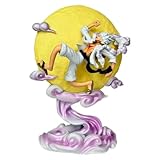
- 【Popular character design】The product is designed with the popular character Luffy from One Piece as the core, with exquisite workmanship and strong quality, suitable for fans to collect.
- [Soft Lighting Function] The light is soft and eye-friendly with moderate brightness. The product comes with decorative lighting (for the figurine/ornament), making it suitable for nighttime use—its light won’t glare or irritate the eyes.
- 【High quality material】Made of natural resin material, durable and exquisitely detailed, with clear character pattern printing.
- 【Multi purpose scenario】It can be used as a collectible around One Piece, as well as for bedroom, game room, and office decoration.
- 【Safety and Size】The product size (26.5*18*12) is suitable for desktop placement, with a low heat generation design, and can be used with confidence.
| Equipment | Listed stat or potential | Listed source | Best use to investigate |
|---|---|---|---|
| Kunai | Damage and SPA potential | School Grounds | Units that benefit from frequent attacks and do not need a type-specific damage line. |
| Katana | Physical Damage Dealt and Damage | Flower Forest | Physical carries whose output is limited by damage rather than range. |
| Magic Orb | Range and Damage | Rose Kingdom | Damage dealers that gain value from wider coverage as well as raw output. |
| Warrior’s Axe | Physical Damage Dealt and SPA | Fairy King Forest | Physical attackers where attack frequency is a major part of the kit. |
| Magic Book | Magical Damage Dealt | King’s Tomb | Magical damage units that can use a type-specific increase. |
| Promise Ring | Listed for Cursed Student | School Grounds Mastery / Armory Forge | Check the item’s exclusive interaction and current passive text before investing. |
| Technique Amplifier | Listed for Salmon Sorcerer | School Grounds Mastery / Armory Forge | Use only after confirming the named unit and passive effect still match the live version. |
| Hell’s Flower | Listed for Hollow (Blaze) | Flower Forest Mastery / Armory Forge | Investigate as unit-exclusive or unit-targeted gear for that named unit. |
“Listed source” means the location recorded by that index at the time of its July 2026 update. It does not establish that the item still drops there, that the drop is guaranteed, or that the listed potential is the only possible roll. Open the item card in the current game and verify the map before spending stamina, tickets or other farming resources.
Stat priorities by build type
Damage-first carry
Start with the damage stat that affects the unit’s attacks or skills. If two items are close, compare SPA and range against the way you actually use the unit. A short-range carry that misses targets may gain more from range than from a small damage increase; a unit already covering the whole lane may prefer SPA.
Physical damage build
Physical Damage Dealt is the relevant type-specific line. Katana and Warrior’s Axe are examples recorded with that kind of potential, but the item names alone do not prove they are best for every physical unit. Confirm that the unit’s attacks are physical and that the line applies to the skill you care about.
Magical damage build
Magical Damage Dealt is the matching type-specific line. Magic Book is the community index’s clearest example. It can be a better target than a generic damage item for a unit whose scaling is primarily magical, provided the current item card still shows that stat.
Range and coverage build
Range matters when it changes how many enemies a unit can reach, lets it cover a bend or removes the need to reposition. Magic Orb is listed with Range and Damage, making it a natural candidate to test on coverage-sensitive units. Do not assume range is always superior: if the unit already reaches every target in the stage, the extra distance may add no practical value.
SPA and attack-frequency build
Lower SPA means a shorter interval between attacks in games that use SPA as the attack-time stat. Kunai and Warrior’s Axe are listed with SPA potential. Compare the result against the unit’s animation, cooldowns and passive triggers; some skills do not scale linearly with attack frequency.
Critical-focused build
Critical stats belong on units that have critical chance, critical damage or a passive that explicitly scales from critical events. The July 2026 community guide recommends critical stats only for units that benefit from critical scaling. For every other unit, damage, range or SPA is usually a more defensible first target.
The Tool Desk
Outbyte PC Repair FREEClear out junk files and repair common Windows errorsFree Scan →Outbyte Driver Updater FREEFix the driver behind crashes, sound loss and screen glitchesFind Drivers →Rank #3

- OFFICIALLY LICENSED - This Death Note Light Figure is officially licensed merchandise and makes a great gift for fans of Death Note
- CUSTOM DESIGN - This Death Note Figure features Light holding a scythe
- RECOMMENDED AGES - This Death Note Light Figure is suitable for ages 14+
- HIGH QUALITY - This Death Note Light Figure is made out of high quality PVC material
- GIFT - This Death Note Light Figure makes a great Birthday, Christmas, Anniversary, Father's Day, Mother's Day Gift. It is a perfect gift for any occasion
Requirements before you reroll
The August 2026 community reroll guide places the reroll station in the Expedition Armory and says Expeditions unlock at player level 20. It also describes an upgrade path: raise the Expedition Center to level 2 to lift the Armory cap, then upgrade the Armory to level 2 before using the reroll station. Because this is a community description of Update 1.0 rather than first-party documentation, menu names and level gates may differ after an update.
- Reach player level 20 so Expeditions is available, according to the cited guide.
- Open the Expedition Hub and locate the Armory.
- Check whether the Expedition Center and Armory meet the level requirements shown in the live interface.
- Have an Equipment Reroll and, if needed, an Equipment Lock ready.
- Choose an item you expect to keep rather than a piece earmarked for sale or scrapping.
Do not confuse the purple Areas menu with the Armory. The same guide identifies Areas as the unit stat and trait area, while equipment rerolling takes place in the Expedition Armory.
How to reroll equipment safely
- Enter the Expedition Hub. Open the Expedition area from the live game menu and select the Armory.
- Open Reroll Equipment. Choose the Armory station labeled for equipment rerolls. If the station is unavailable, inspect the Expedition Center and Armory upgrade prompts before spending resources elsewhere.
- Select a long-term item. Pick a standard item with a useful passive fit or a unit-exclusive item for a unit you intend to keep. Do not begin with gear you are only testing.
- Inspect every current line. Decide which stat is valuable before touching the reroll button. A line that is merely average may still be worth preserving if it is the correct damage type or a hard-to-replace range roll.
- Apply an Equipment Lock. Lock the useful line before rolling. The community guide says locked lines stay unchanged while unlocked lines reroll.
- Spend one Equipment Reroll. Confirm the item and the locked status, then use one reroll. The resulting screen should show which lines changed.
- Read the new stats before continuing. Compare the new roll with your unit’s role, damage type and stage requirements. Never press reroll again automatically.
- Keep, lock or stop. If the result is good enough for the item’s expected lifetime, stop. If one new line is valuable, lock it before a later attempt. If the item no longer fits the unit, stop spending and reassess whether the item should be replaced instead.
The guide’s most important warning is resource permanence: reroll items are not refunded when an item is sold or scrapped. A bad decision can therefore cost both the gear and every consumable spent on it.
Independent reader supportYour contribution helps us test, update, and keep practical guides available for everyone.Where reroll resources come from
Community documentation lists challenges, the Gold Shop and Expedition activities as sources of reroll resources or locks. A separate July 2026 guide recorded a Gold Shop price of 2,500 Gold for a reroll-related item at the time of its check. That is a dated shop snapshot, not a permanent price or guaranteed current listing. Check the live shop before budgeting.
Free tools Windows power users keep installed
One-click scans. No signup required.
Challenges
Review challenge rewards before spending rerolls. If a challenge offers a lock or reroll item, claim the reward on its reset schedule instead of treating the Gold Shop as the only supply.
Gold Shop
Use the shop when the current price fits your economy and the item is available. The recorded 2,500-Gold figure can change with balancing, rotation or region-specific settings.
Expedition activities
Expedition content may provide the same materials directly. Compare the time and stamina cost of farming an activity with buying a limited shop stock, especially when you are rerolling several pieces.
Rank #4

- SUNG JINWOO: Climb the hunter ranks with Total Anime Sung Jinwoo
- SOLO LEVELING: 9-inch deluxe PVC statue is based on the popular anime Solo Leveling
- DYNAMIC POSE: Jinwoo is posed in a dynamic battle stance inspired by the show
- DISPLAY BASE: Includes exciting environmental display base of black flames
Common mistakes and how to recover
Rerolling before locking
Symptom: a useful line disappears after one click. Fix: treat every current line as disposable until you have explicitly applied an Equipment Lock. Build the habit of checking the lock icon immediately before confirming the reroll.
Chasing perfect stats on temporary gear
Symptom: reroll materials are gone, but the unit is about to be replaced. Fix: set a stopping rule based on the item’s expected use. Keep a solid roll for current progression and reserve perfection attempts for permanent or exclusive equipment.
Using the wrong damage type
Symptom: the number on the item looks high, but the unit’s output barely changes. Fix: verify whether the unit is physical or magical and whether the stat affects attacks, skills or both. Replace a mismatched item instead of repeatedly rerolling it.
Assuming an index is an official drop table
Symptom: a listed map does not drop the expected item. Fix: check the current in-game item card, map reward panel and update notes. Community indexes can lag behind a patch, and the recorded source may have changed.
Confusing Areas with the Armory
Symptom: you can see unit traits but cannot find equipment rerolls. Fix: leave the purple Areas menu and return to the Expedition Hub’s Armory. The two systems serve different purposes.
Do these 3 things before closing this tab:
1Scan for outdated or missing drivers - takes under a minute2Repair Windows errors before they cause bigger problems3Fix the driver behind crashes, sound loss and screen glitchesRolling an item you may scrap
Symptom: you sell the item and lose the materials invested in it. Fix: mark long-term candidates first and delay rerolling until you have tested the unit and confirmed the item’s passive fit.
A practical decision framework
Use this sequence whenever you obtain a new piece:
- Identify the owner. Is it standard gear for several units or exclusive gear for one named unit?
- Identify the damage type. Physical, magical, mixed or utility determines which lines can matter.
- Identify the bottleneck. Is the unit failing because attacks are weak, too slow, too short-ranged or unable to trigger its passive consistently?
- Compare the item’s current lines. Keep a correct-type line even if its number is not the highest visible value.
- Check the passive. If it does not help the unit you plan to use, do not spend rerolls trying to force a fit.
- Estimate the replacement date. If a better unit or evolution is imminent, use the item as-is or wait.
- Set a resource limit. Decide how many rerolls you are willing to spend before starting, then stop when the item reaches your acceptable threshold.
What is still uncertain
No first-party probability table for potential rolls was established in the available documentation. Community guides report examples and ranges, but those figures are snapshots rather than guaranteed distributions. The same applies to exact drop locations, slot behavior, Gold Shop availability and the Armory’s upgrade requirements.
For expensive farming decisions, verify three things in the live game: the item card’s current potential lines, the map’s current reward panel and the Armory screen’s current level requirement. If any of those conflict with an older guide, follow the live interface and treat the older entry as historical information.
Quick Recap
Quick checklist before spending a reroll
- Is this the unit or item you expect to keep?
- Does the equipment match the unit’s physical, magical or utility role?
- Have you checked whether range or SPA solves the actual problem better than generic damage?
- Is the valuable line explicitly locked?
- Can you afford to lose the reroll item permanently?
- Have you checked the current item card and map rather than relying on an old index?
- Will you stop if the next result is merely good instead of perfect?
Product prices and availability are accurate as of the date/time indicated and are subject to change. Any price and availability information displayed on Amazon at the time of purchase will apply.
Recommended Free Tools

