PC Slower Than It Used to Be?
A free scan shows the junk files, broken settings and background clutter dragging Windows down - then fixes them in one click.Free scan · Windows 10 & 11Crashes, No Sound, or Screen Glitches?
Random freezes, missing sound and display glitches usually trace back to one bad driver. Find and replace yours safely.Free scan · under a minuteThe Arena is an activity in The Elder Scrolls IV: Oblivion Remastered. If a match does not count or Owyn does not recognize your Arena Raiment, Bethesda’s support guidance recommends reloading or leaving and returning to the area, trying a bound-equipment workaround, and saving before entry and between rounds. The steps below cover those progression problems; Bethesda’s available guidance does not establish a complete rank, opponent, or reward list.
What this Arena guide covers
This page concerns the Arena activity in The Elder Scrolls IV: Oblivion Remastered, not the separate 1994 game The Elder Scrolls: Arena. Bethesda Support has a Remastered-specific article for Arena progression problems, including cases where match time or equipped raiment is not recognized.
Bethesda describes broad changes in the remaster, including Unreal Engine 5 visual tools, sprinting, recreated combat animations, a redesigned leveling system, updated UI/UX, and newly recorded dialogue. Those game-wide changes do not establish that the Arena’s rules or progression changed. Bethesda’s beginner guide and overview discuss the remaster generally; they are not a substitute for Arena-specific rules.
What to do if Arena progression is stuck
If the game does not recognize your match time or Arena Raiment, try Bethesda Support’s suggestions in order. Make a separate save before attempting changes where possible; Bethesda also recommends saving before entering the Arena and between rounds. These are troubleshooting options, not guaranteed fixes.
Free tools Windows power users keep installed
One-click scans. No signup required.
#1 Best Overall

- The Elder Scrolls IV: Oblivion Remastered brings the game of the year 2006 up to date with all-new stunning graphics and enhanced gameplay.
- Explore the vast landscape of Cyrodiil like never before in one of the greatest RPGs of all time from award-winning Bethesda Game Studios, preventing the powers from the realm of forgetting from conquering the land.
- The Elder Scrolls IV: Oblivion Remastered - Physical Deluxe Edition includes the main game, unique digital Akatosh and Mehrunes Dagon armor, weapons and horse armor sets, Shivering Isles and Knights of the Nine story expansions, access to the digital artbook and soundtrack app, plus additional content to download. en: Fighter's Stronghold, Spell Tomes, Vile Lair, Mehrune's Razor, The Thieves Den, Wizard's Tower, Orrery and Horse Armor Pack.
- Travels through the magnificent world of Tamriel and struggles on the plains of the realm of oblivion. The hand-crafted details have been meticulously recreated so that your exploration becomes an unforgettable experience.
- Create your own way from the noble warrior to the sinister assassin to the wrinkled wizard or funny blacksmith and play in your way.
- Reload an earlier save. Load a save made before entering the Arena area, then try the progression step again.
- Leave and return. Fast travel out of the quest area and then return to the Arena.
- Refresh the raiment check with bound equipment. Cast a spell that summons bound equipment, such as Bound Gauntlets or Bound Armor. Remove the bound equipment with Dispel or wait for its effect to expire. Re-equip Arena Raiment, then speak to Owyn again.
- Wait away from the Arena. Fast travel elsewhere, wait or sleep for three in-game days, and return.
- Restart the game. Exit the game completely and launch it again.
- Check mods and add-ons. If any are installed, disable and remove them, then test Arena progression again.
These steps come from Bethesda Support’s Arena progression article. If the problem continues, preserve your saves and contact Bethesda Support with details of the step that fails.
Ranks, opponents, and rewards
A reliable rank-by-rank list, opponent order, or gold and reward totals is not established here, so specific figures should not be treated as confirmed. A third-party page titled “The Arena Ranks and Rewards” appeared in search results with a May 20, 2025 update date, but its detailed contents could not be verified. Avoid relying on snippets for exact progression details.
Rank #2

- The Elder Scrolls IV: Oblivion Remastered modernizes the 2006 Game of the Year with all new stunning visuals and refined gameplay. Required Content Download
- Explore the vast landscape of Cyrodiil like never before and stop the forces of Oblivion from overtaking the land in one of the greatest RPGs ever from the award-winning Bethesda Game Studios.
- The Elder Scrolls IV: Oblivion Remastered Physical Deluxe Edition includes the base game, unique digital Akatosh and Mehrunes Dagon Armors, Weapons, and Horse Armor Sets, Shivering Isles and Knights of the Nine story expansions, access to the Digital Artbook and Soundtrack App, and additional downloadable content: Fighter’s Stronghold, Spell Tomes, Vile Lair, Mehrune’s Razor, The Thieves Den, Wizard’s Tower, The Orrery, and Horse Armor Pack.
- Journey through the rich world of Tamriel and battle across the planes of Oblivion where handcrafted details have been meticulously recreated to ensure each moment of exploration is awe inspiring.
- From the noble warrior to the sinister assassin, wizened sorcerer, or scrappy blacksmith, forge your path and play the way you want.
Game availability and version context
Bethesda’s April 22, 2025 beginner guide listed The Elder Scrolls IV: Oblivion Remastered for Xbox Series X|S, Game Pass, PlayStation 5, and PC. Storefront and subscription availability can change, so check the current listing for your region. The Arena troubleshooting guidance cited above specifically addresses the Remastered game.
Quick Recap
Rank #4
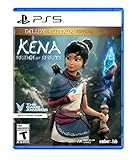
- Kena: Bridge of Spirits - Deluxe Edition includes: Base Game, Official Digital Soundtrack, Unique Kena Staff, Golden Rot Skin, Retail Exclusive Sticker Sheet, Unique Celebration Hats for Rot
- Find the Rot: Timid and illusive spirits scattered throughout the forest. They maintain balance by decomposing dead and rotting elements
- Build Your Team: Find and collect Rot to gain powerful abilities, make discoveries, and transform the environment
- Explore: A forgotten village and a strange curse; Draw on the power of the Spirit Realm to restore this once-majestic world
- Fast-Paced Combat: Spirits have become corrupt, trapped, and unable to move on, challenging Kena at every turn
Rank #3

- The Elder Scrolls IV: Oblivion Remastered modernises the 2006 Game of the Year with all new stunning visuals and refined gameplay.
Product prices and availability are accurate as of the date/time indicated and are subject to change. Any price and availability information displayed on Amazon at the time of purchase will apply.



