Do these 3 things before closing this tab:
1Fix the driver behind crashes, sound loss and screen glitches2Clear out junk files and repair common Windows errors3Scan for outdated or missing drivers - takes under a minuteThe ASUS ROG NUC (2025) is a roughly 3-liter gaming and creator PC built around Intel’s Core Ultra 9 275HX and up to NVIDIA’s RTX 5080 Laptop GPU. Its appeal is exceptional performance density—but the mobile GPU, external power brick, premium pricing, and limited expansion are important trade-offs.
The ASUS ROG NUC (2025) puts a Core Ultra 9 275HX processor and up to an NVIDIA GeForce RTX 5080 Laptop GPU into a chassis ASUS describes as roughly 3 liters. That makes it one of the more ambitious compact gaming PCs available to buyers who want high-end performance without a conventional tower.
As an Amazon Associate I earn from qualifying purchases.
The important qualification is “Laptop GPU.” This is not a desktop RTX 5080 transplanted into a tiny case. The ROG NUC uses NVIDIA’s mobile RTX 5080 implementation, with performance and power behavior that belong in the same comparison set as premium gaming laptops and other compact systems—not full-size desktop PCs with unrestricted desktop graphics cards.
ASUS ROG NUC (2025) specifications at a glance
| Component or feature | What ASUS lists |
|---|---|
| Product family | NUC15JNK |
| Processor | Intel Core Ultra 9 275HX |
| CPU layout | 24 cores: 8 performance cores and 16 efficiency cores |
| Maximum CPU boost | Up to 5.4 GHz |
| Graphics | Up to NVIDIA GeForce RTX 5080 Laptop GPU |
| Memory | DDR5 SO-DIMM; exact capacity varies by configuration and market |
| Storage | M.2 NVMe storage; exact drive configuration varies by SKU |
| Approximate dimensions | 282.4 × 187.7 × 56.5 mm, with the lower base reaching 146 mm |
| Networking | Wi-Fi 7 and 2.5GbE LAN |
| External displays | Two HDMI outputs, two DisplayPort outputs, and Thunderbolt 4 with DisplayPort functionality |
| Maximum display claim | Up to five 4K displays, depending on the complete system and display configuration |
ASUS’s product page and NUC15JNK support documentation should be treated as the authority for a particular regional model. Memory, SSD capacity, and bundled accessories can differ between listings. One retailer-indexed Amazon configuration includes 32GB of DDR5 memory and a 2TB NVMe SSD, but that is an example bundle—not a universal specification.
#1 Best Overall

- An Industry Leader: As a Microsoft Authorized Refurbisher, we pride ourselves on producing quality remanufactured PCs. Every machine is handled with care, and our experts are dedicated to giving them a new life. We are committed to reducing e-waste, and it is our goal to ensure each machine we process can satisfy our customers needs.
- Lightning Fast: Powered by Intel's top of the line Core i7 processor and loaded with 32 GB of DDR3 RAM, this machine will outperform the competition in any situation.
- Massive Storage: You can store all of the apps, games, photos, music and movies that you need. 1000GB SSD Drive To increased speed!
- The Package included USB Keyboard & Mouse, USB Wi-Fi Adapter will have you up and running with ease, keeping you connected. You may also select additional accessories during customization! Microsoft's latest and best OS to date, Windows 10, will maximize the power and utility of your new machine.
- Buy with Confidence: All Amazon Renewed items come with a 90-day warranty. Our customer care team will work to solve any issues or answer any questions you may have about your new machine. As a Microsoft Authorized Refurbisher, we're proud to provide customers with unmatched quality and care.
A 3-liter gaming PC with a console-like footprint
The ROG NUC is designed to stand vertically, giving it a console-like presence rather than the appearance of a shrunken desktop tower. ASUS lists a footprint and enclosure volume of approximately 3 liters, with customizable RGB lighting and tool-less access to key internal components.
That size is the system’s central appeal. It can fit beside a living-room television, occupy less desk space than a tower, or travel between locations more easily than a conventional gaming desktop. It is also a fixed PC rather than a laptop: there is no integrated screen, keyboard, battery, or speaker system.
The external power adapter is another essential part of the design. The computer may be small, but the complete setup still includes a substantial power brick and cable. Buyers choosing the ROG NUC for a clean media-center or desktop arrangement should plan where that adapter will sit.
RTX 5080 Laptop GPU: powerful, but not a desktop RTX 5080
The flagship graphics option is NVIDIA’s RTX 5080 Laptop GPU, based on the Blackwell RTX 50 laptop family. NVIDIA lists the mobile GPU with 7,680 CUDA cores, 16GB of GDDR7 memory, and 1,334 AI TOPS. Those are specifications for the GPU family; they are not independent ROG NUC benchmark results.
ASUS also highlights the Blackwell feature set, including DLSS 4, Multi Frame Generation, enhanced Ray Reconstruction, fifth-generation Tensor Cores, and fourth-generation ray-tracing cores. These technologies can be valuable in games that support them, but they do not produce identical results in every title. The game’s renderer, resolution, ray-tracing settings, upscaling mode, driver, and power limits all matter.
In practical terms, review coverage positions the RTX 5080 configuration for high-end 1440p gaming and usable 4K gaming, with the usual caveat that demanding games may require upscaling or adjusted ray-tracing settings. That is a review-context description, not a blanket frame-rate promise.
Rank #2
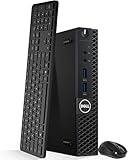
- Model: Dell OptiPlex 3050 Mini Desktop PC
- Processor: Intel Core i5-6500T 64-bit Quad-Core Processor, Base 2.50 Ghz up to 3.10 Ghz, 6MB Smart Cache
- Specifications: 16GB DDR4 Memory, High quality PCIe NVMe 512GB SSD
- Features: Micro form factor, Wireless Keyboard and Mouse included. Universal audio jack
- Ports: 4x USB 3.0, 2x USB 2.0, 1x Display port, 1x HDMI, Gigabit Ethernet, 802.11ac Wireless.
The more honest comparison is with a premium gaming laptop or a high-performance mini PC. A desktop RTX 5080 has a different power envelope, cooling environment, and upgrade path. Calling the ROG NUC’s chip simply “an RTX 5080” without the Laptop designation would give buyers the wrong expectation.
The Tool Desk
Outbyte Driver Updater FREEFix the driver behind crashes, sound loss and screen glitchesFind Drivers →Outbyte PC Repair FREERepair Windows errors before they cause bigger problemsFix Now →Core Ultra 9 275HX and creator workloads
Intel’s Core Ultra 9 275HX gives the ROG NUC a 24-core hybrid design: eight performance cores and 16 efficiency cores. ASUS lists boost speeds up to 5.4 GHz, integrated AI accelerators, and support for DDR5-6400 memory.
That combination suits workloads that benefit from a strong mobile-class CPU and discrete GPU, including game development tools, 3D applications, video editing, encoding, image work, and AI-enabled software. However, platform specifications do not guarantee a particular render time, export speed, or professional-application result. Those outcomes depend on the application, project size, codecs, drivers, memory configuration, and thermal behavior.
Cooling: ambitious for the size, but still constrained by the enclosure
ASUS equips the ROG NUC with three fans, a unified vapor chamber, a dedicated SSD heatsink, and a dedicated CPU fan that ASUS rates for up to 135W of cooling performance. Armoury Crate provides monitoring, fan-control options, software and driver updates, and performance presets.
This is more substantial than placing powerful components in a minimally ventilated small box. Review coverage indicates that the cooling system can sustain high performance, while also noting high CPU temperatures under load. ASUS describes the machine as quiet under stress, but that is a manufacturer claim rather than a guarantee of a particular noise level.
Recommended Free Tools
Expect the normal compact-PC trade-off: a carefully engineered thermal system can make high performance possible, but it cannot remove the limits imposed by a small enclosure. Room temperature, workload duration, performance mode, ventilation, and dust will affect the result. There is no responsible way to promise a sustained clock speed, temperature, acoustic level, or frame rate without a specific test and methodology.
Rank #3

- The Dell Optiplex 7040 Business Tower desktop PC gives you 8GB memory and 256GB solid state drive for efficient multitasking. Includes: computer; power cord; keyboard; mouse.
- Please note that this Dell Optiplex 7040 MT desktop computer does not come with DVD, this description is the main instructions, Intel Core i7 6700 (3.4GHz up to 4.0GHz), so you can expect very fast, reliable and consistent performance for an exceptional PC experience
- Ports: 6 external USB 3.0 ports (2 front, 4 rear) and 4 external USB 2.0 ports (2 front, 2 rear); 1 RJ-45; 1 serial; 2 DisplayPort; 2 PS/2; 2 line inputs, 2 line outputs (headphone/speaker)
- Operating System: Windows 11 Pro 64 Bit - Multi-language supports English/Spanish/French. New installation of the latest Microsoft Windows 11 Pro operating system, free of bloatware commonly installed from other manufacturers.
- Refurbishment - Refurbished products have undergone professional inspection, testing and cleaning. Accessories may not be original, but are compatible and fully functional. The product can be delivered in a normal box.
Ports, networking, and up to five 4K displays
The ROG NUC is unusually well suited to a multi-monitor workstation or living-room setup. Its connectivity includes:
- Two HDMI outputs
- Two DisplayPort outputs
- Thunderbolt 4 with DisplayPort functionality
- Multiple USB ports, including a front USB-C port
- 2.5Gb Ethernet
- Wi-Fi 7
ASUS says the system can support up to five 4K displays. That does not mean every five-monitor arrangement will run at 4K, high refresh, HDR, and maximum color depth simultaneously. The actual result depends on the individual port, monitor, cable or adapter, display mode, driver, and the exact system configuration.
For a single high-refresh display, match the cable to the monitor and the port’s capabilities. A suitable HDMI 2.1 cable or DisplayPort 2.1 cable can help carry the signal required by a compatible display, but a cable cannot increase the GPU’s rendering performance or add features the computer does not support. If the system is becoming the center of a productivity or gaming setup, a properly specified 4K gaming monitor is a more meaningful purchase decision than simply buying the most expensive cable.
Memory and SSD upgrades are accessible
One of the ROG NUC’s practical advantages over many sealed compact computers is user access to DDR5 SO-DIMM memory and M.2 storage. ASUS describes quick-access installation for both, allowing an owner to expand memory or replace a smaller SSD instead of replacing the entire PC.
Do not assume that every NUC15JNK listing has the same internal layout. Before buying an upgrade, check the applicable ASUS technical product specification and the exact regional SKU for:
- Maximum supported memory capacity
- Number of populated and available SO-DIMM slots
- Supported M.2 interface generation
- Supported drive length and physical clearance
- Thermal-pad and heatsink arrangement
Useful shopping searches include DDR5 SO-DIMM upgrade, ROG NUC compatible RAM, M.2 NVMe SSD for ROG NUC, and ROG NUC storage upgrade. Compatibility still needs to be checked against the machine’s voltage, form factor, capacity limits, keying, dimensions, and exact SKU. A generic laptop-memory or M.2 listing is not automatically suitable.
Rank #4

- Compact and efficient: The Lenovo ThinkCentre M710q mini desktop PC is a compact and efficient mini desktop PC with reliable performance, plenty of memory, and efficient storage.
- Stable Processor - 6th Gen Intel Core i3-6100T, delivering reliable processing power for a variety of tasks including office productivity, web browsing and multimedia consumption.
- AMPLE CAPACITY - 8GB DDR4 RAM provides ample memory for seamless multitasking, smooth performance and runs multiple applications at the same time; 256GB solid state drive offers fast boot times, quick data access, and enough storage space for essential files, documents and applications.
- FLEXIBLE EXPANSION - USB Type-A, DisplayPort, RJ-45, headphone/microphone combo jack, ensuring easy connection to peripherals and accessories.
- Operating System: Windows 11 Pro - a powerful, secure, compatible and more manageable operating system that helps you better manage and protect your devices and data for greater productivity and security.
Armoury Crate and Windows maintenance
ASUS supports Armoury Crate on the ROG NUC for hardware monitoring, fan control, performance presets, driver and software updates, and game-library integration. These features are useful for managing a compact performance PC, where temperature and operating mode can matter more than they do on a large tower.
Streaming and always-on creator workflows
The ROG NUC can serve as a local gaming, recording, and content-creation machine, but not every creator needs to leave a powerful PC running all night. For channels built around owned or rights-cleared video loops, StreamNeo offers a separate cloud workflow: upload the permitted video, connect a YouTube stream key, and let the service run a continuous stream with automatic recovery.
That is relevant to ambient video, education, demonstrations, replays, and other always-on channels. It is not a benchmark for the ROG NUC, does not require the ROG NUC to remain powered overnight, and is not a replacement for interactive local streaming where the creator needs real-time control, gameplay capture, or a local OBS workflow.
Who should buy the ASUS ROG NUC (2025)?
The ROG NUC makes the most sense when compactness is worth paying for. It is a strong fit for:
Free tools Windows power users keep installed
One-click scans. No signup required.
- Gamers who want high-end performance in a small fixed desktop
- Living-room or television setups where a tower would be visually and physically intrusive
- Creators who need a discrete RTX GPU in a much smaller enclosure
- Users moving a powerful PC between rooms, studios, or locations
- Enthusiasts who value the ROG design language and Armoury Crate controls
It is a weaker fit for:
- Buyers seeking the lowest cost per frame
- Users who want a desktop RTX 5080 or frequent graphics-card upgrades
- People who need a built-in screen, keyboard, battery, or speakers
- Workstations requiring multiple PCIe cards, several large drives, or standard desktop components
- Anyone unwilling to accept an external power adapter and compact-system thermal limits
Pricing and configuration advice
There is no single worldwide ROG NUC specification or dependable permanent price. ASUS notes that products, configurations, and offers vary by market, while retailer inventory changes over time. Confirm the current U.S. listing immediately before purchasing and verify the exact processor, GPU, memory, SSD, operating system, warranty, and included power adapter.
The most important checklist is simple:
- Confirm that the listing says RTX 5080 Laptop GPU, not merely “RTX 5080.”
- Check whether the advertised RAM and SSD match your needs; do not assume the 32GB/2TB bundle is universal.
- Compare the complete price with a premium gaming laptop and a compact desktop.
- Budget for the external power brick and any display adapters or cables your monitors require.
- Check the NUC15JNK support documentation before ordering memory or storage.
For readers comparing current listings, the ASUS ROG NUC (2025) gaming mini PC is the relevant product to look for, with the exact configuration checked against the retailer’s regional offer.
Best Value

- This Certified Refurbished product is tested and certified to look and work like new. The refurbishing process includes functionality testing, basic cleaning, inspection, and repackaging. The product ships with all relevant accessories, a minimum 90-day warranty, and may arrive in a generic box. Only select sellers who maintain a high performance bar may offer Certified Refurbished products on Amazon.com.
- The dell desktop computer comes with 256GB SSD to store important files and applications, support more faster Boot speed and faster storage rates.
- POWERFUL PROCESSOR - Configured with Intel’s top of the line Core i5-6500T processor so you can expect lightning fast, reliable and consistent performance for an exceptional PC experience.
- Ready to work - This refurbished desktop computer is ready to use straight out of the box. It has gone through a thorough and rigorous refurbishing process as well as Quality Control Testing.
- Windows 11 Pro is pre-install on this dell optiplex, it will maximize the utility of your Windows 11 desktop.
Verdict
The ASUS ROG NUC (2025) is compelling because it delivers an unusually capable CPU-and-GPU combination in approximately 3 liters. The Core Ultra 9 275HX, RTX 5080 Laptop GPU, three-fan vapor-chamber cooling system, modern connectivity, and accessible SO-DIMM and M.2 components give it more flexibility than a basic mini PC.
Its compromises are equally clear: premium pricing, a mobile rather than desktop RTX 5080, an external power brick, limited expansion compared with a tower, and the unavoidable thermal constraints of a small enclosure. If saving space is the priority, those trade-offs may be reasonable. If maximum upgradeability or lowest cost per frame matters more, a conventional desktop remains the better direction.
Crashes, No Sound, or Screen Glitches?
Random freezes, missing sound and display glitches usually trace back to one bad driver. Find and replace yours safely.Free scan · under a minutePC Slower Than It Used to Be?
A free scan shows the junk files, broken settings and background clutter dragging Windows down - then fixes them in one click.Free scan · Windows 10 & 11Frequently Asked Questions
Does the ASUS ROG NUC use a desktop RTX 5080?
No. The ROG NUC uses the NVIDIA GeForce RTX 5080 Laptop GPU, not the desktop RTX 5080. Its performance and power limits should be compared with premium gaming laptops and compact PCs.
How many monitors can the ASUS ROG NUC drive?
ASUS says the ROG NUC can support up to five 4K displays. Actual resolution, refresh rate, HDR support, and simultaneous-display behavior depend on the ports, monitors, cables or adapters, drivers, and system configuration.
Can you upgrade the ROG NUC’s RAM and SSD?
ASUS describes user-accessible DDR5 SO-DIMM memory and M.2 modules. Verify the exact NUC15JNK SKU for maximum memory, M.2 generation, drive length, slot availability, and heatsink or thermal-pad requirements before buying parts.
Who should buy the ASUS ROG NUC (2025)?
It is best for buyers who want high-end gaming or creator performance in a very small fixed desktop. It is less suitable for buyers who need desktop-GPU upgrades, standard PCIe expansion, the lowest cost per frame, or a built-in laptop display and battery.
The Bottom Line
Bottom line: The ASUS ROG NUC (2025) is a premium 3-liter gaming and creator PC for buyers who value compactness above desktop-style expansion. Its RTX 5080 is the Laptop GPU variant, so compare it with high-end laptops and mini PCs—not unrestricted desktop RTX 5080 systems.
Quick Recap
Product prices and availability are accurate as of the date/time indicated and are subject to change. Any price and availability information displayed on Amazon at the time of purchase will apply.




