
Verdict: The ASUS ROG NUC (2025) is an exceptionally compact Windows gaming PC with strong 1440p and capable 4K performance. However, its RTX 5080 is the 175W Laptop GPU, not the desktop RTX 5080. It is worth considering for buyers who value a tiny, turnkey system and find it substantially discounted; it is a poor choice for maximum performance per dollar, quiet operation, or desktop-style upgrades. ASUS has since announced the newer ROG NUC 16, which should be preferred when priced similarly.
What is the ASUS ROG NUC 2025?
The ASUS ROG NUC (2025), model family NUC15JNK, is a standalone gaming mini PC related to ASUS’s NUC 15 Performance platform. ASUS announced it on June 19, 2025. The flagship configuration combines an Intel Core Ultra 9 275HX processor, NVIDIA GeForce RTX 5080 Laptop GPU, 32GB of DDR5 memory, and a 2TB PCIe 4.0 NVMe SSD.
As an Amazon Associate I earn from qualifying purchases.
That specification describes the high-end configuration, not every ROG NUC 2025 model. The family also includes Core Ultra 7 255HX systems and RTX 5060, RTX 5070, and RTX 5070 Ti Laptop GPU options. Check the exact regional SKU before comparing prices or performance. ASUS’s specification page lists the available configurations.
Free tools Windows power users keep installed
One-click scans. No signup required.
Specifications
| Component | Flagship configuration |
|---|---|
| CPU | Intel Core Ultra 9 275HX, Series 2 |
| CPU layout | 24 cores: 8 performance cores and 16 efficiency cores |
| Maximum boost | Up to 5.4GHz |
| GPU | NVIDIA GeForce RTX 5080 Laptop GPU |
| GPU power | Up to 175W TGP, according to ASUS |
| Memory | Common reviewed configuration: 32GB DDR5-6400 |
| Maximum memory | Up to 96GB with two 48GB modules |
| Storage | Common reviewed configuration: 2TB PCIe 4.0 NVMe SSD |
| Storage expansion | Two M.2 2280 slots: one PCIe 4.0 x4 and one PCIe 5.0 x4 |
| Wireless | Intel Wi-Fi 7 and Bluetooth 5.4 |
| Dimensions | 282.4 × 187.7 × 56.5mm; base depth approximately 146mm |
| Weight | Approximately 3.12kg / 6.79lb, excluding the power adapter |
| Power supply | 330W external adapter |
| Operating system | Windows 11 Home on listed retail configurations |
Specifications can vary by country and SKU, particularly memory, storage, included software, ports, and warranty terms.
#1 Best Overall

- Hardcore Gaming Power: Powered by Intel Core Ultra processor (Series 2) and up to 200+ Platform TOPS, the ROG NUC blends AI-driven performance with future-ready efficiency, delivering up to 18% generation-over-generation improvement for a seamless gaming experience.
- AI-Powered Graphics: NVIDIA GeForce RTX 50-Series mobile GPU with DLSS technology takes gaming and realism to the next level, leveraging the power of RTX GPUs to deliver breathtaking visuals.
- QuietFlow Cooling: ROG NUC’s three fans and dual Vapor Chamber ensure effective cooling and quiet operation, letting you truly hear the game.
- Effortless Upgrades in 3L size: Thumb screw enable quick, 3L size and too-free access for memory and storage upgrades.
- Premium ROG Aesthetics with RGB: Personalize with Aura Sync, featuring a sleek design and convenient top-mounted power button.
The RTX 5080 is a laptop GPU
The most important qualification is the graphics card. This system uses the GeForce RTX 5080 Laptop GPU, not a desktop RTX 5080 installed in a small case. The mobile chip is designed for laptop-class power and cooling limits. ASUS specifies up to 175W TGP for the ROG NUC configuration, which is substantial for a mobile implementation but does not make it equivalent to the much larger desktop card.
The GPU still supports modern RTX features, including ray tracing, DLSS 4, and Multi Frame Generation. The reviewed configuration also has 16GB of graphics memory and supports NVIDIA Studio and CUDA workloads. Those capabilities make it useful for compatible video, 3D, AI, and creative applications, but buyers should not use the desktop RTX 5080 as the performance expectation.
Gaming performance by resolution
1080p
For ordinary 1080p gaming, the RTX 5080 Laptop GPU is often more than necessary. It makes more sense with a very high-refresh-rate display or demanding ray-traced settings. In competitive games, CPU limits and frame-time consistency can matter more than raw GPU capability.
The Tool Desk
Outbyte Driver Updater FREEFix the driver behind crashes, sound loss and screen glitchesFind Drivers →Outbyte PC Repair FREEClear out junk files and repair common Windows errorsFree Scan →1440p
1440p is the ROG NUC’s most natural target. The RTX 5080 Laptop GPU is suited to high settings and high refresh rates in demanding games, with DLSS available when a title needs additional headroom. This is the strongest fit for the system’s size and power envelope.
4K
4K gaming is viable, particularly with DLSS and frame generation, but native 4K performance will vary considerably by game and graphics preset. A high displayed frame rate using generated frames should not be treated as the same thing as an equivalent native-rendered frame rate. Independent testing by TechRadar found high-frame-rate 1440p performance and usable 4K gaming, while noting that some games require DLSS at 4K.
Ray tracing
Ray tracing is one of the best reasons to choose this configuration over a cheaper model. Results depend heavily on the game, preset, resolution, and whether DLSS or frame generation is enabled. Look for benchmark details rather than relying on a single headline frame-rate figure.
CPU and creator workloads
The Core Ultra 9 275HX is a high-end mobile processor with 24 hybrid cores and a boost clock of up to 5.4GHz. It is capable of high-refresh-rate gaming, video editing, rendering, software compilation, streaming, and multitasking.
Its “Ultra 9” branding does not make it equivalent to a current desktop Core Ultra 9 or high-end desktop Ryzen processor. Sustained power limits and the compact cooling system matter more than the name. ASUS also advertises an integrated NPU, but the discrete RTX 5080 Laptop GPU is the more consequential component for gaming, CUDA applications, GPU rendering, and local generative-AI workloads.
Rank #2
- Hardcore Gaming Power: Powered by Intel Core Ultra processor (Series 2) and up to 200+ Platform TOPS, the ROG NUC blends AI-driven performance with future-ready efficiency, delivering up to 18% generation-over-generation improvement for a seamless gaming experience.
- AI-Powered Graphics: NVIDIA GeForce RTX 50-Series mobile GPU with DLSS technology takes gaming and realism to the next level, leveraging the power of RTX GPUs to deliver breathtaking visuals.
- QuietFlow Cooling: ROG NUC’s three fans and dual Vapor Chamber ensure effective cooling and quiet operation, letting you truly hear the game.
- Effortless Upgrades in 3L size: Thumb screw enable quick, 3L size and too-free access for memory and storage upgrades.
- Premium ROG Aesthetics with RGB: Personalize with Aura Sync, featuring a sleek design and convenient top-mounted power button.
Thermals, noise, and placement
ASUS uses three fans and a unified vapor-chamber cooling design to keep the CPU and GPU operating at high power in a roughly 3-liter enclosure. The cooling is effective for the form factor, but a small case does not produce little heat. TechRadar’s review found the thermal management effective while reporting noticeable fan noise during demanding games.
Do not expect silent gaming. Sustained performance, rather than a short benchmark burst, is the more meaningful test. Use the integrated stand as intended, keep the exhaust clear, and avoid placing the system in a cramped cabinet. Sideways placement may be possible, but only if vents retain adequate clearance.
The 330W power brick also belongs in the practical footprint calculation. The chassis is tiny, but the complete setup includes the adapter, display, keyboard, mouse, and potentially speakers or a headset.
Design and size
The ROG NUC is closer to a thin compact tower than a flat Mac mini-style box. It is designed primarily for vertical placement with an integrated stand. The approximately 3-liter chassis is about 28.2cm tall, 18.8cm deep, and 5.7cm thick before accounting for the base.
That makes it easy to position beside a monitor, television, or compact workstation. It is not a complete portable computer, however: unlike a laptop, it has no screen, keyboard, battery, speakers, or webcam.
Ports and multi-monitor use
The listed configuration provides a broad selection of connections:
- Two HDMI 2.1 outputs.
- Two DisplayPort 2.1 outputs.
- Thunderbolt 4 / USB4 Type-C with DisplayPort support.
- Six USB-A ports across the front and rear.
- Front USB-C.
- 3.5mm combination audio jack.
- RJ-45 Ethernet.
- Kensington lock slot.
- Wi-Fi 7 and Bluetooth 5.4.
USB-generation descriptions can differ between ASUS documents and regional listings, so verify the exact SKU before purchase. ASUS advertises support for up to five 4K displays, but actual refresh rates and output behavior depend on the display combination, cables, adapters, and software. The multi-display capability is nevertheless a genuine strength for creators and workstation users.
Recommended Free Tools
Upgradeability: useful, but limited
The ROG NUC is more serviceable than many sealed mini PCs, but it is not a miniature desktop.
Rank #3
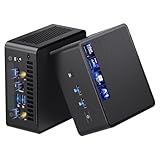
- 【Intel Ultra 7 255H Processor & Graphics Performance】Powered by the Intel Ultra 7 255H processor and paired with integrated Intel Arc 140T GPU, the ASUS NUC 15 PRO Mini PC delivers smooth performance for professional tasks—from office work and content creation to digital signage. Its graphics unit also supports high-resolution output, making it ideal for detailed photo editing and multimedia content.
- 【Memory & Storage: Flexible & High-Performance】Equipped with 32GB RAM, the device supports DDR5 RAM up to 96GB for expanded multitasking power. For storage, it features two M.2 slots: one M.2 2280 slot comes preinstalled with a 1TB SSD, while the M.2 2280 slot supports up to 8TB SSD and the M.2 2242 slot up to 2TB SSD. This ensures fast data access and ample storage for multitasking and large datasets.
- 【OS & Multi-Display Support: Windows 11 Pro & Multi-Screen Capability】The NUC 15 PRO Mini Computer ships with preinstalled Windows 11 Pro, providing a secure, efficient workspace. Thanks to HDMI 2.1 and Thunderbolt 4, you can connect up to four 4K monitors or high-resolution displays at once—perfect for productive multitasking in offices or digital signage setups.
- 【Network & Wireless Connectivity: Fast & Stable】For connectivity, the device includes Intel Wi-Fi 7 BE201 (Gig+) and Bluetooth 5.4, delivering future-ready wireless connections. It also features a 2.5G Ethernet port (Intel Ethernet Controller I226-LM), ensuring stable wired data transfer for applications like POS systems and office networks.
- 【Design & Mounting Options: Compact & Practical】Measuring just 117mm × 112mm × 54mm and weighing 618g, the NUC 15 PRO is ultra-compact. It comes with a VESA mount, letting you attach it behind a monitor or on a wall to save desk space. A Kensington lock slot on the side adds extra protection against theft.
What you can upgrade
- Two SO-DIMM memory slots.
- Two M.2 2280 NVMe storage slots.
- A second SSD, if the purchased configuration leaves the slot available.
Common 32GB systems occupy both memory slots. Moving to 64GB or 96GB therefore generally means replacing both modules rather than adding a third stick. ASUS lists support for up to 96GB, but compatibility and operating speed should be checked against the exact system and memory kit.
One M.2 slot uses PCIe 4.0 x4 and the other PCIe 5.0 x4. PCIe 5.0 drives can run hotter, so check physical clearance and cooling before installing one. Opening the chassis is not a guarantee that warranty service is unaffected; consult ASUS’s policy for your region and the specific fault.
What you cannot realistically upgrade
- CPU.
- GPU.
- Motherboard.
- Cooling architecture.
- Power-delivery system.
A desktop buyer expecting to replace the graphics card later will be disappointed.
What’s actually slowing this PC down?
Pick the symptom - the matching free tool is one click away.
Price and availability
Pricing depends on configuration, country, retailer, and sale timing. TechRadar listed the reviewed RTX 5080, 32GB, 2TB configuration at $3,199 in the US, £2,599 in the UK, and AU$5,899 in Australia. Those were review-period prices, not guaranteed prices for September 2026.
ASUS’s US specification page lists multiple NUC15JNK configurations with SKU-specific pricing. Check the exact model at the official ROG NUC product page rather than treating one review price as universal. The RTX 5070 Ti version can be less expensive, but it is not a substitute for the RTX 5080 configuration if you need maximum GPU performance in this chassis.
Independent reader supportYour contribution helps us test, update, and keep practical guides available for everyone.ROG NUC 2025 versus a gaming laptop
A high-end RTX 5080 gaming laptop is the closest mobile-platform alternative, but the products solve different problems.
The ROG NUC offers a smaller permanent desk footprint, more desktop-style ports, easier multi-monitor integration, and potentially simpler RAM and storage access. It does not make you pay for a built-in screen, keyboard, battery, or speakers.
Crashes, No Sound, or Screen Glitches?
Random freezes, missing sound and display glitches usually trace back to one bad driver. Find and replace yours safely.Free scan · under a minuteWindows Errors? Fix Them Before They Spread
Repair common Windows errors and clear accumulated junk for a smoother, more stable PC - no reinstall needed.Free scan · no reinstallA laptop includes those components, is easier to transport, and may be the better total purchase when the cost of a monitor, keyboard, mouse, speakers, and webcam is included. Laptop RTX 5080 performance also varies by model and power limit, so “RTX 5080 laptop” is not one fixed performance level.
Rank #4
- Hardcore Gaming Power: Powered by Intel Core Ultra processor (Series 2) and up to 200+ Platform TOPS, the ROG NUC blends AI-driven performance with future-ready efficiency, delivering up to 18% generation-over-generation improvement for a seamless gaming experience.
- AI-Powered Graphics: NVIDIA GeForce RTX 50-Series mobile GPU with DLSS technology takes gaming and realism to the next level, leveraging the power of RTX GPUs to deliver breathtaking visuals.
- QuietFlow Cooling: ROG NUC’s three fans and dual Vapor Chamber ensure effective cooling and quiet operation, letting you truly hear the game.
- Effortless Upgrades in 3L size: Thumb screw enable quick, 3L size and too-free access for memory and storage upgrades.
- Premium ROG Aesthetics with RGB: Personalize with Aura Sync, featuring a sleek design and convenient top-mounted power button.
ROG NUC 2025 versus a desktop
A conventional desktop or mini-ITX system generally offers better performance per dollar, stronger sustained cooling, a desktop-class graphics card, standard power supplies, and much better long-term upgradeability. It can also provide more storage and memory expansion.
The ROG NUC’s advantage is integration and size. It is a premium compact system for buyers who place a high value on a small footprint and turnkey Windows gaming. It is not the value choice for someone who can comfortably fit a larger desktop.
ROG NUC 2025 versus ROG NUC 16
As of August 2026, the ROG NUC 2025 is no longer ASUS’s newest ROG NUC. ASUS announced the ROG NUC 16 on May 15, 2026.
Do these 3 things before closing this tab:
1Scan for outdated or missing drivers - takes under a minute2Repair Windows errors before they cause bigger problems3Fix the driver behind crashes, sound loss and screen glitchesThe newer system offers an Intel Core Ultra 9 290HX Plus, up to 128GB of DDR5-6400 memory, RTX 5080 Laptop GPU support, revised QuietFlow cooling, a dual-vapor-chamber design, and a removable stand for vertical or horizontal placement. ASUS claims up to a 2.3% improvement in 3DMark performance over the previous generation; that is an ASUS claim, not an independent benchmark conclusion.
The 2025 model remains sensible if it is substantially discounted and its 32GB/2TB configuration meets your needs. At similar prices, the ROG NUC 16 deserves priority because of its newer CPU platform, greater memory ceiling, cooling revisions, and placement flexibility.
Who should buy it?
Buy the ROG NUC 2025 RTX 5080 configuration if:
- You need high-end gaming performance in an unusually small Windows PC.
- Your main target is high-refresh-rate 1440p or capable 4K gaming.
- You need CUDA, NVIDIA Studio, ray tracing, or compatible local-AI support.
- You want many display and peripheral connections.
- You accept fan noise and a large external power adapter.
- You understand that the GPU is a laptop RTX 5080, not a desktop RTX 5080.
- The system is meaningfully cheaper than the ROG NUC 16.
Avoid it if:
- Maximum performance per dollar matters more than size.
- You want desktop RTX 5080 performance.
- You need a quiet PC during sustained gaming.
- You expect to upgrade the CPU or GPU later.
- You need an integrated screen and portable battery-powered operation.
- You can fit a larger mini-ITX or mid-tower desktop.
- The ROG NUC 16 is available at a similar price.
Final verdict
The ASUS ROG NUC 2025 is a compelling engineering compromise: unusually high gaming and creator performance in a chassis of roughly three liters. Its strongest use case is a compact, ready-to-use Windows gaming machine for 1440p and selected 4K setups.
Its limitations are equally important. The RTX 5080 is a laptop GPU, the fans become audible under load, the external adapter adds bulk, and only memory and storage are realistically upgradeable. At premium pricing, a desktop or a complete gaming laptop may deliver more value.
Buy the 2025 ROG NUC when compact size is genuinely worth paying for and the price is clearly below the newer ROG NUC 16. Otherwise, the newer model or a conventional desktop is the safer purchase.
Quick Recap
Product prices and availability are accurate as of the date/time indicated and are subject to change. Any price and availability information displayed on Amazon at the time of purchase will apply.

