Free tools Windows power users keep installed
One-click scans. No signup required.
Verdict: The ASUS ROG Strix GeForce RTX 4080 Super OC is an excellent premium implementation of NVIDIA’s RTX 4080 Super, but its factory overclock is not large enough to justify a major price premium by itself. Buy it for the oversized cooler, low-noise potential, construction quality, dual BIOS, and ROG features—not because its 2,670MHz OC-mode rating transforms gaming performance.
That distinction matters even more in 2026. This card launched on January 31, 2024, so its value now depends on whether you find new old stock, a used card, or a refurbished unit at a sensible price. Launch pricing was approximately $1,249, compared with the RTX 4080 Super’s $999 reference MSRP; those figures are historical, not current street prices.
As an Amazon Associate I earn from qualifying purchases.
Quick verdict
| Best for | Not ideal for |
|---|---|
| 4K gamers who prioritize quiet operation, premium construction, and ray tracing | Buyers seeking the best performance per dollar |
| Large enthusiast systems with plenty of GPU clearance | Compact ATX or microATX builds |
| ROG/Aura Sync builds and users who value dual BIOS features | Professional workloads that need more than 16GB of VRAM |
The Strix OC is a superb card when its premium is modest. If it costs only slightly more than a well-cooled ASUS TUF or another reputable RTX 4080 Super, the quieter and more substantial design can be worthwhile. If the premium reaches several hundred dollars, a cheaper RTX 4080 Super will usually deliver nearly the same frame rates.
What’s actually slowing this PC down?
Pick the symptom - the matching free tool is one click away.
What exactly is being reviewed?
This review covers the black ASUS ROG Strix GeForce RTX 4080 SUPER 16GB GDDR6X OC Edition, model ROG-STRIX-RTX4080S-O16G-GAMING. It is separate from the original ROG Strix RTX 4080, the non-OC RTX 4080 Super Strix, the white OC edition, the ASUS TUF Gaming model, and the RTX 4080 Super Noctua Edition.
#1 Best Overall

- Oversized Mighty40 cooling system with two 220 x 40 mm front intake fans and one 180 x 40 mm rear exhaust fan.
- Low airflow resistance design uses large front and rear ventilation openings to improve airflow throughput.
- Split-level cable management optimizes routing space and creates room for oversized rear exhaust cooling.
- MasterRail mounting system supports multiple fan and radiator sizes at the front and top of the case.
- Dual-Mode GPU Holder clamps a single GPU for added stability or supports two GPUs up to 3.6 slots (72 mm) thick each.
ASUS rates the card at a 2,640MHz default boost clock and a selectable 2,670MHz OC-mode boost clock. The OC-mode figure is only 30MHz higher on paper. Actual clocks vary with temperature, workload, voltage, power limits, drivers, and the individual GPU sample, so the rating should not be treated as a guaranteed sustained frequency. The official ASUS specifications confirm the model and its hardware configuration.
Specifications
| Specification | ROG Strix RTX 4080 Super OC |
|---|---|
| GPU | NVIDIA GeForce RTX 4080 Super |
| CUDA cores | 10,240 |
| Memory | 16GB GDDR6X |
| Memory speed | 23Gbps |
| Memory interface | 256-bit |
| Bus interface | PCI Express 4.0 |
| Default boost clock | 2,640MHz |
| OC-mode boost clock | 2,670MHz |
| Outputs | 3 × DisplayPort 1.4a, 2 × HDMI 2.1a |
| Maximum displays | 4 |
| Maximum digital resolution | 7,680 × 4,320 |
| Power connector | 1 × 16-pin |
| ASUS recommended PSU | 850W |
| Dimensions | 357.6 × 149.3 × 70.1mm |
| Slot width | 3.5 slots |
The underlying RTX 4080 Super uses 10,240 CUDA cores, 16GB of 23Gbps GDDR6X memory, and a 320W reference total graphics power. Compared with the original RTX 4080, the Super adds a relatively small amount of compute and memory bandwidth. That leaves partner-card differences—cooling, acoustics, power limits, and price—more important than the product name suggests. Tom’s Hardware’s RTX 4080 Super review provides useful reference-card context, but its results should not be presented as direct Strix measurements.
Design and build quality
The Strix is built like a flagship card because it is one. Its triple-fan Axial-tech cooler, large heatsink, metal-heavy shroud, and backplate give it a more substantial feel than basic partner designs. ASUS also includes a graphics-card support bracket, which is practical rather than decorative for a card of this size and weight.
Other features include ARGB lighting with Aura Sync, a dual-BIOS switch, on-card power-monitoring indicators, and two fan headers that can synchronize case fans with GPU temperature. ASUS lists support for GPU Tweak III, dual BIOS, power monitoring, and the bundled support hardware.
The cooler is the card’s strongest reason to exist. TechPowerUp describes the design as a very large, high-end implementation with exceptional thermal capability. That does not make every Strix sample universally the quietest card, since noise depends on BIOS mode, ambient temperature, case airflow, fan curves, and sample behavior. It does explain why the card can be attractive to buyers who want sustained performance without aggressive fan noise.
Installation and case compatibility
Do not treat this as a generic “ATX-compatible” graphics card. At 357.6mm long, it can conflict with front-mounted fans, radiators, drive cages, or internal brackets. Its 149.3mm height can create side-panel and vertical-mounting problems, while its 70.1mm thickness occupies 3.5 slots and may block neighboring PCIe slots.
Rank #2

- PCIe 5.0 x16 Riser Cable Included: Built for the latest graphics cards, the included 165mm PCIe 5.0 riser cable supports high-speed data transfer, stable performance, and backward compatibility with PCIe 4.0 and older standards.
- Showcase Your Graphics Card: Mount your GPU vertically and turn it into the centerpiece of your PC build, creating a cleaner, more premium look through tempered glass side panels.
- Wide Case Compatibility: Designed for E-ATX, ATX, and Micro-ATX cases, with support for graphics cards of any length and up to three slots wide. A minimum of four PCI slots is required for installation.
- Tool-Less Position Adjustment: The modular bracket adjusts in two directions, allowing the GPU to move up to 65mm toward the front panel and 30mm toward the side panel for better clearance, spacing, and airflow.
- Heavy-Duty Steel Support with Easier Installation: Reinforced SGCC steel supports large graphics cards and helps reduce sagging or flex. Install the bracket first, then mount your GPU for a smoother setup.
Measure the case’s usable GPU clearance with the front radiator and fans installed—not merely the manufacturer’s headline GPU-length figure. Also check whether the bundled support bracket suits the case layout. Vertical mounting needs particular care: a large card placed too close to a side panel may have inadequate intake airflow.
16-pin cable guidance
- Use a modern ATX 3.x power supply with a native 16-pin GPU cable where possible.
- If using an adapter, connect every required 8-pin plug fully and use appropriate separate PSU connections.
- Seat the 16-pin connector completely before routing the cable.
- Avoid a sharp bend immediately at the connector.
- Make sure the side panel does not press the cable against the plug.
A cable under mechanical stress, an incompletely seated connector, or an aging and inadequate PSU can cause instability that is mistakenly blamed on the graphics card.
Gaming performance
The RTX 4080 Super is fundamentally a 4K-class gaming GPU. It is especially well suited to high settings, ray-traced effects, and demanding modern games, while DLSS can improve the balance between image quality and frame rate. At 1440p, a powerful CPU can become the limiting factor in some games, particularly competitive titles or lighter raster workloads. At 4K, the GPU is more consistently the constraint and the Strix’s cooling advantage has more opportunity to matter during long sessions.
The factory tuning should be kept in perspective. A 30MHz difference between default and OC mode does not imply a comparable percentage increase in frame rate. Real-world gains over a reference-clocked RTX 4080 Super are modest, and the difference between partner cards is generally much smaller than the difference in their branding and launch prices.
TechPowerUp’s dedicated Strix review includes relative performance, minimum-frame-rate, temperature, fan-noise, and power testing. Those charts are the appropriate source for exact comparisons because test results depend on the specific driver, game version, settings, BIOS, ambient temperature, and test platform. Average FPS should also be read alongside minimum FPS or frame-time behavior.
Native rendering, DLSS, and Frame Generation
Native raster and ray-tracing results answer how fast the GPU renders frames itself. DLSS results answer how NVIDIA’s upscaling works in the tested game, while Frame Generation changes the displayed frame cadence and should not be treated as equivalent to native-rendered output. A sound comparison keeps these modes separate rather than combining them into one performance claim.
Rank #3

- Double Protection: Asiahorse graphic card cooler is designed with 3 * 80mm fan blade and GPU brace support, can generate strong airflow to support cooling of the graphics card, while provides strong and long-lasting support to protect the motherboard from being damaged by the weight of graphics card.
- Quickly Cooling: Pwm fan control Function, allows dynamic speed adjustment between 800-3000 RPM, Noise level up to 25 DBA, minimizing noise or maximizing airflow.
- Swirl Blade Design: The gpu cooling fan adopts swirling fan structure to enhance and direct the airflow, with a maximum air pressure of 50CFM to provide better heat dissipation.
- Argb Led Frame Design: Built in 13 independent RGB LEDs in every fan, supporting 5V 3PIN ARGB motherboard SYNC, offering a variety of ARGB light effect mode to easily add vivid LED lighting to your system.
- Convenient Adjustment: Easy installtion, the support arm slides and locks in place to cool the graphics card directly in parallel or vertical with three high air flow RGB Fans, providing the easiest adjustment to allow you easily using various graphics card and PC case combinations.
For a meaningful test suite, use 1440p and 4K, include raster-heavy and ray-tracing-heavy games, add competitive and Unreal Engine workloads, and include at least one VRAM-demanding title. Report the rendering mode, resolution, quality preset, game version, driver, and whether Frame Generation was enabled.
Thermals, acoustics, and BIOS behavior
The massive cooler is more meaningful than the factory clock. A larger heatsink can provide additional thermal headroom and allow a quieter fan curve, although exact temperature and noise results must be tied to a named test and its ambient conditions. “Silent” is too broad without standardized measurements.
The dual-BIOS switch lets owners choose between a performance-oriented profile and a quieter profile. In general, a performance BIOS may use more assertive fan behavior to prioritize temperature, while a quiet BIOS may reduce acoustic output at the cost of higher operating temperatures. The precise difference depends on the card’s firmware and test conditions.
Idle fan-stop behavior can make the card effectively inaudible when the system is doing little GPU work, but that does not predict gaming acoustics. Coil whine is also sample-specific and can vary with frame rate, workload, PSU, and motherboard; one reviewer’s observation cannot establish a universal result.
Power and PSU requirements
ASUS recommends an 850W PSU for the card’s complete system configuration. That is a recommendation, not an absolute minimum for every computer. CPU choice, overclocking, other components, PSU age, and the power supply’s quality all matter. ASUS’s PSU guidance likewise varies with system configuration.
The RTX 4080 Super reference design is rated at 320W TGP, while the Strix’s factory settings and power-limit behavior are specific to ASUS’s board design. A reputable, appropriately rated ATX 3.x unit with a native 16-pin cable is the cleanest pairing, but the total system should be evaluated rather than selecting a wattage in isolation.
Rank #4

- 【Durable & Compact Design】This cooling fan is built with high-quality materials for enhanced durability. Its compact size makes it easy to install in tight spaces, providing reliable active cooling for graphics cards or server components
- 【Broad Compatibility for High-Performance Hardware】Ideal for graphics cards and other server hardware that require additional cooling. Perfect for use in consumer chassis with limited airflow to improve system stability and performance
- 【Adjustable Fan Speed for Custom Airflow】With a speed range of 1500–3000 RPM, the fan allows you to fine-tune airflow based on your cooling needs. Whether you prioritize silent operation or maximum cooling, this fan gives you full control
- Flexible Power Options with USB & 4-Pin Support】Comes with a USB to 4-PIN PWM cable for easy 12V power connection. The fan can be turned on or off manually, offering flexible control
- 【Complete Kit, Ready to Install】Includes 1 x cooling fan, 1 x USB to 4-PIN cable, and 1 x mounting screw. Everything you need for a quick and hassle-free installation—no additional parts required
GPU Tweak III, OC mode, and undervolting
ASUS GPU Tweak III provides monitoring, profile saving, fan control, power-limit adjustment, and voltage/frequency tuning. It also provides a convenient way to select the advertised OC mode. Stock/default operation remains the best baseline for buyers who want a set-and-forget system.
The Tool Desk
Outbyte PC Repair FREEClear out junk files and repair common Windows errorsFree Scan →Outbyte Driver Updater FREEFix the driver behind crashes, sound loss and screen glitchesFind Drivers →Traditional overclocking is unlikely to change the value equation: the card already has a small factory tune, and silicon quality varies between samples. Undervolting may be more useful for enthusiasts. A stable undervolt can reduce power consumption and noise while retaining most of the performance, but there is no universal voltage, frequency, or power-limit setting that should be applied to every card. Validate stability with the games and workloads you actually use.
Creators, encoding, CUDA, and AI
The card’s Ada Lovelace feature set makes it useful beyond gaming. NVIDIA’s ecosystem offers CUDA compatibility, dedicated ray-tracing and Tensor cores, DLSS support, and dual NVENC/NVDEC hardware with AV1 encoding support in compatible software. These features can be valuable for video production, streaming, rendering, and supported AI applications.
Those categories should not be conflated. Gaming performance does not prove video-encoding performance; CUDA support does not guarantee application optimization; and a GeForce card is not automatically a professionally certified workstation product. Check the software vendor’s support and certification lists for mission-critical applications.
Sixteen gigabytes of VRAM remains strong for many current 1440p and 4K games, but it is not universally generous. Heavily modded games, extreme texture packs, large 3D scenes, some AI models, and future high-resolution workloads can exceed that capacity. VRAM capacity is an independent limitation from GPU speed.
Recommended Free Tools
Competition and alternatives
RTX 4080 Super Founders Edition
The Founders Edition establishes the reference performance and the $999 launch price. It is smaller and generally the better value when the buyer does not need premium acoustics, RGB, dual BIOS, or the Strix’s construction. The Strix offers a larger cooler, factory tuning, support hardware, and more enthusiast-oriented features.
Best Value
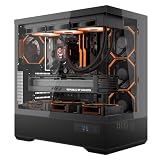
- [Extreme Cooling Performance] This ATX gaming PC case supports up to 360mm liquid cooling radiators on the top and side panels. Perforated bottom design and a vertical airflow channel ensure efficient heat dissipation for high-performance gaming builds.
- [270° Full Panoramic Gaming Showcase] Dual tempered glass panels provide a full panoramic view of your hardware and RGB lighting, turning your build into a true visual centerpiece.
- [Elite Rear-Connect Cable Management] This ATX computer case supports ATX & M-ATX rear-connector motherboards with E-ATX mounting positions, routing all cables behind the motherboard for a clean, clutter-free interior layout.
- [Horizontal & Vertical GPU Support up to 420mm] Supports graphics cards up to 420mm in length for both standard horizontal and vertical mounting, ensuring full compatibility with RTX 5090 series and other oversized high-end GPUs. Designed for maximum flexibility without compromising airflow or aesthetics. (Riser cable not included)
- [Modern Front I/O & Premium Fan Included] This case features a front USB Type-C port and dual USB 3.0 ports for fast, convenient connectivity. Includes 1× INF34 flagship ARGB PWM fan, delivering balanced airflow and vivid lighting straight out of the box.
ASUS TUF Gaming RTX 4080 Super
The TUF is the closest ASUS alternative. Launch listings placed the TUF OC around $1,099 and the non-OC model near the $999 reference price, although those are historical comparisons. It retains a substantial custom cooler while usually sitting below the Strix in the product hierarchy. Choose the Strix only when its appearance, features, build, or acoustic potential justify the difference.
Other RTX 4080 Super cards
Gigabyte Gaming OC, PNY Verto OC, ASUS ProArt OC, ASUS Noctua OC, and MSI Suprim or Gaming X Trio models can all be sensible alternatives where available. Compare current price, dimensions, warranty, BIOS behavior, noise measurements, power-limit behavior, and undervolting results. Treat online coil-whine reports cautiously because they are highly sample- and system-dependent.
Radeon RX 7900 XTX
The RX 7900 XTX can be a compelling raster-performance and memory-capacity alternative depending on current pricing and software needs. NVIDIA generally has the stronger case for ray tracing, DLSS, CUDA-dependent applications, and NVENC/AV1 workflows. The right choice depends on the games and applications, not only on a single benchmark.
Newer GPUs
Because this is a January 2024 product, a 2026 buying decision must account for newer-generation graphics cards and current pricing. No current-generation performance or price claim should be inferred from this review alone. Separate the card’s historical merits from whether it is the best high-end purchase available today.
Buying advice by price premium
- Near RTX 4080 Super MSRP: Attractive if the card is in good condition and fits the system. You receive premium cooling and features without paying a large tax.
- $50–$150 above comparable cards: Reasonable for buyers who value low noise, ROG aesthetics, dual BIOS, and build quality.
- $200 or more above a similarly performing RTX 4080 Super: Difficult to recommend unless those premium features are central to the build.
- Used or refurbished: Check warranty transferability, physical condition, fan noise, coil whine, included support hardware, 16-pin connector condition, and return policy.
Do not use the 2024 launch price as a current price. In 2026, identify whether a listing is new old stock, used, refurbished, regionally unavailable, or inflated by scarcity before judging value.
Pros and cons
Pros
- Excellent high-end 4K and ray-tracing capability
- Very substantial triple-fan cooling system
- Strong acoustic potential under sustained loads
- Premium shroud and backplate construction
- Dual BIOS, ARGB, Aura Sync, power monitoring, and fan headers
- Bundled graphics-card support bracket
- Three DisplayPort outputs and two HDMI outputs
Cons
- 357.6mm length, 149.3mm height, and 3.5-slot thickness complicate installation
- Small factory-OC advantage over cheaper RTX 4080 Super cards
- 16GB VRAM may limit some professional, AI, modded, or future workloads
- 16-pin cable routing requires careful installation
- Premium pricing can erase its value advantage
- Its 2024 launch generation makes current availability and pricing especially important
Final verdict
The ASUS ROG Strix GeForce RTX 4080 Super OC is a high-quality, enthusiast-focused graphics card whose real advantage is the cooler and the ownership experience. It offers the performance expected from an RTX 4080 Super, excellent support for ray tracing and NVIDIA’s creator features, and a cooling system designed for low-noise sustained operation.
The 2,670MHz OC-mode rating is not enough to justify a large premium. If the Strix is close in price to a TUF, Founders Edition, or other well-reviewed RTX 4080 Super, it is an appealing choice for a large, quiet, premium build. If it costs substantially more, buy the less expensive card—or consider a higher-capacity or newer alternative—unless the Strix’s acoustics, construction, lighting, and dual-BIOS features are exactly what you want.
PC Slower Than It Used to Be?
A free scan shows the junk files, broken settings and background clutter dragging Windows down - then fixes them in one click.Free scan · Windows 10 & 11Crashes, No Sound, or Screen Glitches?
Random freezes, missing sound and display glitches usually trace back to one bad driver. Find and replace yours safely.Free scan · under a minuteQuick Recap
Product prices and availability are accurate as of the date/time indicated and are subject to change. Any price and availability information displayed on Amazon at the time of purchase will apply.




