
No. Battlefield 4 does not have couch co-op or split-screen multiplayer. Its campaign is a single-player experience, and its multiplayer modes are designed for network play rather than two people sharing one television or monitor.
That means a second controller, another display cable, or a console accessory cannot make two players join the same Battlefield 4 session locally. You can play with a friend through the game’s online multiplayer paths, but that is different from couch co-op.
| # | Preview | Product | Price | |
|---|---|---|---|---|
| 1 |
|
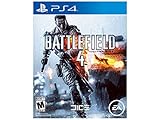
Battlefield 4 - PlayStation 4 | $33.99 | Buy on Amazon |
| 2 |

|
EA Import-Region Battlefield 2042 Game for PlayStation 4 | $17.96 | Buy on Amazon |
| 3 |

|
Battlefield 4 - PlayStation 4 (Renewed) | $19.91 | Buy on Amazon |
| 4 |
|
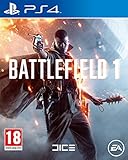
Battlefield 1 (PS4) | $24.99 | Buy on Amazon |
As an Amazon Associate I earn from qualifying purchases.
What the direct answer means
“Couch co-op” normally means that two or more people play on the same console and the same screen, either cooperatively or competitively. “Split-screen” is the usual implementation: the display is divided into two or more views so each player can control a character. Battlefield 4 does not offer that mode.
Recommended Free Tools
EA’s product description separates the game into a single-player campaign and multiplayer. An EA community support response gives the more specific answer for the feature in question: Battlefield 4 does not support split-screen multiplayer. Taken together, those statements answer the common versions of the question—“Can two people play Battlefield 4 on the same screen?” and “Can a second controller join?”—with no.
#1 Best Overall
- Only in Battlefield can you change the landscape in real time with interactive environments that react to your every move
- Only in Battlefield will you find the awe inspiring power of the next generation Frostbite 3 engine, whose unrivaled audio and visual fidelity make your game more dramatic, more believable, and more human
- Only in Battlefield can you experience an unmatched level of all out war that grants you the freedom to play to your strengths and carve your own path to victory
- Only in Battlefield do you have the power to dominate land, air and sea with all new, intense water based vehicle combat
The absence applies to local same-screen play, not to multiplayer as a whole. Battlefield 4 can still be played with other people over a network, using the multiplayer connection options documented in EA’s PlayStation 3 manual.
Which Battlefield 4 modes are available?
| Mode or feature | What the available documentation establishes | Can two people share one screen? |
|---|---|---|
| Campaign | EA presents the campaign as single-player. | No. It is not a local two-player campaign. |
| Online multiplayer | The PS3 manual describes Quick Match, a server browser, and joining a friend. | No. These are network connection routes, not split-screen options. |
| Split-screen multiplayer | An EA community support response explicitly says Battlefield 4 does not support it. | No. |
| Local co-op added by accessories | No supported feature or setting is documented that enables it. | No. Extra controllers and display accessories do not add an unavailable game mode. |
The campaign is single-player
Battlefield 4’s campaign is not a two-player cooperative campaign. Starting the story does not expose a second-player slot, and connecting another controller does not turn the story into a local co-op session. The campaign description on EA’s product page is specifically single-player, so it should not be interpreted as a shared-screen mode.
This distinction matters because a game can have both a story campaign and multiplayer while still reserving multiplayer for online connections. Battlefield 4 is an example of that arrangement: the existence of multiplayer does not imply that the campaign or multiplayer can be played locally.
Do these 3 things before closing this tab:
1Repair Windows errors before they cause bigger problems2Scan for outdated or missing drivers - takes under a minute3Clear out junk files and repair common Windows errorsMultiplayer is network-based
The EA-hosted PlayStation 3 manual lists three ways to enter multiplayer: Quick Match, the server browser, and joining a friend. Each option is a way to connect to a multiplayer session through the network. None is a local-player selection for a second person on the same console.
The same terminology appears in many game menus, which is why “multiplayer” can be misleading when someone is specifically looking for couch play. In Battlefield 4, multiplayer means joining a networked match; it does not describe split-screen support.
Why another controller cannot enable couch co-op
The game has to provide a local-player mode
Split-screen is not created automatically when a console detects two controllers. The game must include code, menus, camera handling, player spawning, and a mode that accepts multiple local inputs. Battlefield 4’s documented feature set does not include that option, and EA’s support response explicitly identifies split-screen multiplayer as unsupported.
As a result, pairing a second controller, signing in another local profile, or entering the multiplayer menu with two input devices will not reveal a hidden couch-co-op setting. The limitation is in the game’s supported modes rather than in the number of controllers connected to the console.
Rank #2
- Experience the epic return of battlefield with all-out warfare and dynamically changing battlegrounds
- Engage in massive multiplayer battles supporting up to 128 players across detailed, expansive maps
- Enjoy updated modes like conquest and breakthrough, plus the new hazard zone for added strategic depth
- Rich visuals and dynamic gameplay offer an immersive combat experience in a visually stunning environment
- Compatible with playstation 4, delivering an intense and engaging action-packed experience
A second display does not change the answer
A television splitter, capture device, or additional monitor can duplicate or rearrange a picture, but it cannot create a second playable camera. Without a game mode that renders separate views and assigns each view to a local player, additional display hardware has nothing to display for a second participant.
The same principle applies to accessories marketed for local multiplayer. They may change how a console’s existing video output is shown, but they do not add a feature that Battlefield 4 does not support.
Local-network equipment is not a substitute for split-screen
A router, LAN cable, or other networking accessory can help devices communicate, but it does not turn one Battlefield 4 installation into a shared-screen session. The documented multiplayer routes are network paths such as Quick Match, server browsing, and joining a friend. They should not be read as evidence of a same-console LAN or split-screen mode.
How to play with a friend online
If your goal is to play Battlefield 4 with another person, use the game’s network multiplayer instead of the campaign or a local multiplayer search. The exact wording and menu placement can vary by platform and edition, but the PlayStation 3 manual identifies these routes:
Quick Match
- Launch Battlefield 4 and enter the multiplayer section.
- Choose the Quick Match option.
- Allow the game to search for and place you into an available network match.
Quick Match is the simplest route when you want to get into an online game without selecting a particular server. It does not create a local second-player slot; it connects the current player to a network session.
Server browser
- Open the multiplayer section.
- Select the server-browser option described in the manual.
- Review the available network servers and choose one that fits your preferences.
- Join the selected server and play through the online session.
A server browser gives you more control over which network session to enter than an automatic search. It remains online multiplayer, even if the person you want to play with is sitting in the same room.
Joining a friend
- Open Battlefield 4’s multiplayer menu.
- Use the option to join a friend, as documented in the PS3 manual.
- Select the friend or session that is available to join.
- Wait for the game to connect you to that player’s network match.
This is the most direct documented route when you already know which friend you want to play with. It still requires a network connection and does not allow both players to use one console and one screen.
Rank #3
- Only in Battlefield can you change the landscape in real time with interactive environments that react to your every move
- Only in Battlefield will you find the awe inspiring power of the next generation Frostbite 3 engine, whose unrivaled audio and visual fidelity make your game more dramatic, more believable, and more human
- Only in Battlefield can you experience an unmatched level of all out war that grants you the freedom to play to your strengths and carve your own path to victory
- Only in Battlefield do you have the power to dominate land, air and sea with all new, intense water based vehicle combat
What playing together in the same room would require
Two people can be physically together and still play Battlefield 4 at the same time, but that arrangement is not couch co-op. Each person would be using a separate playable setup that can connect to the game’s network multiplayer, rather than sharing one local split-screen session.
Quick wins for a faster PC:
Scan for outdated or missing drivers - takes under a minuteDriver Scan →Repair Windows errors before they cause bigger problemsFix Now →Fix the driver behind crashes, sound loss and screen glitchesFind Drivers →That distinction affects what you need to plan for. A single console with two controllers is insufficient. Buying an additional controller for the existing console does not solve the problem, because the game does not offer the local mode that would use it. Likewise, a larger television or a display splitter changes viewing hardware, not player support.
The available documentation does not establish a complete local-play matrix for every Battlefield 4 platform and edition. The clear, supported conclusion is narrower and more useful: Battlefield 4 has no couch co-op or split-screen multiplayer feature. You should not infer a local mode from the presence of online multiplayer or from a store listing that simply says “multiplayer.”
Independent reader supportYour contribution helps us test, update, and keep practical guides available for everyone.Platform and edition details to check
Store availability is separate from local-play support
EA’s product page links to PlayStation and Xbox storefronts. The exact edition, platform listing, and physical availability can vary by market. Those purchasing details do not change the answer about couch co-op: regardless of which supported listing you are considering, the documented feature answer is that Battlefield 4 does not provide split-screen multiplayer.
If you are looking at a particular physical copy or digital edition, verify that it matches your intended platform and that its online services are usable in your region. Do not treat a platform store’s generic multiplayer label as confirmation of same-screen play.
Free tools Windows power users keep installed
One-click scans. No signup required.
The PlayStation 3 manual has a defined scope
The EA-hosted manual is useful because it names the multiplayer entry routes, but it is a PlayStation 3 manual. Its menu terminology should therefore be treated as an example of the game’s network-play structure, not as a promise that every platform displays identical labels. The explicit split-screen answer from EA support is the part that directly addresses the feature question.
There is no need to build a platform-by-platform couch-co-op table when the central feature is unsupported. The responsible conclusion is the one shared by the available evidence: no local same-screen multiplayer mode is provided.
Rank #4
- Epic 64-Player Multiplayer Battles – Squad up with your friends and join in the most epic multiplayer battles in FPS history with up to 64 players. Fight as infantry, lead horse charges or take control of amazing vehicles on land, air and sea, from tanks and biplanes to the gigantic Behemoths.
- Experience the Dawn of All-out War - Be a part of the greatest battles ever known to man. From the heavily defended Alps to the scorching deserts of Arabia, war is raging on an epic scale on land, air and sea as you witness the birth of modern warfare.
- No Battle is Ever the Same - Dynamic weather and intuitive destruction create an ever-changing landscape. Make your mark on the world with earth-shattering destruction, whether you're blasting craters in the ground with artillery strikes or ripping apart walls with gunfire.
- Push the Frontline in Operations - Take part in a series of inter-connected multiplayer battles spread across multiple maps in the new Operations. Attackers must break through the lines of defenders, and push the conflict onto the next map.
Common misunderstandings
“It has multiplayer, so two controllers should work.”
Multiplayer is a broad term. In Battlefield 4’s documented menus, it refers to connecting to a network match through Quick Match, a server browser, or a friend. It does not mean that two local players can be assigned separate views on one display.
“The campaign has multiple soldiers, so it must be cooperative.”
Characters appearing in a story do not make the campaign playable by two people. EA identifies Battlefield 4’s campaign as single-player, and the available information does not support local campaign participation by a second controller.
Outdated Drivers Are Slowing You Down
One free scan finds every outdated or missing driver and matches the right update for your exact hardware.Free scan · exact hardware matchWindows Errors? Fix Them Before They Spread
Repair common Windows errors and clear accumulated junk for a smoother, more stable PC - no reinstall needed.Free scan · no reinstall“A LAN setup will provide the missing mode.”
Networking two devices is different from running two local players on one screen. The documented connection choices establish online multiplayer routes, not a same-console split-screen feature. Network equipment cannot add a mode that the game itself does not include.
“A community answer is not an official specification.”
The split-screen statement comes from an EA community support response rather than a formal technical specification. That provenance is worth noting, but it directly addresses the feature and is consistent with EA’s single-player campaign description and the manual’s network-focused multiplayer instructions. No source in the available material identifies a supported split-screen exception.
A practical decision checklist
Before buying or reinstalling Battlefield 4 for a shared gaming session, use this checklist:
- Need one screen and one console? Battlefield 4 is not suitable for that requirement.
- Want to play the campaign together? The campaign is presented as single-player.
- Want to meet a friend online? Use Quick Match, the server browser, or the join-a-friend route in multiplayer.
- Considering another controller or display adapter? Those accessories cannot add split-screen support.
- Checking a specific platform or edition? Confirm its store and physical availability separately; availability varies by market, and it does not imply local co-op.
These checks prevent the most common mismatch: purchasing a game described as having “multiplayer” when what you actually need is couch co-op.
Bottom line
Battlefield 4 does not have couch co-op, split-screen multiplayer, or a local two-player campaign. The supported way to play with another person is network multiplayer through Quick Match, the server browser, or joining a friend. A second controller, extra display, or networking accessory cannot turn the game into a same-screen co-op experience.
Quick Recap
Product prices and availability are accurate as of the date/time indicated and are subject to change. Any price and availability information displayed on Amazon at the time of purchase will apply.

