Windows Errors? Fix Them Before They Spread
Repair common Windows errors and clear accumulated junk for a smoother, more stable PC - no reinstall needed.Free scan · no reinstallOutdated Drivers Are Slowing You Down
One free scan finds every outdated or missing driver and matches the right update for your exact hardware.Free scan · exact hardware matchBattlefield REDSEC is a free-to-play Battlefield experience built around squad combat. In Battle Royale, your squad scavenges, completes missions, manages the lethal ring, and tries to outlast everyone else. In Gauntlet, squads compete in rounds where completing the objective matters more than chasing eliminations. Start by practicing movement and aim, choose a class that fills a useful squad role, and stay close enough to coordinate.
How to get started in REDSEC
REDSEC is available as a free download on PC through the EA app, Epic Games Store, and Steam, and on PlayStation 5 and Xbox Series X|S. You need an EA Account and a persistent internet connection. EA says REDSEC players can squad with Battlefield 6 players across supported platforms; progress, unlocks, and settings carry over if you later buy Battlefield 6. Check EA’s REDSEC access and requirements page for current platform and regional requirements. It notes a PlayStation Plus requirement in Germany tied to local rules.
Before your first match, adjust sensitivity and button mapping or keybinds to suit your comfort. EA recommends visiting the Firing Range to practice movement, aiming, firing, and reloading before entering a live match; those are starting points, not settings that are optimal for everyone. The REDSEC New Player Guide includes this preparation advice.
How to play Battle Royale
Battle Royale is a survival mode: land with your squad, collect better equipment, use class tools, and stay ahead of the dangerous ring until your team is the last one standing. EA’s launch overview described standard matches as 100 players in either 25 four-player squads or 50 Duos. That is a published format, not a guarantee about every current playlist; check the in-game mode selection for the live rules. See EA’s REDSEC launch overview.
What’s actually slowing this PC down?
Pick the symptom - the matching free tool is one click away.
#1 Best Overall

- BORN FOR LEGENDARY FPS BATTLE - The Professional-grade Motion Controller is crafted for players pursuing perfect competitive performance. The Motion Controller delivers control solutions that surpass traditional gamepads, significantly boosting initial aiming speed and tracking stability. Experience seamless, fluid movements that culminate in high-precision targeting. If you're tired of losing points due to joystick limitations, this controller is your loyal companion for embarking on new adventures!
- IMMERSIVE FPS EXPERIENCE - The Gun Controller Makes Gunfight Feel Real. It employs professional motion-sensing technology to simulate authentic aiming mechanics. Its unique ergonomic design delivers a natural grip, while trigger-activated vibration feedback immerses you completely in the intense battle atmosphere during gameplay!
- FREE YOUR THUMB - The Aiming Controller's motion-based aiming system completely surpasses traditional joystick controls. This extraordinary upgrade shifts the focus of aiming motions to your arms and wrists, not just your thumb. The ergonomic button layout and natural grip significantly reduce operational fatigue while helping you maintain steady performance during chaotic gunfights!
- LONG-LASTING BATTERY LIFE - The FPS Controller requires no additional accessories. Simply pair it with your console using the included cable, and enjoy wireless freedom once set up. No need to worry about battery life either: a ten-minute quick charge provides two hours of use, and a full charge delivers ten hours of uninterrupted gameplay.
- PERFECTLY COMPATIBLE WITH FPS GAMES - The Wireless Controller is perfectly optimized for all PS4 FPS games, offering full compatibility with popular series like Call of Duty, Battlefield, Wolfenstein, Crysis, and other mainstream FPS titles on the PS4 platform.
Drop together and gear up
Stay near your squad during the drop so you can support one another. If you are learning, consider a quieter building area rather than a contested landing; the exact hot-drop locations change from match to match. You begin with a sidearm, so search for a primary weapon, armor, ammunition, and other useful supplies in crates. Share information about loot and avoid splitting up simply to collect items.
Choose fights and move between cover
Do not treat every sighting as a reason to charge. Flank when you have a safe route, reposition behind cover, and use distractions such as smoke, Recon tools, or an unattended vehicle to complicate an enemy’s aim. These are situational options, not guaranteed ways to win. Sprinting across open ground makes your position and movement easier to punish; coordinate a crossing or find cover first.
Track the ring, missions, and respawns
Watch the map and HUD for the ring: remaining outside it is lethal, so plan movement before it forces a rushed escape. Missions and intel caches can provide progression and rewards, but pursuing them may expose your squad or pull it away from a safe route. EA’s beginner guide also describes early-match Second Chance and respawn points; those mechanics can change, so use the current in-game rules rather than assuming a particular respawn will be available.
Rank #2

- With broad game support, the Logitech Gamepad F310 works with old standbys to today's biggest titles, so it's easy to set up and use with your favorite games.
- Profiler software allows the gamepad to be programmed to perform keyboard and mouse commands for games without gamepad support.* * Requires software installation.
- A familiar control layout that doesn't require a learning curve to be able to use, with all the same buttons as on an Xbox 360.
- The unique floating D-pad rests on four switches-instead of a single pivot point-making it responsive to quick changes in direction.
- The six-foot cord lets you lean back and play a comfortable distance from your PC monitor.
Training Paths unlock or improve abilities as you progress. Use the selected class’s tools while scavenging and fighting, and weigh a mission’s possible reward against the risk and time needed to complete it. EA’s Battle Royale 101 guide covers class progression, missions, and the mode’s core loop.
Use destruction to change the fight
Explosives, vehicles, and bullets can remove enemy advantages and reshape routes, sightlines, or cover. A breach may give your squad a new approach, but the opening can expose you to defenders or create a line of fire for another team. Before destroying cover, consider who will benefit from the changed angle and where your squad can move next. This tactical trade-off follows EA’s descriptions of destruction and environmental play in its launch overview and beginner guide.
What class should you pick?
REDSEC has four classes: Assault, Engineer, Support, and Recon. Their gadgets and abilities differ, and Training Paths add abilities as players progress. There is no universally best choice established here: choose the job you enjoy and consider what your squad lacks. EA describes the class roles in its Battle Royale 101 guide.
Rank #3

- Support PC and Android
- Support for Wireless
- Dual Vibration Motors Inside
- Durable Switches with Excellent Feel
| Class | Role | Squad contribution | A good fit if you like… |
|---|---|---|---|
| Assault | Frontline pressure | Helps push enemy positions and lead direct engagements | Taking an active role in fights |
| Engineer | Vehicle support and anti-armor | Repairs allied vehicles and attacks hostile armor | Supporting vehicle play and dealing with enemy armor |
| Support | Healing and resupply | Sustains teammates and helps hold positions | Keeping the squad supplied and defending ground |
| Recon | Intelligence and disruption | Gathers information and interferes with opponents | Spotting threats and helping the squad plan engagements |
Think about the match situation as well as your preferred style. A squad pushing a position may value frontline pressure; one holding an area may benefit from healing and resupply. Avoid choosing only by an old ability name or a supposed best-class ranking: gadgets and balance can change, and the role descriptions are more dependable than a claim that one class is strongest in every situation.
Independent reader supportYour contribution helps us test, update, and keep practical guides available for everyone.How does Gauntlet work?
Gauntlet is a round-based squad elimination mode focused on missions and objectives, rather than Battle Royale’s long survival arc. EA’s launch overview describes squads competing through missions. Its New Player Guide describes eight squads of four, with teams eliminated if they do not score enough and a match secured by winning four modes. Treat those published rules as a mode description that may change; read the current in-game briefing and playlist rules before a match.
Recommended Free Tools
At the start of each round, listen to or read the short operation briefing. Work out what actions score, then coordinate around that task. In objective rounds, prioritize the objective over kill/death ratio: eliminations matter when they help your team complete the mission or prevent the opposing team from scoring. Use pings, voice chat, or text chat to assign a route, call threats, and regroup.
Rank #4
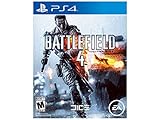
- Only in Battlefield can you change the landscape in real time with interactive environments that react to your every move
- Only in Battlefield will you find the awe inspiring power of the next generation Frostbite 3 engine, whose unrivaled audio and visual fidelity make your game more dramatic, more believable, and more human
- Only in Battlefield can you experience an unmatched level of all out war that grants you the freedom to play to your strengths and carve your own path to victory
- Only in Battlefield do you have the power to dominate land, air and sea with all new, intense water based vehicle combat
| What to consider | Battle Royale | Gauntlet |
|---|---|---|
| Main goal | Outlast the other squads and be the last squad standing | Score through round missions and avoid elimination |
| Preparation | Choose a class and starting equipment, then scavenge for better gear | Understand the round briefing and what actions earn points |
| Primary priorities | Survival, positioning, loot, and ring management | Objective scoring, timely coordination, and adapting between rounds |
How to play Casual Battle Royale
Casual Battle Royale is a lower-pressure Quads variant intended to help players practice map knowledge and combat. It mixes human and bot-filled squads, and its progression and XP differ from standard Battle Royale. EA’s guide published June 29, 2026 described eight full human Quads and 17 bot Quads at that time; it also said bot kills awarded less XP than player kills and that some stats were tracked separately. Those are dated details, not guaranteed current settings. Check the live playlist and EA’s Casual Battle Royale guide for the mode’s current composition and reward rules.
Use Casual as a place to practice dropping with your squad, finding weapons, reading the map, and learning how the ring affects routes. Do not assume its rewards or stats are interchangeable with standard Battle Royale.
How to play with friends and coordinate
EA Help says REDSEC squads can include REDSEC and Battlefield 6 players across supported platforms. Invite friends through the game’s current squad or social interface, then confirm everyone is in the same squad and playlist before queuing. Exact menu labels can change, so use the in-game social menu rather than relying on an older set of click-by-click directions.
- Agree on a landing area and regroup point before the drop.
- Call out useful loot, enemy positions, and routes with pings or voice/text chat.
- Share the squad’s plan before starting a mission or crossing exposed ground.
- In Gauntlet, use the briefing to decide who will pursue the objective and who will cover the approach.
- Stay close enough to assist a teammate; scattered players are harder to revive or support.
For the current access and cross-platform details, consult EA Help’s REDSEC requirements page.
What is changing in REDSEC?
REDSEC is a live service, so playlists, balance, and seasonal features can change. EA’s September 8, 2026 update said Proximity Chat would begin in Battle Royale on September 15 and announced Rapid Royale for Season 5 as a faster variant with fewer players, smaller play spaces, faster circles, and shorter matches. The update described the mode as planned; check the current in-game playlist or EA’s September 2026 competitive update for whether it has since launched.
Quick Recap
Product prices and availability are accurate as of the date/time indicated and are subject to change. Any price and availability information displayed on Amazon at the time of purchase will apply.




