For a smoother start in MIO: Memories in Orbit, explore methodically, mark routes you cannot yet reach, crystallize loose Nacre before risky fights, and treat combat as a chance to learn enemy patterns. Your abilities and modifiers are flexible tools—not fixed choices—so revisit your setup when a boss or obstacle gives you trouble.
How should you explore The Vessel?
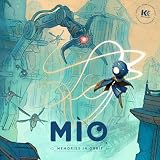
MIO is a single-player metroidvania set in a network of connected regions, where new routes, secrets, shortcuts, and movement abilities gradually open up. The Nexus does not provide every function from the beginning: Focus Entertainment says Shii’s quest unlocks the map, and the hub gains functions as it is activated. Talk to Shii if you are unsure where to go, and check the map as new features become available.



Mark obstacles instead of trying to solve everything now
Use map pins for blocked doors, high ledges, suspicious walls, and places that look as though they need a later ability. A visible obstacle is not always a progression gate: inspect nearby walls and foliage for concealed paths before moving on. When you acquire a new ability, return to marked locations and see what has changed. This is a useful habit, not a promise that every obstacle will be immediately solvable.
If a Network Gate is missing its Overseer, search nearby for the torn Overseer and reactivate it. The Epic Games Store guide says restored Overseers enable fast travel between those points. When progress stalls, revisit explored areas, look for newly accessible routes, and consider upgrading abilities before trying again.
Free tools Windows power users keep installed
One-click scans. No signup required.
#1 Best Overall
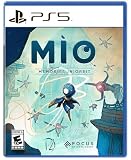
- Explore a captivating universe, full of wonder and artistic curiosities. Interact with the Vessel’s environments to learn more about its past and memories.
- Earn game-changer abilities to help MIO progress through this twisted and interconnected space. Climb walls like a spider or float through the air with your Glide power. Master precision, rhythm, and timing to find the perfect flow!
- Face off a diverse array of over 30 enemy units and 15 formidable guardian bosses. Use your arsenal of powers to adapt to every encounter. Evade foes using your Hook, unleash orbs as powerful projectiles, and even create decoy clones to strike from unexpected angles. It’s always your choice!
- Enhance and customize MIO abilities by scavenging components. Spice up your fighting skills with many Modifiers and transform MIO into a formidable force tailored to your playstyle.
How do Nacre and upgrades work?
Nacre is the basic currency; Old Cores are rarer. Enemies and secret areas can yield resources, while Mel’s shop in the Nexus sells stat power-ups and modifiers. The important distinction is between loose, liquid Nacre and Nacre you have crystallized at a processing station: liquid Nacre can be lost when you die, while crystallized Nacre remains available to spend. Epic’s guide says loose Nacre is spent before your secured stockpile.
That makes processing stations a practical safeguard. If you are carrying a meaningful amount of loose Nacre and are about to take a risky route or attempt a difficult encounter, crystallize it first rather than risking a loss.
How can you make combat easier?
Learn attack patterns before committing to damage. Focus Entertainment’s beginner guide advises players to learn patterns, wait for openings, and strike precisely. Watch how an enemy telegraphs an attack, move clear of it, then use the opening. If repeated attempts are not working, change your approach rather than repeating the same timing.
Use movement abilities beyond traversal
Abilities can help with offense, evasion, and hazard avoidance as well as reaching new places. Focus’s examples include using the Hook for invulnerability frames, Spider movement to stay low and dodge attacks, and Glide to avoid ground hazards. Nintendo’s game listing also describes wall climbing, floating, projectile attacks, and decoy clones. These are tactical options to experiment with, not a universally best build.
The Tool Desk
Outbyte PC Repair FREEClear out junk files and repair common Windows errorsFree Scan →Outbyte Driver Updater FREEScan for outdated or missing drivers - takes under a minuteDriver Scan →Keep your aerial options open
The Epic guide reports that hitting enemies and certain objects—including bulbs and green energy shards—can refresh MIO’s double-jump. It also describes later energy refills and aerial chains of hits. Try striking a nearby target if you need another jump to stay aloft or adjust your position, but treat this as a technique described by Epic’s editorial guide rather than a rule that applies to every situation.
When should you change modifiers?
Modifiers shape a build, but capacity is limited and can be expanded. Focus Entertainment’s February 3, 2026 beginner guide reports more than 40 modifiers; the useful takeaway is to experiment with the options you have, not to chase a single prescribed setup. Epic says you can change modifiers at Network Gate save points.
A setup that helps you explore may not be the one you want for a boss. If an encounter is going poorly, visit a Network Gate and try a different combination, then reassess after a few attempts. Choose for the challenge in front of you rather than assuming one loadout is best everywhere.
Independent reader supportYour contribution helps us test, update, and keep practical guides available for everyone.Which accessibility assists can help?
Focus Entertainment lists three assists in Settings > Accessibility. They can reduce pressure during difficult fights or exploration:
Best Value
- Eroded Bosses: Slightly lowers a boss’s maximum health after each failed attempt.
- Pacifist: Pacifies ordinary enemies until MIO attacks; bosses are unaffected.
- Ground Healing: Grants a temporary, non-recoverable shield after MIO stands still on the ground for five seconds.
How do checkpoints and shortcuts help you recover?
Attune at Overseer checkpoints to save progress and update map discoveries. Restored Overseers at Network Gates also provide fast travel. If a return journey feels unusually long, scan the route for a concealed shortcut; finding one can make future trips through a region less demanding.
Death and failed attempts are part of learning the game. Focus Entertainment’s FAQ puts it plainly: “Expect to die. A lot!” Use each attempt to learn a pattern, identify a route, or decide whether a different ability or modifier could help.
Sources and scope
The practical recommendations above draw primarily on Focus Entertainment’s beginner guide and the Epic Games Store tips guide. Nintendo’s US digital listing describes the game and its abilities; availability and listing details can differ by region and platform.
Quick Recap
Product prices and availability are accurate as of the date/time indicated and are subject to change. Any price and availability information displayed on Amazon at the time of purchase will apply.




