What’s actually slowing this PC down?
Pick the symptom - the matching free tool is one click away.
Bemuse is a free, open-source rhythm game that runs in a web browser and plays music charts in BMS format. Notes fall toward a judgment line; press the matching keys in time to score. You can start with a regular keyboard and the five-key tutorial, then adjust note speed, key bindings, or audio timing if needed.
What Bemuse is and what you need
Bemuse describes itself as a web-based, online rhythm action game. It runs in a browser rather than requiring a desktop game installation. The user guide lists current Chrome and Firefox, Safari on iOS, and Chrome on Android among supported browsers; browser and service availability may change. See the Bemuse User Guide for current instructions.
The game plays BMS-format songs: charts that place notes against music for you to hit in time. A standard computer keyboard is enough for Keyboard Mode. Bemuse is described as free and licensed under AGPLv3; its official repository contains the project code and licensing details.
How to start your first song
- Open Bemuse in a supported browser and enter the game.
- Choose Keyboard Mode if you are new.
- Select the first listed song’s five-key tutorial and let it load.
- Press Enter to begin the tutorial.
- Afterward, select a song and choose a chart. Select that chart again to start playing.
The guide describes charts across difficulty tiers, from beginner to very difficult. Start with the tutorial or a low-difficulty chart to learn the key layout before moving to denser patterns.
Free tools Windows power users keep installed
One-click scans. No signup required.
#1 Best Overall

- 【SayoDevice CM51+ Keyboard】Suitable for OSU!、djmax...Rhythm game! Make you better and confident!
- 【Switches】10 GATERON white switches,Rapid Trigger Hall magnetic Linear Switches.
- 【NOTICE】Sometimes, the keyboard needs to do "CALIBRATION" ( The steps are shown in the figure ) before use for the first time or after firmware upgrade.
How notes, scoring, and grades work
Notes descend from the top of the play area. Press the corresponding input as each note reaches the judgment line at the bottom. The interface shows accuracy, score, BPM, note speed, and early-or-late timing feedback, which can help distinguish a missed input from a timing offset.
According to the Bemuse Team’s user guide, last updated July 27, 2026, each level has a maximum score of 555555, and an S grade requires at least 500000. The Bemuse Community FAQ explains the total as 500000 accuracy points plus 55555 combo points. The guide’s thresholds are the clearest place to check the result grading information as the game is updated.
Rank #2
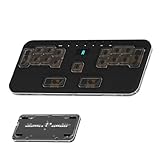
- 🎮 5-LAYER RHYTHM MASTERY: Instantly switch between 5 pre-configured game profiles (Layers 0-4) optimized for competitive play in Phigros, Muse Dash, OSU!, Rhythm Doctor, and Arcaea. Skip tedious setup—jump straight to peak performance.
- ✨ PREMIUM CNC ALUMINUM BUILD: The rigid CNC Aluminum body ensures superior stability and durability, preventing the keypad from moving during intense, high-BPM gameplay. This guarantees consistent actuation and significantly REDUCES MISSED INPUTS.
- 🔧 HOT-SWAPPABLE & LOW-PROFILE: Features hot-swappable sockets (3/5-pin compatible) for easy switch changes without soldering. The ultra-slim, ergonomic design (18mm) and PBT keycaps reduce wrist strain and resist wear.
- 💻 VIAL FULLY PROGRAMMABLE: Every one of the 17 + 7 keys is 100% customizable via VIAL firmware. Assign complex macros and custom key maps, with ALL settings saved directly to the onboard memory.
- ⚡ ZERO LATENCY PERFORMANCE: Full N-Key Rollover (NKRO) and a high-speed polling rate guarantee that every simultaneous keypress registers accurately, delivering the edge needed for PERFECT timing windows.
Choose a key layout and input device
Bemuse supports five-key and seven-key charts. BMS mode can add an optional scratch or turntable lane. A four-key mode is not listed as supported; the community FAQ says there is no official plan for one.
| Setup | What it offers | What to consider |
|---|---|---|
| Five-key chart on a keyboard | A straightforward way to learn the game; the official guide directs new players to a five-key tutorial. | Use the on-screen chart and key mapping to learn which keyboard inputs correspond to each lane. |
| Seven-key chart on a keyboard | More lanes and patterns, still using keyboard input. | Choose it when you are comfortable with the layout; the exact key assignments can be changed. |
| BMS mode with a controller | Can provide an IIDX-style or MIDI controller setup, including the optional turntable lane. | Controller support code was largely contributed by players, so compatibility is device-specific. Check the project’s controller support information rather than assuming a particular model works. |
You do not need a dedicated rhythm-game controller to play keyboard charts. The project describes IIDX-style and MIDI controllers as options, not requirements.
Crashes, No Sound, or Screen Glitches?
Random freezes, missing sound and display glitches usually trace back to one bad driver. Find and replace yours safely.Free scan · under a minuteWindows Errors? Fix Them Before They Spread
Repair common Windows errors and clear accumulated junk for a smoother, more stable PC - no reinstall needed.Free scan · no reinstallRank #3

- 【SayoDevice CM51 Keyboard】Suitable for OSU!、djmax...Rhythm game! Make you better and confident!
- 【Switches】11 OUTEMU pink switches,Rapid Trigger Hall magnetic Linear Switches.
- 【NOTICE】Sometimes, the keyboard needs to do "CALIBRATION" ( The steps are shown in the figure ) before use for the first time or after firmware upgrade.
Adjust note speed, keys, and audio timing
Make notes easier to read
Change note speed in the game options if notes feel too crowded or too spread out. This changes how quickly notes travel visually; it does not change the song’s BPM.
Remap keys
Use the key-remapping controls to assign lanes to inputs that are comfortable for your hands and keyboard. If a key does not register as expected, verify the mapping before changing other settings.
Rank #4

- 【SayoDevice CM51+ Keyboard】Suitable for OSU!、djmax...Rhythm game! Make you better and confident!
- 【Switches】10 OUTEMU pink switches,Rapid Trigger Hall magnetic Linear Switches.
- 【NOTICE】Sometimes, the keyboard needs to do "CALIBRATION" ( The steps are shown in the figure ) before use for the first time or after firmware upgrade.
Calibrate audio latency
Audio delay can vary with the operating system, browser, and hardware. Bemuse’s FAQ recommends opening Options and using latency calibration when the sound and note judgments feel out of sync. Wired headphones are described as a latency-conscious choice; wireless headphones, speakers, and TVs generally have higher latency. A wired connection may help, but it is not a guaranteed fix for every setup. The FAQ’s guidance is available in the Bemuse Community FAQ.
If the game’s animation is choppy rather than the audio feeling delayed, the FAQ advises checking that hardware acceleration is enabled in the browser. Frame-rate problems and audio latency are different issues, so address the symptom you actually see.
Best Value

- Taiko No Tatsujin Drum Controller for PlayStation 5, PlayStation 4, and Windows 11/10
- Pressure pad accurately detects location of each tap
- Drum stand provides a stable playing experience and storage space for Taiko Drumsticks
- Includes wired Taiko Drum Controller, drum controller stand, and a set of drum sticks
- Officially Licensed by Sony & Bandai Namco Entertainment
Where the music comes from
Bemuse includes online songs and can play custom BMS files. Community-created charts are part of the wider BMS ecosystem, but the project’s song counts are not a dependable current catalog total: its project page gives an undated figure for a handpicked selection, while its repository separately cites an undated count for BMS songs published by the worldwide community. The latter is not a count of songs available in Bemuse. Browse the game itself for the current selection.
Is Bemuse still being developed?
The Bemuse FAQ says the lead developer is not actively developing the game at present and intends to keep it online indefinitely. That is a qualified statement of intent, not a guarantee of uninterrupted service or ongoing updates. Because Bemuse is an online browser game, its availability and compatibility can change.
Quick Recap
Product prices and availability are accurate as of the date/time indicated and are subject to change. Any price and availability information displayed on Amazon at the time of purchase will apply.




