What’s actually slowing this PC down?
Pick the symptom - the matching free tool is one click away.
Short answer: There is no single best CS 1.6 server host for every community. Choose a rented server when you want a nearby public endpoint, a control panel, backups and support without maintaining a machine. Self-host through Steam’s Half-Life Dedicated Server route when you are comfortable managing the operating system, console, network and updates. The provider plans below are dated offers observed on October 13, 2026; prices, locations and features must be rechecked at checkout.
What “best CS 1.6 server hosting” actually means
For Counter-Strike 1.6, “best” is a fit question, not a universal ranking. A server that is excellent for a Romanian mix team may be a poor choice for players spread across the United States and Europe. Start with the location of the people who will play most often, then match the slot count, mod stack, administration tools, backups and total recurring cost to that group.

As an Amazon Associate I earn from qualifying purchases.
The evidence available for the plans in this guide consists of provider-authored offer pages, not independent latency tests, uptime measurements or support audits. Marketing terms such as “lag-free,” high tick or frame rates, DDoS protection and uptime percentages should therefore be treated as claims to verify in the contract and at checkout, not as measured results. Test from the actual networks your players use whenever possible.
Can I host Counter-Strike 1.6 myself?
Yes. Steam’s official Half-Life Dedicated Server instructions support Counter-Strike 1.6. Steam separates GoldSrc games, including Half-Life, Counter-Strike and Team Fortress, from Source-engine games and describes the standalone dedicated-server model as the option intended for internet games. A Linux dedicated-server variant is also identified in Steam’s server overview.
#1 Best Overall

- Size & Package: The size of counter strike neon sign is 31*39cm (12*15inches). The package includes 1 sign and 1 hanging chain
- Special Design: WonderfulLife CS logo neon sign features vibrant color combinations and adds a funky vibe to your game zone and will catch the attention of anyone who enters
- Easy to Use: Two pre-drilled holes on the high-quality clear backplate for easy hanging with included hanging chain. The 150 cm (60 inches) long USB wire with an on/off switch makes it easy to use.
- Safety & Premium Quality: Made of polystyrene, safe and durable, with no noise, no heat, and no risks of glass breakage. Features 50,000 hours expected life. LED neon light is designed with 5V low voltage and is energy-saving
- Versatile Gaming Decor: This Counter Strike neon sign is suitable for decorating man caves, gaming rooms, internet bars, or bedrooms, creating an immersive gaming atmosphere with its bright LED illumination
Self-hosting gives you control over the machine, files, configuration and running costs. It also makes you responsible for the parts a commercial host normally handles: operating-system updates, firewall rules, port forwarding, backups, monitoring, crash recovery and protection against attacks. A listen server is aimed at small LAN play in Steam’s overview, so it is not the same choice as a standalone dedicated server for a public internet community.
When self-hosting is a good fit
- You already have a machine with a stable wired connection and the ability to leave it online.
- Your group is small, geographically close and comfortable accepting occasional maintenance windows.
- You need full control of custom files, maps, plugins or operating-system settings.
- You can secure the host, expose the game port safely and restore the server after a failure.
When renting is the safer choice
- The server must be reachable while your home PC is off or your broadband connection changes.
- The players are in several regions and need a data-center location near the majority.
- You want a web panel, one-click restarts, scheduled tasks, backups or support staff.
- You do not want to troubleshoot Linux, firewall rules, DDoS incidents or hardware failures during a match.
How do I setup a Half-Life Dedicated Server?
Steam uses that exact question as the heading for its support instructions. Use Steam’s Half-Life Dedicated Server setup as the authoritative starting point rather than applying instructions for a Source-engine server. The following sequence reflects the options Steam documents and the decisions you must make around them.
- Install the standalone dedicated-server software. Use Steam’s dedicated-server setup, not the regular Counter-Strike game client. Select the GoldSrc-era server path for Counter-Strike 1.6.
- Choose the operating system. Steam identifies a Linux dedicated-server variant. Select the platform you can patch, secure and monitor; Linux is common for unattended servers, while a familiar desktop environment may be easier for a first local test.
- Select the game and networking mode. Pick Counter-Strike and choose Internet for a public server or LAN for a private local network. A LAN selection will not provide the same public reachability as an internet server.
- Set the maximum player count. Steam’s setup interface documents a range from 1 to 32 players. Treat this as the range shown by Steam’s setup UI, not a promise that every host plan or mod combination will support all 32 slots.
- Confirm the game port. The documented default is UDP port
27015. If another service uses that port, choose a different available port and make the same change in the firewall and router rules. - Set an RCON password. Steam includes an RCON password option for remote administration. Use a unique, long password and never reuse an account password; anyone who obtains RCON access can control the server.
- Allow the required traffic. Permit the selected UDP game port through the host firewall and, for a home connection, forward it from the router to the server machine. Restrict administrative services to trusted networks where your operating system allows it.
- Start and test locally. Join from the same network first, confirm the map, slot count and controls, then test from an outside connection. Ask players in each major region to check their real latency before advertising the server widely.
- Document and maintain it. Record the port, RCON credentials location, startup settings, plugin versions and backup location. Apply operating-system and server updates during announced maintenance windows.
Steam’s store system requirements describe the Counter-Strike game client, not a modern dedicated-server hardware requirement. The available official material does not establish a current minimum CPU or RAM specification for a rented CS 1.6 server, so do not use the client requirements as a sizing guarantee.
Crashes, No Sound, or Screen Glitches?
Random freezes, missing sound and display glitches usually trace back to one bad driver. Find and replace yours safely.Free scan · under a minutePC Slower Than It Used to Be?
A free scan shows the junk files, broken settings and background clutter dragging Windows down - then fixes them in one click.Free scan · Windows 10 & 11Current CS 1.6 hosting plans compared
The table shows provider-advertised offers captured on October 13, 2026. Currencies, billing cycles, taxes, renewal terms and slot definitions are not standardized, so the figures are examples for comparison rather than a market ranking.
| Provider | Advertised price and capacity | Advertised features | What to verify before ordering |
|---|---|---|---|
| Five-Host | €2/month for 14 slots; €4 for 20; €6 for 26; €7 for 32 | Linux, ReHLDS, “1000 FPS,” DDoS protection, instant delivery and a Pterodactyl panel | Confirm the current location, billing terms and exactly what “1000 FPS” means for the selected plan. These are provider claims, not independent measurements. |
| EUGameHost | From £3.50/month; a specific capacity price was not available in the captured result | UK and US service, Ryzen 9, NVMe storage, AMX Mod X/Metamod, control panel, backups, DDoS protection and a 48-hour money-back offer | Check the actual city or data-center location, checkout total, renewal price and the conditions attached to the money-back offer. |
| Nitrous Networks | From £4.50/month; the page states 10–64 players | DDoS protection, listed packet-scrubbing locations, free MySQL and web hosting | The page says mods are not currently offered. Confirm that limitation before choosing it for an AMX Mod X, Metamod or custom-plugin server. |
| EntrySoft | From €10/month; the captured result did not include a slot count | Romania and Germany locations, DDoS protection, a claimed 99.9% uptime, 24/7 support and instant setup | Verify the exact location, the uptime SLA definition, exclusions, support channels and whether the entry plan has enough slots. |
None of these offers can be named objectively best for every region or community. The pages do not establish equivalent billing periods, taxes, renewal rates, support responsiveness, player experience or measured network performance. Recheck the live order page and save a copy of the terms you accepted.
Choose by player location and real latency
Put the server near the largest concentration of regular players, not necessarily near the person who pays the bill. If a group is split between continents, there may be no perfect location; choose the region that gives the main competitive group the shortest and most consistent route, or consider separate servers for different events.
Rank #2

- track scores during board games with this compact counter, featuring a user friendly design and srong construction for seamless gameplay
- Ideal for families, educators, trainer, and gaming enthusiasts seeking a stable tool to monitor points across board games, sports, or classroom activities
- enhances game night, tournaments, or training meeting with this versatile counter that simplifies scorekeeping while maintaining focus on strategy and fun
- The lightweight, portable scorekeeper clear numeric displays and buttons, ensuring quick adjustments and accurate tallying in fast paced scenarios
- Built from recyclable, this multipurpose tabletop game accessory combines practicality with for environmentally awake users
Ask players to test from their normal home or mobile networks at the times they actually play. A provider’s advertised city does not prove that every route to it is good, and a short test from your own connection says nothing about another country’s peering path. Look for stable latency and packet loss, not only a single attractive ping number. The available material contains no independent latency or uptime test, so do not present marketing claims as verified results.
Free tools Windows power users keep installed
One-click scans. No signup required.
Size the server by slots, not by a headline plan
Count the maximum number of people who may be connected at once, then leave room for spectators, administrators and occasional events. Steam’s setup interface shows 1–32 as its documented player range, while commercial pages may advertise different tiers, including a 10–64 range. Those numbers are not directly interchangeable: one is a setup-interface range and the other is a provider’s plan description.
- Private team or family server: choose only the slots you will actually use; paying for unused capacity rarely improves the experience.
- Public community: allow headroom for peak evenings and reserve administrator slots only if the panel and game configuration support them.
- Events: confirm whether the advertised slot number applies to the exact map, plugin stack and anti-cheat configuration you plan to run.
Ask support how slots are enforced, whether upgrades are immediate, and whether changing slot counts changes the IP address or requires a migration.
Check mod and administration support before paying
Classic servers often depend on AMX Mod X, Metamod, ReHLDS, custom maps and scripts. A low price is irrelevant if the host blocks the files or lacks a usable console.
- File access: confirm whether you receive SFTP, a file manager or only a restricted upload area.
- Console and RCON: verify that you can issue commands, change maps and inspect logs without exposing RCON credentials publicly.
- Plugin compatibility: ask which AMX Mod X, Metamod or ReHLDS versions are supported and whether you may restart after installing them.
- Custom maps: check upload limits, download redirects and storage quotas before promising a large map rotation.
- Scheduled tasks: look for automatic restarts, map rotations and update jobs in the control panel.
- Backups: identify what is backed up, how often, how long copies are retained and whether you can download an independent copy.
The provider pages advertise different combinations of these tools. Treat every feature as a claim to confirm for the exact plan, because a feature on a marketing page may apply only to selected locations or game versions.
The Tool Desk
Outbyte PC Repair FREERepair Windows errors before they cause bigger problemsFix Now →Outbyte Driver Updater FREEFix the driver behind crashes, sound loss and screen glitchesFind Drivers →Compare the full price, not the “from” price
A starting price is not a like-for-like quote. Before ordering, record the billing period, currency, tax, setup fee, renewal rate, extra-slot cost, backup charges, database charges and cancellation policy. The offers above use both euros and pounds, and the captured pages do not establish equivalent billing cycles or renewal terms.
Check whether a promotional amount applies only to the first invoice. Confirm the price after changing the location, slot count or billing term, and make sure a claimed refund window covers the configuration you intend to test. Keep the invoice and terms so you can compare renewal charges later.
Understand DDoS protection, uptime and support claims
DDoS protection can mean network filtering, a limited mitigation profile or protection only at named locations. Ask what traffic is covered, whether attacks trigger suspension, who pays for mitigation and how you are notified. Protection does not guarantee that every attack is absorbed without packet loss or downtime.
An advertised uptime percentage is meaningful only with a definition, measurement window, exclusions and remedy. Ask whether maintenance, upstream failures, restarts and attacks are excluded and whether the figure is an SLA or simply a marketing statement. Likewise, “24/7 support” may describe ticket intake rather than guaranteed response or resolution time. Test the support channel with a technical pre-sale question and judge the specificity of the answer.
Quick wins for a faster PC:
Clear out junk files and repair common Windows errorsFree Scan →Scan for outdated or missing drivers - takes under a minuteDriver Scan →Repair Windows errors before they cause bigger problemsFix Now →Self-hosting and renting: practical trade-offs
| Decision area | Self-hosted dedicated server | Rented game server |
|---|---|---|
| Control | Direct control of operating system, files, ports and configuration. | Control is bounded by the provider’s panel, policies and game image. |
| Network | Depends on your ISP, router, public address and home firewall. | Uses a data-center connection; you choose among the locations the provider offers. |
| Maintenance | You patch, monitor, secure and recover the machine. | The provider manages infrastructure, while you still maintain the game, plugins and passwords. |
| Cost pattern | Uses existing hardware and electricity but may require upgrades or a better connection. | Predictable recurring billing, plus possible taxes, renewals, add-ons and migration fees. |
| Recovery | You must maintain off-machine backups and a restore procedure. | Backups may be included, but retention and restore access vary by plan. |
Steam’s documentation explains the dedicated-server route but does not compare its total cost or convenience with commercial hosting. Make that comparison using your own electricity, hardware, time and connection costs rather than assuming either model is always cheaper.
Independent reader supportYour contribution helps us test, update, and keep practical guides available for everyone.Common setup problems and fixes
The server is visible on LAN but not on the internet
Confirm that the server is set to Internet, the selected UDP port is forwarded to the correct machine, the host firewall allows it, and your ISP is not placing the connection behind carrier-grade NAT. Test from a different network; a local test can succeed even when public traffic cannot reach the server.
Players report high or unstable latency
Record the players’ regions, test at peak hours and compare routes from several networks. If most players are far from the selected data center, move the server or choose a closer location. Do not infer a universal performance problem from one player’s home connection.
Rank #4
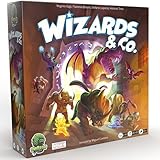
- FUN FANTASY THEME: Immerse yourself in a vibrant fantasy world with stunning monster artwork by Miguel Coimbra (7 Wonders, Small World). Captivating illustrations bring creatures to life, adding depth to every encounter.
- STRIKE & COUNTER-STRIKE: Engage in intense dungeon showdowns, deploying your creatures strategically to outmaneuver opponents. Each battle is a high-stakes test of tactics, as you anticipate strikes and counter-strikes.
- BLENDS EUROGAME MECHANISMS: Eurogame strategies with ruthless take-that action, offering a perfect balance of thoughtful planning and fierce competition. Outsmart your opponent while dealing merciless blows to secure victory.
- RANDOMIZED ENCHANTMENTS: Each game is unique with randomized enchantments, ensuring no two plays are ever the same. This mechanic adds endless replayability, keeping gameplay fresh, unpredictable, and full of surprises.
- COLLECT POWERFUL ARTIFACTS: Gather rare and powerful artifacts throughout the game, each granting unique abilities. Strategically collecting these treasures is key to gaining the advantage and securing ultimate victory.
Plugins or maps fail after installation
Check the exact game build, AMX Mod X/Metamod or ReHLDS compatibility, file permissions and server logs. Reproduce the problem with the newest plugin disabled, then add components one at a time. Keep a known-good backup so you can roll back without rebuilding the server.
RCON access is rejected or compromised
Verify that the password in the server configuration matches the one used by the administrator, restart if the configuration requires it, and rotate the password immediately if it has been shared in chat or stored in a public script. Never publish it in screenshots, paste sites or support tickets that do not need it.
A host’s advertised feature is missing
Save the plan page and your order confirmation, then ask support to identify the exact plan, location and game image to which the feature applies. If the limitation prevents your intended setup, use the provider’s stated cancellation or refund process rather than assuming an upgrade will solve it.
A purchase checklist for 2026
- List the countries or cities where regular players live and select the closest realistic hosting region.
- Estimate peak concurrent players, including spectators and administrators, instead of choosing by the lowest advertised price.
- Write down required mods, map storage, SFTP or file-manager access, console access, RCON and scheduled tasks.
- Confirm the exact plan’s slot limit, game version, IP and port policy, backup retention and restore method.
- Calculate the first invoice and renewal invoice with tax, add-ons and any extra slots.
- Read the DDoS, uptime, support, refund and cancellation terms; distinguish an SLA from a marketing claim.
- Test from players’ real networks before opening the server to a larger public audience.
- Export configuration and map files so you can migrate if the host changes price, location or supported features.
Which option is best for different communities?
A small local group
Self-hosting can be sensible when everyone is nearby and one person can keep the machine online. Use the dedicated-server route rather than a listen server if you need an always-available public endpoint. Rent instead when home upload reliability, router access or maintenance time is uncertain.
A mod-heavy public server
Prioritize file access, plugin compatibility, logs, backups and restart controls over a low headline price. Confirm that the provider permits your AMX Mod X, Metamod, ReHLDS and custom-map setup before paying. A plan that advertises many slots but blocks the required mods is not a practical fit.
Recommended Free Tools
A geographically mixed community
Pick the region that serves the largest competitive group, then measure real routes from the other regions. If the split is close, run a short trial or separate event servers rather than treating a provider’s “low ping” language as proof.
A community that cannot tolerate downtime
Choose a host only after verifying backup restoration, support response expectations, maintenance notifications and the contract’s uptime definition. Keep an independent copy of configurations and maps even when the plan includes backups.
Bottom line
The best CS 1.6 server hosting in 2026 is the plan—or self-hosted setup—that places the machine near your players and gives you the exact slots, mods, administration access, backups and support you will use. Steam provides the official path for running a Half-Life Dedicated Server, including Internet/LAN selection, 1–32 player settings, UDP port 27015 and RCON. Commercial plans can remove infrastructure work, but their advertised prices and features are dated snapshots from October 13, 2026 and were not independently tested. Verify the live checkout, test from real player networks and keep a migration-ready backup before you commit a community to any host.
Quick Recap
Product prices and availability are accurate as of the date/time indicated and are subject to change. Any price and availability information displayed on Amazon at the time of purchase will apply.




