For Linux users choosing a Mega Drive (Genesis) emulator, the most defensible current shortlist is RetroArch with the Genesis Plus GX core, standalone BlastEm, and the PicoDrive core. They are not interchangeable: Genesis Plus GX covers several Sega systems but not 32X, BlastEm offers a standalone Linux route, and PicoDrive is the option in these sources that documents 32X support.
The available evidence does not establish seven currently maintained Linux choices, so this guide focuses on the three supported options rather than padding a “7 best” list with unverified or legacy names.

As an Amazon Associate I earn from qualifying purchases.
Which Linux Mega Drive emulator should you choose?
| Option | How you use it | Documented system coverage | Best fit |
|---|---|---|---|
| RetroArch + Genesis Plus GX | RetroArch frontend plus a separately installed or downloaded Libretro core | Mega Drive/Genesis, Mega CD, Master System, Game Gear, SG-1000 and Pico software; no 32X, according to Libretro’s core documentation | A multi-system setup, including cartridge games and supported Sega systems beyond Mega Drive |
| BlastEm | Standalone Linux builds are listed by the project; it is also available as a RetroArch core | Genesis/Mega Drive, Master System and Game Gear, according to Debian’s package description | A standalone path or an emulator whose project emphasizes precision |
| PicoDrive | Libretro core; use with a compatible frontend such as RetroArch | Sega 8/16-bit systems and 32X, according to Libretro’s PicoDrive documentation | Investigating Mega CD or 32X emulation within a core-based setup |
Choose based on system coverage and workflow, not unsupported claims of universal compatibility or speed. The sources cited here do not provide independent comparative benchmarks.
Free tools Windows power users keep installed
One-click scans. No signup required.
RetroArch with Genesis Plus GX: a broad Sega core
RetroArch is the frontend; Genesis Plus GX is the emulator core that runs inside it. Debian packages the core for use with Libretro frontends, while RetroArch’s core workflow requires that you install or download the core separately. See Debian’s trixie package listing and the core documentation.
#1 Best Overall
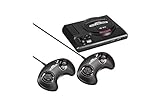
- The iconic SEGA Genesis console that defined a generation of gaming returns in a slick, miniaturized unit.
- The SEGA Genesis Mini console is loaded with 42 legendary games and is plug and play ready right out of the box!
- Box contents: Sega Genesis Mini console and 2 wired controllers, 40 games + 2 bonus games, power cable and USB adapter, and HDMI cable.
Genesis Plus GX documents support for Mega Drive/Genesis, Mega CD, Master System, Game Gear, SG-1000 and Pico software. It explicitly does not support 32X, so it is not the right choice if 32X titles are your priority.
BIOS and firmware needs
For ordinary Mega Drive cartridge games, do not assume a BIOS is required: Genesis Plus GX labels the Mega Drive startup ROM optional. Mega CD play is different. The core documentation lists required Mega CD BIOS files by region; consult that page for the exact filenames and placement details rather than relying on an unspecified BIOS file.
Rank #2

- The iconic SEGA Genesis console that defined a generation of gaming returns in a slick, miniaturized unit.
- The SEGA Genesis Mini console is loaded with 42 legendary games and is plug and play ready right out of the box!
- Box contents: Sega Genesis Mini console and 2 wired controllers, 40 games + 2 bonus games, power cable and USB adapter, and HDMI cable.
Firmware and game-image laws vary by jurisdiction and circumstances. Obtain files lawfully; this guide does not direct readers to unauthorized ROM or BIOS downloads.
Do these 3 things before closing this tab:
1Repair Windows errors before they cause bigger problems2Scan for outdated or missing drivers - takes under a minute3Clear out junk files and repair common Windows errorsBlastEm: a standalone Linux option
BlastEm is the clearest choice here if you want to run a dedicated emulator rather than set up RetroArch. Its official downloads page lists Linux builds and reports stable version 1.0.0 released September 11, 2026. Check the available build against your Linux architecture and prefer the upstream download when practical.
Rank #3

- Genesis Classic Console by AtGames
The project also lists third-party packages, but says those packages are not affiliated with or endorsed by upstream and may lag behind. Debian’s stable package entry describes BlastEm as a highly precise Genesis/Mega Drive, Master System and Game Gear emulator, and says demanding software runs at full speed on modest hardware. That is Debian’s package description, not an independent test or a guarantee for every machine.
BlastEm documents keyboard controls, so a gamepad is optional rather than a prerequisite. A wired USB controller may be more comfortable for some players, but compatibility depends on the device and system configuration.
Independent reader supportYour contribution helps us test, update, and keep practical guides available for everyone.PicoDrive: consider it for 32X and Mega CD
Libretro describes PicoDrive as an open-source Sega 8/16-bit and 32X emulator, originally written with ARM-based handhelds in mind. Its documentation associates the core with Mega Drive/Genesis and makes it the clearest option in these sources to investigate for 32X support.
Recommended Free Tools
PicoDrive is a core rather than a standalone Linux application in the cited documentation. Before using it for Mega CD or 32X, check the PicoDrive setup documentation for the relevant system-specific firmware and configuration requirements. Do not assume the firmware needs match Genesis Plus GX.
Best Value

- Includes 80 16-bit Games
- Two User Friendly Wireless Controllers
- SEGA Genesis Greatest Hits Included: Beloved Sonic the Hedgehog Series
- Features Virtua Fighter 2 and Streets of Rage 1-3
- Compatible with SEGA Genesis Cartridges
Why this guide does not name seven current choices
The cited sources substantiate three practical options, not seven currently maintained Linux emulators with comparable availability and setup evidence. Batocera’s Mega Drive system guide also lists Genesis Plus GX, PicoDrive and BlastEm as available cores; it does not establish equal support on every Linux distribution.
Gens/GS is a historical alternative derived from Gens, but its repository does not establish a current release or present-day Linux package support. That makes it unsuitable to rank as one of the best current choices without stronger maintenance and availability evidence.
Quick Recap
Practical selection checklist
- Choose Genesis Plus GX if a RetroArch frontend suits you and its documented system coverage meets your needs.
- Choose BlastEm if you prefer a standalone Linux emulator, or want to evaluate the project’s precision-focused approach.
- Investigate PicoDrive if 32X support is important; verify its system-specific setup and firmware requirements first.
- For Mega Drive cartridge play, do not treat a BIOS as universally mandatory. For Mega CD, follow the selected core’s documented firmware requirements.
- Check distribution package freshness and architecture before installing, especially when choosing third-party packages.
Product prices and availability are accurate as of the date/time indicated and are subject to change. Any price and availability information displayed on Amazon at the time of purchase will apply.




