The best Game Boy Color accessory depends on what you want to do: use a compatible game and a second system for trading or multiplayer, take and print novelty photos, transfer supported data between Game Boy Color and Nintendo 64 games, or complete a collection. For the broadest practical use, start with a link cable—but only if your game supports it. The Camera, Printer, and Transfer Pak are more specialized picks, not universal upgrades.
What are the best Game Boy Color accessories?
| Accessory | Best for | What to check |
|---|---|---|
| Universal Game Link Cable Set | Trading, multiplayer, and score exchange | Game support and matching connectors; some uses require a second system |
| Game Boy Camera | Black-and-white snapshots and built-in photo play | It fits in the cartridge slot; add a Printer only if you want physical prints |
| Game Boy Printer and paper | Printing Camera images or supported game content | Supported content and suitable paper for the printer |
| Transfer Pak | Moving supported data between Game Boy Color and Nintendo 64 games | Compatibility icon on the Game Pak and a compatible N64 game |
Which Game Boy Color accessories are worth getting?
Universal Game Link Cable Set: best for trading and multiplayer
A link cable is the most useful everyday pick if you own a game that supports it and have access to a second compatible system. Supported features vary by game: they can include Pokémon trading, simultaneous play, or high-score exchange. Nintendo advises checking for the Link Cable icon or two-player marking on the Game Pak; the icon is not a promise that every game offers every link feature. Nintendo’s Game Boy Color accessories guide describes those game-dependent uses.
Nintendo’s Universal Game Link Cable Set consists of the black CGB-003 cable, about 1 metre long, and a DMG-14 adapter. The set connects to the Game Boy Color’s smaller connection; the adapter accommodates the original Game Boy’s larger socket. Confirm the exact cable and adapter are included when buying a used set, and match the connectors to both systems. Nintendo’s Universal Game Link Cable Set support page separately lists the set for Game Boy Advance connections, while its description of a different cable says that cable is not compatible with Game Boy Advance. Do not assume cables and configurations are interchangeable.
Game Boy Camera: best for handheld photo play
The Game Boy Camera captures black-and-white photos and includes photo-oriented play. It is a self-contained novelty accessory; a Printer is optional, not required to use the Camera. Consider the Printer if you specifically want physical output. Nintendo describes the Camera and supported Printer uses on its accessories guide.
The Tool Desk
Outbyte Driver Updater FREEScan for outdated or missing drivers - takes under a minuteDriver Scan →Outbyte PC Repair FREEClear out junk files and repair common Windows errorsFree Scan →#1 Best Overall
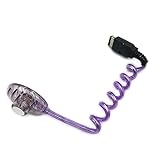
- Compatible with GBC GBP
- Please compare the picture and the description carefully. Make sure you get what you need
- Package Include : 1 x Worm Light (Without packing)
- Color:Random Color(Green/Yellow/Purple)
Game Boy Printer: best if you want physical keepsakes
The Printer can print Camera images, as well as supported images, characters, or scores from some games. Nintendo’s product description says the paper package contains three rolls—white, yellow, and blue—with sticky-backed output. Nintendo states, “Each roll can print 180 individual pictures, giving you enough paper for 540 printouts!” That is the manufacturer’s stated capacity, not an independently tested yield; paper is a separate consumable to consider when choosing the Printer.
Transfer Pak: best for supported Game Boy–to–N64 features
The Transfer Pak connects compatible Game Boy Color Game Paks with supported Nintendo 64 games so they can exchange or use data. Compatibility is game-specific: check for the Transfer Pak icon on the relevant Game Pak rather than assuming a title will work. It is worthwhile when you have both a supported handheld game and an N64 game that uses it; otherwise, it is a niche accessory.
What cable do I need to trade Pokémon on Game Boy Color?
You need a link cable that fits both systems and a Pokémon game configuration that supports trading. Nintendo’s Universal Game Link Cable Set is one option: it includes the CGB-003 cable and DMG-14 adapter, which accommodates the original Game Boy’s larger connector. Check the specific game’s link support and the ports on both systems before buying; owning the cable alone does not enable trading in a game or setup that does not support it.
Rank #2

- Power Supply: A replacement power adapter that's compatible for GBC GBP GBL Game Boy Color. Not compatible for GBA / not compatible for Gameboy console.Not compatible for Gameboy classic
- Protection Design: The power adapter compatible for GBC provide over-current protection,over-voltage protection,Over-heating protection,and short-circuit protection. The adapter provides a stable and secure power supply,cannot be used as a charger for charging
- Easy to use:This is an adapter, and cannot charge the game console
- Portable: Use new technology which is different from the original. Small and lightweight adapter that's convenient to put it in your bag and carry for traveling
- Third-party product, not original
How to choose a used Game Boy Color accessory
For a second-hand accessory, assess the actual item and its compatibility rather than relying only on a listing title. Nintendo says licensed accessories carry its seal; unlicensed accessories have not gone through Nintendo’s evaluation process and may not work or may have compatibility problems. See Nintendo of America’s explanation of licensed and unlicensed products.
Recommended Free Tools
- Check the connector shape against your system and game setup.
- For the Universal Game Link Cable Set, verify that both the cable and adapter are present.
- Inspect listing photographs for wear, damage, and the condition of connectors or cartridge-slot components.
- For a Printer, check whether paper is included and whether you can obtain suitable paper; the paper is a consumable.
- Confirm the game-specific link or Transfer Pak support before buying for a particular feature.
Nintendo’s product pages document intended uses and compatibility, but they do not establish current stock, seller reliability, used-item condition, or current prices. Those details need to be checked on the individual listing.
Quick Recap
Best Value

- COMPATIBILITY: Designed specifically for Game Boy Color (GBC) and Game Boy Pocket (GBP) consoles, providing enhanced screen visibility
- POWER SOURCE: Draws power directly from the console - no additional batteries needed for operation
- DESIGN FEATURES: Flexible neck allows precise positioning of the light for optimal viewing angles and reduced glare
- ILLUMINATION: Green LED light provides clear, even illumination across the screen surface for comfortable gaming in low-light conditions
- INSTALLATION: Simply plugs into the console's external port for instant screen illumination with no tools required
Rank #4
![Game Boy Color 2.45 Inch IPS Backlight LCD Screen Replacement Kit [DROP-IN, NO SOLDER] for Gameboy Color GBC (With Black Screen Lens)](https://m.media-amazon.com/images/I/419hat0u-iL._SL160_.jpg)
- 2.45" IPS LCD screen (original sized) with 9:1 pixel ratio. The display is brighter, clearer, and has a better viewing angle than the original screen.
- Soldering is optional with integrated touch sensor controls and On Screen Display (OSD). Soldering option for button controls
- 15 Brightness Levels. 8 Color Palette Opions. 4 Retro Pixel Effects. Frame Blending Option
- The installation process takes less than 20 minutes. No trimming required for your shell and the new screen will work seamlessly with your original Game Boy Color.
Rank #3
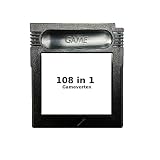
- New and high quality.
- Compatible for both US/EU/JAP versions console.
- RPG games can be saved by the battery inside,but Action games have no saving function.
- 108 in 1
- GBC games can't play on the GB game console
Product prices and availability are accurate as of the date/time indicated and are subject to change. Any price and availability information displayed on Amazon at the time of purchase will apply.




