
For most Apple TV 4K owners, the Microsoft Xbox Wireless Controller with Bluetooth is the safest choice. Apple lists it as supported, its Xbox-style layout is familiar, and it works as a general-purpose gamepad without requiring an Apple-specific accessory. Choose Sony’s DualSense if you prefer the PlayStation layout or already own a PS5 controller. Choose SteelSeries Nimbus or Nimbus+ when you specifically want an Apple-focused MFi controller.
Apple TV 4K also supports DualShock 4, Xbox Elite Wireless Controller Series 2, Xbox Adaptive Controllers and other MFi-compatible controllers. Compatibility depends on the controller model and tvOS version, so check support after major tvOS updates.
As an Amazon Associate I earn from qualifying purchases.
Best Apple TV 4K controllers at a glance
| Controller | Best for | Why choose it | Important qualification |
|---|---|---|---|
| Microsoft Xbox Wireless Controller with Bluetooth | Most players | Apple-listed support and a familiar Xbox layout | It must be the Bluetooth-capable Xbox Wireless Controller model |
| Sony PlayStation DualSense Wireless Controller | PlayStation-layout fans and PS5 owners | Apple-listed support with documented tvOS Bluetooth support | Sony lists tvOS 16.4 or later for DualSense Bluetooth and USB support |
| SteelSeries Nimbus or Nimbus+ | Apple-focused setups | MFi design and vendor-published Apple TV pairing instructions | Exact model names and availability can change |
| Xbox Elite Wireless Controller Series 2 | Players who already own Elite hardware | Apple lists it as supported and it provides the Elite control layout | Choose it for its existing controls, not for an unverified performance claim |
| Sony DualShock 4 | Existing PS4 owners | Apple lists it as supported | It is most sensible when you already have one |
| Xbox Adaptive Controller | Players using adaptive-accessibility setups | Apple includes it in the supported controller families | Its usefulness depends on the switches and accessories in your setup |
The table reflects official compatibility statements rather than independent tests. No reliable, current source in the available material establishes comparative latency, battery life, comfort or retail pricing, so those factors should not be treated as settled differences between these models.
Do these 3 things before closing this tab:
1Repair Windows errors before they cause bigger problems2Fix the driver behind crashes, sound loss and screen glitches3Clear out junk files and repair common Windows errorsWhat Apple TV 4K officially supports
Apple’s current controller guidance names the following families as compatible for playing games on Apple TV:
#1 Best Overall

- RGB Cool Lightning Bolt & Long Battery Life: Switch controller with lightening bolt style and 9-color LED looks really cool; 4 light modes: solid lights, breathing lights, RGB strobe led light and led off; Fully charged: 3-4 hours, Runtime: 10-15 hours
- Widly Compatible & One-key Pairing/Wake Up: The switch pro controller is compatible with Switch/Lite/OLED/PC Windows 7/8/10 (only wrok for pc under wired connection); 2 pairing ways; Support one key to wake up your switch console
- Programmable Button & 3 Speeds Turbo: Switch controllers has simplify complex skill operations with M1/M2 key; Support single and multiple mapping; 3 adjustable burst: 5 shots/s, 12 shots/s and 20 shots/s; Programming and Turbo will maximize game play
- Sensitive Motion Control & 4-Level Nice Vibration: 6-axis gyro sensor help you react quickly, enhance experience in sports games; Buttons and joysticks are responsive, no lag; Dual vibration motors with 4-level feedback: Strong, Medium, Weak and None
- Great Gift For All People: This cool switch controller will be great gifts for women, men, girl, boy, family and friends; Packing list: 1 X Wireless switch controller, 1 X Type-C cable, 1 X Detailed user manual, 1 X Cool gift box
- Sony PlayStation DualShock 4
- Sony PlayStation DualSense
- Microsoft Xbox Wireless Controller with Bluetooth
- Xbox Elite Wireless Controller Series 2
- Xbox Adaptive Controllers
- MFi-compatible game controllers
“MFi” means a controller made for Apple’s accessory ecosystem. A controller can look similar to a supported model and still fail to connect if it is a different revision or lacks the required Bluetooth support. When buying a new pad, identify the exact model rather than relying only on a product family name.
Support is software-dependent. Sony’s controller documentation lists tvOS 16.4 among the systems supporting DualSense Bluetooth and USB connections. Apple’s DualSense product information identifies compatibility with Apple TV and cites official support beginning with tvOS 14.5. Those version references describe documented support, not a guarantee that every future tvOS release will behave identically.
How to choose the right controller
Choose Xbox when you want the simplest default
The Bluetooth-capable Xbox Wireless Controller is the broadest recommendation for a household choosing one controller from scratch. Apple explicitly includes it in the supported list, and the Xbox arrangement is widely recognized: the left analog stick is higher than the directional pad, with the face buttons labeled A, B, X and Y. That familiarity matters when several people use the same Apple TV or when a game displays Xbox button prompts.
Free tools Windows power users keep installed
One-click scans. No signup required.
Do not confuse the supported Bluetooth model with an older Xbox controller that communicates only through a proprietary wireless method. Apple’s wording specifically identifies the Xbox Wireless Controller with Bluetooth.
Rank #2

- 【Hall Effect Joysticks】Upgraded. Robust and long-lasting. Offering higher precision and sensitivity.
- 【Fully Featured Retro Controller】The SN30 Pro is the worlds first, fully featured retro controller. It boasts a full button set with clickable joysticks, rumble vibration, motion controls, wireless bluetooth, rechargeable battery, home and screen shot buttons, and a USB-C connector. Not to mention a proper d-pad.
- 【Motion Controls & Rumble Vibration】With 6-Axis gyro somatosensory and motion controls functions. Built-in dual micro-vibration motor provides a variety of vibration effects depending on the game scene.
- 【Turbo Function】Help quickly defeat the enemy, be a winner.
- 【Easy to Carry】144*63.5*32.5mm. Put it in your pocket and go wherever you want.
Choose DualSense for the PlayStation layout
DualSense is the best alternative for someone who prefers the symmetrical PlayStation stick arrangement, already owns a PS5 controller or wants the same button geography used on PlayStation. Apple lists DualSense as supported, while Sony documents tvOS 16.4 or later for Bluetooth and USB support. Apple’s product information also cites tvOS 14.5 support for pairing DualSense with compatible Apple TV devices.
Those references make DualSense a documented choice rather than a controller that merely happens to connect. If your Apple TV is running an older tvOS release, update it before troubleshooting a DualSense connection.
Choose Nimbus or Nimbus+ for an Apple-first setup
SteelSeries Nimbus controllers target Apple platforms and use the MFi route Apple supports. SteelSeries publishes a Nimbus pairing procedure specifically for Apple TV, which is useful when you want instructions written for the device rather than a generic Bluetooth gamepad guide.
Check the exact Nimbus generation before purchasing. Model names, stock and availability are time-sensitive, and “Nimbus” and “Nimbus+” should not be treated as interchangeable without verifying the listing and its Apple TV compatibility.
Rank #3
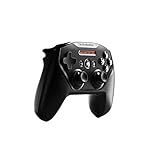
- Official licensed Wireless Connectivity
- Built-in Rechargeable Battery – Rechargeable battery allows for 50+ hours of play on a single charge
- Play Thousands of Games – Compatible with thousands of titles across the App Store and Arcade
- Tactile D-Pad Buttons – The arrow buttons have been upgraded with a tactile click for fast and responsive feedback
- Clickable Joysticks – Clickable L3/R3 buttons allow for more input options across a variety of games
Reuse an existing DualShock 4
DualShock 4 is a practical reuse option for a PS4 owner. Apple lists it as supported, so buying another controller is unnecessary if the pad you already have is in good working order. Its main advantage in this context is avoiding a new purchase, not a documented technical edge over the other supported choices.
Pick Elite Series 2 when you already value Elite controls
Apple includes Xbox Elite Wireless Controller Series 2 among supported controllers. It makes the most sense for someone who already uses Elite hardware or specifically wants its premium control configuration. The available compatibility information does not establish a measured Apple TV advantage in latency, comfort or battery life, so those should not be assumed.
Consider Xbox Adaptive Controller for accessibility setups
Apple’s supported list includes Xbox Adaptive Controllers. The right setup depends on the switches, mounts and other input devices a player uses; the controller itself is only one part of an adaptive system. Confirm that your particular accessories and game can use the inputs you need before committing to a configuration.
Pairing a controller with Apple TV 4K
The names and prompts can vary slightly by tvOS release and controller revision, but the connection process follows the same sequence.
Rank #4

- TMR Joysticks - Offering higher sensitivity, greater precision, and enhanced durability.
- 8BitDo Exclusive Wireless Technology - “8Speed”, it delivers an exceptionally stable 2.4G connection with ultra-low latency under 1ms. Engineered for rock-solid reliability, it features strong anti-interference and a 10m range with virtually no lag.
- Trigger Mode Switch - Easily switch between linear Hall Effect triggers and non-linear tactile triggers for optimal control across different gaming scenarios.
- 1000Hz Polling Rate (for 2.4G and wired connection). Customizable 6-Axis Motion Control. Turbo function. Rumble vibration. Support 8BitDo Ultimate Software V2.
- 2 Pro back paddle buttons, extra R4/L4 bumpers, and tactile bumpers & D-pad for enhanced control and faster response. Includes a multifunctional charging dock and USB-C adapter for seamless connectivity.
- Update first. Install the latest tvOS update available for your Apple TV 4K. If you are pairing DualSense, use a tvOS version covered by Sony’s documented support, such as tvOS 16.4 or later.
- Open Bluetooth settings. On current tvOS interfaces, go to Settings > Remotes and Devices > Bluetooth.
- Put the controller in pairing mode. Use the controller’s Bluetooth-pairing control until its status light indicates discovery. The exact button combination differs by model, so use the instructions for the specific controller.
- Select the controller on Apple TV. When its name appears in the Bluetooth list, select it and wait for the connected status.
- Test inside a game. Open the title you intend to play and confirm that sticks, buttons and triggers respond. A successful Bluetooth connection does not guarantee that every game uses every input.
- Create a profile if needed. Apple TV supports custom controller profiles, allowing different users or games to use their preferred button assignments where the game and controller expose those controls.
- Add a second controller carefully. Pair the second pad from the same Bluetooth screen. For cooperative or accessibility use, test both controllers in the game before starting a long session.
If a Nimbus controller is your choice, follow SteelSeries’ Apple TV-specific pairing instructions for the exact Nimbus model. If the controller does not appear, turn Bluetooth pairing off and on at the controller, remove an old entry from Apple TV, and repeat the discovery step.
Independent reader supportYour contribution helps us test, update, and keep practical guides available for everyone.Custom profiles and Buddy Controller mode
Custom controller profiles
Apple TV 4K supports custom controller profiles. This is useful when two people share one Apple TV but prefer different button assignments, or when a game’s control scheme makes a remap more convenient. Configure the profile after the controller is paired, then verify the result in the game itself because game-level mappings can take precedence.
Buddy Controller
Buddy Controller lets two compatible controllers act as one player. It can help a child and an adult share control, let a helper assist with a difficult section, or combine inputs for an accessibility setup. Pair both compatible controllers, enable Buddy Controller in tvOS, and test the combined input before relying on it during play.
What’s actually slowing this PC down?
Pick the symptom - the matching free tool is one click away.
Buddy Controller is an Apple TV feature, not a promise that every game supports every advanced input arrangement. If a title does not respond as expected, test each controller separately and check whether the game recognizes the combined player input.
Best Value

- Victory Royale is in your hands with the fortnite ready Nimbus controller
- Enjoy a true wireless console experience on your iOS device or Mac via Bluetooth 4.1
- Compatible Devices iPhone 6S, iPhone 6S Plus, iPhone 6, iPhone 6 Plus, iPhone 5, iPhone 5C, iPhone 5S, iPad Mini 4, iPad Mini 3, iPad Mini 2, iPad (4TH Generation), iPad Air 2, iPod Touch (6TH Generation) and Apple TV (4TH Generation)
- Pressure sensitive buttons and familiar ergonomic console layout
- Recharges via Lightning cable for 40-plus hours of nonstop gaming
Best controller by Apple TV 4K use case
| Your situation | Most suitable choice | Reason |
|---|---|---|
| Buying one familiar controller for the household | Xbox Wireless Controller with Bluetooth | Direct Apple-listed support and a widely recognized layout |
| You play on PlayStation and already own a PS5 pad | DualSense | Retains the PlayStation layout and has documented tvOS support |
| You already own a PS4 controller | DualShock 4 | Apple lists it as supported, so existing hardware can be reused |
| You want an Apple-oriented MFi controller | Nimbus or Nimbus+ | Designed for Apple platforms with vendor-specific Apple TV setup guidance |
| You already use Elite accessories | Xbox Elite Wireless Controller Series 2 | Supported by Apple and consistent with an existing Elite setup |
| You need an adaptive input arrangement | Xbox Adaptive Controller | Included in Apple’s supported controller families and designed for accessory-based setups |
Troubleshooting connection and gameplay problems
The controller is not listed
- Confirm that the controller is actually in Bluetooth pairing mode.
- Check the exact model. Apple’s support statement specifies Bluetooth for the Xbox Wireless Controller.
- Disconnect the controller from another nearby device that may have claimed it first.
- Restart the controller and Apple TV, then repeat the Bluetooth discovery process.
- Install the latest tvOS update, especially when using DualSense or another controller whose support is tied to a documented tvOS version.
The controller pairs but a game does not respond
- Test the controller in another supported game to separate a game-specific issue from a Bluetooth issue.
- Check the game’s own controller settings and button prompts.
- Remove and re-pair the controller if only some inputs work.
- Test with custom profiles disabled if a remapping appears to have changed the expected buttons.
A second controller causes unexpected input
Check whether both pads are assigned to separate players or whether Buddy Controller is enabled. For cooperative play, disable Buddy Controller and assign each controller independently. For shared control, enable Buddy Controller and confirm that both pads operate the same player.
What is not established by the compatibility information
Official compatibility answers whether a controller can be used with Apple TV; it does not rank controllers for every playing style. The available material does not provide comparable current prices, battery-life measurements, latency tests or comfort evaluations. Those characteristics can also vary by revision, firmware, game and connection conditions. Treat them as personal or model-specific buying factors rather than universal differences between the supported families.
Retail pricing, stock, exact Nimbus model naming and accessory-program terms can change quickly. Verify those details immediately before purchase. Compatibility guidance should also be revisited after Apple changes its controller-support documentation or releases a major tvOS update.
Final recommendation
Buy the Bluetooth-capable Xbox Wireless Controller if you want one dependable, familiar controller for Apple TV 4K. Select DualSense if the PlayStation layout or an existing PS5 controller matters more. Use Nimbus or Nimbus+ for an Apple-focused MFi option, reuse DualShock 4 when you already own one, and choose Elite Series 2 or Xbox Adaptive Controller for their specific control needs. Whatever you choose, confirm the exact model, pair it through tvOS Bluetooth settings and test it in the games you actually play.
Quick Recap
Product prices and availability are accurate as of the date/time indicated and are subject to change. Any price and availability information displayed on Amazon at the time of purchase will apply.

