What’s actually slowing this PC down?
Pick the symptom - the matching free tool is one click away.
The best gaming laptops under $1,500 in 2025 are led by the Lenovo Legion Pro 5i Gen 9 with an RTX 4070, Core i7-14700HX, 16GB RAM, 1TB SSD, and 240Hz 2560×1600 display. The Legion delivers the strongest overall tested performance, but its 3-hour-43-minute battery life is poor.
The shortlist below separates the best overall laptop from the best RTX 4060 value, large-screen choices, battery-life option, and budget RTX 4070 alternative. Because the research is 2025-focused and the market has moved into 2026, historical prices are clearly labeled.
As an Amazon Associate I earn from qualifying purchases.
Key takeaways
- The Lenovo Legion Pro 5i Gen 9 is the strongest overall 2025-tested choice when the exact RTX 4070, 240Hz, 2560×1600 configuration fits below $1,500.
- The Dell G16 (7630) is the value-oriented RTX 4060 pick, while the Acer Nitro 17 offers the best large-screen value.
- The HP Victus 16 (S100) is an unusually affordable RTX 4070 option, but its 258-nit display, 48% DCI-P3 coverage, and weak speakers are significant compromises.
- Laptop GPU names do not tell the whole story: power limits, cooling, CPU, RAM, storage, display quality, and price can materially change the experience.
- All prices in this article are historical 2025 review or promotion figures, not verified August 2026 prices; check the exact SKU, seller, stock, and price before buying.
What is the best gaming laptop under $1,500?
The Lenovo Legion Pro 5i Gen 9 is the best gaming laptop under $1,500 in the 2025 tested field when equipped with an Intel Core i7-14700HX, RTX 4070, 16GB RAM, 1TB SSD, and 16-inch 2560×1600 240Hz display. Laptop Mag tested the shortlist across display quality, battery life, Geekbench 6, and games including Borderlands 3, Red Dead Redemption 2, and Cyberpunk 2077. Laptop Mag’s 2025 tested guide is the primary source for the ranking.
Recommended Free Tools
| Model | Best for | Tested or cited configuration | Key evidence | Main compromise |
|---|---|---|---|---|
| Lenovo Legion Pro 5i Gen 9 | Best overall and RTX 4070 value | Core i7-14700HX, RTX 4070 8GB, 16GB, 1TB, 16-inch 2560×1600 240Hz | 103 fps in Assassin’s Creed Mirage; 100 fps in Far Cry 6; 71 fps in Red Dead Redemption 2 | 3 hours 43 minutes of battery life; listings vary |
| Dell G16 (7630) | Budget RTX 4060 | RTX 4060 configuration; verify the rest of the SKU | At least 30 fps in Cyberpunk 2077 at 1080p maximum settings; mechanical keyboard | Configuration and power-limit differences |
| Acer Nitro 17 | Best 17-inch option | Ryzen 7 8845HS, RTX 4060 8GB, 16GB, 1TB, 17.3-inch 1920×1080 165Hz | 84 fps in Borderlands 3; 7 hours 22 minutes battery life | 6.8-pound bulky plastic chassis |
| Acer Predator Helios Neo 18 | Best 18-inch option | Exact tested specification not available in the retrieved research | Large display, strong performance, comfortable keyboard | Large and less portable; verify listing details |
| HP Victus 16 (S100) | Lowest-cost RTX 4070 alternative | RTX 4070 configuration; exact supporting specification must be checked | Observed as low as $899 in deals and just under $1,500 at full price | 258-nit display, 48% DCI-P3 coverage, weak speakers |
Why is the Lenovo Legion Pro 5i Gen 9 the best overall pick?
The Legion Pro 5i Gen 9 combines the shortlist’s most convincing mix of RTX 4070 performance, a high-quality display option, keyboard comfort, speakers, and value. The recommended configuration pairs an Intel Core i7-14700HX with an NVIDIA RTX 4070 Laptop GPU containing 8GB of memory, 16GB of RAM, and a 1TB SSD.
#1 Best Overall

- 【EFFICIENT INTEL CORE i3 PERFORMANCE】 Powered by the Intel Core i3-N305 processor featuring 8 cores, 8 threads, and speeds up to 3.8GHz. Designed to handle multitasking, business applications, video conferencing, online learning, and productivity workloads with smooth responsiveness and reliable efficiency throughout the day.
- 【EXPANSIVE 17.3" FULL HD IPS DISPLAY】 Enjoy a larger workspace on the 17.3-inch Full HD (1920 x 1080) IPS anti-glare display. The micro-edge bezel design and wide 178° viewing angles deliver crisp visuals, vibrant colors, and comfortable viewing for spreadsheets, presentations, streaming, and everyday computing.
- 【AI-ENHANCED PRODUCTIVITY WITH COPILOT】 Boost efficiency with the dedicated Copilot AI Key, providing instant access to intelligent assistance for content creation, email drafting, research, and workflow management. Combined with high-speed DDR4 memory and fast SSD storage, it delivers seamless multitasking performance.
- 【FAST CONNECTIVITY & MULTIPLE PORTS】 Stay connected with ultra-fast Wi-Fi 6 and Bluetooth 5.4 technology for reliable wireless performance. Equipped with USB-C, USB-A, HDMI, and additional connectivity options to support external monitors, accessories, and high-speed data transfers for a complete workstation setup.
- 【BUSINESS-READY WINDOWS 11 PRO】 Pre-installed with Windows 11 Pro for enhanced security, productivity, and professional-grade management features. Includes HP Fast Charge technology that restores up to 50% battery in approximately 45 minutes, plus a full-size keyboard with numeric keypad for efficient data entry and everyday
According to Laptop Mag’s 2025 testing, the Legion Pro 5i reached 103 fps in Assassin’s Creed Mirage at Ultra 1080p, 100 fps in Far Cry 6 at Ultra 1080p, and 71 fps in Red Dead Redemption 2 at Medium 1080p. Those results make the machine suitable for high-refresh-rate 1080p play and give the RTX 4070 configuration more headroom than the RTX 4060 alternatives.
The stronger panel option is a 16-inch 2560×1600 display running at 240Hz. Laptop Mag reports 100% DCI-P3 coverage and 500 nits for the 240Hz panel, although the tested 165Hz panel was less impressive. The panel specification must therefore be confirmed on the individual listing.
Battery life is the decisive weakness. According to Laptop Mag’s 2025 battery test, the Legion Pro 5i lasted 3 hours 43 minutes. The short runtime is manageable for desk gaming but poor for long unplugged sessions, campus use, or travel.
Laptop Mag reviewer Claire Tabari summarized the refresh as follows: “With the Gen 9 refresh, Lenovo maintained its powerful graphics performance, excellent keyboard, sturdy exterior, and attractive price point.” The same Laptop Mag review also makes configuration discipline central to the buying decision.
Is the Dell G16 (7630) the best value RTX 4060 laptop?
The Dell G16 (7630) is the best value-oriented RTX 4060 choice in this research because it combines adequate 1080p gaming performance with a mechanical keyboard that is unusual at its price. Laptop Mag says the RTX 4060 version can maintain at least 30 fps in Cyberpunk 2077 at 1080p on maximum settings.
The Dell G16 is a sensible choice when the budget does not stretch to a verified RTX 4070 configuration or when keyboard features matter more than maximum frame rates. The exact CPU, display, RAM, SSD, GPU power limit, and current price must be checked because G16 listings are not interchangeable.
Which gaming laptop is best for a large screen?
The Acer Nitro 17 is the best 17-inch option, while the Acer Predator Helios Neo 18 is the choice for buyers who want the largest display in the shortlist.
Outdated Drivers Are Slowing You Down
One free scan finds every outdated or missing driver and matches the right update for your exact hardware.Free scan · exact hardware matchWindows Errors? Fix Them Before They Spread
Repair common Windows errors and clear accumulated junk for a smoother, more stable PC - no reinstall needed.Free scan · no reinstallWhat does the Acer Nitro 17 offer?
The tested Acer Nitro 17 used an AMD Ryzen 7 8845HS, RTX 4060 with 8GB, 16GB of RAM, a 1TB SSD, and a 17.3-inch 1920×1080 165Hz panel. Laptop Mag recorded 84 fps in Borderlands 3 at Badass 1080p and 30 fps in Cyberpunk 2077 at Ultra 1080p.
According to Laptop Mag’s 2025 testing, the Acer Nitro 17 display averaged 348 nits and covered 84.3% of the DCI-P3 color gamut. The battery test lasted 7 hours 22 minutes, making the Nitro 17 the strongest battery-life result among the specifically measured primary recommendations in this dossier.
Rank #2

- 【Ryzen 5 6600H for Demanding Daily Performance】AMD Ryzen 5 6600H processor features 6 cores, 12 threads, and boost speeds up to 4.5GHz, delivering stronger performance for office multitasking, coding, content handling, and sustained daily workloads. Compared with many common thin-and-light Intel Ryzen 5 7430U, Core i3-1315U, Core i5-1334U, AMD Ryzen 5 7520U, and Ryzen 7 5825U configurations, it is a better fit for users who need more performance headroom.
- 【Radeon 660M Graphics】AMD Radeon 660M integrated graphics with RDNA 2 architecture supports everyday visual work, smooth media playback, light photo editing, and casual gaming needs like LoL or CS2 at 1080p settings. It is a balanced fit for students, remote workers, and entry-level creators who want capable graphics without the extra heat and power draw of a dedicated GPU.
- 【16GB RAM & 1TB SSD with Upgrade Room】16GB DDR5 memory and a 1TB PCIe SSD deliver smooth out-of-the-box performance for multitasking, large file handling, and daily storage needs. With dual SO-DIMM slots and an M.2 2280 design, the system still leaves room to upgrade up to 64GB RAM and up to 4TB SSD as your needs continue to grow.
- 【2 Year Warranty Support】Includes a 2-year manufacturer warranty and a 90-day hassle-free return window, with final assembly in the United States and after-sales replacement handled in the United States under this listing workflow. That added service clarity gives students, professionals, and home users more confidence when choosing a laptop for long-term daily use.
- 【53.58Wh Battery and 100W PD】A 53.58Wh smart battery paired with a separate 100W PD charger gives this laptop more flexibility for campus study, coffee shop work, and moving between rooms at home. The USB-C setup also supports convenient power and display connectivity, helping reduce the hassle of slow charging and frequent outlet hunting during a busy day.
The trade-off is mobility. The Nitro 17 weighs 6.8 pounds, and its plastic chassis is bulky. Laptop Mag reviewer Stevie Bonifield described the central appeal directly: “The Nitro 17’s main draw is its 17.3-inch display, and it doesn’t disappoint.” Laptop Mag’s tested cheap-gaming-laptop guide evaluates gaming, overall performance, battery life, display quality, price, and value.
Should you buy the Acer Predator Helios Neo 18?
The Acer Predator Helios Neo 18 is appropriate when screen size is the priority and portability is secondary. The research identifies strong performance and a comfortable keyboard, but it does not provide enough verified detail to state the exact CPU, GPU, panel specification, weight, or price for a particular listing.
Buyers should treat the Predator Helios Neo 18 as a model family rather than a single fixed specification. Confirm the exact model number, RTX GPU, RAM, SSD, display resolution and refresh rate, charger size, and price before comparing it with the Legion Pro 5i or Nitro 17.
Which RTX 4070 laptop can you get for under $1,500?
The HP Victus 16 (S100) is the most notable budget RTX 4070 alternative in the research. Laptop Mag describes the model as sitting just under $1,500 at full price, with observed deals as low as $899; those deal prices are historical observations and are not guaranteed today.
The Victus 16 makes the most sense for a buyer who values the RTX 4070 GPU above display quality, speakers, and premium feel. According to Laptop Mag’s review, the panel averaged 258 nits and covered only 48% of DCI-P3, while the speakers were weaker than desirable. The Legion Pro 5i is the safer overall purchase when the better display and broader balance matter.
Is an RTX 4060 laptop enough for 1080p gaming?
An RTX 4060 laptop is enough for 1080p gaming in this shortlist, but the exact result depends on game settings, laptop power limits, cooling, and the CPU paired with the GPU. Laptop Mag’s Acer Nitro 17 reached 84 fps in Borderlands 3 at Badass 1080p and 30 fps in Cyberpunk 2077 at Ultra 1080p.
Quick wins for a faster PC:
Fix the driver behind crashes, sound loss and screen glitchesFind Drivers →Repair Windows errors before they cause bigger problemsFix Now →Scan for outdated or missing drivers - takes under a minuteDriver Scan →NVIDIA’s official RTX 40-series laptop specifications list both the RTX 4060 Laptop GPU and RTX 4070 Laptop GPU with 8GB of GDDR6 memory, while the RTX 4050 Laptop GPU is listed with 6GB. GPU memory capacity alone does not determine laptop ranking because power limits, cooling, processor performance, display resolution, and price also affect frame rates and usability. NVIDIA’s RTX 40-series laptop specification table provides the manufacturer’s GPU context.
For a 1080p-focused buyer, a well-configured RTX 4060 laptop can be better value than a poorly specified RTX 4070 laptop with a dim screen, low power limit, or insufficient RAM. For higher-resolution gaming or longer-term performance headroom, the RTX 4070 configuration is the stronger target.
Independent reader supportYour contribution helps us test, update, and keep practical guides available for everyone.How should you compare gaming-laptop configurations?
Compare the complete specification and measured trade-offs, not the GPU name printed in a retailer headline. Use this checklist before ordering:
Rank #3
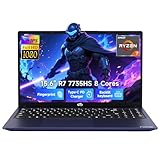
- 【Extreme Performance with Ryzen 7 7735HS】Unleash the full potential of your laptop ryzen 7 7735HS processor. Featuring 8 cores and 16 threads alongside Radeon 680M graphics, this NIMO laptop handles gaming, programming, and video editing with ease. Experience the speed of a high-performance gaming laptop combined with the efficiency needed for a professional business.
- 【16GB DDR5 RAM & 256GB NVMe PCIe SSD】Say goodbye to lag with 16GB of high-speed DDR5 memory, designed for heavy multitasking and seamless workflow. The 256GB NVMe PCIe SSD provides lightning-fast boot times and enough storage for all your professional projects and large game libraries, making this NIMO laptop a top-tier choice for power users seeking a responsive gaming laptop.
- 【15.6" FHD IPS Anti-Glare Display】Enjoy stunning visuals on the 15.6-inch Full HD (1920x1080) IPS screen. The anti-glare coating reduces eye strain during long working hours or intense gaming sessions. Whether you use it as a business laptop for presentations or a gaming laptop for immersion, the vibrant colors deliver a crystal-clear viewing experience.
- 【180° Hinge for Easy Collaboration】Designed with a 175±3° flexible hinge, this laptop can lay nearly flat, allowing you to share your screen effortlessly during meetings or study groups. This ergonomic feature enhances the versatility of your business laptop, making it easy to collaborate with colleagues and friends in any professional or creative environment.
- 【Advanced Security: Fingerprint & Privacy Shutter】Protect your data with enterprise-grade security. This business laptop features a built-in fingerprint sensor for instant, secure login. For peace of mind, the physical privacy webcam shutter ensures you are only seen when you want to be, making this NIMO laptop the ultimate secure workstation for students and professionals.
- GPU: Confirm RTX 4060 or RTX 4070, GPU memory, and—when published—the laptop GPU power limit.
- CPU: Check the exact processor, since “Core i7” or “Ryzen 7” alone does not identify performance.
- Memory and storage: Prefer 16GB RAM and verify whether the 1TB or 512GB SSD is the actual capacity.
- Display: Confirm screen size, resolution, refresh rate, brightness, and color coverage. A 240Hz 2560×1600 panel is materially different from a 165Hz 1080p panel.
- Mobility: Check weight, dimensions, battery test results, and charger size. A large gaming laptop can be difficult to carry even when its battery is acceptable.
- Usability: Evaluate keyboard, speakers, ports, webcam, cooling, and chassis quality alongside frame rates.
- Price integrity: Match the advertised price to the exact CPU, GPU, RAM, SSD, and panel. A low price attached to a weaker SKU is not a discount on the tested machine.
| Buyer priority | Best match | Why | What to accept |
|---|---|---|---|
| Highest gaming performance near $1,500 | Lenovo Legion Pro 5i Gen 9 RTX 4070 | Strongest tested overall balance and high-end display option | Short battery life and careful SKU verification |
| RTX 4060 value | Dell G16 (7630) | Good 1080p capability and mechanical keyboard | Variable configurations |
| Large screen with measured battery result | Acer Nitro 17 | 17.3-inch 165Hz panel and 7-hour-22-minute test result | 6.8-pound bulky chassis |
| Maximum screen size | Acer Predator Helios Neo 18 | 18-inch format and strong performance | Exact listing details require verification |
| Cheapest route to RTX 4070 | HP Victus 16 (S100) | Observed below-$1,500 pricing and occasional $899 deals | Dim, low-color-coverage display and weak speakers |
Are 2025 gaming-laptop prices still reliable?
2025 prices should be used as historical context, not as current buying instructions. GIGABYTE’s April 28, 2025 Amazon Gaming Week announcement listed the AORUS 15 BKF with Core i7-13700H and RTX 4060 at $1,099.99, the AORUS 17 BSF with Core i7-13700H and RTX 4070 at $1,399, and the AORUS 7 9KF with Core i5-12500H and RTX 4060 at $899. GIGABYTE’s official announcement identifies those as promotional configurations and prices.
Free tools Windows power users keep installed
One-click scans. No signup required.
The research was retrieved on August 17, 2026, while the editorial subject remains explicitly a 2025 ranking. Stock, sellers, retailer pricing, laptop configurations, and affiliate availability can change. A final pre-publication or purchase check should confirm the model number, exact specifications, warranty, seller, return policy, and live price.
What about the Lenovo Legion 5 Pro comparison?
The Lenovo Legion 5 Pro is a useful supporting reference, but it should not automatically replace the newer Legion Pro 5i Gen 9 in the 2025 ranking. PCWorld reviewed a configuration with an Intel Core i7-13700HX, RTX 4060, 16GB DDR5 RAM, and 512GB PCIe SSD, recording 130 fps in its Shadow of the Tomb Raider benchmark.
PCWorld praised the Legion 5 Pro’s keyboard, connectivity, and CPU/GPU performance, while criticizing its weight, display, and short battery life. The retrieved passage does not expose the exact publication date, so the 130 fps result should be treated as an older supporting benchmark rather than a directly comparable 2025 test result. PCWorld’s gaming-laptop comparison supplies the supporting review context.
Final buying recommendation
Buy the Lenovo Legion Pro 5i Gen 9 if the exact Core i7-14700HX, RTX 4070, 16GB, 1TB, 240Hz 2560×1600 configuration is within budget and you usually play near an outlet. Choose the Dell G16 (7630) for RTX 4060 value, the Acer Nitro 17 for a 17-inch screen and better measured battery life, the Predator Helios Neo 18 for maximum display size, or the HP Victus 16 S100 when RTX 4070 performance matters more than the screen and speakers.
Do these 3 things before closing this tab:
1Repair Windows errors before they cause bigger problems2Scan for outdated or missing drivers - takes under a minute3Clear out junk files and repair common Windows errorsFrequently Asked Questions
What is the best gaming laptop under $1,500 in 2025?
The Lenovo Legion Pro 5i Gen 9 is the best overall gaming laptop under $1,500 in the 2025 tested field, provided the laptop has the recommended RTX 4070 configuration and the 240Hz 2560×1600 display. The exact listing must be checked because Legion Pro 5i specifications vary.
What is the best gaming laptop for battery life?
The Acer Nitro 17 delivered the longest specifically reported battery result at 7 hours 22 minutes in Laptop Mag’s 2025 test. The Legion Pro 5i lasted 3 hours 43 minutes, so the Nitro 17 is better for unplugged use despite its heavier chassis.
Is an RTX 4060 laptop enough for 1080p gaming?
Yes, an RTX 4060 laptop is enough for 1080p gaming, but performance depends on the laptop’s power limit, cooling, CPU, and game settings. Laptop Mag recorded 84 fps for the Acer Nitro 17 in Borderlands 3 at Badass 1080p and 30 fps in Cyberpunk 2077 at Ultra 1080p.
Which RTX 4070 laptop can I get for under $1,500?
The HP Victus 16 (S100) is the RTX 4070 option most associated with unusually low pricing in this research, including an observed $899 deal. The deal was historical, and the model’s 258-nit display, 48% DCI-P3 coverage, and weak speakers are major trade-offs.
The Bottom Line
The Lenovo Legion Pro 5i Gen 9 is the best overall 2025-tested gaming laptop under $1,500, provided the listing has the RTX 4070 and 240Hz 2560×1600 panel. The Dell G16, Acer Nitro 17, Predator Helios Neo 18, and HP Victus 16 each make more sense for specific priorities.
Quick Recap
Product prices and availability are accurate as of the date/time indicated and are subject to change. Any price and availability information displayed on Amazon at the time of purchase will apply.




