What’s actually slowing this PC down?
Pick the symptom - the matching free tool is one click away.
For an Xbox One controller with a Micro USB port, buy a USB-A-to-Micro-USB cable that explicitly supports data or syncing. That lets you connect to an Xbox or compatible PC for wired play; a charge-only cable may supply power without carrying controller data. For a nearby desk setup, Belkin’s 4-foot ChargeSync cable is a verified option. For couch play, choose a reputable 6- to 10-foot data cable with a snug plug and flexible strain relief.
First, check the controller’s port
Standard Xbox One wireless controllers use a Micro USB Type-B connector on the controller. The other end is usually USB-A for a console, PC, USB charger, or power bank. Match the cable to the port you actually have: a USB-C cable will not fit a Micro USB controller.
Newer Xbox Wireless Controllers use USB-C, and Microsoft lists a USB-C-cable controller as compatible with Xbox One. That compatibility does not change the connector on an older Micro USB controller. If you are unsure, inspect the controller’s port before ordering. Microsoft’s USB-C controller page describes the newer model and its compatibility.
What to buy for each setup
| Use | Recommended cable or option | Why it fits | Trade-off |
|---|---|---|---|
| Desk or nearby console | Belkin Micro-USB to USB-A ChargeSync Cable, 4 feet | Belkin specifies USB-A to Micro USB Type-B, charge-and-sync functionality, USB 2.0 use, and compatibility with video game controllers. | Four feet may not reach a sofa comfortably. Belkin product details. |
| Couch gaming | A reputable 6- to 10-foot USB-A-to-Micro-USB cable marked data, sync, or charge-and-sync | Offers more reach while retaining data connectivity for wired play. | Longer cables add clutter, tangling, and potential strain; choose a flexible cable and route it safely. |
| PC connection | A USB-A-to-Micro-USB data/sync cable | Data support is necessary for the controller to communicate with the PC. | Compatibility also depends on controller revision, operating system, and game. Microsoft’s older Windows-controller documentation identifies a Micro USB interface: technical document. |
| Rechargeable battery plus cable | Xbox One Play and Charge Kit | Microsoft describes a rechargeable battery pack and 9-foot USB-to-Micro-USB cable for charging while playing. | Microsoft’s U.S. listing for this previous-model kit is currently unavailable; check the listing before purchase. Microsoft product page. |
There is no need to pay a premium for a cable simply because it is branded for gaming. The Belkin cable is a sensible desk choice because its manufacturer explicitly states charge-and-sync support and game-controller compatibility. Its listed price was $15.99 on Belkin’s U.S. page in the commercial information dated August 16, 2026; prices and availability can change.
#1 Best Overall

- Fit for PS4 controller, DualShock 4, PS4 Slim/Pro, and Xbox One controllers (for Xbox Elite Wireless Controller models 1537, 1697, 1708, 1698). Fit for Kindle Gen 2-10 (2009-2019), Kindle Paperwhite Gen 5-10 (2012-2018), Kindle Oasis, Voyage, DX, Touch. Fit for Amazon Kindle Tablet Fire 7 (2017/2019), Fire HD 8 (2015/2017/2018), Fire HD 10 (2015/2017)
- Fit for Roku Streaming Stick 3500X, 3600X, 3800X, Streaming Stick 4K/4K+ 3820R, 3820R2, 3820X, 3820X2, 3821R, 3821R2, 3821X, 3821X2, Express 3700X, 3700R, 3900X, 3930X, 3930EU, 3930R, 3930S4, 3930RW, 3932X, 3932RD, 3940X, 3940X2, 3940RW, 3940CA2, 3960X, 3960R, Express+ 3710X, 3910X, 3910RW, 3931X, 3931RW, 3941X, 3941X2. Fit for Premiere 3920X, 3920R, 3920RW, Premiere+ 3921X Express 4K+. Fit for Fire TV Stick 1st 2nd Gen, Fire TV Stick Lite, Fire TV Stick Basic Edition, Fire TV Stick 4K Max
- Compatibility notice!! This Micro-USB cable is not compatible with USB-C devices or controllers, such as PS5 DualSense, Xbox Series X/S (Models 1914 and 1797), Xbox 360, Roku Ultra, and Fire TV Cube. Not fit for Kindle with a USB-C connector. Please double-check your device’s port before purchasing
- 24 months manufacturer warranty
- Supports fast 2A charging and 480 Mbps data transfer with 22 AWG low-impedance wires — safe, stable, and built for long-term performance
How to choose a replacement cable
- Confirm both connectors: USB-A at the source and Micro USB Type-B at the controller for the standard Xbox One controller discussed here.
- Require data support if you want wired play or PC use: Look for “data transfer,” “sync,” or “charge and sync.” “Charging” alone does not establish that the cable carries data.
- Choose length for the room: Three to four feet suits a desk or nearby console; six feet suits many desk and moderate living-room setups; nine to ten feet is more practical across a room. Beyond ten feet, consider the extra clutter and strain.
- Check plug shape and fit: A compact housing is more likely to fit near the controller shell or a case. The plug should seat fully without force or excessive looseness.
- Prioritize flexibility and strain relief: Repeated bending happens near the Micro USB plug. A flexible jacket and reinforced plug transition matter more than decorative features.
- Use braiding as a preference, not proof: Braided jackets can resist abrasion, but may be stiff or heavy. Weight and stiffness can pull on the controller port, and braiding does not indicate data capability.
- Consider a right-angle plug only if it suits your setup: It can reduce sideways bending, but may face the wrong way, press against the controller shell, or fail to fit a case or dock.
- Check return terms: Intermittent cable faults can be difficult to distinguish from a worn controller port, so an easy return option is useful.
Length is a convenience choice, not a performance rating. There is no documented basis here for expecting braided construction, gold-plated contacts, or “high speed” branding to improve controller input latency.
Can you use the controller without batteries?
Yes. Microsoft’s Xbox support material says an Xbox One wireless controller can connect by Micro USB and operate without batteries. With the cable attached, the controller can be powered directly. If a rechargeable battery pack is installed, the cable can instead charge that pack while you play, depending on the pack and setup. Those are distinct uses: powering the controller does not itself mean a battery is being charged. Microsoft Xbox controller connection support.
Rank #2

- 【Core Dropout Solution】 Prevents loose connections during gaming. Built with precision stainless steel latching pins, our micro USB head locks firmly into DualShock 4 controller ports with a click-lock fit. Slim stepped housing bypasses thick protective cases, maintaining continuous power feed without sudden disconnections during motion gaming.
- 【Chew Resistant Braided Cable】 Protects against wire fraying and pet damage. Constructed with a heavy-duty triple-braided nylon jacket and reinforced aramid fiber core, this 10ft micro USB charger cord endures over 10,000 90-degree bend tests. Laser-welded aluminum casing safeguards internal joints from stretching and daily wear.
- 【High-Gauge Copper Construction】 Delivers steady 2.4A fast charging and 480Mbps data transfer. Made with thick 25 AWG low-impedance pure copper wire and a ferrite bead anti-interference shield to maintain signal integrity and stable power delivery without voltage drop over the full 3-meter distance.
- 【10FT Couch Gaming Reach】 Includes 2-pack extra long 10-foot micro USB cords designed for living room setups. Provides ample distance to play while charging simultaneously from your couch or bed without staying tethered close to the console or TV screen.
- 【Legacy Micro USB Compatibility】 Designed for PlayStation 4 (PS4, PS4 Slim, PS4 Pro) and Xbox One (Xbox One S, Xbox One X) controllers. Works with legacy Micro USB devices including Kindle Paperwhite, Fire tablets, Roku sticks, and Android devices. (Note: Fits Micro USB ports only; NOT compatible with USB-C devices).
A standard compatible USB power source can generally power the controller or charge a compatible pack. For gameplay or a PC connection, however, the cable needs data wires. Fast-charge claims do not establish that an Xbox controller will charge faster; the controller and battery determine charging behavior.
Connect it for wired play
On an Xbox One console
- Turn on the console.
- Insert the Micro USB end into the controller and the USB-A end into a console USB port.
- Wait for the controller to connect, then test its buttons and thumbsticks.
- Leave a rechargeable pack installed if you want the cable to charge it; AA batteries are not required for the controller to operate over the cable.
The expected result is controller operation over USB rather than wireless communication. A verified data cable is the safer choice even if your immediate goal is simply wired play.
Recommended Free Tools
Rank #3

- Cable for Xbox One and PS4 Controller: Micro USB charger cord compatible with Xbox One controller,PS4 controller,PS4 Pro controller. This PS4 controller charger cord can bear up to 10000 bending test.
- 10ft Long: Enjoy perfect gaming experience with 10ft long Micro USB charging cable, the extra length specially designed for PS4 controllers, provides sufficient distance from the remote console. You can lie on the couch or sofa and play games while you are charging at the same time. You can also pose in a variety of positions without worrying about the PS4 charging cords are not long enough.Make it easy to stay in the game.
- Perfect Connection: The stainless steel connector heads slot in your PS4 controllers easily and steadily, and won't get loose or fall out from your PS4 controller. Just enjoy the gaming experience.
- Simultaneously Charge and Play: SCOVEE PS4 charging cable allows you to play games while charge. No need to stop and recharge, allow you to take charge of your games.
- Universal Compatibility: USB Type A to Micro B cable also compatible with Xbox One controler gaming consoles, Dualshock 4, PS Vita, most Android phones,tablets and more devices with Micro USB port.
On a Windows PC
- Connect the Micro USB end to the controller and the USB-A end directly to the PC where possible.
- Give Windows time to recognize the controller.
- Test it in the intended game or the controller settings available on your Windows version.
- If it is not detected, verify that the cable supports data, then try a different USB port.
PC behavior can vary with controller revision, Windows version, and game. A Micro USB data cable is the appropriate cable type, but it cannot guarantee support in every setup.
Independent reader supportYour contribution helps us test, update, and keep practical guides available for everyone.Troubleshoot connection and charging problems
It charges but will not connect
The cable may be charge-only or its data conductors may be damaged. Try a known-good charge-and-sync cable, connect directly rather than through a hub, and test another USB port. If the same controller fails over multiple known-good data cables, its Micro USB port or other controller hardware may be at fault.
Rank #4
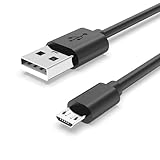
- Fit for PS4 controller, DualShock 4, PS4 Slim/Pro, and Xbox One controllers (for Xbox Elite Wireless Controller models 1537, 1697, 1708, 1698). Fit for Kindle Gen 2-10 (2009-2019), Kindle Paperwhite Gen 5-10 (2012-2018), Kindle Oasis, Voyage, DX, Touch. Fit for Amazon Kindle Tablet Fire 7 (2017/2019), Fire HD 8 (2015/2017/2018), Fire HD 10 (2015/2017)
- Fit for Roku Streaming Stick 3500X, 3600X, 3800X, Streaming Stick 4K/4K+ 3820R, 3820R2, 3820X, 3820X2, 3821R, 3821R2, 3821X, 3821X2, Express 3700X, 3700R, 3900X, 3930X, 3930EU, 3930R, 3930S4, 3930RW, 3932X, 3932RD, 3940X, 3940X2, 3940RW, 3940CA2, 3960X, 3960R, Express+ 3710X, 3910X, 3910RW, 3931X, 3931RW, 3941X, 3941X2. Fit for Premiere 3920X, 3920R, 3920RW, Premiere+ 3921X Express 4K+. Fit for Fire TV Stick 1st 2nd Gen, Fire TV Stick Lite, Fire TV Stick Basic Edition, Fire TV Stick 4K Max
- Compatibility notice!! This Micro-USB cable is not compatible with USB-C devices or controllers, such as PS5 DualSense, Xbox Series X/S (Models 1914 and 1797), Xbox 360, Roku Ultra, and Fire TV Cube. Not fit for Kindle with a USB-C connector. Please double-check your device’s port before purchasing
- 24 months manufacturer warranty
- Supports fast 2A charging and 480 Mbps data transfer with 22 AWG low-impedance wires — safe, stable, and built for long-term performance
It disconnects when the cable moves
A loose plug, damage near the cable connector, or a worn controller port can interrupt the connection. Replace the cable first and use a lighter, more flexible one if the cable hangs from the controller. Route it so its weight is supported rather than pulling on the socket. Avoid repeatedly wiggling or forcing the plug.
The plug will not seat fully
Check for a protective case, bulky connector housing, debris in the port, or a damaged plug. A third-party controller may have a recessed or nonstandard port. Do not force the connector: incomplete seating can cause dropouts or damage.
The Tool Desk
Outbyte Driver Updater FREEFix the driver behind crashes, sound loss and screen glitchesFind Drivers →Outbyte PC Repair FREERepair Windows errors before they cause bigger problemsFix Now →Best Value

- Extra-long charging cord gives you up to 9 feet of playing room
- LED lights indicate charge status for controller battery
- Easily charge the Xbox One controller
- Compatible with Microsoft's wireless controller for Xbox One
- CE approved for safety and quality assurance
It works wirelessly but not over USB
That points toward a cable, USB-port, or controller-port issue rather than a battery problem. Test a known data cable and another USB port before deciding the controller needs repair or replacement.
Charging is slow or inconsistent
Possible causes include an aging battery pack, a loose connection, a poor cable, a faulty power source, or a battery or charging-circuit problem. A cable’s fast-charge marketing does not prove it will change the controller’s charging rate.
Quick Recap
When a different option makes more sense
- You only need a wired connection: A data-capable USB-A-to-Micro-USB cable is the simplest replacement; you do not need a battery kit.
- You want rechargeable power: A compatible battery pack or the Play and Charge Kit addresses battery needs as well as cabling. The Microsoft U.S. listing for the previous-model kit is unavailable at the time reflected on its page, so verify current availability rather than assuming an old marketplace listing is official.
- Your Micro USB port is worn: Replacing cables will not fix a damaged socket. If the controller is otherwise due for replacement, a newer USB-C Xbox controller is an alternative, not a cable substitute for the existing controller.
- You still use AA batteries: Continue with replaceable AA batteries or a rechargeable AA system if you prefer wireless play and do not need the cable connected during use.
Product prices and availability are accurate as of the date/time indicated and are subject to change. Any price and availability information displayed on Amazon at the time of purchase will apply.




