
There is no verified standalone replacement-battery SKU for the Steam Frame strap that ships today. The practical way to add runtime is a USB-C Power Delivery (PD) power bank connected to the strap’s rear USB-C port. The current strap contains an integrated rechargeable 21.6 Wh-class lithium-ion battery, while Valve is developing a separate replacement strap with a hot-swappable battery and Index-style off-ear audio. Valve has not yet published that accessory’s price, capacity, release date, or retail listing.
The short answer: buy a USB-C PD power bank, not an internal battery
The Steam Frame’s shipping audio strap is not documented as using a user-removable battery cartridge. Valve’s official specifications describe a rechargeable 21.6 Wh lithium-ion battery built into the rear strap, along with integrated dual audio drivers and a rear USB-C 2.0 port. The headset can accept charging at up to 45 W through that port.
As an Amazon Associate I earn from qualifying purchases.
That makes an external USB-C PD power bank the only clearly supported battery-related purchase identified for current hardware. It supplements the strap’s battery while you play or between sessions; it does not replace the cell inside the strap. A bank marketed simply as a generic USB battery may not provide the voltage, current, or USB-C PD negotiation that the Steam Frame expects, so check its output specifications before buying.
Do not order an unverified “Steam Frame replacement battery” advertised as a drop-in pack unless Valve publishes a part number and installation documentation. No authorized cell number, dimensions, connector, capacity, or consumer seller has been identified. Opening the strap can damage the pack, audio wiring, or headset and can create a lithium-battery safety hazard.
#1 Best Overall

- PRECISE MODEL COMPATIBILITY: Engineered specifically as a direct replacement battery for handheld gaming consoles; fully compatible with OLED F7G and LCD F7A or F7GM models; restores original power levels for seamless gaming sessions
- UPGRADED ENERGY CAPACITY: Rated at 7.74 V 6880 mAh and 53 Wh to provide extended playtimes; high-density lithium-polymer cells deliver steady voltage and stable current output to keep your device powered during heavy processing loads
- COMPLETE DIY REPAIR TOOLKIT: Pack includes one replacement battery, a PH0 screwdriver, one anti-static nylon pry bar, one thin prying sheet, and two flexible disassembly cards; supplies all necessary elements to complete your installation
- IMPORTANT SAFE START NOTICES: Ensure your original battery is discharged below twenty-five percent before disassembly to prevent puncture risks; remove your microSD card before removing the back cover to avoid snapping or physical damage
- INTELLIGENT SYSTEM PROTECTIONS: Features built-in microchip to prevent overcharging, overheating, and short circuits; connects your original charger after installation to wake up the handheld console and ensure a safe power-on sequence
What battery is inside the shipping Steam Frame strap?
Official capacity: 21.6 Wh lithium-ion
Valve lists a rechargeable 21.6 Wh Li-ion battery in the rear headstrap. A separate PC Gamer report rounds the same hardware to 21 Wh. Those figures describe the same class of integrated pack; the 21.6 Wh number is the more precise official specification, while 21 Wh is a rounded report. Neither figure represents a removable cartridge that you can purchase and swap.
The strap is more than a battery holder
The rear assembly also contains the strap’s dual audio drivers and charging electronics. That integration is why a battery listing with the right watt-hour number would still not be enough: the replacement would need the correct physical enclosure, connector, protection circuitry, and firmware-compatible charging path. The available specifications do not identify those parts for retail sale.
Rear USB-C charging path
The rear port is USB-C 2.0 and supports charging of up to 45 W. In practical terms, a compliant PD power bank can feed the headset through that port. The port’s USB 2.0 data rating does not prevent it from being used for power; it simply does not turn the connection into a high-speed data link.
Quick wins for a faster PC:
Scan for outdated or missing drivers - takes under a minuteDriver Scan →Clear out junk files and repair common Windows errorsFree Scan →Current and future options compared
| Option | Availability | What it does | Audio | Installation and risk | Evidence |
|---|---|---|---|---|---|
| USB-C PD power bank | Available now as a general accessory | Provides supplemental charging through the rear USB-C port | Uses the shipping strap’s integrated dual drivers | External cable and a carried battery; no headset disassembly | Valve specifications plus PC Gamer’s report describing external-bank use |
| Internal replacement cell | No verified retail SKU | Would replace the integrated pack, but no authorized part is documented | Would retain the existing strap audio only if installed correctly | Opening the pack risks damage and lithium-battery injury; qualified repair support would be required | No part number, dimensions, connector, capacity, or seller identified |
| Valve replacement/deluxe audio strap | In development; not listed for sale in the cited announcement | Purpose-built replacement strap with a hot-swappable battery | Promised premium Index-style off-ear audio | Designed as a strap replacement rather than a cell transplant | Valve engineers’ statements reported by PC Gamer |
How to choose a 45 W USB-C PD power bank
1. Confirm USB-C PD output
Look for a power bank that explicitly lists USB-C Power Delivery output, not only USB-A fast charging. The bank should advertise an output capability of at least 45 W if you want to match the Steam Frame’s stated charging ceiling. A bank with a lower output may still charge slowly, but it will not provide the same headroom and should not be described as a 45 W solution.
Rank #2

- Battery Type:Li-ion Voltage:7.74V Capacity: 50.08Wh 6470mAh
- Compatible Part Number: F7G F7A 2(ICP6/47/36+ICP6/57/80)-2
- Fits Model: for Steam Deck LCD / OLED Handheld Gaming PC Series
- New from manufacturer. CE/FCC/RoHS certified for safety.
- 12 Months After Sales, 30 Days REFUND Promise, 24 x 7 Email Support.
2. Read the output profile, not just the headline wattage
Manufacturers often print a maximum wattage that applies only to a particular port or to a combined-output mode. Verify the USB-C port’s individual profile and make sure the listed voltage and current combinations support the advertised 45 W. If the bank reduces USB-C output when another device is connected, reserve that port for the Steam Frame while charging.
3. Select capacity for the way you play
Capacity is normally shown in watt-hours or milliamp-hours. Watt-hours are the useful comparison because the strap’s own specification is 21.6 Wh. A larger bank stores more energy but adds weight and bulk; a smaller bank is easier to carry but may need recharging sooner. Published capacity is measured inside the bank and charging losses mean the energy delivered to the headset will be lower, so do not treat a bank’s label as a guaranteed number of extra play hours.
4. Check pass-through behavior if you need simultaneous charging
Some banks can accept charge while powering another device; others disable output or limit it. If you plan to recharge the bank while the Steam Frame is connected, look for an explicit pass-through specification. Without that feature, charge the bank first and then connect it to the headset.
Do these 3 things before closing this tab:
1Scan for outdated or missing drivers - takes under a minute2Repair Windows errors before they cause bigger problems3Fix the driver behind crashes, sound loss and screen glitches5. Use a suitable USB-C cable
Use a USB-C-to-USB-C cable rated for the power level you intend to draw. A damaged, unusually thin, or USB-A adapter-based cable can limit charging or disconnect when the headset moves. Keep the cable short enough to avoid snagging the strap, and inspect the connectors for dirt or looseness.
Rank #3

- 【Compatible Model】:100% compatible with F7G.Please confirm that your device is suitable for this replacement battery by checking the model number before purchasing
- 【Durable】:The new Internal battery for F7G with an upgraded capacity of 6470mAh. Each battery undergoes rigorous quality control tests before leaving the factory,ensuring optimal performance
- 【Quality Assurance】:Each batteries are UL certified,providing effective protection against overcharging,over-discharging,overheating,and short circuits to ensure your safety
- 【Warm Tips】Instruction/Manual NOT included, but there are many installation tutorials videos on YouTube to reference.
- 【Exceptional Customer Service】 We take care of all quality-related problems with a replacement or a complete refund. If you are not 100% satisfied with your battery change when using this battery during the period, we will reply to you within 33 hours.
6. Treat the bank as a carried accessory
The Steam Frame port is on the rear strap, so the bank can be placed in a pocket, belt pouch, or a secured strap-mounted pouch. Do not let the bank hang from the USB-C connector during play. Strain on the port can loosen the connector or interrupt charging.
For a shopping search, use a phrase such as “45W USB-C PD power bank for Steam Frame”, then verify the technical specifications yourself. The phrase identifies the intended use; it is not a Valve-certified product category.
Connecting the power bank safely
- Charge the bank fully. Use its supplied charger or a charger that meets the bank’s input specification. Check its indicator or display before starting a long session.
- Inspect the cable and ports. Make sure the USB-C plug is clean, the cable has no cuts, and the rear strap port is free of debris.
- Connect USB-C to USB-C. Plug one end into the bank’s PD output and the other into the Steam Frame’s rear USB-C port. Avoid hubs, splitters, and unknown adapters while troubleshooting.
- Confirm charging on the headset. Look for the Steam Frame’s charging indicator or battery-status change. If nothing appears, disconnect and reconnect once, then test another known-good cable before blaming the bank.
- Secure the bank. Place it where the cable has slack but cannot catch on furniture or controllers. Keep ventilation openings unobstructed.
- Disconnect after the session. Unplug the cable if the bank or connector becomes hot, if charging repeatedly starts and stops, or when the headset is stored.
What to expect from supplemental charging
A power bank adds energy through the headset’s charging circuit; it does not transform the strap into a hot-swappable system. The headset may continue drawing power while operating, and charging speed can vary with the headset’s state, temperature, cable, and the bank’s negotiated PD profile. The “up to 45 W” specification is a maximum charging capability, not a promise that every session will pull 45 W continuously.
To estimate whether a bank suits your routine, compare its watt-hour rating with the strap’s 21.6 Wh figure, then allow for conversion and charging losses. This comparison can tell you whether the bank is in the same energy class or several times larger, but it cannot predict play time without a measured Steam Frame power draw. Do not convert the label directly into hours.
Rank #4

- Compatible Models: Fit for Steam Deck OLED (F7G) and LCD (F7A / F7GM) handheld gaming consoles
- Replace Part Number: Fit for F7A F7G
- Specification: Voltage: 11.55V. Capacity: 41.9Wh/3630mAh. Battery Type: Li-Polymer. Condition: Brand new, from durable materials, top circuit boards and smart chip
- Easy to install: Includes one replacement battery, one user manual, and a full set of installation tools such as three screwdrivers, an anti-static nylon pry bar, one prying sheet, and one flexible disassembly cards. No additional tools required
- Enhanced performance: Each products has undergone rigorous testing to ensure the correct voltage, circuit protection, stable current, low self-discharge and CE / FCC / RoHS Certified for safety. About 500 recharge cycles over the life
Why an unverified internal replacement battery is a bad purchase
No documented consumer part
The cited Valve materials do not list a drop-in battery cartridge for the shipping strap. There is no verified part number, connector specification, enclosure drawing, nominal voltage, protection-board requirement, or authorized seller to use when evaluating third-party listings.
Repair information is not a retail recommendation
PC Gamer notes that a qualified battery technician could potentially replace cells. That statement describes a repair possibility, not a consumer product that you can install at home. A technician would need to identify the original pack, preserve the battery-management and protection systems, inspect the audio and charging connections, and test the finished assembly.
Safety and warranty concerns
Puncturing, shorting, overcharging, or crushing a lithium-ion cell can cause fire or thermal runaway. Improvised packs can also report the wrong state of charge or defeat protective cutoffs. Unless Valve publishes an official service procedure, leave internal work to a qualified repair professional and ask about warranty consequences before authorizing it.
What’s actually slowing this PC down?
Pick the symptom - the matching free tool is one click away.
Valve’s planned replacement strap with hot-swappable battery
Valve engineers have said they are developing a first-party strap that replaces the existing strap, adds a hot-swappable battery, and provides premium Index-style off-ear audio. Jeremy Selan, a Valve software engineer, said, “We’re working to make it available as soon as we can.” Joy Lyons, a Valve hardware engineer and audio expert, said, “That’s not available at launch, but it’s coming soon, and we’ll have pricing and details on that.”
Best Value
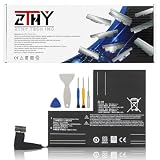
- Specifications: Battery type: Li-Polymer. Color: Black. Voltage: 7.7V. Capacity: 53Wh/6880mAh
- Compatible Part Number: F7A F7G F7GM
- Compatible with Models: Replacement for Replacement for Steam Deck LCD/OLED Handheld Gaming PC Series Battery Upgrade 2(ICP6/47/36+ICP6/57/80)-2
- Security: All ZTHY products are Certified by CE, UL for safety. Strict guidelines for compatibility, and standards compliance for environment safety
- Note: If the new battery is not recognized during the initial installation, please reinstall and check if the interface is fully connected. Discharge the new battery to 10-20% (not 0%), then charge and cycle 3-4 times to wake up the new battery
Those statements establish the direction of the accessory, not a completed product listing. The announcement cited in the report does not provide a launch date, price, battery capacity, connector specification, warranty terms, or official purchase URL. Until Valve publishes those details, treat the strap as a watchlist item rather than a battery you can order.
What “hot-swappable” should mean when it ships
A hot-swappable design should allow you to remove a depleted module and insert a charged one without opening the strap or handling loose cells. It would address the main limitation of the current integrated pack: extending a session would no longer require a cable and externally carried bank. However, the exact procedure, spare-module availability, charging method, and whether audio remains active during a swap are still unspecified.
Do not confuse the future strap with today’s power bank
The future accessory is a purpose-built replacement strap with its own mechanical and electrical integration. A USB-C bank is an external supplement for the shipping strap. Buying one now does not reserve, include, or convert into the future hot-swappable system.
Troubleshooting a Steam Frame power-bank setup
The headset does not show charging
- Confirm that the bank is switched on; some banks shut off when they detect a low draw.
- Use the bank’s USB-C PD output rather than a USB-A port.
- Try a different USB-C-to-USB-C cable rated for the intended power.
- Remove hubs, adapters, and other devices from the bank.
- Check the rear port for debris or physical damage and test the headset with its normal charger.
Charging starts and stops
- Check whether the bank changes output when another device is connected.
- Replace a loose or damaged cable.
- Move the bank so the connector is not under tension.
- Stop using the setup if either device becomes unusually hot.
The bank is too heavy or inconvenient
Choose a lower-capacity bank that still provides USB-C PD output near the 45 W requirement, or use the bank only for breaks between sessions. Capacity, weight, and cable management are a trade-off; no external bank can provide the tidy integration of a purpose-built replacement strap.
Which option makes sense for you?
- You need extra runtime now: choose a USB-C PD power bank with a clearly stated 45 W USB-C output and a suitable cable.
- You want a true removable battery: wait for Valve’s replacement strap and verify its official listing, capacity, price, and spare-battery policy before purchasing.
- You found a bare replacement cell online: treat it as unverified unless Valve or an authorized service channel identifies it as compatible.
- Your current strap battery is failing: contact Valve support or a qualified battery technician rather than opening the pack yourself.
Care practices for the integrated battery and external bank
- Keep lithium-ion equipment away from excessive heat, moisture, and crushing forces.
- Do not use a swollen, leaking, cracked, or physically damaged bank or headset.
- Store the power bank and headset separately when a cable could be pulled or bent.
- Use reputable chargers and cables with legible electrical ratings.
- Recycle failed lithium-ion batteries through an appropriate local collection program; never place them in household fire or general trash.
Availability and information to re-check
Accessory listings, prices, stock, and specifications can change. Before buying the future strap, look for an official Steam Store or Valve announcement that states the release timing, battery capacity, replacement-module availability, connector and charging details, warranty coverage, and regional compatibility. Until those fields are published, the only clearly supported current purchase for extending runtime is an external USB-C PD power bank.
Quick Recap
Product prices and availability are accurate as of the date/time indicated and are subject to change. Any price and availability information displayed on Amazon at the time of purchase will apply.

