Recommended Free Tools
“The program can’t start because bkgnd.dll is missing from your computer.” If Windows shows a bkgnd.dll error, the file usually belongs to BrainWave Generator, an older Windows application from Noromaa Solutions, rather than to Windows itself.
Which fix applies to you
Use the first matching description:
- The error appears when opening BrainWave Generator: repair or reinstall BrainWave Generator from the publisher’s official installer.
- The application folder was recently moved, copied, cleaned, or restored: reinstall it to a normal local folder.
- Windows Security detected or removed the file: inspect Protection history before restoring anything.
- The message says “The specified module could not be found”: bkgnd.dll may exist, but a dependency it needs may be missing.
- The message says “not designed to run on Windows”: suspect a damaged file, mismatched release, or wrong architecture.
- The error names another application: do not assume that copy of bkgnd.dll belongs to BrainWave Generator. The filename is not globally unique.
- Windows also has broad corruption symptoms: run DISM and SFC after repairing the application, not before.
- You were told to copy the file to System32 or run regsvr32: stop. Those are normally the wrong fixes for this application DLL.
What bkgnd.dll is
bkgnd.dll is identified as “Background voices for BrainWave Generator.” It is an application component associated with Noromaa Solutions’ BrainWave Generator, a program that generates binaural beats and background sounds.
As an Amazon Associate I earn from qualifying purchases.
It is not a normal Windows component, Microsoft runtime, DirectX file, or device driver. The BrainWave Generator copy identified in public binary records is a 32-bit x86 DLL. That is normal for an older application, including when the application runs on 64-bit Windows.
What’s actually slowing this PC down?
Pick the symptom - the matching free tool is one click away.
The file should normally sit beside the BrainWave Generator executable in its installation directory. It should not normally be placed in:
#1 Best Overall

- 2 in 1 Sleep & Sports Headband - The Bluetooth Headband enables you to enjoy music without wearing extra headphones, while keeping your hair and sweat from tidy. It further features a built-in microphone to prevent missed calls. The headband is suitable for outdoor activities such as gym workouts, jogging, yoga, and other outdoor activities. Additionally, it can assist with relaxation, meditation, travel, and more.
- Bluetooth Music Headband - MUSICOZY Sleep Headphones offer Bluetooth 5.4 and immersive stereo sound. With advanced Bluetooth 5.4 technology, the Bluetooth Headband is more compatible with electronic devices. Alongside 40mm composite drivers, these wireless music headband headphones deliver pure and balanced audio output with loud sound, rich bass, clear midrange, and balanced treble. This results in extraordinary clarity and detail for all music genres.
- Extended Playtime Wireless Headband - MUSICOZY Sleep Headphones boast a powerful rechargeable lithium battery, offering up to 14 hours of continuous playtime on a single 1-2 hour charge. Enjoy uninterrupted listening pleasure throughout your day, without missing a beat. Thanks to its advanced battery technology, our product provides a longer lifespan, lasting up to 2-3 years. This guarantees extended enjoyment of your music, even after continuous use.
- Comfy Headband Material - MUSICOZY Bluetooth Headband Headphones are constructed using highly elastic and breathable materials, including durable braided cord, high elastic lining, and a sweat-absorbent design. These features result in a comfortable, breathable headphone that is incredibly stretchy, meaning that it can fit most users with ease. The soft and hypoallergenic nature of the sleep headphones keeps you comfortable all day long.
- All Satisfaction- We take pride in ensuring that our customers are fully satisfied with our product. If you encounter any issues while using our Bluetooth headband, please do not hesitate to contact our after-sales team via email. We will make every effort to provide a satisfactory solution within 6 hours. Additionally, our product comes with a one-year manufacturer's warranty, and you can receive a refund with no questions asked within30 days of purchase if you don't like it.
C:WindowsSystem32
C:WindowsSysWOW64
The publisher’s website still identifies BrainWave Generator as Windows software and provides an official download page listing version 3.1.12. Use that publisher-controlled installer rather than a loose DLL file.
Common bkgnd.dll error messages
These are commonly reported variants:
| Message | What it usually indicates |
|---|---|
| “This application failed to start because bkgnd.dll was not found.” | The application cannot find the DLL beside its executable. |
| “The file bkgnd.dll is missing or corrupted.” | The file may have been deleted, quarantined, or damaged. |
| “A required component is missing: bkgnd.dll. Please install the application again.” | Reinstalling the owning application is the intended repair. |
| “Error loading bkgnd.dll. The specified module could not be found.” | The DLL or one of its dependencies may be unavailable. |
| “The program can’t start because bkgnd.dll is missing from your computer.” | Windows cannot load the application’s expected component. |
| “Bkgnd.dll not found” or “Cannot find Bkgnd.dll.” | The executable cannot locate the DLL in its search path. |
| “Cannot register Bkgnd.dll.” | Registration was attempted, although this DLL is not established as a self-registering component. |
The wording alone does not identify ownership. Check the application and path that produce the message.
Fix 1: Identify the application before changing anything
First determine which executable is calling the DLL.
- Find the shortcut that produces the error.
- Right-click it and select Properties.
- On the Shortcut tab, select Open File Location.
- Look at the executable and its containing folder.
- If the executable is
Bwgen.exeand the folder is BrainWave Generator, the diagnosis matches the known bkgnd.dll association. - If another program launches the error, record that program’s name and folder instead.
A typical BrainWave Generator installation keeps bkgnd.dll in the same application directory as the executable. Do not judge ownership from the filename alone. Check the file path, the executable that requested it, file properties, publisher information, and the installation source.
If you find a copy of bkgnd.dll in a random download folder or in a Windows system directory, do not assume it is authentic or correctly installed.
Fix 2: Check Windows Security Protection history
Antivirus software can remove an old application DLL when it is misidentified, damaged, or genuinely unsafe. Check the security record before reinstalling.
- Open the Start menu.
- Type Windows Security and open it.
- Select Virus & threat protection.
- Select Protection history.
- Review recent entries for BrainWave Generator or
bkgnd.dll. - Open an entry to view its detection details and available actions.
Only consider Restore if the application came from a trusted publisher, you recognize the installation, and the detection has been independently assessed. Microsoft warns that restoring a detected file can expose the device if the file is actually malicious.
If you are uncertain, do not restore the quarantined DLL. Remove the damaged installation and reinstall BrainWave Generator from the publisher’s official download page. Scan the installer with Windows Security before running it.
Rank #2

- Hybrid Active Noise Cancelling: 2 internal and 2 external mics work in tandem to detect external noise and effectively reduce up to 90% of it, no matter in trains or offices.
- Immerse Yourself in Detailed Audio: The noise cancelling headphones have oversized 40mm dynamic drivers that produce detailed sound and thumping beats with BassUp technology for your every travel, commuting and gaming. Compatible with Hi-Res certified audio via the AUX cable for more detail.
- 40-Hour Long Battery Life and Fast Charging: With 40 hours of battery life with ANC on and 60 hours in normal mode, you can commute in peace with your Bluetooth headphones without thinking about recharging. Fast charge for 5 mins to get an extra 4 hours of music listening for daily users.
- Dual-Connections: Connect to two devices simultaneously with Bluetooth 5.0 and instantly switch between them. Whether you're working on your laptop, or need to take a phone call, audio from your Bluetooth headphones will automatically play from the device you need to hear from.
- App for EQ Customization: Download the soundcore app to tailor your sound using the customizable EQ, with 22 presets, or adjust it yourself. You can also switch between 3 modes: ANC, Normal, and Transparency, and relax with white noise.
After restoration or reinstallation, start the application again. If the same alert returns, the file may be incompatible, damaged, or accompanied by a missing dependency. Reinstalling the complete application is safer than repeatedly restoring an individual DLL.
Fix 3: Repair or reinstall BrainWave Generator
This is the most likely successful fix when Bwgen.exe is the calling program.
Before removing the application, copy any user-created presets or personal files stored in its installation or data folders.
Quick wins for a faster PC:
Clear out junk files and repair common Windows errorsFree Scan →Scan for outdated or missing drivers - takes under a minuteDriver Scan →Try Windows repair options first
- Press Windows key + I to open Settings.
- Select Apps.
- Select Installed apps.
- Search for BrainWave Generator.
- Select the three-dot menu beside it.
- If Advanced options or Repair is available, select Repair.
- Start BrainWave Generator again.
Older programs may not expose a Windows Repair button. If no repair option is available, continue with a clean reinstall.
Perform a clean reinstall
- Close BrainWave Generator.
- Open Settings → Apps → Installed apps.
- Select BrainWave Generator and choose Uninstall.
- Restart Windows.
- Download the installer from Noromaa Solutions’ official BrainWave Generator download page.
- Run the self-extracting installer.
- Follow the installation program’s instructions.
- Launch the newly installed application from its new shortcut.
Use the installer that matches the application rather than copying bkgnd.dll from another machine. A complete reinstall restores the executable, DLLs, presets, and related files as a matching set.
If the installer was originally supplied through a trusted software archive or launcher, use that product’s Verify files, Repair, or Reinstall command. Do not assume this applies to BrainWave Generator itself; the publisher’s installer is the preferred source for that program.
If the reinstall succeeds, the error should disappear when the new executable starts. If it does not, right-click the new shortcut, select Properties, choose Open File Location, and confirm that the shortcut points to the newly installed copy rather than an old folder.
Fix 4: Restore the correct folder and architecture
A partial copy or moved program folder can break DLL loading even when the file is present.
Rank #3
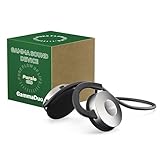
- SCIENTIFICALLY DESIGNED: Built-in 40Hz Gamma audio programs deliver precise sound wave through research-based protocols
- VERSATILE PROGRAMS: Features Original 40Hz MIT pulse tones, Softened entrainment audio, 40Hz/432Hz binaural beats, and themed soundscapes with embedded Gamma waves
- PREMIUM AUDIO QUALITY: Professional-grade 44.8kHz/24-bit resolution and 20Hz-20kHz frequency response for clear sound reproduction
- ERGONOMIC DESIGN: Ultra-lightweight 70g behind-the-ear headset ensures comfort during extended sessions while maintaining environmental awareness
- EXTENDED PERFORMANCE: 10-hour battery life with USB-C fast charging and wireless smartphone connectivity for enhanced control
Check these points:
- The shortcut must point to the current BrainWave Generator executable.
bkgnd.dllshould be in the same application directory as that executable.- Do not mix files from different BrainWave Generator releases.
- Do not replace
bkgnd.dllwithbgextra.dll; they are separate names and may belong to different releases or components. - Do not copy a 64-bit DLL into this application. The identified BrainWave Generator file is x86.
- Do not copy a similarly named DLL from another application.
- Do not put the file in System32 or SysWOW64 to force Windows to find it.
A 32-bit application can run on 64-bit Windows through Windows’ normal compatibility layer. The important match is between the application executable and the DLL supplied with the same release, not between the DLL and the bitness of Windows as a whole.
If the program was restored from an old backup, reinstall it instead of copying only the missing file. The backup may contain an incomplete folder or files from a different release.
Fix 5: Investigate dependencies when the DLL exists
“Error loading bkgnd.dll” or “The specified module could not be found” can mean that a dependency of bkgnd.dll is missing. Windows may report the top-level DLL even though another required module is the real problem.
PC Slower Than It Used to Be?
A free scan shows the junk files, broken settings and background clutter dragging Windows down - then fixes them in one click.Free scan · Windows 10 & 11Outdated Drivers Are Slowing You Down
One free scan finds every outdated or missing driver and matches the right update for your exact hardware.Free scan · exact hardware match- Open the BrainWave Generator installation folder.
- Confirm that
bkgnd.dllis present beside the executable. - Check Properties for the file and review its Details and Digital Signatures tabs when available.
- If the file is present but the program still fails, uninstall and reinstall the complete application from its official installer.
- Restart Windows and test again.
Do not begin by installing random Visual C++ Redistributables, DirectX packages, or .NET versions. There is no verified evidence that those are the normal remedy for BrainWave Generator’s bkgnd.dll error. Add runtimes only when the application’s own documentation or installer specifically requires them.
Fix 6: Do not register bkgnd.dll with regsvr32
regsvr32 is intended for DLLs that expose registration entry points, commonly COM or ActiveX components. There is no reliable evidence that the BrainWave Generator bkgnd.dll is a self-registering COM server.
Running a command such as:
regsvr32 "C:Program Files (x86)BrainWave Generatorbkgnd.dll"
will normally produce a registration error or do nothing useful. It does not recreate a missing file, repair a damaged installation, or resolve an absent dependency.
Only register a DLL when the software’s official documentation explicitly instructs you to do so. For this file, repair or reinstall BrainWave Generator instead.
The Tool Desk
Outbyte Driver Updater FREEFix the driver behind crashes, sound loss and screen glitchesFind Drivers →Outbyte PC Repair FREEClear out junk files and repair common Windows errorsFree Scan →Fix 7: Use DISM and SFC only for wider Windows corruption
SFC and DISM repair Windows components. They do not normally recreate a third-party application DLL such as bkgnd.dll.
Rank #4

- Block the World, Keep the Music: Four built-in mics work together to filter out background noise — whether you're in a packed office, on a crowded commute, or moving through a busy street — so every beat comes through clean and clear. (Not available in AUX-in mode.)
- Two Ways to Hear More: BassUp technology delivers deep, punchy bass and crisp highs in wireless mode — then step it up further by plugging in the included AUX cable to unlock Hi‑Res certified audio for studio-level clarity.
- 40 Hours. 5-Minute Top-Up: With ANC on, a single charge keeps you listening through days of commutes and long-haul flights. Running low? Just 5 minutes plugged in gives you 4 more hours — so you're never stuck waiting.
- Two Devices, Zero Hassle: Stay connected to your laptop and phone at the same time. Audio switches automatically to whichever device needs you — so a call never interrupts your flow, and getting back to your playlist is just as easy. Designed for commuters and remote workers who move smoothly between work and personal listening throughout the day.
- Your Sound, Your Rules: The soundcore app puts everything at your fingertips — dials your ideal EQ with presets or build your own, flip between ANC, Normal, and Transparency modes on the fly, or wind down with built-in white noise. One app, total control.
Use them when you also see symptoms such as damaged Windows features, repeated system errors, broken built-in applications, or other protected Windows files failing.
- Open Start.
- Type Command Prompt.
- Right-click Command Prompt.
- Select Run as administrator.
- Select Yes at the User Account Control prompt.
- Run:
DISM.exe /Online /Cleanup-image /Restorehealth
- Wait for it to finish.
- Run:
sfc /scannow
- Wait until verification reaches 100 percent.
- Restart Windows.
- Test BrainWave Generator again.
Microsoft recommends DISM before SFC because DISM repairs the Windows component store that SFC uses. If both commands report that Windows is healthy but bkgnd.dll is still missing, return to the application reinstall steps.
When manually hunting through component versions and repeating DISM or SFC does not show what changed, Outbyte PC Repair can provide a free scan showing detected issues; repairs are performed by the full version. It is optional, and reinstalling BrainWave Generator remains the definitive fix when that program owns bkgnd.dll.
Fix 8: Consider System Restore after a recent change
If BrainWave Generator worked recently and the error began after a system or software change, System Restore may help when an appropriate restore point exists.
- Press Windows key + R.
- Type:
rstrui.exe
- Press Enter.
- Select Next.
- Choose a restore point from before the problem began.
- Select Scan for affected programs if available.
- Review the changes.
- Select Next, then Finish.
- Allow Windows to restart.
System Restore can revert system files, settings, and installed programs without changing personal files. It is not a substitute for reinstalling BrainWave Generator, and it may not restore a third-party DLL if no suitable restore point exists.
Do not chase drivers for this error
bkgnd.dll is an application DLL, not a device driver. Device Manager is relevant only if the same computer has separate hardware problems or a dependency is specifically tied to a device.
To inspect drivers:
- Right-click Start.
- Select Device Manager.
- Expand the relevant device category.
- Right-click the device.
- Select Properties.
- Open the Driver tab.
- Review the provider and date.
- Use Update Driver only when you have a correct driver from the hardware manufacturer.
- Restart Windows if you install a driver.
Do not uninstall random devices to fix bkgnd.dll. Driver changes will not normally restore BrainWave Generator’s missing application file.
Free tools Windows power users keep installed
One-click scans. No signup required.
If you are manually checking many hardware models and guessing which drivers are stale, Outbyte Driver Updater can scan for detected driver issues; driver installation is handled by the full version. It is optional and unrelated to the primary repair when BrainWave Generator is the application calling bkgnd.dll.
Why random DLL downloads are unsafe
Do not download bkgnd.dll from a random DLL index or copy it from an unknown computer. That approach can provide:
- Malware disguised as a familiar filename
- A file from the wrong BrainWave Generator release
- A 64-bit file for a 32-bit application
- A modified or corrupted binary
- A file belonging to an unrelated application
- A DLL that still lacks its required dependencies
It can also leave the original damaged installation untouched. The safe source is the official BrainWave Generator installer from Noromaa Solutions. If Windows Security quarantined the file, investigate the detection and the installer’s provenance rather than downloading a replacement.
Best Value

- 2-IN-1 BLUETOOTH HEADBAND & SLEEP HEADPHONES: MUSICOZY headband combines the functionality of a sports headband and Bluetooth headphones, allowing you to enjoy music, podcasts, or audiobooks without needing separate devices; perfect for running, yoga, and sleep
- PREMIUM SPANDEX-NYLON FABRIC: Made with a blend of spandex and nylon, the MUSICOZY headband offers exceptional elasticity, softness, and breathability; the lightweight and durable fabric keeps you comfortable during workouts or sleep
- HD STEREO SOUND WITH BLUETOOTH 5.4: Equipped with the latest Bluetooth 5.4 technology for a stable and fast connection; the 40 mm composite drivers deliver deep bass and clear highs, ensuring an immersive audio experience whether you’re on the go or at rest
- UPGRADED LONG-LASTING BATTERY: Enjoy up to 14 hours of continuous playback or talk time with just 1-2 hours of charging; the upgraded battery ensures you have enough power for a full day of music, relaxation, or exercise
- PERFECT GIFT CHOICE FOR ANY OCCASION: The MUSICOZY Bluetooth headband makes an ideal gift for men, women, and teens; perfect for birthdays, holidays, or special occasions; includes 1 Bluetooth 5.4 Headband, 1 USB Cable, and 1 User Manual
Prevention after the repair
- Keep BrainWave Generator in one normal local installation folder.
- Do not move only its executable or selected DLLs.
- Preserve presets before uninstalling an old copy.
- Keep a record of the official installer used.
- Check Windows Security Protection history if the file disappears again.
- Avoid “DLL fixer” utilities that replace files without identifying the owning application.
- Do not mix
bkgnd.dllwithbgextra.dllor files from another release. - Create a restore point before making major software changes.
FAQ
Is bkgnd.dll part of Windows?
No. It is associated with BrainWave Generator from Noromaa Solutions. It should normally remain in that application’s installation directory.
Do these 3 things before closing this tab:
1Repair Windows errors before they cause bigger problems2Fix the driver behind crashes, sound loss and screen glitches3Clear out junk files and repair common Windows errorsWhich program installs bkgnd.dll?
The known association is BrainWave Generator, and public file descriptions identify it as the program’s background-voices component. The filename alone is not proof of ownership, so verify the calling executable and folder.
Is bkgnd.dll 32-bit or 64-bit?
The BrainWave Generator copy identified in public binary records is 32-bit x86. Do not replace it with an unrelated 64-bit DLL.
Should I copy bkgnd.dll to System32?
No. Copying an application DLL to System32 or SysWOW64 can create version conflicts and DLL search-order problems. Reinstall the owning application instead.
Should I install Visual C++ or DirectX?
Not as the first response. No verified evidence establishes those packages as the normal fix for BrainWave Generator’s bkgnd.dll error. Use the official application installer first.
Why does Windows say “the specified module could not be found” when bkgnd.dll is visible?
A required dependency may be missing, or the DLL may be damaged or incompatible. Reinstall the complete matching application rather than copying individual files.
Will BrainWave Generator work on Windows 10 or Windows 11?
The publisher documents it as older Windows software, but public information does not guarantee compatibility with current Windows releases. If reinstalling does not resolve the error, test the program’s compatibility settings or contact the publisher rather than downloading substitute DLLs.
What if another program, not BrainWave Generator, reports the error?
Follow the path shown by the shortcut or executable. Another application may legitimately use the same filename, so repair that program from its own trusted installer.
Quick Recap
Product prices and availability are accurate as of the date/time indicated and are subject to change. Any price and availability information displayed on Amazon at the time of purchase will apply.
What’s actually slowing this PC down?
Pick the symptom - the matching free tool is one click away.




