
Do these 3 things before closing this tab:
1Scan for outdated or missing drivers - takes under a minute2Repair Windows errors before they cause bigger problems3Fix the driver behind crashes, sound loss and screen glitchesNo. Call of Duty: Black Ops (usually called Black Ops 1 or BO1) does not support a second player in its story campaign. The campaign is designed for one player. Two people can play other parts of the game, including Zombies and certain multiplayer features, but adding a second controller will not turn the campaign into co-op.
The short answer: the BO1 story is solo only
Black Ops 1 has a single-player campaign, not a two-player campaign. Activision’s official game description calls it “an epic single-player campaign” and describes the player as an elite Black Ops soldier carrying out covert operations. That wording is a mode specification, not merely marketing language: the story missions are built to be played by one person.
| # | Preview | Product | Price | |
|---|---|---|---|---|
| 1 |

|
Call of Duty: Black Ops - Xbox 360 (Renewed) | $18.96 | Buy on Amazon |
| 2 |

|
Call of Duty®: Black Ops 6 - PlayStation 5 | $24.22 | Buy on Amazon |
| 3 |
|
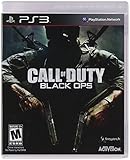
Call of Duty: Black Ops | $23.93 | Buy on Amazon |
| 4 |

|
Call of Duty: Black Ops II - Xbox 360 (Renewed) | $26.53 | Buy on Amazon |
| 5 |

|
Call of Duty: Black Ops II - PlayStation 3 (Renewed) | $14.34 | Buy on Amazon |
As an Amazon Associate I earn from qualifying purchases.
There is no supported way to join the campaign as a second character, play the story in split-screen, or invite another player into a campaign mission. A second controller, another account, or an online connection cannot add campaign co-op. If your goal is to experience the BO1 narrative with a friend, you must take turns or watch one another play rather than join the same mission.
Windows Errors? Fix Them Before They Spread
Repair common Windows errors and clear accumulated junk for a smoother, more stable PC - no reinstall needed.Free scan · no reinstallOutdated Drivers Are Slowing You Down
One free scan finds every outdated or missing driver and matches the right update for your exact hardware.Free scan · exact hardware matchThe confusion comes from the fact that Black Ops includes several multiplayer and cooperative modes. Those modes appear alongside Campaign in the game’s menus and on store descriptions, so a player-count label for the whole game can be mistaken for a campaign feature. The distinction is important: player counts shown for Zombies, Combat Training, or a platform listing do not change the campaign’s one-player design.
#1 Best Overall
- -Disc only. Original case and manual not included. Will come packaged in a generic case.
- -This renewed game has been cleaned, tested, and shows minimal wear.
What you can play with another person
Black Ops 1 separates its story from its social modes. The following comparison keeps the player counts attached to the specific mode and source that establishes them.
| Mode or label | What the official material establishes | Does it let two people play the campaign? |
|---|---|---|
| Campaign | Activision describes it as a single-player campaign. | No |
| Zombies | Activision describes play with you and up to three friends (up to four players total). The PlayStation 3 manual labels Zombies “one to four players.” | No; Zombies is a separate cooperative mode. |
| Combat Training | Activision says you can play against enemy-controlled AI with friends online and in split-screen. | No; it is multiplayer practice, not story mode. |
| PlayStation game listing | The listing reports one to two players for the game overall. | No; an overall label is not a campaign specification. |
The table does not mean every release has identical local and online options. It shows why the number “two” or “four” may appear in descriptions while the campaign remains single-player.
Zombies: the main cooperative alternative
Zombies is the clearest way to play BO1 cooperatively. Activision’s description says the mode supports you and up to three friends, which means a maximum of four players in that mode. An official PlayStation 3 manual likewise labels Zombies as one to four players. Both figures refer to Zombies rounds, not to campaign missions.
Quick wins for a faster PC:
Scan for outdated or missing drivers - takes under a minuteDriver Scan →Repair Windows errors before they cause bigger problemsFix Now →Fix the driver behind crashes, sound loss and screen glitchesFind Drivers →Zombies has its own objectives, maps, progression within a match, and survival structure. It does not place a second player inside the campaign’s story, replace a campaign squadmate, or let you replay narrative missions cooperatively. If two people want a shared BO1 session, select Zombies rather than Campaign and check whether your particular platform and connection support the type of play you want.
Combat Training: split-screen practice against AI
Combat Training is another source of the “two-player” assumption. Activision says Combat Training lets you play against enemy-controlled AI with friends “online and split-screen.” That makes it a multiplayer practice feature: human players compete or practice in a multiplayer-style environment while computer-controlled opponents fill the match.
Rank #2
- Developed by Treyarch and Raven, Call of Duty: Black Ops 6 is a spy action thriller set in the early 90s, a period of transition and upheaval in global politics, characterized by the end of the Cold War and the rise of the United States as a single superpower.
- This is signature Black Ops across a cinematic single-player Campaign, a best-in-class Multiplayer experience, and the epic return of Round-Based Zombies.
- The Black Ops 6 Campaign provides dynamic moment-to-moment gameplay that includes a variety of play spaces with blockbuster set pieces and action-packed moments, high-stakes heists, and cloak-and-dagger spy activity.
- In a best-in-class Multiplayer experience, players will test their skills across 16 new maps at launch, including 12 core 6v6 maps and 4 Strike maps that can be played 2v2 or 6v6.
- Black Ops 6 also marks the epic return of Round-Based Zombies, the fan-favorite mode where players will take down hordes of the undead in two brand-new maps at launch. Post-launch, players can look forward to even more exciting maps and groundbreaking experiences dropping into both Multiplayer and Zombies.
Combat Training does not use the campaign’s missions, objectives, characters, checkpoints, or narrative progression. Starting Combat Training with a second controller therefore proves only that the multiplayer practice mode accepts another player. It does not indicate that campaign co-op is available.
Standard multiplayer is separate from the story
Black Ops also includes competitive multiplayer features. Those matches are distinct from both Campaign and Zombies. A multiplayer match can let two people play together or against each other when the relevant platform and mode support it, but it still will not load a campaign chapter. The official material cited for this question does not provide one complete, platform-by-platform matrix of local and online player limits for every multiplayer option, so do not infer a universal split-screen or online limit from the campaign question.
Free tools Windows power users keep installed
One-click scans. No signup required.
Why player-count labels cause confusion
Store pages and manuals may display a player count for a product, a platform, or one particular mode. Those labels are not interchangeable.
The “one to two players” PlayStation label
A PlayStation game listing reports one to two players for the game overall. Read in context, that is a product-level indicator: it does not say “two-player campaign.” It can reflect a supported multiplayer configuration while the campaign remains one-player. Treating that listing as proof of story co-op is a category error.
The “one to four players” Zombies label
The PlayStation 3 manual’s one-to-four-player label is attached to Zombies. It describes the number of people who can participate in that mode, not the number of people who can enter a campaign mission. Activision’s “you and up to 3 friends” wording makes the same mode-specific distinction.
Rank #3
- Wide array of play modes including single player, local multiplayer versus and online co-op and multiplayer
- Seventh installment of the Call of Duty series, based on the live fire conflicts of the Cold War era
- Diverse variety of play setting ranging from urban air and ground combat in SE Asia, to snow combat in Soviet region and jungle combat
- Blending of traditional COD and new first-person character scenarios designed to both retain the essence of the COD gaming experience and ensure constantly flowing and varied action
- New arsenal of weapons and vehicles tied to the Cold War era, including the SR-71 Blackbird and sited explosive-tipped crossbows
Why the number on your case may differ
Player information can vary by platform, edition, packaging, storefront metadata, and whether it describes local play, online play, or the game as a whole. A number printed on a box or shown in a digital listing should therefore be read with its nearby mode name. If the label does not identify Campaign, it cannot establish campaign support.
Local split-screen versus online play
“Two-player” can mean two different arrangements:
- Local split-screen: two people use the same console and display, usually with separate controllers. Activision explicitly associates split-screen with Combat Training, not with Campaign.
- Online play: players connect through a network, generally using separate systems or online sessions. Activision also mentions online friends for Combat Training.
Neither arrangement adds a second player to the BO1 story. A console that accepts a second controller for Zombies or Combat Training may still keep Campaign locked to one player. Likewise, an online invitation that works for a multiplayer mode does not create an invitation option for a campaign mission.
The available official material does not establish a single current chart covering every platform’s split-screen, online, and service-status details. Before buying an older copy or planning a session, check the live listing for your exact platform and edition. Confirm whether the mode you want is local or online, whether a subscription or network account is required by that platform, and whether the listing identifies Zombies, Combat Training, or multiplayer rather than Campaign.
How to verify the mode on your copy
If you are looking at a used disc, a digital download, or a menu you have not used before, these checks prevent a mistaken purchase or setup.
Recommended Free Tools
Rank #4
- Disc only. Original case and manual not included. Will come packaged in a generic case.
- This renewed game has been cleaned, tested, and shows minimal wear.
- Identify the exact release. Note the platform and edition shown on the case, store page, or title screen. Do not assume that a player label from one platform applies identically to another.
- Open the main mode menu. Look for separate entries named Campaign, Zombies, and Multiplayer or Combat Training. The separation of those entries is the key fact; a second-player prompt in one does not carry over to the others.
- Start Campaign by itself. If the game launches a story mission without a join prompt, that is consistent with the official single-player description. Do not interpret a second controller’s ability to navigate a menu as campaign support.
- Test the mode you actually want to share. For cooperative play, choose Zombies. For practice against computer-controlled opponents, choose Combat Training. For competitive matches, choose the appropriate multiplayer option.
- Check the platform’s current instructions. Confirm controller requirements, local-versus-online rules, and any account or network requirements in the platform listing for your edition. Older game services and listings can change, and the official sources cited here do not provide a universal present-day matrix.
If a menu displays a two-player icon next to the product or a multiplayer option, compare the icon’s location with the mode name. A label next to Zombies or Multiplayer is not a label next to Campaign.
What happens when you try to add a second player to Campaign
Common attempts include pressing the second controller’s join button, signing in another profile, or sending an online invitation while a story mission is selected. Those actions cannot convert Campaign into co-op because the mode itself is single-player.
- No join prompt appears: This is expected for Campaign, not evidence that your controller is defective.
- The second controller controls menus but not the mission: Menu navigation does not grant a second campaign slot. Return to the mode selection screen and choose a supported multiplayer mode.
- An invitation is available in another mode but not Campaign: That reflects the separation between multiplayer features and the story.
- The box says two players: Locate the mode or platform qualifier. The PlayStation overall label and the Zombies manual label are not campaign counts.
Do not spend time reinstalling the game or pairing extra controllers to solve a feature that is not implemented. Troubleshoot hardware only when the supported mode itself fails to recognize a controller.
Independent reader supportYour contribution helps us test, update, and keep practical guides available for everyone.Best ways for two people to experience BO1
If you want cooperative action
Choose Zombies and decide whether you are using local split-screen or an online session supported by your platform. With the official Zombies descriptions, plan for up to four players total, but verify the exact local or online arrangement for your release before inviting a larger group.
What’s actually slowing this PC down?
Pick the symptom - the matching free tool is one click away.
If you want to practice together
Choose Combat Training. Activision specifically describes playing against enemy-controlled AI with friends online and in split-screen. This gives two people a shared match environment without claiming that the campaign supports a second soldier.
Best Value
- This renewed game may come repackaged in a generic case. It has been cleaned, tested, and shows minimal wear.
If you want the story experience
Play Campaign solo and take turns at checkpoints or missions. You can discuss choices, watch another person play, or alternate chapters, but the game will not track two simultaneous campaign players. Keeping the story session separate from the cooperative modes avoids lost time looking for a join function that does not exist.
Platform and edition cautions
The evidence for the campaign distinction combines Activision’s general game description with PlayStation materials, including a PlayStation 3 manual and a PlayStation listing. It supports the conclusion that the BO1 campaign is single-player and that Zombies and Combat Training are separate modes. It does not document every release’s exact split-screen rules, online requirements, regional listing, or present-day service status.
That limitation matters when you are comparing a console disc with a PC release or another edition. Use the campaign distinction confidently, but attach any local-player claim to the specific platform and mode. For example, “Zombies is labeled one to four players in the PlayStation 3 manual” is precise; “every version supports four-player split-screen” would be broader than the cited evidence.
Availability is also separate from player count. A listing can identify a game as one to two players without guaranteeing that an online service, storefront entitlement, controller adapter, or backward-compatibility setup is available today. Verify live platform information before purchasing or planning a multiplayer night.
Decision checklist
- Want the BO1 narrative? Select Campaign and plan for one player.
- Want shared cooperative survival? Select Zombies; official descriptions allow up to four players in that mode.
- Want split-screen practice against AI? Select Combat Training, which Activision describes as available online and in split-screen.
- See “one to two players” on a PlayStation listing? Treat it as an overall game label, not campaign evidence.
- See “one to four players” in the PlayStation 3 manual? It is the Zombies label.
- Using a different platform or edition? Verify its current mode and compatibility details instead of transferring a count from another release.
The practical answer remains unchanged: two people can play selected BO1 multiplayer modes, but they cannot play the Black Ops 1 campaign together.
Quick Recap
Product prices and availability are accurate as of the date/time indicated and are subject to change. Any price and availability information displayed on Amazon at the time of purchase will apply.

