Blades & Buffoonery is a Roblox combat experience by Flying Gorilla, built around oversized heads and exaggerated weapons. Its listed controls include headbutting, dashing, weapon abilities and wall-jumping. The game is in early development, so weapons, balance and other details may change.
What is Blades & Buffoonery?
The Roblox game listing describes a combat experience focused on fighting other players with large-headed characters and unusual weapons. It also labels the game as being in early development and warns players to expect changes and rebalances. The listing’s featured boss and weapon descriptions can change as the experience is updated. Roblox game listing
What are the controls?
The official game description lists these PC controls and movement tips:
- Q: Headbutt, which knocks opponents over.
- F: Use an ability on weapons that have one.
- E: Dash.
- Wall-jump: Jump while facing a wall.
- B: Emote on PC.
The listing does not provide a complete mobile or controller control guide, so check the live game’s interface for device-specific inputs.
#1 Best Overall

- 【CONNECTION GUIDE】 ①Make sure the phone controller is NOT in charging before connected. ②Observe if the 4th LED on controller is flashing quickly (if flashing 1.2.3, it is incorrect), If not, press and hold the 'HOME' button to turn off the controller and then connect again: Open your bluetooth on mobile phone, then long press 'HOME' and the 4th light will flash quickly, then find corresponding Bluetooth name and connect.
- 【TIPS FOR IPHONE GAME CONTROLLER】 When the wireless phone controller encounters abnormal situations such as inability to connect/charge, joystick offset, you can try resetting it: poke the 'RESET' hole on the back of controller with a needle, and then restart the controller for iphone to solve most non quality problems
- 【TIPS FOR CLOUD GAMING CONTROLLER】 Please use this mobile game controller to play games on a high-speed and stable network. This is because cloud games have high network requirements and require a high-speed and low latency network environment to reduce latency caused by network congestion and enhance the gaming experience
- 【PLAY ANY CONTROLLER SUPPORTED APP GAMES】 The iphone game controller is designed to enjoy unstoppable gaming experience, work for iPhone/Android, support nearly all cloud gaming services including Xbox Game Pass, Steam Link, GeForce NOW, MFi Apple Arcade & hundreds of popular mobile games like Call of Duty, Roblox, etc. The phone controller perfects your mobile gaming experience beyond a console by making it happen anywhere, anytime, to anyone
- 【WIRELESS IPHONE GAME CONTROLLER WITH HALL JOYSTICK】 Only hold on 'HOME', you can connect controller for iphone with phone via Bluetooth. The Hall effect joystick provide ultra precise control, No drift, No deadzone! It helps you gain dominant position of games faster and the performance and game experience has been improved qualitatively
Weapons, costs and balance
Community-maintained weapon pages name items such as Pool Noodle, Boxing Gloves and Karambit, and report in-game head costs and knockout-hit counts. Those figures are mutable community data, not a tested tier list or a guarantee of current performance. Community weapon list
Because the official listing warns that rebalancing is expected, treat old cost or hit-count information as a starting point only. Weapon effectiveness can depend on updates and play conditions; confirm details in the experience before choosing a weapon based on a particular statistic.
Rank #2

- XBOX WIRELESS CONTROLLER + USB-C CABLE — Includes the XBOX Wireless Controller in Carbon Black and a 9' USB-C cable. Play wirelessly or plug in for a wired gaming experience, right out of the box.*
- WIRED OR WIRELESS, YOUR CALL — Connect the included 9' USB-C cable for zero-setup wired play on console and PC. Go wireless when you want the freedom to play from the couch, the desk, or anywhere in between.
- PC READY. NO EXTRAS NEEDED — Plug the USB-C cable into your Windows PC and you're playing instantly. No adapters, no Bluetooth pairing, no additional purchases required. Works across the XBOX app, Steam, and more.*
- MODERNIZED DESIGN — Experience sculpted surfaces and refined geometry designed around how you actually hold a controller. Stay on target with a hybrid D-pad and textured grip on the triggers, bumpers, and back case.
- UP TO 40 HOURS OF BATTERY LIFE — Get up to 40 hours of wireless battery life on standard AA batteries. When the batteries run low, plug in the included cable and keep playing without missing a beat.*
Updates and the Buffoon King
A community update log records historical additions and balance changes, including weapons, map content, rewards and a Buffoon King boss. It is useful for following the game’s development history, but it does not establish that every listed feature or balance state is still live. Community update log
Are gamepasses required?
The Roblox listing does not say that spending is required to play. A community gamepass page lists optional passes related to head multipliers, defense, weapons and movement, with Robux prices shown for some entries. Since it is not an official live store record, check the in-game shop for current availability and prices before buying. Community gamepass page
Quick wins for a faster PC:
Scan for outdated or missing drivers - takes under a minuteDriver Scan →Clear out junk files and repair common Windows errorsFree Scan →Rank #3
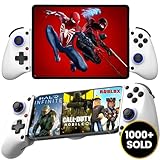
- 👑🎮 【MULTI-FUNCTIONAL UNIVERSAL MOBILE GAME CONTROLLER】Meet the Majestech D11 mobile gaming controller - the most versatile budget-friendly controller for phones and tablets up to 10.24" (262mm). Features Hall Effect triggers, precision joystick, responsive buttons, and vibration feedback. Compatible with Android, iOS, iPads, and tablets. Play PS Remote Play, Xbox Cloud, Steam Link, GeForce Now, MFi games, and more!
- 👑🎮 【 WORKS WITH iOS 13.4+ 】Majestech D8 mobile game controllers are compatible with, but not limited to: iPhone 16, 16 Pro Max, iPhone 15, iPhone 15 Pro Max, Apple iPhone 14, iPhone 14 Plus, iPhone 14 Pro, iPhone 14 Pro Max, iPhone 13 mini、iPhone 13, iPhone 13 Pro,iPhone 13 Pro Max,iPhone 12 Pro Max, iPhone 12 mini, iPhone 12, iPhone 11 Pro, iPhone 11 Pro Max, iPhone 11, iPhone SE, iPhone X, iPhone 8 Plus, iPhone 8, iPhone 7 Plus, iPhone 7, iPhone 6 Plus, iPhone 6, iPad 9, iPad Air, Apple ipad Pro, Applie iPad Mini
- 👑🎮 【 WORKS WITH ANDROID 6.0+ 】Majestech mobile game controllers are compatible with, but not limited to: Samsung Galaxy S24, S24+, S24 Ultra, S23, S23+, S23 Ultra, S22, S22+, S22 Ultra, S21, S21+, S21 Ultra, Galaxy S20, Galaxy S20+ and Galaxy S20 Ultra, Galaxy A21s, Galaxy A11, Galaxy S20 FE, Galaxy S10, Galaxy S10+ Galaxy S10e Galaxy A10, Galaxy A50, Galaxy A51, Galaxy A20, A30, A01, Samsung Galaxy S9, S8. Xiaomi Redmi Note 9 Pro, Huawei P30 and P30 Pro, Huawei Mate 30 and Mate 30 Pro, Oppo, Google Pixel, Nokia, LG, HTC, OnePlus 9/8/7,
- 👑🎮 【MUTLI-PLATFORM COMPATIBILITY 】Compatible with iPhone/iO, Android, Tablets, iPads, Nintendo Switch, PC, Xbox Cloud Gaming, Remote Play. This controller works seamlessly with most controller-supported games on your phones/tablet's App Store, Google Play, and Steam. Play top titles like Call of Duty Mobile, Roblox, Fortnite, Diablo, Emulators, Street fighters, Genshin Impact, Diablo Immortal, Modern Combat 5, Asphalt 8 & 9, and more.
- 👑🎮 【FLEXIBLE FIT FOR PHONES & TABLETS 】The Majestech D11 mobile gaming telescopic gamepad stretches to hold devices up to 10.24 inches (26cm), with a strong internal spring built for repeated use. Sturdy, reliable, and ready for long gaming sessions. (Does not fit 12.9" iPad Pro or devices larger than 10.24inches)
Are there codes?
The official listing has displayed the code “60KLIKES.” Codes can expire or change, so check the live experience or its current official listing before relying on it.
Quick Recap
Rank #4

- Supported Multi-Platform: Switch/Switch 2 (NO support wake-up function)/iOS/Android/Windows PC (Notice:Not compatible with Xbox, PlayStation or GeForce Now, For game platforms not mentioned, please consult customer service before buying)
- Connection Modes: Wired/Bluetooth/Wireless Dongle(Connect to PC via Bluetooth : Select iOS mode, but it's not recommended; Dongle is more stable)
- 【Innovative Intelligent Interactive Screen】Manba One V2 wireless game controllers create a new era of controller screens; Equipped with a 2-inch display, no App & software needed, you can set the pc controller directly through the screen visualization, More convenient operation
- 【Micro Switch Button】Manba One wireless controller has Micro Switch Button and ALPS Bumper; The 6-axis gyroscope function makes switch games more immersive
- 【Customize Your Own Controller】The intelligent interactive screen allows you to easily set vibrations, buttons, joysticks,lights, etc., without the need for complex key combinations; 4 configurations can be saved to unlock your own gameplay for different games; The 4 back keys support macro definition settings, and you can activate the set character's ultimate move with one click
Product prices and availability are accurate as of the date/time indicated and are subject to change. Any price and availability information displayed on Amazon at the time of purchase will apply.




