What’s actually slowing this PC down?
Pick the symptom - the matching free tool is one click away.
To play Blooket, choose the right route: join a teacher’s live game at play.blooket.com with a Game ID, open a teacher’s homework QR code or link, or open a question set and choose Solo. Winning depends on the mode: answer accurately and quickly in score-based games, manage resources in strategy modes, and meet the required Correct Goal in homework.
This guide covers the current Blooket process for live games, solo play, homework, game-mode availability, practical winning strategies, and the common mistakes that prevent players from joining or receiving credit.

As an Amazon Associate I earn from qualifying purchases.
How to join a live Blooket game
- Go to play.blooket.com.
- Enter the host’s Game ID, scan the host’s QR code, or open the shared Join Link.
- Enter a nickname if the host allows custom names. If Use Random Names is enabled, Blooket assigns your name automatically.
- Choose a Blook while waiting.
- Wait for the host to start the game.
Blooket’s current help pages disagree about whether the code is six or seven digits: the hosting instructions say six digits, while the joining instructions say seven. Use the code exactly as displayed by the host rather than relying on a fixed length. A student account is not required to join, although logging in is needed to use account-linked points and Blooks. Blooket’s joining guide explains the player flow.
The Tool Desk
Outbyte Driver Updater FREEScan for outdated or missing drivers - takes under a minuteDriver Scan →Outbyte PC Repair FREEClear out junk files and repair common Windows errorsFree Scan →If you cannot join
- The game has already started: you can enter only if the host enabled Allow Late Joining.
- You cannot type a name: Use Random Names is probably enabled.
- You cannot see account options: the host may have disabled Allow Student Accounts.
- The code fails: request a fresh Game ID, QR code, or Join Link from the host. Do not assume every Blooket code has the same number of digits.
How to host a live Blooket game
- Open My Sets or Discover on the Blooket dashboard.
- Open a question set and click Host.
- Select a game mode, then click Host again.
- Configure the available settings.
- Click Host Now.
- Share the Game ID, QR code, or Join Link.
- When players are ready, click Start.
A question set is required for live, solo, and homework games. Blooket’s host documentation says Discover contains more than 20 million user-created sets, so check the questions before assigning or hosting one. The official hosting guide contains the current button names.
#1 Best Overall
Host settings that change the experience
| Setting | What it does |
|---|---|
| Time | Sets the game’s time limit or duration where supported. |
| Goal | Sets the target players must reach in modes that use a goal. |
| Show Answer Correctness | Shows the correct answer after an incorrect response. |
| Time Penalty for Incorrects | Forces a wait, measured in seconds, before the next question can be answered. |
| Question Ordering | Random shuffles questions, Ordered follows the set, and Mastery surfaces missed questions more often. |
| Allow Late Joining | Allows students to enter after the game begins. |
| Use Random Names | Stops players from choosing their own displayed names. |
| Mute Player Sounds | Suppresses player sound effects. |
| Allow Student Accounts | Controls whether students see account-creation options. |
| Banned Blooks | Removes selected Blooks from player choice. |
| Reset to Defaults | Restores the default configuration. |
How to play Blooket solo
From a question-set page, open the set and choose Solo. Select a game mode, click Play, then choose New Game.
From your own sets, use My Sets → gear icon on the set → Solo, select a mode, click Play, and choose New Game.
The currently documented solo modes are Tower Defense 2, Monster Brawl, Tower Defense, Cafe, Factory, Crazy Kingdom, and Tower of Doom. Tower of Doom, Cafe, Tower Defense, and Tower Defense 2 can load an unfinished previous game when that option is available. See Blooket’s solo-game instructions for the current menu flow.
Quick wins for a faster PC:
Clear out junk files and repair common Windows errorsFree Scan →Scan for outdated or missing drivers - takes under a minuteDriver Scan →Repair Windows errors before they cause bigger problemsFix Now →How Blooket homework works
Homework is different from a live game. Do not enter a homework assignment through the ordinary Game ID screen. Open the teacher-provided QR code or link instead.
- Open the homework QR code or link.
- Review the Homework Details screen, including the title, teacher, due date, and Correct Goal.
- Click Get Started.
- Select an available solo game mode by clicking its logo.
- Click Play, enter a nickname, and click the arrow to submit.
The current homework flow lets students choose among available solo modes and switch modes during the assignment. The remaining Correct Goal appears at the beginning and in the top-right during play. The Settings icon provides volume and accessibility controls; some games also include an Info button.
Rank #2
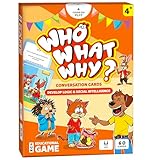
- DEVELOP EMOTIONAL & SOCIAL INTELLIGENCE – Who What Why conversation cards for kids use friendly illustrations of real-life scenarios paired with thoughtful questions to help children build empathy, improve social skills, and enhance communication.
- FOSTER OBSERVATION & CRITICAL THINKING – Each speech therapy card includes visual clues, such as characters’ emotions and situational details, encouraging kids to observe, analyze, and make sense of the scenario based on the clues provided.
- RELATABLE SCENARIOS WITH ANIMAL CHARACTERS – Featuring 60 relatable situations kids may encounter at home or school, this learning game for 5-year olds uses engaging animal characters to make learning fun, accessible, and stress-free.
- PERFECT FOR PARENTS, TEACHERS & THERAPISTS – Designed for kids aged+, these articulation cards for speech therapy are an excellent tool for parents, teachers, counselors and behavior therapists to inspire meaningful conversations.
- EDUCATIONAL GIFT FOR KIDS – This speech therapy game for kids is fun and educational! These sequencing cards for speech therapy are a great gift for families with kids. Gift these speech therapy materials for birthdays, Christmas, Easter and more.
Switching modes and finishing homework
To leave the current mode, click the checkered flag and confirm. You return to the game-selection screen and can choose another available mode.
Once you meet the Correct Goal, select End Homework or Keep Playing. The teacher sees that the goal was met even if you continue playing. After ending, Blooket shows a performance summary; choose View Details for question-by-question results.
If you are logged in, Play Again starts another solo game with the same set, but that extra play is practice only. It does not count toward the homework results. Homework does not require an account, but logging in enables XP, tokens, progress tracking, and token spending in the Market. Closing the tab or leaving the session inactive too long can require you to restart from the original homework link or QR code. Read the current homework instructions if the assignment does not resume.
Which Blooket modes can you play?
Blooket’s current Game Mode Previews page lists more than 25 modes across live, solo, and homework play. Availability varies by mode, account tier, and season, so a mode shown in one guide may not appear in your menu.
| Availability | Examples |
|---|---|
| Live only | Battle Royale, Blook Rush, Classic, Cyber Hack, Deceptive Dinos, Gold Quest, Racing, and seasonal modes. |
| Live, solo, and homework | Cafe, Factory, Fishing Frenzy, Monster Brawl, Tower Defense, and Tower Defense 2. |
| Solo or homework only | Crazy Kingdom, Pirate Pool, Plushie Panic, Study, and Zorblitz. |
| Plus-only live examples | Busy Bees, Coco Cabana/Cocoa Cottage, Laser Tag, Mini Mine, and Star Grazer. |
The previews page marks team modes with 👥 and Plus-only modes with ➕. Free live games generally support up to 60 players, while many Plus modes list a 300-player maximum; some Plus-only modes still list 60 for both Free and Plus. Consult the current mode previews before planning around a specific mode.
Rank #3

- Fun-Filled Decks: Embrace the fun with six different games in one set! The set, designed for 2-6 players, contains decks for Old Maid, Go Fish, Slap Jack, Crazy 8's, War, and Silly Monster Memory Match, providing hours of entertainment and learning opportunities.
- Child-Friendly Design: Each card in this set is crafted with vibrant, bright colors and easy-to-understand symbols, tailored to engage and captivate young minds.
- Skill-Building Games: Not just for fun, these card games are a stealthy way to build essential skills. These games provide educational benefits such as learning colors, numbers, and reading skills, while also encouraging memory and matching skills.
- Big Cards for Little Hands: Our cards are extra big - it's easy to hold and play! They make an ideal gift for aged 4 and older boys and girls.
- Fun on the Fly: These funny family card games for kids and adults, are your pocket-sized partners for entertainment anywhere. Road trip? Sleepover? Camping Trip? A quick visit to Grandma? Just pop them in your bag and you're set for a fun time, anytime.
One naming issue remains in Blooket’s own documentation: the hosting page calls a mode Crypto Hack, while the previews page calls it Cyber Hack. Treat those as an official documentation inconsistency rather than proof of a confirmed rename.
Free tools Windows power users keep installed
One-click scans. No signup required.
How to win different Blooket modes
There is no universal Blooket strategy because the objective changes by mode. Accuracy is the foundation, but speed, resource management, and disruption can determine the result.
Classic
Answer accurately and quickly. Classic rewards points and leaderboard position, so avoid rushing into avoidable mistakes: read every option, answer confidently, and maintain a steady pace.
Gold Quest
Correct answers earn gold, and the mode lets players take gold from one another. Protect a strong lead when possible, but remember that a player behind can recover through a successful steal. Prioritize accuracy over speculative answers.
Blook Rush
Answer questions to take Blooks from opponents or defend your own. Track the immediate objective rather than treating every question as a simple race; an accurate answer can both improve your position and affect another player’s collection.
Rank #4

- Attractive Artwork Matching Game: This famous painting-themed matching game features classic artworks from well-known artists, turning art appreciation into a fun and interactive activity. It helps spark curiosity about art while improving children’s memory, concentration, and visual recognition skills. Group play also encourages communication and social interaction.
- 80 PCS Famous Painting Cards: This set includes 80 cards, forming 40 matching pairs of world-famous paintings. Each pair introduces children to iconic artworks, allowing them to explore different artistic styles, colors, and compositions while building cultural and artistic awareness.
- Matching Game & Memory Challenging: This game combines the joy of matching with the thrill of memory challenges! Children will flip over cards to find pairs, sharpening their memory and focus as they play. The game encourages logical thinking and pattern recognition while boosting their confidence with every correct match.
- Safety and High Quality: The cards are made from durable materials, safe for everyday handling by young learners. Each card has a smooth surface, rounded corners, and smooth edges that help prevent peeling or accidental scratches. Each card measures 2.9” x 4.1”.
- Ideal Gift: This artwork matching game makes a meaningful and educational gift for kids ages 3 and up. Perfect for birthdays, holidays, classrooms, and learning centers, it helps parents and teachers introduce art, improve memory skills, and encourage screen-free interactive play.
Battle Royale
The objective is to be the last Blook remaining in one-on-one or team-versus-team showdowns. Elimination makes consistency especially important: a single careless answer can matter more than a small speed advantage.
Racing
Answer questions to advance and use power-ups to reach the finish first. Build a rhythm that preserves accuracy, then use power-ups when they can change the race rather than wasting them immediately.
Factory
Factory uses self-paced questions to unlock and upgrade Blooks that generate virtual cash. The winning approach is less about frantic speed and more about answering consistently, then improving the production system that your correct answers support.
Strategy modes
In Tower Defense, Tower Defense 2, Cafe, Crazy Kingdom, and similar modes, correct answers fund or unlock actions. Read each mode’s on-screen instructions, spend resources deliberately, and use the Info button where provided. A fast answer is useful only when it advances the mode’s actual objective.
What does not work
Current official documentation does not provide player-facing command syntax, chat commands, console commands, or legitimate “win codes.” Claims that a secret code automatically wins a Blooket game should not be treated as an official feature. The reliable path to a better result is a suitable question set, accurate answers, and mode-specific decision-making.
Quick Recap
Common outdated Blooket advice
- “Blooket has only 12 game modes.” The hosting page lists 12 currently hostable live modes, but the broader previews page lists more than 25 across live, solo, homework, Plus-only, and seasonal categories.
- “Students must use the teacher-selected homework mode.” The updated homework flow lets students choose from available solo modes and switch modes.
- “You need an account to play.” Accounts are optional for live games and homework. Login is needed for account-linked rewards, progress, tokens, and personal Blooks.
- “Crazy Kingdom and Tower of Doom can be hosted live.” Current host documentation classifies both as solo/homework-only.
- “Every Blooket code has seven digits.” Blooket’s own current help pages conflict on code length, so use the displayed Game ID.
Product prices and availability are accurate as of the date/time indicated and are subject to change. Any price and availability information displayed on Amazon at the time of purchase will apply.




