Để dùng phễu trong Minecraft, chế tạo nó bằng một rương và năm thỏi sắt, rồi đặt sao cho vòi hướng vào khối chứa muốn nhận đồ. Phễu tự nhặt vật phẩm rơi phía trên, có thể kéo hoặc đẩy vật phẩm giữa các khối chứa, và sẽ ngừng hoạt động khi bị khóa bằng tín hiệu redstone.
Chế tạo phễu
Mở bàn chế tạo 3×3, đặt một rương ở ô giữa và năm thỏi sắt thành hình chữ V: hai thỏi ở hàng trên cùng bên trái và bên phải, hai thỏi ở hàng giữa bên trái và bên phải, cùng một thỏi ở ô giữa hàng dưới. Công thức này được Minecraft hướng dẫn trong bài Block of the Month: Hopper, xuất bản ngày 12/04/2025.
Đặt phễu đúng hướng
Vòi phễu cho biết vật phẩm sẽ được chuyển về phía nào. Trước khi đặt, xác định rương hoặc khối chứa cần nhận đồ và đặt phễu sao cho vòi hướng vào đó. Nếu muốn gắn phễu vào cạnh rương hay khối chứa, cúi người khi đặt để thao tác không mở khối chứa thay vì đặt phễu.
Phễu thu và chuyển vật phẩm thế nào?
- Phễu tự hút vật phẩm rơi xuống miệng phễu.
- Mỗi phễu có kho riêng gồm năm ô.
- Nếu có khối chứa bên dưới, phễu có thể chuyển vật phẩm xuống đó; nếu có khối chứa bên trên, phễu có thể lấy vật phẩm từ khối đó.
- Các phễu có thể kéo và đẩy vật phẩm qua nhau, tạo thành đường vận chuyển đến nơi lưu trữ.
Làm lò nung tự động đơn giản bằng phễu
- Đặt rương nguyên liệu phía trên lò và để vòi phễu hướng vào lò để cấp vật liệu cần nung.
- Nối một phễu vào cạnh lò, hướng vòi vào lò, rồi đặt rương nhiên liệu phía trên phễu đó để cấp than hoặc nhiên liệu.
- Đặt phễu dưới lò, hướng vòi vào rương thu sản phẩm.
- Kiểm tra từng vòi phễu để chắc chắn chúng hướng vào đúng lò hoặc rương nhận đồ.
Khóa phễu bằng redstone
Cấp tín hiệu redstone cho phễu để tạm khóa nó. Khi đang khóa, phễu không thu vật phẩm, không kéo vật phẩm từ khối chứa và cũng không đẩy vật phẩm đi. Tắt tín hiệu để phễu hoạt động trở lại. Minecraft mô tả hành vi này trong hướng dẫn chính thức về phễu.
The Tool Desk
Outbyte PC Repair FREERepair Windows errors before they cause bigger problemsFix Now →Outbyte Driver Updater FREEFix the driver behind crashes, sound loss and screen glitchesFind Drivers →#1 Best Overall

- The Minecraft Player Survival Pack provides everything a new player needs to get started
- Includes a workbench, wood pickaxe, wood sword, bed, chest and fully-articulated Steve action figure
- It's part of the Minecraft Series 1 collection and features detailed designs that are true to the game
- Begin your adventure with the Minecraft Player Survival Pack
- Collect all Series 1 Minecraft action figures!
Nếu phễu không chuyển đồ
- Kiểm tra hướng vòi: vòi phải hướng vào lò hoặc khối chứa muốn nhận vật phẩm.
- Kiểm tra tín hiệu redstone: tín hiệu đang cấp có thể khóa phễu.
- Kiểm tra vị trí kết nối: xem khối chứa nằm phía trên hay phía dưới phễu, hoặc phễu có thực sự nối tới khối nhận đồ hay không.
- Kiểm tra thao tác đặt: khi đặt phễu cạnh khối chứa, cúi người để tránh tương tác với khối đó.
Java và Bedrock có thể khác ở mạch redstone phức tạp
Các nguyên tắc cơ bản về đặt và dùng phễu được tài liệu Minecraft mô tả chung, không gắn với một số phiên bản cụ thể. Tuy nhiên, đừng mặc định mọi mạch redstone nâng cao hoạt động giống nhau trên Java và Bedrock. Microsoft Learn cho biết phần lớn mạch redstone hoạt động ở cả hai edition, nhưng các thiết kế phức tạp có thể khác vì quasi-connectivity có ở Java nhưng không được Bedrock hỗ trợ. Tài liệu so sánh được cập nhật ngày 20/05/2025 và không kiểm thử riêng từng thiết kế phễu. Xem so sánh Java và Bedrock của Microsoft nếu mạch của bạn dựa vào redstone nâng cao.
Quick Recap
Best Value

- Great gift for all Mine craft fans!
- Collect them all!
- 5" soft plush
Rank #4

- Each 3.25-inch scale Minecraft figure comes with 1 Accessory and 1 Portal Piece. You can collect them all to build a complete giant Portal.
- Figures have movable joints, so Minecraft fans can pose them for action and storytelling play!
- Design and personality details stay true to the unique, pixelated world of Minecraft. Perfect for collecting!
- Adventurous fun for kids who love exploration, creativity and survival the Minecraft way.
- A great gift for video-game players and fans who love adventure, ages 6 years old and up!
Rank #3

- From the hit video game, Mine craft, comes the Baby Pig plush toy! These Overworld Animal Mobs are fun for all ages
- The Minecraft Baby Pig 7" Plush is a great gift for all Minecraft Fans
- This Baby Pig plush features detailed pixelated embroidery and a soft plush exterior
- Recreate your favorite moments from the game with this cuddly plush toy
- Collect all Minecraft Plush Toys!
Rank #2
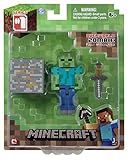
- Overworld Zombie
- Overworld Zombie
- Iron Ore Block
- Collect all Series #1 Minecraft action figures
Product prices and availability are accurate as of the date/time indicated and are subject to change. Any price and availability information displayed on Amazon at the time of purchase will apply.




