
What’s actually slowing this PC down?
Pick the symptom - the matching free tool is one click away.
Dev Error 6032 has no confirmed universal cause. On Xbox, restart the console, clear the game’s reserved space, verify content packs, and reinstall only if needed. On PC, restart Windows and the launcher, repair the installation, update Windows and graphics drivers, then test with overlays disabled. If the crash continues, check Activision’s current issue tracker and submit a bug or crash report.
The code has been reported in Warzone, Modern Warfare and Vanguard during launch, lobby, matchmaking and map loading. Treat corrupted files, incomplete packs, cache state, overlays, storage location and update incompatibility as troubleshooting hypotheses rather than a decoded meaning of “6032.”
| # | Preview | Product | Price | |
|---|---|---|---|---|
| 1 |
|
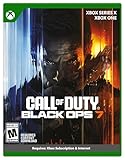
Call of Duty: Black Ops 7 | Cross-Gen Bundle | XBOX Series X and XBOX One | $34.99 | Buy on Amazon |
| 2 |

|
Call of Duty: Modern Warfare 4 | Standard Edition | XBOX Series X | $69.99 | Buy on Amazon |
| 3 |

|
Call of Duty: Black Ops Cold War (Xbox X) | $26.99 | Buy on Amazon |
As an Amazon Associate I earn from qualifying purchases.
What Dev Error 6032 means
Dev Error 6032 is a Call of Duty crash code seen on Xbox and Windows PCs. Depending on the build, the game may close to the dashboard or desktop, return you to the main menu, or fail while joining a lobby, starting matchmaking or loading a map. Some dialogs append a filename, attachment name or map asset.
Neither the number nor an attached filename identifies one proven fault. Available reports repeatedly point to damaged or incomplete game data, a bad reserved-space or cache state, conflicting overlay software, an installation-location problem or incompatibility introduced by an update. Those are possible causes, not an official diagnosis. The same code can therefore require different fixes on different installations.
#1 Best Overall
- XBOX CROSS-GEN BUNDLE – Includes Call of Duty: Black Ops 7 for Xbox Series X, and Xbox One devices with a disc drive.
- CALL OF DUTY: BLACK OPS 7 – Treyarch and Raven Software are bringing players the most mind-bending Black Ops ever.
- CAMPAIGN MODE – Squad up or go solo in an innovative Co-Op Campaign that redefines the Black Ops experience. Take on high-stakes challenges across a wide spectrum of environments, from the neon-lit rooftops of Japan to the Mediterranean coast, and even into the deepest corners of the human psyche.
- MULTIPLAYER MODE – Multiplayer explodes out of the gate with 16 electrifying 6v6 maps and two 20v20 maps at launch. From futuristic Tokyo vistas to the frozen, unforgiving wilds of Alaska, every environment is brimming with danger and opportunity. Master a cutting-edge arsenal and outmaneuver your enemies with an evolved Omnimovement system.
- ROUND-BASED ZOMBIES MODE – The nightmare begins where reality ends. Trapped in the heart of the Dark Aether, the crew is thrust into a vast, ever-shifting hellscape. This isn’t just survival. It’s a descent into madness.
Activision maintains a live known-issues page. Its description says: “This page contains a running list of issues that have been identified or reported in Call of Duty®: Warzone™ and are either under investigation or scheduled to be fixed.” A listed issue or pending update can explain a crash that local repair steps cannot resolve.
Identify the failure before changing anything
Record four details first. They determine which branch below is least disruptive.
- Platform: Xbox console, Xbox app on Windows, Battle.net, Steam or another PC launcher.
- Game and mode: Warzone, Modern Warfare or Vanguard, plus whether the crash happens in campaign, multiplayer, a specific map or a particular playlist.
- Stage: launch, lobby, matchmaking, loading screen or immediately after an update.
- Message details: the complete error text and any filename, attachment or map name shown with 6032.
Do not assume a fix that works for one platform applies to another. A reserved-space reset is an Xbox procedure; Battle.net’s Scan and Repair is a PC procedure; and an Xbox-on-PC installation has its own Windows repair menu.
Do these 3 things before closing this tab:
1Clear out junk files and repair common Windows errors2Fix the driver behind crashes, sound loss and screen glitches3Repair Windows errors before they cause bigger problems| Clue | Most relevant first checks | What the clue does not prove |
|---|---|---|
| Crash during launch or after a patch | Restart, then repair or scan the installation and check for missing updates | It does not prove the update itself is defective |
| Crash while loading one map or content type | Verify the associated content packs; capture the displayed filename | The filename is not a confirmed diagnosis |
| Xbox returns to the dashboard | Full restart, reserved-space check, then content-pack verification | Reserved space is only one possible explanation |
| PC crashes with overlays running | Disable overlays temporarily and test a clean launch | An overlay is not confirmed as the cause until the test changes the result |
How to fix Dev Error 6032 on Xbox
1. Perform a complete console restart
Use a full restart rather than simply returning to the Home screen. Close Call of Duty, restart the Xbox from its power menu, wait for the dashboard to load completely, and launch the game again. This clears temporary state with the least risk and should always precede data deletion or reinstallation.
2. Clear Call of Duty’s reserved space
An independent troubleshooting guide identifies corrupted reserved space as a recurring Xbox-side explanation. The path is:
- Highlight Call of Duty in My games & apps.
- Press the Menu button and choose Manage game and add-ons.
- Open Saved data.
- Select Reserved space and choose the option to clear it.
- Read the confirmation prompt before accepting it, then start the game so it can recreate the space.
That guide says clearing reserved space does not delete campaign saves or account progress. The console’s confirmation screen is the authority for the installed build, so read its wording carefully and do not select a different saved-data entry by mistake. The first launch may need to rebuild or redownload temporary data.
3. Check required content packs
Call of Duty installations can separate the base application from multiplayer, campaign, texture or map packs. A missing or damaged pack can fail at the point where that content is requested. In Manage game and add-ons, inspect the installed list and compare it with the packs required by your edition and mode. Reinstall the affected pack, or the complete game if the installation does not identify one clearly. Community reports describe this as useful but not guaranteed.
Free tools Windows power users keep installed
One-click scans. No signup required.
4. Test internal storage if the game is on an external drive
Some players reported fewer 6032 crashes after moving Warzone from an external drive to the Xbox’s internal storage. This is an anecdotal observation, not a supported success rate or universal remedy. Move the existing installation when possible instead of deleting it, allow the transfer to finish, and test the same activity that previously failed.
5. Reinstall only after the lower-risk checks
If the error remains after a restart, reserved-space reset and content-pack verification, uninstall and reinstall the affected game or packs. Reinstallation can replace damaged files, but reports do not establish how often it works. Ensure you have enough free internal storage and time for every required update before beginning.
6. Escalate an unresolved console crash
Check Activision’s current known-issues tracker before repeating the installation. If no matching issue is listed, use Activision’s bug-report form or support hub. Include the game, Xbox model, mode, failure stage, update timing, attached filename and the steps already tried. This prevents support from sending you through the same steps without context.
Rank #2
- BONUS 2X OFFER — Purchase Call of Duty: Modern Warfare 4 at Amazon and receive 5 hours of Double XP.**
- PRE-ORDER BONUS — Pre-order and unlock the Hunter Killer Operator Skin and the Gilded Pearl Camo Pack.*
- GLOBE‑SPANNING CAMPAIGN — Fight across the Korean Peninsula, New York, Paris, and Mumbai in a high‑stakes narrative where global conflict escalates and survival depends on tactical precision.
- MULTIPLAYER BUILT ON CONTROL — Engage in grounded, precise combat where fluid movement, player choice, and refined mechanics give you greater control in every firefight.
- TACTICAL DMZ OPERATIONS — Deploy behind enemy lines as an off‑the‑books asset, making high‑risk decisions on objectives and extraction in a dynamic mode where every run counts.
How to fix Dev Error 6032 on PC
1. Restart Windows and the launcher
Exit Call of Duty and its launcher completely, restart Windows, then open the launcher again. Blizzard lists a computer restart as an initial response to installation and patching problems. If the launcher has a pending update, let it finish before starting the game.
The Tool Desk
Outbyte Driver Updater FREEScan for outdated or missing drivers - takes under a minuteDriver Scan →Outbyte PC Repair FREERepair Windows errors before they cause bigger problemsFix Now →2. Repair the installation in Battle.net
For a Battle.net installation, use the built-in file check:
- Open Battle.net and select the Call of Duty game.
- Open the game’s Options menu.
- Choose Scan and Repair.
- Start the scan and allow Battle.net to download or replace damaged files.
- Launch the game after the repair completes, without adding other changes until you can test it.
The menu wording can vary with the launcher and game build. Do not interrupt the scan or manually delete game files while it is running.
3. Repair an Xbox-on-PC installation
For the Windows Xbox app version, Activision’s current troubleshooting material documents a repair path for 0x errors that can also be useful when installation data is suspect:
- Open Windows Settings.
- Go to Apps and then Installed apps.
- Select Call of Duty.
- Open Advanced options.
- Choose Terminate, then Repair.
Exact labels can differ by Windows release and game package. If Repair is unavailable, use the launcher’s own file-validation option instead of deleting folders manually.
Recommended Free Tools
4. Update Windows and the graphics driver
Install pending Windows updates and the current driver for your graphics hardware, then restart. Blizzard recommends operating-system and driver updates for compatibility problems. Avoid changing several driver settings at once; if the crash began immediately after a driver change, record that timing for your support report.
5. Disable overlays for one controlled test
Temporarily turn off the Steam Overlay, Discord Overlay, Xbox Game Bar and any other in-game overlay or monitoring layer. Launch Call of Duty and repeat the action that produced 6032. If the crash stops, re-enable overlays one at a time to identify a conflict. If nothing changes, restore your preferred overlays rather than leaving unrelated features disabled.
6. Check security software, proxies and the connection
Blizzard’s general installation and patching guidance recommends allowing Blizzard applications through security software, disabling configured proxies and optimizing an unstable wireless connection. These are broad launcher remedies, not a confirmed 6032-specific cure. Make one change at a time, keep a note of the original setting, and restore it if it has no effect.
7. Reinstall the launcher or game as a last local step
If file repair, updates and the overlay test fail, reinstall the game or the relevant launcher. A launcher reinstall may be appropriate when patching itself is broken; a complete game reinstall is more disruptive and should follow confirmation that storage and bandwidth are available. Submit an Activision crash report or bug report if a clean installation still produces 6032.
Choose the remedy by platform and failure stage
| Platform and launcher | Failure stage | Start here | Escalate when |
|---|---|---|---|
| Xbox console | Any stage, especially dashboard return | Full restart, then reserved-space check | Content packs and reinstall do not change the behavior |
| Xbox console | One map or mode | Inspect and reinstall the relevant content pack | The same asset fails after a clean pack install |
| Battle.net on PC | Launch, lobby or map load | Restart Windows, then Options → Scan and Repair | Repair completes but the crash persists with overlays off |
| Xbox app on Windows | Launch or update-related failure | Settings → Apps → Installed apps → Call of Duty → Advanced options → Terminate → Repair | Repair is unavailable or has no effect |
| Any PC launcher | Crash only with overlay features active | Disable overlays and test one clean launch | The crash occurs with every overlay disabled |
What is official, secondary or anecdotal
Activision officially provides a known-issues tracker, bug-report form and PC crash-report route. Blizzard officially supports restart, operating-system and driver updates, security-software exceptions, proxy checks, connectivity checks and launcher reinstallation for relevant launcher problems.
Rank #3
- As Elite operatives, you will Follow the trail of a shadowy Figure named perseus who is on a mission to destabilize the global balance of power and change the course of history.
- Descend into the dark center of this global conspiracy alongside iconic characters woods, Mason and hudson and a new cast of operatives attempting to stop a plot decades in the making.
- Beyond the campaign, players will bring a cold war arsenal of weapons and equipment into the next generation of multiplayer and Zombies experiences.
- Includes Xbox x, and Xbox One version of game on disc. Xbox x standard editions playable on Xbox One. Not playable on disc less Xbox series S.
- Some features may require an internet connection and an online subscription
A Windows troubleshooting guide attributes 6032 broadly to corrupted files or incompatibility and supplies the reserved-space, repair and overlay procedures above. It is procedural secondary guidance, not an Activision diagnosis.
Community observations include moving an installation from external to internal storage, reinstalling, waiting for a later update and changing HDR10 settings. Results conflict between users, and no reliable success rate exists for any of them. HDR10 changes should therefore be treated as an optional display experiment, not a standard fix; record the original setting so it can be restored.
Use the attached filename as evidence, not a verdict
If the dialog names a map, attachment or asset, write it down exactly. A repeated name can help support staff identify a damaged pack or a known issue, and it tells you which mode to test after a repair. It still does not prove that the named file is the sole cause: the failure may come from a broader installation, cache or update problem.
Quick wins for a faster PC:
Fix the driver behind crashes, sound loss and screen glitchesFind Drivers →Clear out junk files and repair common Windows errorsFree Scan →What to include in a support report
A concise report is more useful than a generic statement that the game “keeps crashing.” Include:
- Xbox model or Windows version and PC launcher.
- Game title, edition and affected mode or map.
- Whether 6032 appears at launch, in a lobby, during matchmaking or while loading.
- The full text of the dialog, including any filename.
- The date of the last successful launch and any update installed before the failures.
- Whether the game is on internal or external storage.
- Every repair attempted, in order, and whether the result changed.
Check Activision’s known-issues page immediately before submitting the report. If the issue is already listed, follow its status and attached workaround rather than repeatedly reinstalling.
Frequently asked questions
Will clearing reserved space delete my campaign or account progress?
The independent Xbox guide used for this procedure says it does not delete campaign saves or account progress. Because Xbox presents several saved-data entries, read the on-screen prompt and select only Reserved space, not the profile or saved-game data entry.
Should I buy a new drive, router or cable to fix 6032?
No purchase is established as necessary. The evidence supports software checks, content verification, storage-location testing and official reporting; it does not establish that new hardware resolves this code.
Is changing HDR10 a reliable fix?
No. One community report associated an HDR10 change with improvement, while other reports do not establish the same result. Keep it as an optional, reversible test only after standard repair steps.
Frequently Asked Questions
Can Dev Error 6032 be fixed permanently?
There is no confirmed universal fix or published success rate. The durable solution depends on whether the individual installation has damaged data, missing content, an overlay conflict, an update issue or a problem already tracked by Activision.
Why does 6032 happen only when one map loads?
That pattern makes a missing or damaged content pack worth checking first, but the displayed map or asset name is a clue rather than proof of the root cause.
Quick Recap
Product prices and availability are accurate as of the date/time indicated and are subject to change. Any price and availability information displayed on Amazon at the time of purchase will apply.

