Short answer: No current official PUBG Lite for PC download or working global Lite launcher could be verified as of August 18, 2026. The supported official way to play PUBG on Windows is PUBG: BATTLEGROUNDS through Steam or the Epic Games Store.
Do not download a supposed “latest PUBG Lite launcher,” cracked installer, repack, torrent, APK mirror, or modified executable from a third-party site. An old installer may still run its setup wizard but fail during authentication, updating, matchmaking, anti-cheat checks, or server connection.
As an Amazon Associate I earn from qualifying purchases.
What happened to PUBG Lite for PC?
PUBG Lite for PC was a separate, lower-spec Windows version of PUBG. Older PUBG support material described LITE as its own product for lower-end computers, but that historical documentation does not confirm a working service or current download in 2026. You can review the older description on PUBG Support.
The important distinction is between a file and a functioning online game. A preserved launcher cannot recreate discontinued authentication, patching, anti-cheat, account, or matchmaking services. Search results showing “PUBG Lite PC” therefore do not prove that the service is currently available.
#1 Best Overall

- PLAYERUNKNOWN'S BATTLEGROUNDS is a last-one-standing shooter being developed with community feedback. Game is unfinished and work in progress
- Xbox One Console Exclusive
- Xbox One X Enhanced
- Parachute onto a massive remote island with nothing but your wits and the clothes on your back
- Defeat every player on the map to earn your bragging rights as the last player left standing
Is there a current official PUBG Lite launcher?
No current official PC Lite launcher was identified in the reviewed Steam, Epic Games, PUBG, or PUBG Support channels. Steam and Epic are official distribution platforms for the regular PC game—not PUBG Lite launchers.
The current official PC title is PUBG: BATTLEGROUNDS. It is listed as free-to-play on Steam and as free to play with optional in-game purchases on the Epic Games Store.
The official way to play PUBG on PC now
Install through Steam
- Open the official Steam client or visit the PUBG: BATTLEGROUNDS Steam page.
- Search for PUBG: BATTLEGROUNDS and select Play Game or the current install option.
- Choose a drive with enough free space. Steam currently lists 40 GB minimum storage and 50 GB recommended storage.
- Allow Steam to download the game and its updates.
- Launch PUBG from your Steam Library.
- Complete any required Steam or KRAFTON sign-in and account-linking prompts.
Install through the Epic Games Store
- Open or install the Epic Games Launcher.
- Search for PUBG: BATTLEGROUNDS.
- Select Get, or the equivalent current free-acquisition button.
- Install the game from your Epic Games Library.
- Launch it through Epic and complete any required account-linking steps.
There is no command-line installation command required. The safest route is to use the platform client rather than downloading a standalone executable.
What’s actually slowing this PC down?
Pick the symptom - the matching free tool is one click away.
Current PC requirements
The following figures come from current store listings and are not a guarantee of a particular frame rate. Integrated graphics, thermal throttling, slow storage, background applications, and laptop power limits can produce worse results.
| Component | Minimum | Recommended |
|---|---|---|
| Operating system | 64-bit Windows 10 | 64-bit Windows 10 |
| CPU | Intel Core i5-4430 / AMD FX-6300 | Intel Core i5-6600K / AMD Ryzen 5 1600 |
| Memory | 8 GB RAM | 16 GB RAM |
| GPU | NVIDIA GTX 960 2 GB / AMD Radeon R7 370 2 GB | NVIDIA GTX 1060 3 GB / AMD Radeon RX 580 4 GB |
| DirectX | Version 11 | Version 11 |
| Storage | 40 GB | 50 GB |
| Internet | Broadband connection | Broadband connection |
Check the store page you will actually use before installing. Requirements can differ by distribution channel or page revision; for example, the regional Kakao Games PC page currently lists 30 GB storage and Windows 10 64-bit or later.
Rank #2

- Land, loot and outwit your opponents
- Become the last player left standing
- Thrilling Battle Royale Experience
- PlayStation Plus Required
PUBG no longer supports launching the PC game on Windows 7, Windows 8, or Windows 8.1 after January 1, 2024. The platform-support announcement is available on PUBG.com.
PUBG Lite PC vs PUBG MOBILE LITE vs PUBG: BATTLEGROUNDS
| Product | Platform | Current status | Native Windows game? | Key distinction |
|---|---|---|---|---|
| PUBG Lite for PC | Windows | No current official download or active global service could be verified | Yes, historically | Former lightweight PC version |
| PUBG: BATTLEGROUNDS | Windows PC | Current official PC game | Yes | Full PC PUBG ecosystem, distributed through Steam and Epic |
| PUBG MOBILE LITE | Android-focused mobile | Separate mobile product | No | Designed for lower-memory mobile devices, with a 60-player map and roughly 500 MB installation package |
PUBG MOBILE LITE’s official site identifies it as a mobile title and states that its accounts are not shared with PUBG MOBILE. It is not the former native Windows PUBG Lite game. An Android emulator may run some mobile software, but it does not transform PUBG MOBILE LITE into PUBG Lite for PC and introduces separate performance, control, anti-cheat, and account-policy considerations.
Crashes, No Sound, or Screen Glitches?
Random freezes, missing sound and display glitches usually trace back to one bad driver. Find and replace yours safely.Free scan · under a minutePC Slower Than It Used to Be?
A free scan shows the junk files, broken settings and background clutter dragging Windows down - then fixes them in one click.Free scan · Windows 10 & 11Can you play PUBG globally?
PUBG: BATTLEGROUNDS is distributed internationally through Steam and Epic where the service is offered, but “global” does not mean unrestricted access in every country. Store availability, age requirements, account rules, payment systems, matchmaking regions, and service access can vary by territory.
Your location and connection also affect latency and matchmaking. A VPN cannot turn an unavailable or unsupported PUBG Lite client into an official global service. It may increase ping and create account, payment, or terms-of-service complications. Treat any download page promising “global servers” for a 2026 PUBG Lite launcher as an unverified claim unless it points to a current first-party announcement and official download page.
How to spot a fake PUBG Lite download
Do not pursue a download when the page:
- Is not hosted on an official PUBG, Steam, Epic, or clearly identified regional publisher domain.
- Promises a “latest” PUBG Lite launcher in 2026.
- Provides a standalone
.exe, torrent, repack, crack, or modified client. - Asks you to disable Windows Security or antivirus protection.
- Requires a VPN to unlock supposedly global Lite servers.
- Promises unlimited FPS, free premium items, bypassed anti-cheat, or private servers.
- Redirects through multiple download hosts, pop-ups, or URL shorteners.
These pages can distribute password-stealing malware, fake launchers, browser-notification scams, bundled adware, or modified anti-cheat files. If you already ran an untrusted installer, disconnect from the internet if necessary, scan the PC with updated security software, uninstall the suspicious program, change important passwords from a clean device, and review active browser extensions and account sessions.
Rank #3
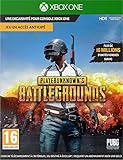
- PLAYERUNKNOWN'S BATTLEGROUNDS is the definitive battle royale experience, pitting 100 players against each other in a struggle for survival across a variety of thrilling and immersive environments Not Just a Game - This is Battle Royale
- Now in Full Product release on Xbox One Xbox live Gold required to play (sold separately)
- Full Product Release game includes 3 maps: the original game map, Erangel, the desert themed map, Miramar and new to the 10 release the 4x4 tropical themed map, Sanhok, featuring all-new weapons and vehicles
- Includes the #10/99 DLC Pack, featuring an exclusive set of clothing and accessories to celebrate the final release of the game on Xbox One
- Xbox One Console launch exclusive and Xbox One x enhanced
What if your PC cannot run current PUBG?
- Check the operating system first. Upgrade from Windows 7, 8, or 8.1 if the hardware supports a current Windows release.
- Compare every requirement. Meeting the RAM requirement does not compensate for a GPU below the listed minimum.
- Update the graphics driver. Get it from NVIDIA, AMD, or Intel rather than a generic driver-download utility.
- Use lower in-game settings after installation. This can improve performance, but it cannot make unsupported hardware equivalent to the minimum specification.
- Consider hardware upgrades carefully. Moving from 8 GB to 16 GB RAM or installing an SSD may improve responsiveness and loading. Neither guarantees acceptable FPS if the GPU is too weak.
- Choose another legitimately distributed low-spec game if the computer remains below the current PUBG requirements.
PUBG MOBILE LITE can be considered only as a separate mobile product. It should not be marketed or treated as an official PC Lite replacement.
Recommended Free Tools
Troubleshooting the official PC game
- Confirm that you are using 64-bit Windows 10 or newer.
- Install pending Windows updates.
- Update the graphics driver from the GPU manufacturer.
- Restart the computer and the relevant launcher.
- Remove Steam launch options or unsupported tweaks.
- Use Steam’s or Epic’s built-in file-verification function.
- Temporarily disable conflicting overlays or background utilities.
- Check official PUBG service-status and support channels before reinstalling.
- For connection problems, test a wired connection and restart the router.
PUBG’s official connectivity guide includes launcher and computer restarts, removing Steam launch options, checking the installation path, updating Windows, and using a wired connection where possible. Steam technical help is available through Steam Support, and Epic users can use the PUBG Epic support portal.
As an optional network-recovery step, you can open Command Prompt and run:
ipconfig /release
ipconfig /flushdns
ipconfig /renew
These commands affect Windows network configuration and may temporarily interrupt connectivity. They do not install PUBG Lite or restore discontinued servers.
Independent reader supportYour contribution helps us test, update, and keep practical guides available for everyone.Why the full PUBG game is free but PUBG Lite is not available
PUBG: BATTLEGROUNDS began its free-to-play transition on January 12, 2022. That change applied to the main PUBG service; it did not restore the former Lite client. The transition announcement is documented on PUBG.com.
Quick wins for a faster PC:
Scan for outdated or missing drivers - takes under a minuteDriver Scan →Repair Windows errors before they cause bigger problemsFix Now →Fix the driver behind crashes, sound loss and screen glitchesFind Drivers →Rank #4

- ✅【Using Tips】These Mobile Game controllers are using the sensitive real mouse micro switch inside. So there are several phones which have the electromagnetic problems. This will cause the triggers touch the screen automatically. Please do not worry about this and you just need to turn off the screen for 10 seconds and turn on the screen again. This issue will solved right away.
- ✅【Perfect Compatibility】These Mobile Game controllers are compatible with iPhone, iPad and most Android Phones, without even remove your case.(The thickness of the compatible mobile phone should be not more than 13mm.) These 6-fingers-operation mobile game controllers are suitable for a variety of shooting games, including PUBG, Call of Duty, Fortnite, Knives Out, Rules of Survival, Survivor Royale, Critical Ops etc. As long as the game allows customizing and draging the keys.
- ✅【Small and Lightweight】The PUBG game triggers are portable and tiny for you to put them into your pocket, and have them for gaming when in office, school, trip, camping and play games anywhere and anytime. With the 6 trigger PUBG mobile controller, you can simultaneously move, turn, aim and shoot by using the index fingers to press the buttons, which can eliminate the trouble that use thumbs only to make all operations.
- ✅【Mechanical Touch】4 triggers PUBG mobile controller designed for longevity with greater durability and responsiveness, more than 2 million click. Fast mechanical keys with medium resistance, precise actuation, audible click sound, and tactile bump feedback. Easy To Use, High Sensitive, Physical Button Feedback. Using this PUBG mobile game controller, you can move, angle adjust, aim and shoot at the same time with the thumbs and index fingers of the left and right hand.
- ✅【Super Gaming Experience】This PUBG game triggers is made of ABS and alloy, durable and ergonomic. 6 trigger PUBG mobile controller electroplated alloy materials, mouse buttons, smooth touch, six-finger linkage, auxiliary pressure grab, one-second burst, dominate the game battlefield, and enjoy the ultimate gaming experience. Call of Duty mobile controller are sensitive to shoot and aim, no Power supply and driver needed, easy to use and high precision, increase your game score!
Bottom line
Do not download a supposed current PUBG Lite PC launcher from an unofficial site. No working official global PC Lite download could be verified as of August 18, 2026. If your computer meets the published requirements, install the current free-to-play PUBG: BATTLEGROUNDS through Steam or Epic. If it does not, upgrade supported components or choose a different legitimate low-spec game rather than trusting a malware-prone “Lite” installer.
Frequently Asked Questions
Is PUBG Lite for PC still available in 2026?
No current official PUBG Lite for PC download or working global Lite service could be verified as of August 18, 2026.
What is the official PUBG launcher for PC?
The official installation routes for the current PC game, PUBG: BATTLEGROUNDS, are Steam and the Epic Games Launcher. Neither is a PUBG Lite launcher.
Can PUBG MOBILE LITE replace PUBG Lite for PC?
No. PUBG MOBILE LITE is a separate Android-focused product and is not the former native Windows game.
Does PUBG support Windows 7 or Windows 8?
No. PUBG ended support for launching the PC game on Windows 7, Windows 8, and Windows 8.1 after January 1, 2024.
The Bottom Line
Use Steam or Epic for PUBG: BATTLEGROUNDS; avoid every unofficial “PUBG Lite PC” launcher.
Quick Recap
Product prices and availability are accurate as of the date/time indicated and are subject to change. Any price and availability information displayed on Amazon at the time of purchase will apply.




