
Usually, yes. On PS5, you can often install only the Call of Duty modes you want instead of downloading the campaign or Warzone. The exact answer depends on the specific release, edition, and feature: Black Ops 7 offers selectable content during setup, Warzone is a separate download, and some launcher-dependent features can still direct you through a Warzone installation.
The short answer depends on the Call of Duty title
Call of Duty is no longer installed as one identical package across every release. The installation choices shown on your PS5 can change according to the game, edition, ownership method, and mode you are trying to use.
| # | Preview | Product | Price | |
|---|---|---|---|---|
| 1 |
|
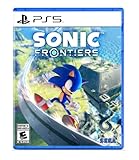
Sonic Frontiers - PlayStation 5 | $19.93 | Buy on Amazon |
| 2 |

|
Crimson Desert: Standard Edition - PlayStation 5 | $62.99 | Buy on Amazon |
| 3 |

|
Call of Duty®: Black Ops 6 - PlayStation 5 | $31.99 | Buy on Amazon |
| 4 |
|
Sonic: Frontiers (PS5) | $25.99 | Buy on Amazon |
| 5 |
|
KontrolFreek Call of Duty: Black Ops 7 Aim Boost Kit | Collector’s Edition for PlayStation 5... | $24.99 | Buy on Amazon |
As an Amazon Associate I earn from qualifying purchases.
For Call of Duty: Black Ops 7, Activision provides an Install Options screen. You can clear Select All and choose only the campaign, multiplayer, Zombies, or other content tiles you need. Leaving the campaign unchecked allows you to install the other selected modes without downloading the campaign files.
Free tools Windows power users keep installed
One-click scans. No signup required.
Warzone follows a different route. It has its own PS5 download entry in Game Library, so installing multiplayer or another selected component of a paid Call of Duty game does not automatically install Warzone. The exception is a feature that depends on the Call of Duty launcher. Activision’s Endgame instructions, for example, say that players without the launcher must use the platform marketplace to find Warzone and install the Endgame option. In that situation, Warzone can be part of the installation path even if you do not intend to play Warzone matches.
#1 Best Overall
- Race across five massive overworlcl islands, each with their own unique action-platforming challenges and hidden secrets to uncover
- Blaze a trail as you see fit and discover side quests, solve puzzles, scale enormous structures, go fishing, and encounter a firendly face or two along the way
- Unlock Cyber Space levels featuring signature 3D platforming at Sonic speeds and a variety of challenges to test your skills like never before
- Use the all-new battle system and skill tree upgrades, combining moves such as dodges, parries, counters, combos, and the new Cyloop ability to take down mysterious foes
- Become Sonic and journey to uncover the mysteries of the remains of an ancient civilization plagued by robotic hordes
What you can install on Black Ops 7
Use Install Options during the first download
- Update your PS5 system software before starting the download.
- Open Game Library on the PS5 home screen.
- Select Call of Duty: Black Ops 7, or the Black Ops 7 entry associated with your purchase.
- Choose Download.
- When Install Options appears, choose Select All to clear every selected content tile.
- Tick only the modes or packs you intend to use, then select Install.
The labels shown in this screen are the deciding evidence for your particular edition. If Campaign is listed as a separate tile, leave it unchecked. If a mode is bundled into another pack, the PS5 may not offer an independent checkbox for it.
Change the selection after the game is installed
Launch Call of Duty and open Menu > Manage Files. Activision describes this file-management system as a way to reduce the storage used by the Call of Duty library. From this menu, install content you later decide to play and uninstall available packs you no longer need.
For example, a player who finished the campaign can open Manage Files and remove the campaign pack if it is offered as removable content. A player who starts with multiplayer can add Zombies later without reinstalling every mode. The available choices depend on the release and edition, so use the content names shown in your own Manage Files screen rather than assuming every mode is separable.
Do you need Warzone for multiplayer?
No, not for every Call of Duty multiplayer installation. Warzone is distributed as a separate PS5 download. Activision’s Warzone setup route is to open Game Library, select Call of Duty: Warzone, and choose Download. That separate listing means a paid Call of Duty game’s selected multiplayer files do not, by themselves, require Warzone to be installed.
Rank #2
- Join Kliff, captain of the Greymanes, and his comrades as they embark on a relentless journey to defend Pywel and fulfill their mission.
- Along your perilous path stands both dependable allies and countless foes who will stop at nothing to see your downfall.
- Face trials to uncover the truth of the catastrophe looming over Pywel and restore peace to the continent.
- Explore the mesmerizing landscapes of the continent where mystical beings, hidden treasures, and thrilling adventures await.
- Pre-order to receive the Khaled Shield (Pre Order Code on Receipt). PS5 Editions include the Grotevant Plate Set DLC as a PS5 exclusive bonus. (In Pack DLC Voucher). Bonus DLC Includes: Grotevan Plate Helm, Grotevan Plate Armor, along with Grotevan cloak, gloves, and boots!
There is an important distinction between a mode and a launcher. If you are playing the multiplayer included with a specific paid release, select that game’s multiplayer content in Install Options or Manage Files. If you are trying to access a feature that Activision connects to the Call of Duty launcher, follow the installation requirement for that feature even when you do not want the free-to-play Warzone modes.
Why the PS5 may ask for Warzone
The request usually means that the feature you selected is tied to the shared Call of Duty launcher or to an install option delivered through the Warzone listing. Activision specifically documents this situation for Endgame: players who do not have the Call of Duty launcher installed are directed to the platform marketplace to find Warzone and install the Endgame option.
This does not mean that every Call of Duty mode requires Warzone. Check the feature name in the prompt. A Warzone request for a launcher-dependent feature is different from a requirement to install Warzone in order to play ordinary multiplayer.
What’s actually slowing this PC down?
Pick the symptom - the matching free tool is one click away.
Installation choices by release
| Release or component | PS5 installation behavior documented by Activision | What it means for storage and modes |
|---|---|---|
| Black Ops 7 | Install Options lets you clear Select All and choose specific content before installation. | You can omit Campaign or another separately offered component and install only the modes you select. |
| Call of Duty: Warzone | Warzone has its own Game Library entry and Download action. | It is not automatically required when you install selected content from a paid Call of Duty title, unless a feature’s launcher path requires it. |
| Black Ops 6 | Activision’s guide, updated May 7, 2026, describes Black Ops 6 as a standalone title across platforms; disc owners still need the Call of Duty experience to install the game. | Do not assume Black Ops 7’s selectable-content behavior applies identically to Black Ops 6. |
The table is intentionally title-specific. Activision’s documentation establishes different packaging for Black Ops 6 and Black Ops 7, so the name of the game on your PS5 matters more than a general rule about “Call of Duty” installs.
Rank #3
- Developed by Treyarch and Raven, Call of Duty: Black Ops 6 is a spy action thriller set in the early 90s, a period of transition and upheaval in global politics, characterized by the end of the Cold War and the rise of the United States as a single superpower.
- This is signature Black Ops across a cinematic single-player Campaign, a best-in-class Multiplayer experience, and the epic return of Round-Based Zombies.
- The Black Ops 6 Campaign provides dynamic moment-to-moment gameplay that includes a variety of play spaces with blockbuster set pieces and action-packed moments, high-stakes heists, and cloak-and-dagger spy activity.
- In a best-in-class Multiplayer experience, players will test their skills across 16 new maps at launch, including 12 core 6v6 maps and 4 Strike maps that can be played 2v2 or 6v6.
- Black Ops 6 also marks the epic return of Round-Based Zombies, the fan-favorite mode where players will take down hordes of the undead in two brand-new maps at launch. Post-launch, players can look forward to even more exciting maps and groundbreaking experiences dropping into both Multiplayer and Zombies.
How to install only the modes you need
If you want multiplayer but not Campaign
- Select the exact Call of Duty release you own in Game Library.
- Start Download and wait for the Install Options screen if the release provides one.
- Clear Select All.
- Select the multiplayer tile and any required shared or mode-specific pack displayed with it.
- Leave Campaign unchecked, then select Install.
After launch, use Menu > Manage Files to verify which packs are installed. If multiplayer is not playable, return to that menu and read the dependency or required-content labels shown for the multiplayer tile; do not install unrelated modes simply because they appear in the list.
If you want Campaign but not Warzone
Select Campaign in Install Options and leave Warzone out. Warzone is a separate download, so you do not need to add it merely to play a campaign that belongs to the paid release. If the game presents a launcher prompt, identify whether the prompt concerns the campaign itself or a separate launcher-dependent feature such as Endgame.
If you want Zombies or co-op only
Clear Select All, choose the Zombies or co-op content tile shown for your release, and install any shared files that the screen marks as required. Because content grouping differs between releases, the absence of a standalone checkbox does not prove that the mode is unavailable; it may be bundled in a larger pack.
Digital and disc editions
Your ownership method can change the first installation step. Digital owners select the purchased title from Game Library. Disc owners insert the disc and follow the PS5 installation flow; Activision’s Black Ops 6 guidance says disc owners still need the Call of Duty experience installed for the game.
Rank #4
- Race across five massive overworlcl islands, each with their own unique action-platforming challenges and hidden secrets to uncover
- Blaze a trail as you see fit and discover side quests, solve puzzles, scale enormous structures, go fishing, and encounter a firendly face or two along the way
- Unlock Cyber Space levels featuring signature 3D platforming at Sonic speeds and a variety of challenges to test your skills like never before
- Use the all-new battle system and skill tree upgrades, combining moves such as dodges, parries, counters, combos, and the new Cyloop ability to take down mysterious foes
- Become Sonic and journey to uncover the mysteries of the remains of an ancient civilization plagued by robotic hordes
Once the title is recognized, the useful test is the same: look for Install Options and inspect the content tiles. Do not infer the disc’s file layout from a digital edition, or assume that a previous Call of Duty release uses the same package structure.
Why campaign files may still appear
- The release groups content differently. A title may offer Campaign as a separate option, while another release may bundle files or present fewer choices.
- The launcher is shared. Some features are delivered through the Call of Duty launcher even when they are not Warzone matches.
- The game is still completing setup. The initial download can expose more Manage Files choices after the title launches and finishes its required installation.
- You selected Select All. Clearing that control is necessary when the goal is a minimal installation.
- You are looking at a different title entry. Warzone and a paid Call of Duty release have separate PS5 download routes.
These checks explain why two PS5 owners can see different prompts without either console being misconfigured.
How to remove campaign or other unwanted content
- Launch the installed Call of Duty title.
- Open Menu.
- Select Manage Files.
- Review the installed content list and select the campaign pack, Warzone-related content, or another removable component you no longer need.
- Choose the uninstall or remove action shown by the game, then confirm.
Only remove a pack that the menu identifies as removable. Shared files can support more than one mode, and the game may keep them even after you remove Campaign. If the unwanted component is not listed separately, that release does not expose it as an independent removal choice through the current menu.
Recommended Free Tools
What to do when Install Options is missing
First, confirm the title and edition
Read the full game name in Game Library and verify that you are not opening the separate Warzone entry. Then check whether you own a digital or disc edition. Black Ops 6 is documented as a standalone title, while Black Ops 7 has the selectable-content flow described above; those differences are enough to change the screen you see.
Best Value
- MADE FOR CALL OF DUTY - Officially-licensed Black Ops 7 design
- EXCLUSIVE SINPER CASE - Holds Performance thumbsticks and Precision Rings
- INCLUDES IN-GAME ITEM - Comes with in-game weapon charm for Call of Duty Black Ops 7
- PERFECT FOR FPS GAMES - Mixed-rise thumbsticks upgrade your aim and control
- GET MORE CONTROL - Mid-rise left stick upgrades grip and movement
Update before troubleshooting the files
Install the latest available PS5 system software, restart the console if the download interface is stuck, and reopen the title from Game Library. The recommended starting procedure for the Call of Duty installation is to update the system before beginning.
Use Manage Files after launch
If the initial installer does not offer separate campaign and multiplayer choices, launch the game and inspect Menu > Manage Files. Activision designed that system to install or uninstall available content and to reduce the storage used by the Call of Duty library.
Separate a genuine requirement from an optional mode
If a prompt names Warzone while you are selecting Endgame or another launcher-dependent feature, the request may be part of that feature’s documented route. If you are simply installing multiplayer from a paid release, Warzone is not automatically required. Match the prompt to the mode you selected before accepting a large download.
Quick wins for a faster PC:
Scan for outdated or missing drivers - takes under a minuteDriver Scan →Clear out junk files and repair common Windows errorsFree Scan →Storage planning on PS5
Selective installation is useful because Call of Duty content can occupy substantial console storage, but the available saving depends on the packs your release separates. The documented benefit is control: Install Options lets you avoid unwanted components at setup, and Manage Files lets you remove available content later. No universal storage figure applies across all Call of Duty releases, editions, and updates, so rely on the size displayed by your PS5 for the exact pack you are installing.
Keep enough free space for the selected download and for temporary installation data. If the console reports insufficient space, remove other games or media first, then return to Install Options or Manage Files and choose only the content required for your intended mode.
A practical decision checklist
- Identify the release: Black Ops 7, Black Ops 6, Warzone, or another Call of Duty title.
- Identify the mode: multiplayer, Campaign, Zombies, co-op, Endgame, or Warzone.
- Check ownership: digital or disc.
- Look for Install Options: clear Select All and choose the required tiles when available.
- Check Manage Files: use Menu > Manage Files after launch to add or remove available packs.
- Read Warzone prompts carefully: determine whether they are for Warzone matches or for a launcher-dependent feature.
The reliable rule for PS5 players
You can generally play Call of Duty on PS5 without installing the campaign and without installing Warzone, provided the release exposes those components separately and the mode you want does not depend on the shared launcher. Black Ops 7 explicitly supports selecting content during installation. Warzone has a separate download route. Black Ops 6 is documented as a standalone title, so its packaging should not be treated as identical to Black Ops 7.
Use the exact title’s Install Options and Manage Files screens as the final authority. They show which content is optional, which files are shared, and whether the feature you selected has a launcher requirement.
Windows Errors? Fix Them Before They Spread
Repair common Windows errors and clear accumulated junk for a smoother, more stable PC - no reinstall needed.Free scan · no reinstallOutdated Drivers Are Slowing You Down
One free scan finds every outdated or missing driver and matches the right update for your exact hardware.Free scan · exact hardware matchQuick Recap
Product prices and availability are accurate as of the date/time indicated and are subject to change. Any price and availability information displayed on Amazon at the time of purchase will apply.

