
What’s actually slowing this PC down?
Pick the symptom - the matching free tool is one click away.
Yes—but only when the game turns limited inputs into a control language. Timing, press duration, sequences, context and alternate mappings can carry surprisingly deep decisions through one physical button. The trade-off is simultaneous action bandwidth: a single button cannot provide the independent movement, camera, attack, dodge and menu commands that a conventional gamepad exposes at the same moment.
“Single-button handheld” also needs a precise definition. A device with literally one switch is different from a small system such as Playdate, which combines a d-pad, A and B buttons, a crank and a menu button. Playdate is therefore a useful constrained-input example, not a literal one-button console. Whether a complex game works depends on its mechanics and mapping, not on a simple button count.
As an Amazon Associate I earn from qualifying purchases.
What “complex” means when buttons are scarce
Button count is only one measure of complexity. For this question, a complex game is one that creates a meaningful decision load through timing, positioning, resource choices, progression or combinations of actions. It does not necessarily require many controls.
Quick wins for a faster PC:
Scan for outdated or missing drivers - takes under a minuteDriver Scan →Repair Windows errors before they cause bigger problemsFix Now →Fix the driver behind crashes, sound loss and screen glitchesFind Drivers →A game is a good candidate for a one-button interface when its actions can be serialized—performed one after another—or made context-sensitive. A game is a poor candidate when success requires several independent actions to be available simultaneously with very low latency, such as steering, aiming, changing the camera and activating multiple abilities at once.
#1 Best Overall

- 【Game Console with Linux Stylem】Comes with 64G TF Card Preloaded 5570 Classic Games,Support users to download games in relevant 15 kinds of games formats.
- 【supports 5G WIFI Bluetooth 2.4G Wireless Gamepad and Wired Gamepad Connection】 HDMI and TV output function makes the small screen become big screen in seconds, and the joystick connection supports multiplayer games, so you and your friends can enjoy the game together.
- 【3200 mAh Li-polymer battery and 3.5 INCHES OCA IPS screen】you can use for 6-7 hours, support fast charging with USB Type-C cable, With 3.5-inch IPS full viewing angle, zero distance OCA full-fit screen,the screen resolution is 640*480,Sharper picture quality and more saturated colours.
- 【Chip upgrade】with quad-core ARM Cortex-A53, Quad-core PowerVR SGX544MP GPU,makes have the characteristics of low power consumption and high performance. the Ram of the is LPDDR4 1GB, the larger the RAM running memory, the faster the system response time will be.
- 【Ideal gifts】Dimensions of Handled game :12.8cm*8.1cm *2.2cm,is a good size in the hand and is suitable for carrying aroundis a great gift for boyfriend, husband, brother, son, father and friends for birthday, Father's Day, Christmas, Valentines Day, Thanksgiving Day etc. Get lots of compliments on how it’s interesting or practical.
This distinction explains why a compact control scheme can support a demanding rhythm challenge, puzzle, strategy system or timing-heavy adventure while struggling with a conventional action game that assumes a full controller.
How one input carries many actions
Designers multiplex actions: they assign different meanings to the same control according to when, how long or in what context it is used. Kongregate’s description of a one-button game treats “every action” as using one input, while noting that timing and duration can still make the game difficult.
Timing
The instant of the press becomes part of the command. A tap during a narrow window might make a character jump over an obstacle; a tap just after the window might produce a different result or a miss. The challenge comes from reading the situation and choosing the moment, rather than selecting among several buttons.
Duration
A short press and a hold can represent separate actions. A tap might select an item, while holding could charge it, sprint, or open a secondary state. The game must give clear visual or audio feedback so that players know when a hold has crossed its threshold.
Sequences
Two presses separated by a recognizable interval can perform a compound action. Designers can use a press followed by another input, a tap-and-hold release, or a short sequence whose meaning depends on order. Sequences increase expressive range but also increase the amount of control vocabulary a player must learn.
Context
The same button can do different things depending on the character’s state, nearby objects or the current screen. Near a door it could interact; during a jump it could trigger an air action; in a menu it could confirm. Context-sensitive controls reduce the number of buttons, but the game must make the active context obvious and avoid surprising state changes.
Gestures and alternate channels
Double-tap and touch-and-hold variations are established ways to combine functionality. Apple’s interface guidance recommends combining actions into one control and specifically lists tap, double-tap and touch-and-hold patterns. Microsoft’s touch-control guidance likewise documents assigning multiple actions to one control, including simultaneous-action mappings and “pull” actions for compound behavior.
Rank #2
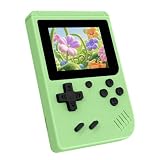
- 3.0 Inch Vivid IPS Disilay: This handheld gaming console comes with a 3.0 inches IPS screen, ensures your enjoys a crystal-clear gaming experience, making every detail come alive.While the vivid colors and sharp images create an immersive world for to explore.Whether on a road trip or just having fun at home, this screen will immerse in the game's world like never before.
- Pre-loaded Classics: This new style of handheld game console is designed to bring fun to young gamers, built-in different classic games. No matter what kind of games you want, you can find them in this retro game console. Let you play games without repetition every day and bring back your memory to the fun,enjoy family entertainment time.
- Friendly Design: This retro game console features an innovative ergonomic design, with a look and feel perfectly suited, making it even more comfortable for to use. Available in beautiful bright and natural colors, handheld video console combines nostalgia with modernity.
- Rechargeable and Uninterrupted Gaming: This video game console comes with a rechargeable battery, one charge is enough to support 5 hours of seamless gaming experience, Your little ones can free to enjoy their favorite games on the go, without worrying battery life.
- Portable & Easy to Use:Lightweight and compact, It fits easily in your pocket or backpack,perfect for travel or sharing with friends.c Plug in and play anywhere, making it the ideal companion for road trips, playdates, or just a rainy day indoors.With a user-friendly interface and intuitive controls, even can navigate through the game library with ease. No complicated setup required – just switch it on and play!It's the ultimate gift for any who who loves gaming!
These techniques can make a device feel more capable than its physical button count suggests. They do not remove the trade-off: the player is exchanging separate controls for timing precision, memory and interpretation.
Input budget: one button versus a conventional handheld
A modern handheld normally exposes many guaranteed inputs. Microsoft’s handheld guidance lists A, B, X, Y, left and right bumpers, left and right triggers, two thumbsticks, a d-pad, menu and view controls. A game can assign movement, camera, attack, jump, dodge, inventory and menus independently.
| Control situation | How actions are separated | Where complexity can live | Main risk |
|---|---|---|---|
| Full gamepad | Different buttons, sticks and triggers can be pressed at once | Simultaneous combat, camera control and movement | Large control vocabulary and more physical demands |
| Literal one-button device | Tap, hold, timing, sequences and context | Rhythm, puzzles, branching choices and serialized actions | Ambiguous states or slow access to independent actions |
| Playdate-style constrained handheld | D-pad, two face buttons, crank and menu, with game-specific mappings | Directional play plus discrete actions and an analog-like crank channel | Some mechanics still depend heavily on crank or game-specific conventions |
The useful comparison is not “few buttons equals simple.” Ask how many independent actions must be available at the same instant, and whether timing or context can replace the missing controls.
Playdate is constrained-input, not literally one-button
The official store describes Playdate as a small yellow game system with a crank. Its package includes a d-pad and A and B buttons, in addition to the crank and menu control. The manual explains that the crank is pulled from the bottom and flipped up for use; the menu button can pause a game, open options or return to the home screen.
Recommended Free Tools
That combination places Playdate between a one-button toy and a full modern gamepad. The d-pad supplies directional input, A and B provide discrete actions, and the crank adds an analog-like rotational channel. A developer can therefore reserve one input for continuous turning while keeping movement or confirmation on the other controls.
Why the crank changes the design space
Rotation can express speed, direction and amount without consuming several buttons. It is useful for mechanisms that would otherwise need repeated taps, such as winding, steering a pointer or controlling a variable. It also changes the physical posture of play: the player must hold the device while turning a control below the screen, so the game should not assume that every action is equally comfortable or equally reachable.
Fallback mappings are a design test
Playdate’s developer guidance says, “When possible, provide d-pad alternatives to crank controls.” Its example maps one jump action to the A button, B button, d-pad up or a crank turn. This is more than an accessibility suggestion; it is a test of whether the mechanic is truly tied to rotation. If equivalent mappings are possible, the action is more likely to survive a constrained interface and different player preferences.
Rank #3

- 139 Exciting 32-Bit Games: Featuring 139 handpicked 32-bit video games,this new style of handheld game console is designed to bring fun to young gamers. Categorized into various genres like Casual, Puzzle and Sports, it doesn't take much thinking to pick your favorite game
- Bigger and More Vibrant 3.0" IPS Display: With its 3.0" IPS screen, this handheld video game offers vibrant graphics and a user-friendly interface that makes gameplay seamless and enjoyable. As a travel toy or at home, the vivid colors and sharp images will immerse children a crystal-clear gaming experience
- Innovative Design: Featuring an innovative ergonomic design, this game console is compact and lightweight, making it easy for small hands to hold and comfortable to play. The arcade-style joystick provides players with a precise control experience. Available in beautiful bright and natural colors, handheld video console combines nostalgia with modernity
- Rechargeable and Uninterrupted Gaming: Say goodbye to disposable batteries! Our mini handheld games come with rechargeable battery that can be easily recharged via a convenient USB-C cable, making it a great choice for gaming on the go
- Kid-friendly Game Guide: Detailed game guide in the user manual, which will help your baby master each game easily. As an ideal toy gift for birthdays, Christmas or Easter and other festivals, it will bring great surprise and joy to your little heart
What Season One tells you—and what it does not
The official setup information says Season One delivers two new games every Monday Pacific Time for twelve weeks, for twenty-four games total. That is the size and delivery schedule of the bundle, not a claim that all 24 games are complex or that they all use the same control scheme. Each game can place different demands on the d-pad, buttons and crank.
The Tool Desk
Outbyte PC Repair FREEClear out junk files and repair common Windows errorsFree Scan →Outbyte Driver Updater FREEScan for outdated or missing drivers - takes under a minuteDriver Scan →Game types that fit a one-button or highly constrained scheme
Timing and rhythm games
These games can make the press moment the primary skill. A single control can handle every beat while difficulty comes from tighter windows, changing patterns or decisions about when to commit. The design must communicate timing clearly; otherwise a missed input feels like a hardware problem rather than a test of skill.
Endless or obstacle-based play
If movement is automatic, one button can jump, duck or switch lanes. Depth comes from route selection, speed management and risk assessment. The model breaks down when the player must freely steer and perform another action simultaneously.
Puzzle and logic games
Puzzles often serialize actions naturally. A tap can rotate or place a piece, a hold can preview a move, and context can determine whether the next press confirms or cancels. The challenge lies in planning and consequences rather than rapid access to a large action set.
Turn-based strategy and management
Turn structure gives the player time to navigate a compact command language. Context-sensitive selection can expose only the legal actions for the current unit or screen. Menus still need careful hierarchy, because deep navigation can become more frustrating than the strategic decisions.
Exploration and narrative games
Movement can be automated or directional, while one button handles interaction. The complexity comes from interpreting clues, choosing among responses and remembering state. Designers should avoid hiding essential actions behind undocumented timing combinations.
Independent reader supportYour contribution helps us test, update, and keep practical guides available for everyone.Game types that expose the limits
Action games with simultaneous demands
A conventional action game may expect the player to move, aim, adjust the camera, attack, dodge and activate abilities at once. Multiplexing those commands through one button introduces delays or state errors. It can work only if the game deliberately redesigns the encounter around sequential decisions, lock-on behavior or a slower pace.
Rank #4

- 3.0 Inch Vivid IPS Disilay: This handheld gaming console comes with a 3.0 inches IPS screen, ensures your enjoys a crystal-clear gaming experience, making every detail come alive.While the vivid colors and sharp images create an immersive world for to explore.Whether on a road trip or just having fun at home, this screen will immerse in the game's world like never before.
- Pre-loaded Classics: This new style of handheld game console is designed to bring fun to young gamers, built-in different classic games. No matter what kind of games you want, you can find them in this retro game console. Let you play games without repetition every day and bring back your memory to the fun,enjoy family entertainment time.
- Friendly Design: This retro game console features an innovative ergonomic design, with a look and feel perfectly suited, making it even more comfortable for to use. Available in beautiful bright and natural colors, handheld video console combines nostalgia with modernity.
- Rechargeable and Uninterrupted Gaming: This video game console comes with a rechargeable battery, one charge is enough to support 5 hours of seamless gaming experience, Your little ones can free to enjoy their favorite games on the go, without worrying battery life.
- Portable & Easy to Use:Lightweight and compact, It fits easily in your pocket or backpack,perfect for travel or sharing with friends.c Plug in and play anywhere, making it the ideal companion for road trips, playdates, or just a rainy day indoors.With a user-friendly interface and intuitive controls, even can navigate through the game library with ease. No complicated setup required – just switch it on and play!It's the ultimate gift for any who who loves gaming!
Fast menu and inventory systems
Inventory-heavy games require frequent navigation, comparison and confirmation. A single control can perform these tasks, but cycling through long lists increases the cost of every choice. Short lists, clear focus indicators and remembered positions are essential.
Precision platforming with independent movement
When horizontal movement, vertical movement and a special action must be controlled independently within fractions of a second, a one-button mapping usually becomes a timing puzzle rather than the intended platforming challenge. Automatic movement or a fixed sequence can make it viable, but that is a different design.
Crashes, No Sound, or Screen Glitches?
Random freezes, missing sound and display glitches usually trace back to one bad driver. Find and replace yours safely.Free scan · under a minuteWindows Errors? Fix Them Before They Spread
Repair common Windows errors and clear accumulated junk for a smoother, more stable PC - no reinstall needed.Free scan · no reinstall| Question to ask | Good sign | Warning sign |
|---|---|---|
| How many actions are needed at once? | One decision can be completed before the next begins | Two or more unrelated actions must be held or triggered together |
| Can timing replace a button? | Press windows and hold thresholds are readable | Success depends on invisible or inconsistent timing |
| Is context obvious? | The same control has a visible, predictable meaning in each state | The action changes without feedback |
| Are alternate mappings available? | Crank, gesture or button actions have d-pad or equivalent alternatives | A required action is tied to one awkward physical motion |
| How much navigation is required? | Menus are shallow and remember the current selection | Players repeatedly cycle through long lists |
How to evaluate a game before committing to it
- List the verbs. Write down movement, interaction, attack, defense, camera, inventory and menu actions. Do not count buttons yet; count decisions the game expects.
- Mark simultaneous requirements. Circle any pair of actions that must be available together. These are the strongest indicators that a one-button design will need a major redesign.
- Identify the encoding method. For every remaining action, decide whether it uses timing, duration, a sequence, context or an alternate channel such as a crank or d-pad.
- Check feedback. Look for an on-screen state indicator, sound, animation or progress cue that distinguishes a tap from a hold and confirms the active context.
- Test the hardest minute. Do not judge only the tutorial. Try the section with the fastest timing, the deepest menu or the most simultaneous decisions. If the control language remains predictable there, the design is probably carrying its complexity successfully.
- Check fallback paths. Confirm whether crank actions have d-pad or button alternatives and whether the game lets you pause, review controls or leave a menu without an accidental action.
Accessibility and comfort are design questions, not guarantees
Few controls can reduce hand travel, but they can also concentrate repetition on one finger or require precise holds. A crank may be easier for one player and tiring or inaccessible for another. There is no controlled evidence establishing universal comfort, completion rates or accessibility outcomes for one-button handhelds, so treat suitability as player- and game-dependent.
- Prefer games that expose equivalent actions through more than one control.
- Look for adjustable timing windows, hold thresholds or repeat behavior where the game offers them.
- Use pause and menu functions to take breaks; on Playdate, the menu button is the documented route for pausing, opening options or returning home.
- Pay attention to fatigue, missed holds and accidental double inputs during a short trial rather than assuming mastery will eliminate discomfort.
Common failure modes and fixes
“The button seems to do the wrong thing.”
The game may be in a different context or interpreting a hold as a tap. Stop pressing repeatedly, check the visible state indicator and release fully before trying the intended input. If the game provides a controls screen, review its tap, hold and sequence rules.
“I cannot perform a compound action reliably.”
Practice the spacing between inputs rather than increasing force. A sequence is a timing command; pressing faster is not always correct. If an alternate d-pad, button or crank mapping exists, try it and compare consistency.
“Menus take longer than the game.”
Reduce the number of navigation steps by using context-sensitive menus, remembered selection positions or direct shortcuts when available. A game that is mechanically elegant can still feel complex in the wrong way if every inventory choice requires repeated cycling.
“The crank feels mandatory.”
Check whether the developer supplied the recommended d-pad alternative. If no equivalent mapping exists, the crank action is a core physical requirement, not merely an optional control style. Decide whether that motion is comfortable before investing in a long session.
What a single-button handheld can—and cannot—promise
A constrained interface can deliver serious play when complexity is expressed through timing, sequencing, context, planning or an additional analog-like channel. It can even make a small number of controls more demanding than a large controller because the player must learn a compact language and execute it precisely.
It cannot provide the same simultaneous action bandwidth as a full gamepad without changing the game’s pace, automation or mechanics. Playdate demonstrates the middle ground: its d-pad, A and B buttons, crank and menu control support varied designs, while its developer guidance encourages equivalent mappings when possible. The right question is therefore not whether a handheld has enough buttons in the abstract, but whether the game’s most important decisions can be made clearly, sequentially and comfortably with the inputs it offers.
Quick Recap
Product prices and availability are accurate as of the date/time indicated and are subject to change. Any price and availability information displayed on Amazon at the time of purchase will apply.

