
Crashes, No Sound, or Screen Glitches?
Random freezes, missing sound and display glitches usually trace back to one bad driver. Find and replace yours safely.Free scan · under a minuteWindows Errors? Fix Them Before They Spread
Repair common Windows errors and clear accumulated junk for a smoother, more stable PC - no reinstall needed.Free scan · no reinstallNot through an officially supported PC or Mac release. The official Pokémon and Nintendo information available for Pokémon Champions lists Nintendo Switch, Nintendo Switch 2, iPhone and iPad, and Android. It does not list Windows or macOS, and it does not verify that running the Android edition in a computer emulator is supported. You can still play on a computer only as an unverified workaround, so there is no dependable emulator installation guide to promise.
The reliable choices are the Nintendo eShop on a Switch-family console or the Apple App Store and Google Play on a compatible mobile device. The game is free to start, with optional paid content including a Starter Pack.

As an Amazon Associate I earn from qualifying purchases.
What the official platform list means for PC and Mac
Pokémon Champions is presented as a cross-platform battle game for Nintendo hardware and mobile devices. The official platform information reviewed names Nintendo Switch, Nintendo Switch 2, iOS and Android. Windows and macOS are absent from those lists. That is a statement about the platforms officially documented, not proof that every unofficial experiment will fail.
The same official material does not confirm an Android emulator on Windows or macOS, provide a supported desktop installer, or describe a computer control scheme. It also does not state that emulators are approved, prohibited or guaranteed to function. Consequently, a guide claiming a verified PC or Mac emulator setup would be going beyond the available evidence. If you need predictable access, use one of the listed platforms.
#1 Best Overall

- Pokémon Champions + Starter Pack
Where Pokémon Champions is officially available
| Platform | Official status | Release information | How to obtain it |
|---|---|---|---|
| Nintendo Switch | Supported | The Japanese information page lists April 8, 2026 for Switch release; availability can vary by region. | Download from the Nintendo eShop for your console region. |
| Nintendo Switch 2 | Supported | Included in Nintendo’s supported platform information. | Use the Nintendo eShop on Switch 2. |
| iPhone and iPad | Supported when minimum requirements are met | The mobile release information lists June 17, 2026; check the store listing in your region. | Install through the Apple App Store. |
| Android phones and tablets | Supported when minimum requirements are met | The mobile release information lists June 17, 2026; check Google Play for local availability. | Install through Google Play. |
| Windows PC | Not listed as an official platform | No official Windows release or emulator support is confirmed in the reviewed information. | No supported desktop download route is documented. |
| Mac | Not listed as an official platform | No official macOS release or emulator support is confirmed in the reviewed information. | No supported Mac download route is documented. |
Dates above come from the official Japanese release information and should not be treated as a promise that every country received the game on the same day. Store availability and requirements can change, so the local Nintendo, Apple or Google storefront is the final check before downloading.
Choose the supported route that fits your device
| If you already have… | Best supported route | What to consider |
|---|---|---|
| A Switch or Switch 2 | Install from the Nintendo eShop. | Console controls and a larger display suit longer battle sessions. Switch and mobile players can play together. |
| An eligible iPhone or iPad | Use the App Store version. | Touch controls are convenient, but the device must meet the published OS and memory minimums. |
| An eligible Android device | Use Google Play. | Android 13 or later and at least 4 GB of RAM are required minimums; meeting them does not guarantee flawless operation. |
| Only a Windows PC or Mac | There is no officially documented computer route. | Do not treat an Android emulator as a supported substitute. Consider a Switch-family console or a compatible phone or tablet instead. |
Mobile requirements before you install
iPhone and iPad minimums
- iPhone SE (3rd generation) or later.
- iOS or iPadOS 16.0 or later.
- At least 4 GB of RAM.
Android minimums
- Android 13.0 or later.
- At least 4 GB of RAM.
These are published minimum specifications, not a performance guarantee. Pokémon advises using the latest operating-system version and warns that an app may fail to launch on a device modified outside the manufacturer’s warranty coverage. Background activity, thermal conditions, available storage and other device specifications can also affect operation. A phone that technically meets the list may still have compatibility or performance problems.
How to install and start on iPhone or iPad
Use the official store listing rather than an installer downloaded from another site.
Do these 3 things before closing this tab:
1Repair Windows errors before they cause bigger problems2Fix the driver behind crashes, sound loss and screen glitches3Clear out junk files and repair common Windows errorsRank #2

- Play as a Pokémon as you talk to, befriend and fight alongside your favourite characters
- Revisit the classic in this beautiful watercolour remake of the first Mystery Dungeon - on Nintendo Switch for the very first time
- Your personality decides who you are. Answer questions about yourself to see which of the 16 Pokémon starters you will become
- Meet over 386 Pokémon and go on adventures with your handpicked rescue team to save the world from natural disasters
- Explore Mystery dungeons that change terrain, enemies and rewards every time you enter?
- Update the device to a supported iOS or iPadOS version, then confirm that the model is an iPhone SE (3rd generation) or newer equivalent and has at least 4 GB of RAM.
- Open the Apple App Store and search for Pokémon Champions. Check the publisher and the current requirements shown for your region.
- Choose the free download and let the store finish installing the app. The base game is free to start; optional purchases are handled separately in the game.
- Launch the app, review the sign-in choices and decide which Nintendo Account you will use before completing the link.
- Finish the in-game tutorial and account setup. Keep the same Nintendo Account available if you later want to continue on a Switch or Switch 2.
How to install and start on Android
- Install the latest available Android update and verify Android 13.0 or newer with at least 4 GB of RAM.
- Open Google Play, search for Pokémon Champions, and use the official listing for your country.
- Tap install, allow the download to complete, and open the game from the Play Store or your app drawer.
- Choose your Nintendo Account during the first-run linking process. Confirm the account carefully before accepting the completed link.
- Allow any in-game data download to finish on a stable connection, then configure your team and battle settings.
Do not sideload a package simply because a website advertises a “PC version.” The official route described for Android is Google Play on a compatible Android device; a desktop package or emulator build is not documented by the official platform pages.
How to install on Nintendo Switch or Switch 2
- Connect the console to the internet and sign in to the Nintendo Account you intend to use for Pokémon Champions.
- Open Nintendo eShop and search for the game by name.
- Select the free download and wait for installation. Nintendo describes the title as free to start, so an upfront game purchase is not required for the base download.
- Start the game and complete its account prompts. Use the same Nintendo Account you plan to use on mobile if you want cross-platform progress.
- Install updates when prompted. Online battle features and account services can depend on the current game version.
Nintendo Switch 2 is an alternative console route, not a way to run the game natively on Windows or macOS. A console connected to a monitor can provide a larger-screen setup without changing the supported platform.
Account linking and cross-platform saves
Mobile and Switch play are designed to work together. The mobile release information says save data carries over from Switch to mobile when the same Nintendo Account is linked. That makes the first account decision important.
Rank #3

- Revisit the Sinnoh region from the original Pokémon Pearl Version game and set off to try and become the Champion of the Pokémon League
- The Pokémon Shining Pearl game brings new life to this remade classic with added features
- Explore the Grand Underground to dig up items and Pokémon Fossils, build a Secret Base, and more.
- Test your style and rhythm in a Super Contest Show
- A reimagined adventure, now for the Nintendo Switch system
Pokémon Support states that only one mobile device can be linked to a game account at a time. It also warns that once the account link is completed, it cannot be changed or undone. Before confirming, check the spelling and ownership of the Nintendo Account, make sure it is the account whose Switch progress you want to use, and avoid linking a temporary or borrowed account. If another phone is already linked, resolve that situation through the account-support instructions before trying to add a second mobile device.
The Tool Desk
Outbyte Driver Updater FREEScan for outdated or missing drivers - takes under a minuteDriver Scan →Outbyte PC Repair FREERepair Windows errors before they cause bigger problemsFix Now →What it costs
The base game is free to start. Nintendo’s announcement describes it as a free download, while the product information also identifies an optional paid Starter Pack and other in-game purchases. You can begin without buying the game itself, but optional items may be offered after installation.
A Japanese regional information page lists a Starter Pack price for Japan. That figure should not be applied to another country: currencies, taxes, bundles and promotional availability differ by storefront and can change. Check the price displayed by your local Nintendo eShop, App Store or Google Play before confirming a purchase, and use the platform’s parental-purchase controls where appropriate.
Rank #4
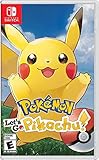
- Don the role of a Pokémon Trainer as you travel through Kanto
- Discover a new species of Pokémon with the Pokémon Lets Go series
- Catch Pokémon in the wild using a gentle throwing motion with either a Joy-Con controller or a Poké Ball Plus accessory, which will light up, vibrate, and make sounds to bring your adventure to life
- See the world in style by customizing Pikachu and your Trainer with a selection of outfits
- Connect to Pokémon GO* to transfer caught Kanto-region Pokémon, including Alolan and Shiny forms, as well as the newly discovered Pokémon, Meltan, from that game to this one!
What you can do in the game
Pokémon Champions focuses on battles using Pokémon types, Abilities and moves. Nintendo describes three battle formats:
- Ranked Battles: competitive matches using the game’s ranking structure.
- Casual Battles: lower-pressure matches for practice or ordinary play.
- Private Battles: matches arranged for a more controlled group or individual challenge.
The progression loop includes daily trial recruitment and spending in-game Victory Points to recruit and train team members. These systems are part of the game itself; they do not create a separate PC edition.
Pokémon HOME transfer limits
Pokémon Champions is compatible with Pokémon HOME, but the compatibility is selective. You can transfer eligible Pokémon that appear in Pokémon Champions into the game. A Pokémon that is not included in Champions cannot be moved in merely because it exists in HOME.
The direction also matters: Pokémon obtained in Champions cannot be transferred back to Pokémon HOME. Treat a transfer as a one-way decision for those Champions-obtained Pokémon, and check the current eligibility list before moving anything you may want to keep in HOME.
Why an emulator guide cannot be verified
An Android emulator on a computer would be an unofficial configuration from the standpoint of the documented platform list. The official pages reviewed do not publish a Windows or macOS client, recommended emulator, supported graphics settings, keyboard mapping, account policy or troubleshooting procedure. They therefore cannot establish that a particular emulator will install, log in, update, render battles correctly or preserve saves.
This is different from claiming that every emulator attempt is impossible or expressly forbidden. The available information simply does not settle the question. Emulator performance, compatibility and account behavior can vary by computer, operating-system version, graphics driver and emulator build, and none of those combinations has an official guarantee here. Avoid entering Nintendo Account credentials into unofficial launchers or downloading modified packages presented as required “fixes.”
What’s actually slowing this PC down?
Pick the symptom - the matching free tool is one click away.
Fixes for common supported-device problems
The app will not install
- Recheck the operating-system version and device model against the minimum list.
- Free enough storage for the app and its updates, then retry from the official store.
- Install pending system updates and restart the device.
- If the store says the device is incompatible despite meeting the published minimums, treat that as a compatibility limitation rather than forcing a sideload.
The game will not launch
- Update the operating system and the game, then restart the device.
- Remove aggressive battery, memory or overlay tools that may interfere with a game session.
- Check whether the device has been modified outside the manufacturer’s warranty coverage; Pokémon warns that such devices may not launch the app.
- If the minimums are met but the problem continues, use the official Pokémon support route because the minimum list does not guarantee operation on every model.
Your Switch and mobile progress do not appear together
- Confirm that both sessions use the exact same Nintendo Account.
- Check that the mobile account link was completed successfully.
- Remember that one mobile device can be linked at a time and a completed link cannot be changed or undone; do not create additional links impulsively.
Bottom line for PC and Mac readers
There is no officially documented Windows or macOS version of Pokémon Champions and no verified Android-emulator method to recommend. For supported play, download it from Nintendo eShop on Nintendo Switch or Switch 2, or from the Apple App Store or Google Play on a device that meets the published requirements. Link the correct Nintendo Account before confirming, use the free-to-start download to begin, and treat the Starter Pack and other purchases as optional, region-specific extras.
Quick Recap
Product prices and availability are accurate as of the date/time indicated and are subject to change. Any price and availability information displayed on Amazon at the time of purchase will apply.

