
Do these 3 things before closing this tab:
1Fix the driver behind crashes, sound loss and screen glitches2Repair Windows errors before they cause bigger problems3Scan for outdated or missing drivers - takes under a minuteYes—Pokémon GO is officially available in Egypt. Niantic’s October 4, 2016 launch announcement listed Egypt among 31 countries added to the game, and the Egypt Apple App Store currently lists the app. Whether it works well for you is a separate question: your phone must be compatible, location services and GPS must function, the game needs an internet connection, and the number of PokéStops, Gyms, Routes and active players varies by exact neighborhood.
What “works in Egypt” actually means
There are four different questions hidden in the phrase “Does Pokémon GO work in Egypt?” Keeping them separate prevents a misleading yes-or-no answer:
As an Amazon Associate I earn from qualifying purchases.
- Is the game officially released in the country? Yes. Egypt was named in Niantic’s October 4, 2016 announcement covering 31 additional countries.
- Can you install it from an Egyptian app-store account? The Egypt Apple App Store currently has a Pokémon GO listing. Store access can still depend on your device, account region and platform.
- Can your phone and connection run the game? You need a compatible smartphone, working GPS and location services, and a reliable internet connection. Requirements change as the app is updated.
- Will there be many nearby locations and players? Not necessarily. App Store reviews from Egypt describe sparse PokéStops, Gyms, Routes and nearby players in some areas. Those are individual reports, not a representative survey of the whole country.
So the accurate answer is: Pokémon GO is officially playable in Egypt, but the quality of play depends on your phone, connection and local community.
Egypt’s official release status
Niantic included Egypt in the launch
Niantic’s October 4, 2016 release announcement explicitly included Egypt in its list of 31 countries where Pokémon GO became available through Google Play and iTunes. That is direct evidence of a country-level release decision rather than an unofficial workaround or a later third-party distribution.
#1 Best Overall
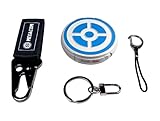
- ✅ FASTER & BETTER AUTO CATCHER: Now you can complete your box faster with the megacom DuoMon, which will drastically speed up the catching and collecting process so you can become the ultimate trainer faster.
- ✅ SMALLER & MORE LIGHTWEIGHT GO ACCESSORY: The upgraded design is not only more space-saving, but also more compact, The convenient size (2.36" x 2.36" x 0.5") and weight (0.9oz) make carrying your autocatcher a breeze.
- ✅ ULTRA-CONVENIENT VOICE ASSISTANT: Never miss another rare pocket monster or valuable item thanks to the built-in voice broadcast function. Paired with the LED notification light, you will be notified every time there's progress.
- ✅ MORE STABLE 65FT WIRELESS CONNECTION: Designed to make catching Pokemon easier than ever, our autocatcher accessory will easly connect to any Android smartphone or iPhone and stay connected without any interruptions.
- ✅ MUST-HAVE CATCHER FOR EVERY TRAINER: multiple advanced features, this automatic Pokemon catcher is made for both Pokemon Go beginners and experienced trainers who want to reach another level.
The announcement is historical, but it establishes that Egypt was not excluded from the official service. The Egypt Apple App Store’s current listing provides a more recent signal that the app remains distributed in the region. An app-store listing does not promise identical access for every account: storefront country, age settings, device model and operating-system version can affect what you see.
What the release does not guarantee
Official availability does not guarantee that every Egyptian carrier, district or handset will behave identically. It also does not guarantee a dense game map. Pokémon GO builds its playable map from location-based game resources and from the people who play in a given area. A city center, tourist district, university area and low-density suburb can therefore feel like very different games even though they are in the same country.
Phone, GPS and internet requirements
Use a compatible smartphone
Install the official Pokémon GO app for your phone’s platform and check the live store listing before troubleshooting. Operating-system and hardware support can change with updates, so an old compatibility statement should not be treated as a permanent specification for every version of the base game.
Recommended Free Tools
Rank #2

- Auto catch Pokemon and collect items. Vibration feedback. Enjoy Pokemon Go on the move without looking at your smartphone! It will also tell you when it’s time to recharge the battery. If there is connection problem of the device, please make sure you have updated the app to the latest version.
- Device requires Bluetooth low-energy compatible smartphone with Pokémon GO app installed.
- Compatible with Android devices with 2 GB RAM or more, Bluetooth Smart (Bluetooth Ver. 4.0 or higher) capability, and Android Ver. 4.4-6.0 installed.
- Compatible with iPhone 5/5c/5s/SE/6/6s/6s Plus/7/7 Plus devices with iOS Ver. 8-10 installed.
- Please charge for two hours before use it. If the device can't be connected after update ( no matter phone's or the product's update ) , please delete the bluetooth history of the device and pair again in the game.
Pokémon Support’s published requirements for Pokémon GO Plus compatibility call for a compatible smartphone, a strong internet connection, GPS and location services. Those requirements are especially relevant if you plan to use the accessory, but they describe the same basic capabilities the location-based game relies on. They are not a complete, timeless requirements table for every current phone running the main app.
Location permission is essential
Pokémon GO uses your device’s position to place your avatar on the map and to support location-based features such as PokéStops. If Android or iOS blocks location access, the map may fail to load correctly, your position may jump, or location-based interactions may not work.
- Turn on the phone’s main Location or Location Services switch.
- In the app-permission screen, allow Pokémon GO to use your location while you play. The exact wording differs between Android and iOS versions.
- Allow precise or high-accuracy location when your operating system offers that choice; a coarse position can make movement and nearby interactions unreliable.
- Keep date, time and time zone set automatically so the app and network agree about event timing.
Expect a live connection
The game communicates with its servers while you sign in, load the map, interact with locations and participate in raids or other online activities. A weak mobile-data signal, congested Wi-Fi or an interrupted connection can look like an Egypt-specific problem when the issue is local connectivity. Test both Wi-Fi and mobile data if one connection repeatedly fails.
Rank #3
![Brook Pocket Auto Catch Plus with Keychain - Upgraded Version of Auto Catch, Auto Spin, Catching Pocket Monsters, Collecting Items, Wristband Bracelet Auto Catcher Accessory [Exclusive Version]](https://m.media-amazon.com/images/I/41a9yiN4ZBL._SL160_.jpg)
- 【Automatic Catch & Spin】 Hands-free device that automatically catches Pocket Monsters and spins stops, helping you collect items and level up without constant screen time.
- 【Stable Bluetooth Connection】 Upgraded wireless performance ensures a fast, stable link to your smartphone, reducing disconnects during walks, events, and long play sessions.
- 【Enhanced Auto-Detection】 Improved sensors increase catch and spin responsiveness, maximizing efficiency for both casual explorers and dedicated players.
- 【Wearable Comfort Design】 Lightweight wristband-style build offers all-day comfort. Easy one-button control and clear LED indicators let you check status at a glance.
- 【Long-Lasting Battery】 Rechargeable battery provides extended gameplay support, making it ideal for community days, travel, or daily auto-catch routines.
How to install and test Pokémon GO in Egypt
- Open your official storefront. On Android, use Google Play; on iPhone or iPad, use the Apple App Store. Search for “Pokémon GO” and confirm that the publisher is Niantic before installing.
- Check the listing’s current requirements. Read the supported operating-system information and device notes shown for your account. Do not rely on a requirements list copied from an old article.
- Install and update the app. Use the official client rather than a modified package or an APK from an unknown site. Allow the download to finish before launching.
- Sign in or create an account. Complete the game’s normal account flow. If the store says the app is unavailable, check the storefront country on your account and whether parental or age restrictions are hiding it.
- Enable permissions. Turn on Location Services and grant Pokémon GO the location access it requests. Reopen the app after changing a permission.
- Test outdoors in a safe place. With a stable connection, wait for the map to load and confirm that your avatar appears at your real position. Walk only where it is safe and legal to do so.
- Check one nearby location. If a PokéStop or Gym appears, try opening it. A working interaction confirms more than merely reaching the login screen.
- Test at another time or nearby area if the map is quiet. A lack of visible locations or players in one spot is evidence about that spot, not proof that the national service is unavailable.
If the app is unavailable or will not start
The store cannot find the app
First verify that your account is set to Egypt or another region where the official listing is distributed, then search the exact title in the official store. Storefront caches, child-account restrictions and unsupported operating systems can change the result. Avoid downloading unofficial copies to bypass a store problem; they can expose your account and violate the game’s rules.
The game installs but shows a connection error
- Switch between Wi-Fi and mobile data to identify a local network problem.
- Restart the phone and the game, then install any pending app or operating-system update.
- Check that automatic date and time are enabled.
- Confirm that the phone has free storage and that a battery-saving mode is not suspending location or background network access.
- Try again later if the service may be experiencing an outage. Nationwide Egypt outage status was not established by the available evidence, so a single failed login cannot identify the cause.
The map is blank, inaccurate or drifting
Turn on Location Services, grant precise or high-accuracy access, and move to an area with a clearer view of the sky. Buildings and poor GPS reception can reduce accuracy. Restarting location services or the phone can clear a temporary sensor error. Do not use a GPS-spoofing application to force the avatar to another place.
Why some Egyptian players see few PokéStops or Gyms
Pokémon GO’s country release and its local map density are different systems. The app can be fully available while a particular neighborhood has few mapped locations. Egypt-region App Store reviews include comments that PokéStops, Gyms and Routes are rare in some areas, along with reports of difficulty finding people for raids and Max Battles. These comments describe the reviewers’ locations and experiences; they do not measure every Egyptian city or district.
Rank #4

- The packaging is Japanese, but item works the same as the US version.
- Catch Pokémon and track your rest rhythm with the Pokémon GO Plus + accessory!
- Keep track of your sleep with the press of a button
- Press and hold the central button on the Pokémon GO Plus + accessory and place it by your pillow to track your rest rhythm on the Pokémon Sleep app
- There’s a Pikachu within your Pokémon GO Plus + that can sing you lullabies and act as your morning alarm; Pikachu grows friendlier the more you sleep, unlocking even more sounds!
Factors that can change your local experience
- Population and foot traffic: central districts and gathering places may have more active players and established locations than residential edges.
- Mapped points of interest: the game’s map depends on eligible real-world places and the locations available in the service, not simply on the size of a city.
- Time of day: raids and other activities are time-sensitive. A quiet map at one hour may be busier later.
- Community size: a location can contain several Gyms yet still feel empty if few local players are online.
- Connectivity and permissions: a map that fails to load can resemble a location shortage even when game resources are present.
How to distinguish a sparse area from a technical fault
After confirming GPS and internet access, zoom out and move through a legitimate, safe area. If the map renders normally but contains few icons, the limitation is probably local density. If the map never renders, your avatar cannot establish a position, or every interaction times out, investigate permissions, connection and account issues instead.
Independent reader supportYour contribution helps us test, update, and keep practical guides available for everyone.Playing without nearby raid partners
Solo play is still possible when your area has a small community, but activities that require several trainers may be difficult to organize. The Egypt-specific reviews mentioning a lack of raid and Max Battle partners are anecdotal, so use them as a warning to check your own area rather than as a nationwide conclusion.
Crashes, No Sound, or Screen Glitches?
Random freezes, missing sound and display glitches usually trace back to one bad driver. Find and replace yours safely.Free scan · under a minuteWindows Errors? Fix Them Before They Spread
Repair common Windows errors and clear accumulated junk for a smoother, more stable PC - no reinstall needed.Free scan · no reinstall- Visit commonly used public locations at times when players are likely to gather.
- Look for a local, legitimate player community that follows the game’s rules and protects personal information.
- Check the in-game map at different times before assuming an activity has no participants.
- Plan around activities you can complete alone if your local player base remains small.
A Pokémon GO Plus + accessory is optional. It can provide a more hands-free way to interact with the game when your phone and account meet the accessory requirements, but it cannot create PokéStops, Gyms, Routes or nearby players.
Best Value

- Catch Pokémon and track your rest rhythm with the Pokémon GO Plus + accessory!
- Keep track of your sleep with the press of a button
- Press and hold the central button on the Pokémon GO Plus + accessory and place it by your pillow to track your rest rhythm on the Pokémon Sleep app
- There’s a Pikachu within your Pokémon GO Plus + that can sing you lullabies and act as your morning alarm; Pikachu grows friendlier the more you sleep, unlocking even more sounds!
- Spin PokéStops or throw Poké Balls automatically in Pokémon GO for hands-free gameplay (and Great Balls and Ultra Balls can be thrown too!)
Do not use GPS spoofing as a workaround
Niantic’s gameplay fairness policy identifies falsifying a GPS location as cheating and describes disciplinary action. That means using a spoofing app to appear in another Egyptian city or another country is not a safe solution to a quiet map, missing raid partners or a travel limitation. Play with the official client and your real location.
Spoofing can also make troubleshooting harder: a location mismatch may trigger security checks or account action, leaving you with a more serious problem than the original lack of nearby content.
Safety while playing in Egypt
The official Pokémon GO site tells players to stay aware of their surroundings and play safely. Keep the phone down while crossing streets, avoid entering restricted or private property, and do not follow the map into unsafe areas. Stop playing if local conditions make it impractical to watch traffic, people or your surroundings.
Quick wins for a faster PC:
Clear out junk files and repair common Windows errorsFree Scan →Scan for outdated or missing drivers - takes under a minuteDriver Scan →Repair Windows errors before they cause bigger problemsFix Now →- Choose public, permitted places with adequate lighting and ordinary pedestrian access.
- Use a companion for unfamiliar areas or late sessions.
- Keep your device secure and avoid displaying account or payment information in public.
- Respect local rules at religious sites, government facilities, schools and private businesses.
What is established—and what is not
| Question | What the available evidence supports | What it does not establish |
|---|---|---|
| Is Pokémon GO officially released in Egypt? | Yes. Egypt appears in Niantic’s October 4, 2016 list of 31 additional launch countries. | That every account, device or network will have identical access. |
| Can Egyptians download it today? | The Egypt Apple App Store currently lists the game. | That every storefront, account configuration or operating-system version will show the same listing. |
| What does the game require? | A compatible smartphone, internet connection, GPS and location services are identified in Pokémon Support’s Pokémon GO Plus compatibility guidance. | A complete current requirements table for every base-game version and phone model. |
| Are PokéStops and Gyms common everywhere? | Some Egypt App Store reviewers report sparse locations and few nearby players in their areas. | A representative nationwide density figure or city-by-city ranking. |
| Is Egypt currently experiencing an outage? | No current nationwide service-health result was verified. | A conclusion that a particular failed login is either a national outage or a local fault. |
Bottom line for Egyptian players
Pokémon GO works in Egypt in the official-availability sense: Niantic released it there, and the Egypt Apple App Store lists it. Install the official app, meet the phone, GPS, location and internet requirements, and test the game at your actual location. If the map has few PokéStops, Gyms, Routes or players, that is likely a local coverage or community issue rather than evidence that Egypt is unsupported. Because local density, carrier performance and live service status can change, the most reliable check is your own phone, account and neighborhood—without GPS spoofing.
Quick Recap
Product prices and availability are accurate as of the date/time indicated and are subject to change. Any price and availability information displayed on Amazon at the time of purchase will apply.

