No—not directly. The PS4 has no official Steam client or Steam Link app, and Valve’s current list of supported Steam Link destinations does not include PS4. You cannot install Steam on the console or use it as an official receiver for Steam Remote Play.
You can still play the same game on PS4 if it has a PlayStation version, or access your Steam library through a PC, supported streaming device, or PC handheld.
| # | Preview | Product | Price | |
|---|---|---|---|---|
| 1 |

|
STEAM LINK | $109.97 | Buy on Amazon |
| 2 |
|
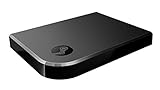
Valve Index Steam Link | $100.96 | Buy on Amazon |
| 3 |
|
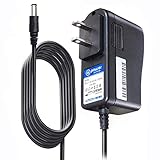
T-Power Charger for Steam Link Played Game on Your TV Using Steam Link Power Supply Charger Power... | $9.99 | Buy on Amazon |
| 4 |
|
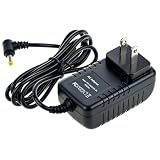
Cazxooy Adapter Compatible with Steam Link Game Streaming Box | $10.99 | Buy on Amazon |
| 5 |
|
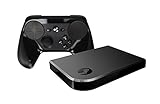
Steam Link Bundle (2 Items): Steam Link and Steam Controller | $1,223.77 | Buy on Amazon |
As an Amazon Associate I earn from qualifying purchases.
Can you install Steam on PS4?
No. Steam is not available through the PlayStation Store, and PS4 cannot install ordinary Windows, macOS, Linux, or Android applications. Its web browser does not change that: opening Steam’s website is not the same as running the Steam client, launching PC game files, or accessing Steam’s controller and library features.
What’s actually slowing this PC down?
Pick the symptom - the matching free tool is one click away.
There is also no official method that turns the PS4 operating system into a Steam gaming platform.
#1 Best Overall
Is Steam Link available on PS4?
No official Steam Link app is listed for PS4. Valve lists Steam Link destinations including iPhone and iPad, Apple TV, Android phones, tablets and TVs, Amazon Fire TV, Raspberry Pi, Windows, Linux, macOS, and Meta Quest headsets. PS4 is absent from that supported-device list.
Steam Link streams a game from a computer running Steam to a compatible receiving device. It does not make every console a Steam Link receiver. Check Valve’s current compatibility information at Steam Remote Play.
Important distinction: Steam documentation about a “PlayStation 4 controller” refers to the DualShock 4 input device—not the PS4 console.
Free tools Windows power users keep installed
One-click scans. No signup required.
Can Steam Remote Play stream PC games to a PS4?
Not through an official, supported Steam pathway. Steam Remote Play requires a host computer running Steam and a supported receiving device running Steam Link or a compatible Steam client. The PS4 is not listed as one of those receivers.
The supported arrangement looks like this:
PC running Steam → supported Steam Link device
Replacing the supported receiver with a PS4 is not part of Valve’s documented setup. A capture card or HDMI cable may display a PC’s image on a television, but it does not install Steam on the PS4 or make the console process the game.
Rank #2
- Commemorate 500 million playstation systems Sold with this limited
Steam Remote Play vs. PlayStation Remote Play
The similar names cause much of the confusion. The two services stream in opposite directions:
| Service | Source | Destination | Purpose |
|---|---|---|---|
| Steam Remote Play | PC running Steam | Supported Steam Link device | Streams Steam games |
| PlayStation Remote Play | PS4 or PS5 | PC, Mac, mobile device, or another supported device | Streams PlayStation games |
PlayStation Remote Play lets another device control and display your PS4. It does not let the PS4 receive and display a game running on a Steam PC.
Quick wins for a faster PC:
Fix the driver behind crashes, sound loss and screen glitchesFind Drivers →Repair Windows errors before they cause bigger problemsFix Now →Can the PS4 browser open Steam?
It may load some Steam web pages, but that does not provide a practical way to play Steam games. The browser cannot install the desktop client, execute Windows or Linux game binaries, provide native Steam library integration, or turn the PS4 into a supported cloud-gaming endpoint.
Browser-based workarounds should not be treated as reliable unless a particular service officially confirms PS4 browser support. Device compatibility, browser support, region, subscription requirements, and game availability can vary.
Can you play Steam games bought on PS4?
Generally, no. Steam and PlayStation normally use separate purchases and licenses. If a game is available on both platforms, you usually need the PS4 version to play it on your PS4; owning the Steam edition does not automatically grant the PlayStation edition.
Rank #3
- T POWER Brand New - Input Voltage Range: AC 100V - 240V
- Compatible with: 5V DC~ Steam Link played Game on your TV using Steam Link Power Supply ONLY
- FL55005F8E MODEL: 1003 FCC ID: 2AES41003 IC: 20207-1003 / P/N: A15-012N1A UP/N: A012R001L REV:01 / CAN ICES-3(B)-3(B) 9F64 E143709 150788-11 AC DC SMALL-Adapter Power ONLY
- (((NOTE: Please DOUBLE CHECK the model number is matched, before placing the order. If not sure, feel free to email us. Many thanks.)))
Keep these terms separate:
- Cross-play: players on different platforms can play together.
- Cross-save or cross-progression: progress can carry between platforms when the publisher supports it.
- Cross-buy: one purchase grants versions on multiple platforms. This is not the normal Steam-to-PlayStation arrangement.
Exceptions are publisher-specific, so check the game’s own account and cross-progression policies.
The Tool Desk
Outbyte Driver Updater FREEFix the driver behind crashes, sound loss and screen glitchesFind Drivers →Outbyte PC Repair FREERepair Windows errors before they cause bigger problemsFix Now →Can you use a PS4 controller with Steam?
Yes. A DualShock 4 can control Steam games on a PC or supported Steam Link device. That compatibility does not mean Steam runs on the PS4 console.
For Steam Link, Valve’s documented Bluetooth pairing process is:
- Open Steam Link’s Bluetooth settings, using another input device if necessary.
- Hold the PS and Share buttons together until the controller light flashes.
- Select Wireless Controller from the Bluetooth device list.
- Confirm the pairing.
You can also try USB if Bluetooth pairing is inconvenient. Depending on the game and configuration, button prompts may use Xbox-style labels, and the touchpad, gyroscope, speaker, light bar, or motion controls may not be fully supported. See Steam’s controller instructions.
Legitimate ways to play Steam games
1. Buy the PS4 version
If the game has a PS4 release, this is usually the simplest option for someone who owns only a PS4. It may require a second purchase, and the PS4 edition may differ from the PC version in graphics, updates, mods, downloadable content, or save support.
Rank #4
- Universal Voltage: AC 100V-240V wide voltage input for worldwide use
- Compatibility: This Replacement AC DC Adapter Charger Compatible with Steam Link Played Game on Your TV Using Steam Link Power Supply Cord
- Safety Features: Built-in over-voltage, over-current and short-circuit protection for safe charging
- Reliable Performance: Stable Power Output and Sturdy Power Cord ensure consistent charging performance
- Portable Design: Compact lightweight build, 4ft cable length for flexible use & neat storage
2. Use a Windows, Linux, or macOS computer
A compatible computer is the most flexible solution. Install Steam, install the game, and play locally. If you want a television-style experience, stream from that computer using Steam Link on a supported TV platform, Apple TV, Fire TV, Raspberry Pi, mobile device, or another computer.
This is the best route for PC-only games, mods, and demanding competitive titles where local play can reduce streaming latency. The trade-offs are hardware cost, setup, maintenance, and the computer’s performance requirements. Valve’s Steam page provides the current desktop download information.
3. Use Steam Link on supported hardware
If you already own a gaming PC, a supported streaming endpoint can put its Steam library on another screen. The general process is:
- Install Steam on the gaming PC and sign in.
- Install the desired game.
- Install Steam Link on a supported receiving device.
- Connect that device to the PC running Steam.
- Pair a controller.
- Launch the game through Steam Link.
Network quality affects image quality, responsiveness, and stability. Steam Link still needs a host PC; the receiving device does not independently run the PC game.
Do these 3 things before closing this tab:
1Repair Windows errors before they cause bigger problems2Scan for outdated or missing drivers - takes under a minute3Clear out junk files and repair common Windows errors4. Use a Steam Deck or another PC handheld
A Steam Deck or similar handheld PC provides a more console-like way to access a Steam library without building a desktop. It is a separate platform, not a PS4 upgrade. Compatibility varies by game, while battery life and performance depend on the title and settings. Check the official Steam Deck page for current models and availability.
5. Consider cloud gaming only when officially supported
Cloud gaming can be useful on a compatible phone, computer, TV, or streaming device, but support is service-specific. Availability can depend on country, browser, device, subscription plan, and the game. It is not a confirmed general-purpose way to play Steam on a PS4, so verify support directly with the provider before paying for a service.
Independent reader supportYour contribution helps us test, update, and keep practical guides available for everyone.Which option is best?
| Your situation | Most practical choice |
|---|---|
| You own only a PS4 | Buy the PS4 version, if one exists. |
| You own a gaming PC and want to play on a TV | Use Steam Link on a supported TV or streaming device. |
| You want portable Steam access | Use a Steam Deck or another PC handheld. |
| You want the lowest additional cost | Use an existing capable PC and supported streaming hardware you already own. |
| You need mods or PC-only games | Play locally on a compatible Windows, Linux, or macOS computer. |
Why unofficial methods are poor recommendations
Jailbreaks, experimental ports, browser tricks, and improvised hardware arrangements are not normal supported solutions. They may depend on a particular firmware version, offer unreliable controller support or high latency, stop working after updates, create security or account risks, or conflict with platform terms. They also do not provide the predictable Steam experience most PS4 owners are looking for.
Final verdict
You cannot officially install Steam on a PS4, and Valve does not list PS4 as a Steam Link or Steam Remote Play destination. A PS4 controller can work with Steam elsewhere, but the controller is compatible in a way the console is not.
PC Slower Than It Used to Be?
A free scan shows the junk files, broken settings and background clutter dragging Windows down - then fixes them in one click.Free scan · Windows 10 & 11Crashes, No Sound, or Screen Glitches?
Random freezes, missing sound and display glitches usually trace back to one bad driver. Find and replace yours safely.Free scan · under a minuteFor a PS4 owner, the practical choices are the game’s PS4 edition, a computer running Steam, Steam Link on supported hardware, or a Steam Deck or other PC handheld.
Quick Recap
Product prices and availability are accurate as of the date/time indicated and are subject to change. Any price and availability information displayed on Amazon at the time of purchase will apply.




