Quick wins for a faster PC:
Fix the driver behind crashes, sound loss and screen glitchesFind Drivers →Clear out junk files and repair common Windows errorsFree Scan →Scan for outdated or missing drivers - takes under a minuteDriver Scan →Yes. You can usually listen to a Steam soundtrack on an Android phone or iPhone, but Valve does not currently list soundtrack playback or soundtrack-file downloads as features of the official Steam mobile app. The dependable route is to download the soundtrack with the desktop Steam client, copy its audio files to your phone, then play them in a compatible local music player.
What the Steam mobile app can—and cannot—do
Valve describes the Steam mobile app as a way to browse the store, manage your account and library, receive notifications, use community features, and manage remote downloads to a PC. Its current feature list does not document a soundtrack player or direct soundtrack downloads to a phone. Valve’s October 2022 app announcement described remote downloads as game and update downloads to a PC, not audio downloads to a phone (Steam Mobile; Valve’s mobile-app announcement).
That is different from saying Valve has ruled out the feature permanently: it is simply not an officially documented mobile-app capability. Steam Link is likewise described as a way to stream games from a computer, not as a soundtrack player. Streaming desktop audio might work in some setups, but it needs the computer and network connection, does not provide offline files, and is less dependable than transferring the tracks.
First check how Steam delivers your soundtrack
The steps depend on whether the soundtrack is a standalone music app, older DLC attached to a game, or bonus audio bundled inside a game’s files. Valve says new soundtracks are delivered as music apps, while some older releases remain DLC or game bonus content (Steam Support: Soundtracks in Steam).
Do these 3 things before closing this tab:
1Fix the driver behind crashes, sound loss and screen glitches2Repair Windows errors before they cause bigger problems3Scan for outdated or missing drivers - takes under a minute#1 Best Overall

- EXPAND YOUR STORAGE. Easily move files off your device, freeing up valuable space so you can store your favorite photos, movies, music, games, and more.
- Say goodbye to emailing photos between devices. Once they’re on your SanDisk Phone Drive, read speeds up to 100MB/s let you transfer files fast. (1 MB/s = 1 million bytes per second. Based on internal testing; performance may vary depending upon host device, usage conditions, drive capacity, and other factors. USB Type-C port with USB 3.2 Gen 1 support required.)
- AUTOMATIC BACKUP. Automatically back up your latest photos, videos, music, documents, and contacts with the SanDisk Memory Zone app. (Download and installation required. Set up automatic backup within app settings. See official SanDisk website for Memory Zone details.)
- DATA RECOVERY. Recover deleted files with the included RescuePRO Deluxe software.(Registration and download required; terms and conditions apply. See RescuePRO page on SanDisk site.)
- CONVENIENT DESIGN. Attach your drive to your keyring to help keep it secure so you can have storage wherever you are, whenever you need it.
| Soundtrack type | What to expect | Likely next step |
|---|---|---|
| Standalone soundtrack app | It appears as a soundtrack in your Steam Library and can generally be installed separately from the game. | Install the soundtrack, then use Download Album. |
| Older soundtrack DLC | It may not appear or download independently; the associated base game may be required. | Install the game, then check its local files. |
| Bonus-content audio | The tracks may be stored in the game’s installation folder rather than listed as a separate album. | Open the game’s local files and look for audio files or an archive to extract. |
Some developers have converted older soundtrack DLC to the newer soundtrack-app format. Valve’s Steamworks documentation says existing owners retain ownership when a developer makes that conversion (Steamworks: Game Soundtracks on Steam).
Download the soundtrack with desktop Steam
For a standalone soundtrack, Steam Support documents this route. Labels and placement can vary with client updates, operating system, or language.
- Open the soundtrack’s Steam Store page and select Play Now.
- Complete the installation dialog.
- Open your Steam Library. Use the dropdown below Home in the upper-left area and enable the Soundtracks category if it is not already visible.
- Select the soundtrack and choose Download Album.
You can also check Steam > Settings > Music to choose whether Steam should download high-quality or lossless files when the publisher supplies them. Lossless audio is optional: Steamworks requires soundtrack publishers to include MP3, while formats such as FLAC and WAV may be included at the publisher’s discretion. Steam documents playback support for MP3, FLAC, M4A, and WAV, but that does not mean every release contains every format.
Find the audio files
Do not rely on one fixed Steam folder path: libraries can be on different drives, and standalone soundtracks, DLC, and bonus content may be stored differently. In the Library, right-click the soundtrack or associated game and choose Manage > Browse local files. Search the opened location for files ending in .mp3, .flac, .wav, or .m4a. For an older release, inspect the game’s folders for an audio directory or an archive that needs extracting.
Free tools Windows power users keep installed
One-click scans. No signup required.
Rank #2

- The 2-in-1 flash drive with a reversible USB Type-C and a traditional Type-A connector.
- Seamlessly move content between your USB Type-C smartphone, tablets and Macs and USB Type-A computers(2) | (2) Mobile device requires USB Type-C port and On-The-Go (OTG) support. See the official SanDisk website for a list of compatible devices.
- Free up space on your USB Type-C smartphone(2)
- Automatically back up photos with SanDisk Memory Zone app(3) | (3) Download and installation of SanDisk Memory Zone app required.
- High-performance USB 3.1 Gen 1 drive with 150MB/s read speeds(1) | (1) Read speeds up to 150MB/s. Write speed lower and vary by capacity. USB Type-C port with USB 3.1 Gen 1/ USB 3.0 support required. Based on internal testing; performance may be lower depending upon host device, interface, usage conditions and other factors. 1MB = 1,000,000 bytes.
If you find only artwork or liner notes, check other folders in the installation and confirm that the album download finished. A ZIP archive usually needs to be extracted before a music player can scan its tracks.
Transfer and play the files on Android
- Connect the phone to your computer with a USB cable and select the phone’s file-transfer mode if prompted.
- Copy the audio files—or an extracted album folder—into the phone’s
Musicfolder or another folder your music player scans. Folder names and file access steps vary across Android versions and manufacturers. - Open a local music-player app and scan or refresh its library if the album does not appear automatically.
- Play a track to confirm that the format is supported before removing the computer copy.
MP3 is usually the simplest compatibility choice. FLAC is useful if you want lossless audio and your chosen player supports it, but it takes more storage. Bandcamp’s mobile-download guide describes a similar practical Android workflow—extracting a ZIP, moving tracks to a music folder, and opening them in another player—but those instructions are not Steam-specific (Bandcamp Help: downloading to a device and using another app).
Transfer and play the files on iPhone
For a local-player library, transfer the audio to the iPhone using Finder on a Mac or another file-transfer method supported by your setup. You can also place files in the iOS Files app and open them with a third-party player that supports the format. Opening a track in Files is not the same as importing it into Apple Music: for a library in Apple’s Music app, a computer-based sync workflow is the more practical route. iOS import steps and player support vary, so check the current instructions for the player and device you use. Bandcamp documents Files plus a third-party player as a mobile option and computer sync as the more practical route for Apple Music; this is general file-handling guidance, not a Steam-specific procedure (Bandcamp Help).
Independent reader supportYour contribution helps us test, update, and keep practical guides available for everyone.Troubleshoot missing tracks, formats, and order
The soundtrack is missing from the Library
- Enable the Soundtracks category in the Library filter.
- Check whether the store item is soundtrack DLC rather than a standalone soundtrack app; install the associated game if needed.
- Restart Steam and allow pending downloads or content updates to finish.
- For bonus-content releases, use Manage > Browse local files on the game and inspect its folders.
- If you have several Steam library drives, check the library where the content was installed. If ownership or delivery still looks wrong, contact Steam Support.
The phone cannot play FLAC
Use the MP3 version if the publisher supplied one, or choose a player that supports FLAC. Steam requires publishers to include MP3, but not a lossless version. Converting lossless audio to a lossy format is usually unnecessary unless your player or storage limits require it.
Rank #3
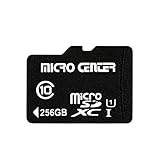
- 256GB microSDXC Card includes an SD adapter that is suitable for both microSDXC and SDXC enabled host devices including smartphones, tablets, game consoles, digital cameras, desktops, laptops, etc.
- Fast Read Write Speed Flash Memory Card. Micro SD card Read speed: up to 80MB/s, Write speed: up to 15MB/s. These speeds allow quick music, photo, video, document and file transfer or storage
- Rated UHS-I Speed Class 1(U1) and Speed Class 10 (C10). A UHS memory card ensures even and sustained video recording performance for full HD videos, compatible with drones, video cameras, action cameras, or trail cams
- 3-Year Limited Warranty. This high durability Micro Card is waterproof, shockproof, temperature proof and X-ray proof. Rugged construction helps resist damage and keeps data secure in your dashcam, CCTV, surveillance system or security cam
- microSDXC Card Supported Devices ONLY, NOT backwards compatible with microSD/microSDHC host devices. Consult your device specifications or look for the microSHXC logo on your host devices for compatibility
The tracks play in the wrong order
Steam’s Music Player uses filenames for track order; phone players may sort by filename, metadata, or folder rules. If order is wrong, rename files with leading track numbers, such as 01 - Intro.mp3 and 02 - Main Theme.mp3. Preserve disc numbers for multi-disc albums, then refresh the player’s library. The filename-order detail is documented for Steam’s player and may not match a mobile player’s sorting behavior (Steamworks documentation).
The iPhone opens a file but no album appears in Apple Music
A file preview in Files does not add tracks to the Apple Music library. Use a compatible third-party player for local files, or sync the tracks from a computer if you specifically want them in Apple Music.
Alternatives if you do not want to transfer files
Check whether the soundtrack’s publisher, developer, or composer offers an official download on Bandcamp or another storefront, or has released it on a streaming service. Availability, editions, bonus tracks, and offline-listening rules vary by release. Bandcamp states that its own downloads are DRM-free; that statement applies to Bandcamp downloads, not automatically to every Steam soundtrack (Bandcamp Help: DRM and downloads).
If you already own the Steam soundtrack, a paid subscription or special transfer accessory is not inherently required: the usual needs are access to the downloaded files and a compatible local player. Copying files to a phone does not change the soundtrack’s licensing terms.
Quick Recap
Product prices and availability are accurate as of the date/time indicated and are subject to change. Any price and availability information displayed on Amazon at the time of purchase will apply.




