Usually, connect the Xbox to a regular HDMI input on your TV—not to the TV’s HDMI ARC/eARC port as your main setup. The TV’s ARC/eARC connection is primarily for sending audio from the TV to a soundbar or AV receiver. If your soundbar or receiver has an HDMI input and can pass through your Xbox’s video features, you can connect the console there instead.
An ARC-labeled TV port may still accept an Xbox as an ordinary HDMI source. The label does not give the console a special audio-return function; the TV must still send the Xbox’s audio back to the sound system.
Choose the wiring that fits your TV and sound system
Start with the path that preserves the Xbox video features you want, then confirm that audio passes correctly. The weakest device in the HDMI chain can limit the result: a TV, soundbar, receiver, or cable that lacks the needed capability may restrict video or audio even if another component supports it.
| Equipment or priority | Preferred connection | Check before choosing |
|---|---|---|
| TV supports your desired gaming video and audio passthrough | Xbox HDMI OUT → TV HDMI IN; TV HDMI ARC/eARC → soundbar or AVR HDMI OUT (ARC/eARC) | Confirm the TV passes the desired audio format from external HDMI devices. |
| Soundbar or AVR has capable passthrough | Xbox HDMI OUT → soundbar/AVR HDMI IN; soundbar/AVR HDMI OUT → TV HDMI IN | Confirm the exact model passes the Xbox’s required resolution, refresh rate, HDR formats, and VRR. |
| Soundbar has no HDMI input | Xbox → TV; TV → soundbar by ARC/eARC, or optical if supported | Optical is a lower-bandwidth fallback and is not equivalent to eARC. |
| Soundbar passthrough is limited, but TV supports high-refresh gaming | Xbox → TV; TV eARC/ARC → soundbar | Check TV audio passthrough and the soundbar’s supported formats. |
| Older TV has weak audio passthrough | Try Xbox → soundbar/AVR → TV | Use this only if the sound system passes the Xbox’s required video features. |
For most Xbox Series X|S setups where 4K/120 Hz, HDR, VRR, or ALLM matters, connecting the console directly to a suitable TV input is the safer starting point. If that TV does not pass the audio format you want, try direct connection to a capable soundbar or AVR instead. Microsoft’s guidance for 4K gaming at 120 Hz is at Xbox Support.
#1 Best Overall

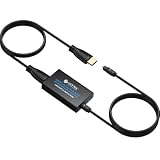
- [YPbPr Signal Output] Convert YPbPr component signals of Original Xbox console to HDMI signals, and then transmit them to modern HDTVs and monitors through HDMI cable, without any delay.
- [Clear Image] Use YPbPr component signal conversion and transmission to provide the best image colors and details. (Transfer only, can't improve the video quality.)
- [Plug and Play] This adapter does not require external power supply, just connect the adapter and HDMI cable (Note: Without HDMI cable), and it is ready to use.
What ARC and eARC do
ARC returns TV audio
ARC means Audio Return Channel. It lets a TV send audio from its built-in apps and connected HDMI devices to a soundbar or AV receiver over an HDMI cable. The usual direction is Xbox → TV → ARC/eARC → soundbar or AVR. On most soundbars, the ARC/eARC socket is an HDMI output to the TV, while ordinary HDMI IN sockets are for devices such as an Xbox.
ARC is not a separate Xbox video standard. Dolby’s ARC and eARC FAQ explains the return-audio role and the broader format support of eARC.
eARC offers broader audio support, not better gaming video by itself
eARC is the enhanced version of ARC, with greater audio bandwidth and broader format support. It can be useful when sending higher-bandwidth multichannel audio, including some Dolby Atmos setups, from a TV to a soundbar or receiver. Whether a particular Atmos signal works depends on the Xbox output, TV passthrough, and sound-system capabilities; Atmos does not automatically require eARC in every setup.
ARC/eARC concerns audio return. It does not guarantee that a port or soundbar supports 4K/120 Hz, VRR, ALLM, HDR, or Dolby Vision. Do not infer complete compatibility from an “HDMI 2.1” or “eARC” label alone; check the exact device specifications and manuals. Both the TV and sound system need the relevant ARC or eARC support. Use a suitable HDMI cable for the bandwidth required by the setup.
Do these 3 things before closing this tab:
1Fix the driver behind crashes, sound loss and screen glitches2Repair Windows errors before they cause bigger problems3Scan for outdated or missing drivers - takes under a minuteSet up Xbox → TV → soundbar or AVR
- Connect the Xbox to a regular TV HDMI input. If you want high-refresh gaming, use a TV input identified as supporting the required gaming features, such as 4K/120 Hz or VRR. Do not assume the ARC/eARC input is the TV’s highest-bandwidth gaming input.
- Connect the TV’s HDMI ARC/eARC port to the sound system’s HDMI OUT (ARC/eARC). Match the labeled return-audio ports; the soundbar’s ARC/eARC socket is usually its output, not the Xbox input.
- Enable HDMI-CEC on the TV and soundbar/AVR. Manufacturers use names such as Anynet+, Simplink, Bravia Sync, Viera Link, or HDMI-CEC. CEC commonly helps with device detection and TV-remote volume control.
- Choose the external audio system on the TV. Depending on the manufacturer, the setting may be called HDMI ARC, eARC, Receiver, External Speakers, or Audio System.
- Enable eARC on the TV if both devices support it. If the soundbar supports ARC only, use compatible ARC settings; eARC cannot add capabilities the soundbar lacks.
- Set the TV’s digital audio output. Try Passthrough, Bitstream, or the manufacturer’s equivalent. If that produces silence or instability, test Auto, Dolby Digital, or PCM to isolate the issue.
- Configure Xbox HDMI audio. Open the console’s volume and audio-output controls. Options may include Stereo uncompressed, 5.1 uncompressed, 7.1 uncompressed, or Bitstream out with a supported Dolby format. Available choices depend on the console and the capabilities reported by the HDMI chain.
- Test audio and video independently. Use the Xbox audio test or format information to confirm audio support. Then check the console’s display settings for resolution, refresh rate, HDR, and other desired gaming features. Working sound does not prove the video chain is passing 4K/120 Hz or VRR.
Menu names can change with console software. Microsoft’s pages on 4K gaming at 120 Hz and Xbox audio and Dolby settings provide current support starting points.
Rank #2

- 【HDMI ARC Audio Converter】The Audio Converter can send the sound from ARC-enabled TVs back to the adapter's L/R channel and 3.5mm headphone port via the HDMI ARC connector, solving the problem that TVs without an audio output connector can't be connected to a sound system. Note: This HDMI ARC audio converter is only compatible with TVs and not with other HDMI ARC devices
- 【Note】Before use, please ensure that the HDMI port connected to your TV supports the ARC function—this converter can only transmit audio normally on ports with ARC return capability. 1) We recommend first consulting your TV manual or checking the device label to locate the port labeled “HDMI ARC”; 2) Different brands may bundle this feature with CEC functionality in the settings menu , so you must enable the relevant options in your TV settings to activate audio return. 3) When connecting, be sure to use a high-speed HDMI cable that meets the specifications (HDMI 1.4 or higher is recommended) to ensure stable signal transmission
- 【L/R and 3.5mm Audio Output Simultaneously】HDMI ARC Converter can convert audio from TV to L/R and 3.5mm analog stereo audio via HDMI ARC connector, supports simultaneous audio output from L/R and 3.5mm ports. Note: Some TVs can get ARC sound directly when connected to the HDMI ARC port, some TVs need to go into settings to select ARC mode. Be sure to set your TV's audio output format to PCM2.0, otherwise it will not work
- 【192 KHz Sampling Rate】ARC Audio Converter supports 32KHz, 44.1KHz, 48KHz, 96KHz and 192KHz. note: this is not an HDMI audio decoder, it does not support 5.1 CH or 7.1 CH digital audio RAW format input, such as DTS/DSD, please make sure to set your TV to PCM audio output. Note:The converter does not have a built-in CEC protocol and the volume cannot be adjusted directly by the TV remote control
- 【Plug and Play】HDMI ARC Adapter does not require driver, plug and play, very convenient. With digital noise reduction technology, the sound quality is clear and pleasant. Made of high quality aluminum metal material, it has good durability and stability to ensure heat dissipation. Support multi-channel synchronized audio output, sound synchronization without delay
When direct Xbox-to-soundbar or AVR is the better choice
Use this wiring when the TV does not pass the desired audio format reliably, but the soundbar or receiver can handle the Xbox’s video:
Xbox HDMI OUT → soundbar/AVR HDMI IN → soundbar/AVR HDMI OUT → TV HDMI IN
This sends audio directly to the sound system and can avoid TV passthrough limitations. Dolby describes direct source-to-soundbar connection and TV audio return as valid connection options in its soundbar setup guidance.
Quick wins for a faster PC:
Scan for outdated or missing drivers - takes under a minuteDriver Scan →Repair Windows errors before they cause bigger problemsFix Now →Fix the driver behind crashes, sound loss and screen glitchesFind Drivers →- Check that the soundbar or AVR passes the Xbox’s needed 4K/120 Hz, HDR, VRR, ALLM, and Dolby Vision signals where applicable.
- Consider how many HDMI inputs it has; a single input may not suit a setup with several consoles or sources.
- Expect input switching to involve the sound system as well as the TV.
A soundbar can support eARC and still lack 4K/120-Hz passthrough. If its video pass-through is limited to 4K/60 Hz, connect the Xbox directly to the TV and return audio over ARC/eARC instead. For multiple HDMI sources and separate speakers, an AVR can offer more switching and audio-configuration options, but older receivers may likewise lack current gaming-video passthrough.
Match the connection to common equipment combinations
Xbox, modern gaming TV, and soundbar
Connect the Xbox to a TV input that supports the gaming features you need, then connect the TV’s ARC/eARC port to the soundbar’s ARC/eARC output. This keeps video switching at the TV; verify that the TV passes the desired sound format to the bar.
Rank #3
- 👪 “Alexa, find me an adapter that sends TV audio to my soundbar ”----For families: This eARC to dual optical adapter outputs identical audio simultaneously to Toslink ports. Connect to your soundbar for room-filling sound.
- 🎮 “How do I get game audio from my TV to both my headset and soundbar without unplugging?”----:For gamers who play on a TV: Connect your PlayStation, Xbox, or Switch to any HDMI input on your TV (e.g., HDMI 1). Then connect this adapter to your TV’s eARC/ARC labeled port. The adapter extracts audio from your TV – not from the console directly – and sends the same 24bit/192KHz Dolby 5.1/DTS signal simultaneously to your soundbar. .(⚠️ This adapter does NOT connect directly to a game console. Your TV must have an eARC/ARC port.)
- 🔌*Plug & Play + ⚠️ Critical: eARC/ARC port required*----:No drivers or software needed. Connect HDMI from your TV’s eARC or ARC port (standard HDMI ports won’t work), power via USB, then connect optical devices. Before buying: Verify your TV’s HDMI port is labeled “eARC” or “ARC”. Enable HDMI-CEC if using ARC. Status LEDs (2.0Ch / 5.1Ch) confirm incoming audio format.
- ❓ * Pay More Attentions*----: Q: Can I control volume with my TV remote?A: No – optical connections do not support CEC volume control. Adjust volume directly on your soundbar, amplifier, or headphones. This is standard for all optical audio extractors.
- 🎁 *Wonderful Gifts*----:What’s in the box: 1*eARC extractor/1* optical cables/1*eARC/ARC Cable/1* USB Power Cable.Perfect for: HDTVs, soundbars, wireless headphones, and home theater systems, making it a versatile solution for all your audio needs
eARC TV and ARC-only soundbar
The TV’s eARC connection does not turn an ARC-only soundbar into an eARC device. Use the compatible ARC connection and formats supported by both devices. If the TV does not pass the required audio format, test direct Xbox-to-soundbar connection only if the bar has an HDMI input and suitable video passthrough.
HDMI 2.1 gaming TV and older soundbar
Keep the Xbox on the TV’s gaming-capable HDMI input so the older soundbar cannot restrict video passthrough. Send TV audio to the soundbar through ARC if available, or optical if that is the soundbar’s only suitable connection; optical may limit surround formats.
Soundbar with HDMI passthrough
Connect Xbox to the bar’s HDMI IN and the bar’s HDMI OUT to the TV when the bar supports all required video features. If not, connect the Xbox to the TV and use ARC/eARC for audio.
Optical-only soundbar
Connect the Xbox to the TV and the TV’s optical output to the soundbar. Optical can be a practical fallback, but it has less audio bandwidth than eARC and may not carry the same multichannel or Atmos formats.
AV receiver
Use the AVR as an HDMI switch and audio decoder if it has the required inputs, speaker support, and video passthrough. Otherwise, route the Xbox to the TV and return audio to the receiver over ARC/eARC.
Rank #4

- 【ARC Function - Check Your TV First】: This hdmi audio extractor lets your TV send audio Extractor the Audio from TV to Soundbar or Amplifier, allowing you to enjoy an immersive home theater experience instead of the poor sound of TV.(Note:Your TV must have an HDMI port labeled "ARC" or "eARC" – otherwise it won't work. Please check your TV's HDMI ports before purchasing.)
- 【Multiple Audio Output Options】:This HDMI ARC Adapter can send audio from TV (The TV must Support ARC function) to Optical/ Coxial/ 3.5mm/ L/R audio through ARC Adapter via HDMI/ARC interface and out audio simultaneously. (NOTE: Please Set the Audio Output to PCM or LPCM before Using)
- 【192KHz Lossless Audio Sampling Rate】: This HDMI ARC to RCA audio converter supports sampling rate at 32, 44.1, 48, 96 and 192 KHz. Supports 5.1 channel surround sound, including Dolby 5.1 and DTS 5.1. Only 3.5mm and L/R output can be controlled by the TV remote supports CEC.(Note: The Optical/coaxial outputs cannot be controlled by the TV remote, please adjust the speaker volume manually.)
- 【Wide Compatible】: Compatible with all standard HDMI source devices, compatible with Sound bar, Speaker, Amplifier, Blu-ray/ DVD/ HD player ,AV Receivers, Home theater systems,Wired headphones etc.(Supports all HDTVs with ARC/eARC function)
- 【Plug-and-Play & Package Contents】: Simply connect and enjoy. Perfect for enhancing your home entertainment system! Compatible with Sony TV, Samsung TV, LG TV, Fire TV, Roku TV, TCL,Hisense,Philips,Panasonic,Vizio and more. Package Contents:HDMI ARC audio extractor ×1, USB power cord ×1(Power adapter included), Optical cable ×1, Manual ×1.
Choose Xbox audio for the supported chain
- Stereo uncompressed: A basic compatibility test if multichannel audio is missing or silent.
- 5.1 or 7.1 uncompressed: Use when the complete HDMI chain reports and supports the corresponding multichannel format.
- Bitstream out: Sends an encoded audio format to a TV, soundbar, or receiver that supports it. Choose a Dolby option only when the receiving system and connection support it.
- Dolby Atmos: Requires compatible Xbox configuration, content, and an Atmos-capable soundbar/AVR; when connected through the TV, the TV must pass the relevant signal correctly. Microsoft’s Xbox audio settings page covers Dolby-related configuration, and Dolby’s setup guidance describes connection paths. Software support alone cannot fix an incompatible HDMI chain.
When Atmos is missing, check the receiver’s capability, the TV’s passthrough support, eARC settings where relevant, the selected HDMI audio output, and whether the current game or app provides Atmos content. Dolby Access may be relevant to Xbox Atmos configuration, but installing it does not guarantee Atmos in every game or setup.
The Tool Desk
Outbyte PC Repair FREEClear out junk files and repair common Windows errorsFree Scan →Outbyte Driver Updater FREEFix the driver behind crashes, sound loss and screen glitchesFind Drivers →Preserve 4K/120 Hz, HDR, VRR, and ALLM
These are video-path features, separate from ARC/eARC audio return. When the Xbox connects through a soundbar or AVR, that unit must pass each required video signal. A component may support eARC while failing to pass 4K/120 Hz or VRR.
- Use the TV’s gaming-capable HDMI input for a direct-to-TV connection.
- Enable the TV’s enhanced HDMI format setting if the manufacturer requires it for high-bandwidth features.
- Use cables suitable for the bandwidth of each link; a cable cannot add features absent from the devices.
- After changing the wiring, recheck the Xbox display information for resolution, refresh rate, HDR, and VRR.
If adding a soundbar makes 4K/120 Hz disappear, connect the Xbox directly to a TV input that supports it and send audio to the bar using ARC/eARC. Microsoft’s 4K/120-Hz support page is a useful reference for the console side.
Independent reader supportYour contribution helps us test, update, and keep practical guides available for everyone.Troubleshoot by symptom
No sound from the soundbar
- Confirm the cable runs from the TV’s ARC/eARC port to the soundbar’s HDMI OUT (ARC/eARC).
- Set the soundbar input to TV ARC/eARC and the TV audio output to the external audio system.
- Enable CEC and make sure the TV is not set to internal speakers or optical output.
- Check that the TV’s eARC setting is compatible with the soundbar.
- After changing HDMI settings, power-cycle the TV, Xbox, and soundbar.
Roku’s connection guidance also emphasizes correct ARC-port use and enabling ARC for compatible TV-audio routing.
Xbox offers stereo only
The TV may be reporting only stereo capability, passthrough may be disabled, the sound system may be on the wrong port, or the TV output may be PCM stereo. Try 5.1 uncompressed if offered; otherwise test Bitstream out with a format the soundbar/AVR supports. Set TV audio to passthrough or bitstream where available, then try direct Xbox-to-sound-system connection if its video passthrough is capable. Reconnect and power-cycle devices after changing the path.
Recommended Free Tools
Best Value

- Composite to HDMI Converter: Converts analog AV composite (Yellow, White, Red) input to HDMI 720P/1080P (60HZ) output, displayed on smart TV, Projector or HD Display, which bring back your old and cherish memories.
- Plug to Play: This HDMI Converter no extra drivers need, just plug and play,easy to use. Please hook up the USB Power Cable (included) to 5V power source during use. Note: The Video Converters only support converts AV to HDMI, can't converts HDMI to AV.
- Widely Used: This composite to hdmi adapter is widely applied to PS1, PS2, PS3, Xbox, N64, Wii, STB, VHS, VCR, DVD Players and other devices with standard composite AV input. Note: It can only be used when PS2 is set to RGB output.
- Wide Compatibility: This Video Audio Converter Adapter supports source formats of PAL, NTSC3.58, NTSC4.43, SECAM, PAL/M, PAL/N standard TV. Provide advanced signal processing with great precision, colors, resolutions, and details. Important Note: This converter can't improve video quality!
- Attention & Package: Please ensure to connect this av hdmi converter to power source to make it work. Package include: 1*AV to HDMI Adaptor, 1*USB Power Cable(adapter not included), 1*User Manual.
Dolby Atmos is unavailable
Verify the soundbar/AVR supports Atmos, the TV passes the relevant audio signal if the Xbox is connected to it, eARC is enabled where needed, and the Xbox uses HDMI audio rather than headset or optical output. Also confirm compatible console settings and Atmos content. Dolby’s FAQ explains why device and format support matter.
Audio is delayed or out of sync
Delay can arise from TV or soundbar processing, format handling, firmware, or a particular HDMI handshake; it is not an inevitable property of ARC. Set TV audio to passthrough, disable unnecessary sound enhancements, and set the soundbar delay to zero before adjusting it. Test PCM or Dolby Digital to see whether the issue is format-specific, then try direct Xbox-to-soundbar/AVR or TV eARC. Update device firmware if available. Users have reported Atmos delay or handshake issues in specific combinations in this Microsoft community thread; those reports do not establish that all ARC/eARC systems behave that way.
TV keeps switching inputs
CEC can switch inputs or wake connected devices. Keep it enabled at first while establishing ARC/eARC operation; if the TV offers a separate automatic-input-switching control, disable that feature. Disable CEC entirely only if needed, because some systems rely on it for control or reliable device discovery.
Soundbar disappears after reboot
Check the selected TV audio output, ARC/eARC port pairing, and CEC state. Reseat both HDMI ends, power-cycle the devices, and test with the TV and soundbar on before turning on the Xbox. If detection remains unreliable, try a different suitable HDMI cable or the alternative direct-to-sound-system connection if video passthrough allows it.
Xbox says the selected format is unsupported
The console may be reading limited capabilities from the TV or an intermediate device. Confirm the sound system and TV support the chosen format, enable passthrough, and check that every connection uses the intended HDMI port. Test stereo first, then add multichannel or bitstream formats one at a time.
When an alternative connection or device makes sense
- Optical: A fallback for a TV and soundbar without usable ARC/eARC; it has less bandwidth and may restrict multichannel or Atmos options.
- Direct Xbox-to-soundbar: Useful when TV audio passthrough is the problem and the bar has an HDMI input plus full required video passthrough.
- AV receiver: Consider when you need multiple HDMI inputs, separate speakers, or more control over channels and formats. Check the exact model for 4K/120 Hz, VRR, and current HDR passthrough.
- eARC audio extractor: A specialized workaround when the TV handles gaming video well but the soundbar lacks eARC or has poor passthrough. It adds another powered device and HDMI handshake point, so it is not the first step for a basic setup.
Before buying anything, identify the limitation: video passthrough, audio-format compatibility, or a confirmed ARC/eARC fault. A new console, premium cable, or Atmos-branded soundbar will not fix a capability missing elsewhere in the chain.
Quick Recap
Final connection checklist
- Which Xbox model and TV input are in use?
- Which TV input supports the desired resolution, refresh rate, HDR, and VRR?
- Does the TV support ARC or eARC, and does it pass the audio format you want?
- Does the soundbar/AVR have an HDMI input, and can it pass the Xbox’s required video signals?
- Is Dolby Atmos essential, and does every part of the audio path support it?
- Have audio format and video features each been verified on the Xbox after wiring?
Product prices and availability are accurate as of the date/time indicated and are subject to change. Any price and availability information displayed on Amazon at the time of purchase will apply.




