The Tool Desk
Outbyte PC Repair FREERepair Windows errors before they cause bigger problemsFix Now →Outbyte Driver Updater FREEFix the driver behind crashes, sound loss and screen glitchesFind Drivers →Sometimes—but there is no universal ROM-swapping method for mini arcade cabinets. The process depends on the exact cabinet, board, firmware and emulator. Identify those first, then follow instructions for that specific product. A cabinet with an SD-card slot or a documented update process does not necessarily support installing arbitrary game ROMs.
Identify what your cabinet actually supports
Before changing files, find the cabinet model and, if available, the board and firmware versions. Check the manufacturer’s documentation for supported storage, game-loading instructions and any emulator or file-format requirements. If the documentation describes only a firmware update, do not treat it as instructions for adding games.
- Cabinet model and hardware or board revision
- Firmware version and any documented update or game-loading procedure
- Supported storage type and file system
- Emulator and ROM-set format, if the manufacturer identifies them
- Cabinet orientation and installed controls, which can affect whether a game works as intended
Back up any user data before editing or replacing files. A backup is sensible general practice, not a guarantee that a modified cabinet can be recovered.
Firmware updates are not the same as adding games
The EGRET II mini illustrates why the distinction matters. TAITO identifies an SD-card slot for adding games on the EGRET II mini product page. Its support FAQ separately gives firmware-update directions: extract the update archive and place only firmware.bin on an SDHC card formatted as FAT32. A card reader may be used to transfer the file. Those instructions concern updating firmware; they do not establish that arbitrary ROM files can be installed the same way. The product page identifies firmware update v2.0.1-2 as beginning distribution on July 18, 2025, but that date is not a general ROM-loading procedure. See TAITO’s EGRET II mini support FAQ.
Recommended Free Tools
#1 Best Overall

- Officially Licensed: This is an officially licensed Street Fighter II CE title, ensuring an authentic gaming experience. Features the classic arcade version of the game!
- Co/vs technology allows for head-to-head play by linking two devices (co/vs cable included)
- Joystick and action buttons use mechanical switches for added accuracy and classic feel
- Features the classic arcade version of the game: full color back-lit display, back-lit marquee and coin trap, volume control and 3.5mm headphone jack
- Power with a micro-USB cable (not included) or 4 AA batteries (not included)
What a documented ROM-loading workflow looks like
Some products do provide a specific way to load games. For example, the ArcadeSD manual describes configuring its board with a PC application, adding game ROMs, writing an SD card and inserting that card into the board. It also notes that cabinet orientation and installed controls affect which games are enabled or work as intended.
This is a procedure for the ArcadeSD board, not a general recipe for mini cabinets. Follow the manual for the board you have; do not assume another cabinet uses the same application, card format or file organization.
Rank #2

- Built-in 156 games: 156 Games in one, offering you great joy. There are varieties of games such as Balls/Actions/Chess/Race and so on, You won’t get bored by playing different games
- Support AA battery & Lithium Battery:Controller or other accessories is unneeded. Just turn on and play.700mAh built-in rechargeable battery can ensure many hours of game-playing fun and it's more environmental friendly.
- Portable Console: 2.8inches TFT Screen which is eye-protected with pocket-sized body, You can play it at anywhere and anytime
- TV connection available:This console can be connected with your TV,so you can enjoy a greater fun of gaming.Parents can play the games with their child, which provide a chance for the communication and interaction between child and parents
- Warm Tip: Please feel free to contact us and we will be much grateful if you can contact us first when you meet any problems. Here we will offer the best customer service to solve the problems for you. Hope you will feel satisfied with our products
If the cabinet uses MAME, check the ROM set against its version
MAME ROM sets are not always a single standalone file. A set represents data copied from one or more chips; a clone may rely on files in its parent set, and some games need separate BIOS or device sets. MAME explains these relationships in About ROMs and Sets.
File compatibility is version-specific. MAME checks ROMs before emulation, and its documentation describes mame -verifyroms <name> as a way to check a set against the current MAME version. A failed check means the files do not match what that version expects. This command is useful only if the cabinet actually runs a compatible MAME build and provides a way to run it; a different emulator or proprietary firmware may expect different files. See MAME’s FAQ.
Rank #3

- 300 retro style games - ready to play games for hours of fun for the kids; puzzle, racing, sports, and more
- 5.75 inch height - miniature arcade cabinet that is perfect for travel or small spaces
- Battery powered - operates on 3 AA batteries (sold separately)
- 2.5 inch full color screen - for a better gaming experience than black and white
- Additional features - includes illuminated buttons, speaker, and volume control
Use game data you are allowed to use
Only add game data obtained through authorized or expressly permitted means. MAME’s FAQ says, “You are not permitted to make copies of software without the copyright owner’s permission.” It lists obtaining a license through an authorized distributor, using ROM sets released for free public non-commercial use, and reading data from a purchased arcade PCB as possible routes. That is MAME’s guidance, not jurisdiction-specific legal advice or a complete analysis of rights for every game. The same FAQ discusses the issue at common issues.
Independent reader supportYour contribution helps us test, update, and keep practical guides available for everyone.When to stop rather than experiment
If the manufacturer does not document user game loading, or you cannot confirm the board, emulator and expected file format, do not infer support from the presence of a card slot. Xgaming’s support index links to a cabinet-specific page about adding MAME ROMs, but the index alone does not establish that procedure or its applicability to other products. Contact the cabinet or board maker for instructions specific to your hardware.
Quick Recap
Best Value
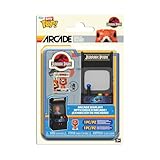
- The world of POP! is getting bigger—and smaller—with Bitty POP! collectibles!
- Expand your Jurassic Park collection with Bitty POP! Arcade Raptor! Bitty POP! figure is packaged in a hard acrylic display case with a detachable bottom lid.
- The detachable bottom lid doubles as an acrylic base, to which the Bitty POP! figure is adhered.
- Remove Bitty POP! Raptor from her case so she can take her place in the Bitty POP! Arcade Display! The Bitty POP! case can be stored inside the Bitty POP! Arcade Display, directly below POP! Raptor. Vinyl figures are approximately 0.9 and 3.5 in (2.3 and 8.9 cm) tall.
- Warning: Choking Hazard. Collectibles are small. Not for children under the age of 3 years old.
Rank #4

- 🕹 Officially Licensed: This is an officially licensed Bandai Namco title, ensuring an authentic gaming experience.
- 🎮 Iconic Characters: Guide the beloved yellow PAC-MAN character through mazes, eating dots and power-ups. Features artwork inspired by the original PAC-MAN arcade cabinet.
- High Resolution: This collectible game features a high-resolution 2.75-inch full-color display, allowing you to immerse yourself in the classic gameplay.
- Headphone Jack: 3.5mm headphone jack lets you enjoy PAC-MAN on the go on your own privately.
- 🔋 Portable Gameplay: Powered by 4 AA batteries (not included) or by a USB-C cable (not included)
Product prices and availability are accurate as of the date/time indicated and are subject to change. Any price and availability information displayed on Amazon at the time of purchase will apply.




