No. There is no official way documented to transfer a The Legend of Zelda: Breath of the Wild save from Nintendo Switch to PS5 or use that save on PS5. Nintendo’s supported save options are for Nintendo consoles, while PlayStation’s PS5 transfer guidance covers PS4 and PS5 data—not Nintendo Switch saves.
Why a Switch save cannot be used on PS5
Nintendo lists Breath of the Wild for Nintendo Switch, with compatibility information for Nintendo Switch 2, and also lists a separate Switch 2 Edition. Its cited U.S. catalog does not list a PS5 version. Nintendo’s game listing and Switch 2 Edition listing are for Nintendo platforms.
Save transfer instructions are platform-specific. Nintendo says save data can be transferred between users linked to the same Nintendo Account, and PlayStation documents copying data from a PS4 or another PS5 to a PS5. Neither route provides a Switch-to-PS5 import. A Nintendo Account, PlayStation Network account, cloud backup, SD card, or USB drive does not create a documented cross-platform conversion method.
What you can do with your Switch save
Move it to another Nintendo Switch-family console
Nintendo’s local save transfer moves the save between consoles; it is not a copy-and-keep-both process. Use this route when you want to continue the same playthrough on another compatible Nintendo console.
Recommended Free Tools
#1 Best Overall

- Discover Hyrule as never before: by making your own path, choices, and consequences
- Ingenuity is the key to survival: find multiple solutions to tons of dynamic puzzles
- Surprises hide around every corner: scavenge weapons, armor, plants, animals, and more
- Live off the land: find weapons and armor, cook food, and brew elixirs
- Utilize special technology: the in-game Sheikah Slate controls, objects and enemies in fun ways
- Connect both consoles to the internet and link the relevant user on each console to the same Nintendo Account.
- On the source console, open System Settings → Data Management → Transfer Your Save Data and follow the on-screen instructions.
- Choose the option to send save data and complete the flow on the receiving console. The save is removed from the source. If the same software already has save data on the destination, that data may be overwritten, and Nintendo warns the overwrite cannot be undone.
See Nintendo’s nearby-console transfer instructions for the official requirements and flow.
Redownload a cloud backup on another Nintendo console
Nintendo Switch Online members can redownload save data backed up through Save Data Cloud on another console, subject to an active membership. This is Nintendo-to-Nintendo recovery or continuation, not a way to import a save into PlayStation. See Nintendo’s Save Data Cloud guidance.
Rank #2
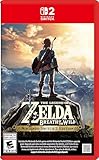
- Enhanced resolution, framerates, and load times optimized for Nintendo Switch 2.
- Explore a massive open-air version of Hyrule with complete freedom.
- Solve physics-based puzzles, survive dynamic weather, and uncover hidden secrets.
- Customize your adventure with weapons, gear, and food you craft yourself.
- Use the ZELDA NOTES app for bonuses, item sharing, and social features.
What PlayStation’s transfer guidance covers
PlayStation’s cited PS5 instructions describe transferring data from a PS4 or another PS5 to a PS5. They do not describe importing Nintendo Switch saves. Consult PlayStation’s PS4-to-PS5 and PS5-to-PS5 transfer guide for those PlayStation-console transfers.
Independent reader supportYour contribution helps us test, update, and keep practical guides available for everyone.Switch 2 Edition save-file limitation
Nintendo says the second save file created in the Breath of the Wild Switch 2 Edition cannot be transferred to the original Switch version for play. This limitation applies specifically to that second save file and that direction; it should not be generalized to every save or transfer between Nintendo consoles. See Nintendo’s Switch 2 Edition listing.
Quick wins for a faster PC:
Fix the driver behind crashes, sound loss and screen glitchesFind Drivers →Repair Windows errors before they cause bigger problemsFix Now →Quick Recap
Rank #4
![The Legend of Zelda: Breath of the Wild – Nintendo Switch 2 Edition Upgrade Pack - Nintendo Switch 2 [Digital Code]](https://m.media-amazon.com/images/I/41Y5b1WmCXL._SL160_.jpg)
- Persistent internet and compatible smart device required. Data charges may apply.
- QR Code is a registered trademark of DENSO WAVE INCORPORATED.
Rank #3
![The Legend of Zelda: Breath of the Wild - Nintendo Switch [Digital Code]](https://m.media-amazon.com/images/I/51xVZUUZ1hL._SL160_.jpg)
- Discover Hyrule as never before: by making your own path, choices, and consequences
- Ingenuity is the key to survival: find multiple solutions to tons of dynamic puzzles
- Surprises hide around every corner: scavenge weapons, armor, plants, animals, and more
- Live off the land: find weapons and armor, cook food, and brew elixirs
- Utilize special technology: the in-game Sheikah Slate controls objects and enemies in fun ways
Product prices and availability are accurate as of the date/time indicated and are subject to change. Any price and availability information displayed on Amazon at the time of purchase will apply.




