
Verdict: The Cooler Master MasterFrame 360 Panorama (MF360-KINN-S00) is worth considering if your gaming PC is also a display piece. Its three-sided glass, front collectibles bay, vertical-GPU presentation and adjustable frame are genuinely distinctive. However, the 93-liter footprint is enormous, fans are not included, and airflow around the power supply is restricted. It is a form-first enthusiast case, not the safest choice for a buyer whose priority is maximum cooling per dollar or minimum desk space.
What the MasterFrame 360 Panorama is
The Panorama is the display-oriented model in Cooler Master’s MasterFrame 360 family, alongside the Stage LCD and Stage Mirror. Its design uses an aluminum exo-structure around a central cable-management chamber, with tempered-glass panels on three sides. Cooler Master describes the concept bluntly: “The PC is no longer just a machine — it’s a statement.” That positioning matters because the Panorama’s defining feature is not a new cooling technology or an unusually compact layout; it is the ability to present hardware and collectibles as part of the room.
As an Amazon Associate I earn from qualifying purchases.
The model number to look for is MF360-KINN-S00. The official finish is black with an SGCC exterior. The case accepts Mini-ITX, Micro-ATX, ATX and ATX BTF motherboards, so it can house anything from a compact build to a full-size enthusiast system. Its front display compartment is intended for figures, model kits and other small objects, but the object must fit the compartment’s dimensions and the shape of the item matters as much as its longest measurement.
Key specifications at a glance
| Specification | MasterFrame 360 Panorama |
|---|---|
| Model | MF360-KINN-S00 |
| Dimensions including protrusions | 549 × 291 × 581 mm |
| Dimensions excluding protrusions | 511 × 291 × 581 mm |
| Volume | 86 L without panels, protrusions and feet; 93 L with them |
| Supported motherboards | Mini-ITX, Micro-ATX, ATX and ATX BTF |
| Maximum graphics-card clearance | 430 mm |
| Maximum CPU-cooler height | 145 mm |
| Maximum PSU length | 210 mm |
| Expansion slots | 3.5 PCI slots |
| Storage support | One 3.5-inch hard drive or two SSDs |
| Front I/O | Two USB 3.2 Gen 1 Type-A, one USB 4.0 Gen 2×2 Type-C, 3.5 mm headset jack |
| Included accessories | One PCIe 5.0 riser cable and two ARGB spotlights |
| Warranty | Two years |
The dimensions use Cooler Master’s axis order and include/exclude protrusions as shown. A hands-on PC Gamer measurement was approximately 585 × 550 × 292 mm, reflecting a different measurement approach and orientation; use the manufacturer’s specification for planning a desk or shelf, then allow additional clearance for cables and ventilation.
#1 Best Overall

- Front Mirrored Stage for 360° Display Distinctive front-facing mirrored platform reflects your components and collectibles from every angle, creating a unique 360-degree showcase effect.
- Massive Cooling Capability Supports fan sizes from 120mm to 200mm with space for up to twelve 120mm fans—six on the top and six on the bottom—and radiator support up to 360mm.
- Open-Frame Design for Creative Freedom Unrestricted open-frame layout allows flexible placement of hardware, figures, and accessories—perfect for creators, collectors, and themed builds.
- Wide Component Compatibility Supports Mini-ITX, Micro-ATX, and ATX motherboards, including ATX BTF (back-connect) layouts. Accommodates GPUs up to 430mm and PSUs up to 210mm
- Next-Gen Front I/O Connectivity Features USB 4.0 Gen 2x2 Type-C (up to 20Gbps) and two USB 3.2 Gen 1 Type-A ports for fast, future-ready connectivity.
The front display: the reason to buy it
What fits in the compartment
The official Panorama specification gives the front collectibles compartment maximum dimensions of 360 × 220 × 118 mm. Those numbers describe the available envelope, not a promise that every object with a matching length, width or height will fit. A figure with a wide base, outstretched accessories or an awkward pose can run out of room sooner than a rectangular measurement suggests. Measure the complete item, including its stand, and check the orientation in which it will sit.
A duplicated store specification on the manufacturer’s domain displays a different figure, 328 × 290 × 110 mm. Because that line conflicts with the Panorama-specific specification, the 360 × 220 × 118 mm values are the safer published reference. For an expensive or irreplaceable collectible, confirm the compartment dimensions with the seller before ordering and avoid assuming that the alternate figure applies to this model.
Protection and presentation
Three-sided tempered glass makes the display visible from several angles and lets lighting spill into the room. The trade-off is that glass adds weight and turns the front area into a less forgiving airflow path than an open mesh panel. The two included ARGB spotlights are useful for highlighting a figure or the GPU, but they do not replace case fans.
Vertical GPU staging
The supplied PCIe 5.0 riser cable supports the Panorama’s presentation-oriented GPU mounting arrangement. It places the graphics card where it can be seen through the glass instead of hiding it behind a conventional side panel. The review configuration found that this arrangement occupies the GPU mounting position and limits future use of spare PCIe slots for additional expansion cards. If you need a capture card, sound card, storage adapter or other add-in board later, check the board layout before committing to the vertical display configuration.
Cooling support and the no-fans caveat
Fan and radiator capacity
Cooler Master provides unusually broad mounting flexibility. Both the top and bottom positions support up to six 120 mm fans, or two 140 mm, two 180 mm or two 200 mm fans at each position. The same positions accept 120, 140, 240, 280 and 360 mm radiators. Maximum listed radiator thickness clearance is 75 mm.
| Mounting position | Supported fans | Supported radiators |
|---|---|---|
| Top | Up to 6 × 120 mm, or 2 × 140/180/200 mm | 120, 140, 240, 280 or 360 mm; up to 75 mm thickness |
| Bottom | Up to 6 × 120 mm, or 2 × 140/180/200 mm | 120, 140, 240, 280 or 360 mm; up to 75 mm thickness |
No fans are included. PC Gamer’s review specifically lists that as a negative. Budget for a complete fan set or a 360 mm liquid cooler when comparing the Panorama with cases that ship with several fans. The reviewed build used three 120 mm fans and a 360 mm all-in-one cooler; that is an example of the hardware installed for the review, not a required or endorsed combination.
Rank #2

- Flexible Layouts: Switch between vertical, horizontal, or inverted layouts to fit your desk, workflow, and style.
- Build Your Way: The aluminum open-frame design delivers structural rigidity, clean airflow, and a bold, functional aesthetic.
- Compact Yet Powerful: Fits Mini-ITX and Micro-ATX builds with space for up to nine fans, a top-mounted 360 mm radiator, and 390 mm GPUs with anti-sag support for cool, stable performance.
- Future-Ready Connections: Front I/O includes USB 3.2 Gen 2x2 Type-C, dual USB 3.2 Gen 1 Type-A, and combo audio, giving you the speed and convenience modern setups demand.
- Modern Front I/O: Equipped with USB 3.2 Gen 2 Type-C, dual USB 3.2 Gen 1 Type-A ports, and a combo audio jack for fast connectivity and charging.
Where airflow falls short
PC Gamer praised the cooling options but found that form sometimes takes priority over function. The reviewer reported that the power supply was mostly cut off from fresh air behind the glass. That restricted PSU intake is the most important thermal caveat because it can make the power supply depend more heavily on the case’s overall pressure and nearby airflow strategy.
The case is therefore better suited to a buyer who will plan fan direction carefully than to someone who wants to install components with no airflow planning. A sensible starting layout is fresh air entering from the bottom and exhaust leaving through the top, while keeping radiator placement and GPU intake unobstructed. Check the final temperatures in your own room and workload; the available evidence is a hands-on observation, not an independent laboratory comparison of temperatures or noise.
Clearances and component planning
Graphics card
There is up to 430 mm of listed GPU clearance, enough for very large modern cards on paper. Confirm the card’s thickness, power-connector position and the bend radius of its cable as well as its length. The vertical riser arrangement changes how the card receives air and can consume the expansion area that would otherwise be available for add-in cards.
CPU cooling
The maximum CPU-cooler height is 145 mm. That is generous for many low- and mid-profile tower coolers, but it is not a blanket guarantee for every large dual-tower design. Measure from the motherboard socket to the side-panel clearance and account for memory-module height if the cooler overhangs the DIMM slots.
Power supply and cable routing
PSUs up to 210 mm are listed as compatible. The case provides 110 mm of behind-tray cable-routing clearance, which helps with a full ATX build and the extra wiring associated with a riser, lighting and a liquid cooler. Length compatibility does not remove the airflow concern: leave the PSU intake and exhaust path clear, and do not bundle cables where they block the limited fresh-air route.
Outdated Drivers Are Slowing You Down
One free scan finds every outdated or missing driver and matches the right update for your exact hardware.Free scan · exact hardware matchWindows Errors? Fix Them Before They Spread
Repair common Windows errors and clear accumulated junk for a smoother, more stable PC - no reinstall needed.Free scan · no reinstallStorage and expansion
The Panorama supports either one 3.5-inch hard drive or two SSDs, plus 3.5 PCI expansion slots. This is adequate for a gaming-focused system with one or two fast SSDs, but it is less suitable for a workstation that needs several hard drives, multiple add-in cards or a large storage array. The riser-based GPU presentation can further reduce practical expansion flexibility.
Rank #3
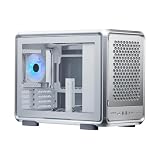
- Flexible Layouts: Switch between vertical, horizontal, or inverted layouts to fit your desk, workflow, and style.
- Build Your Way: The aluminum open-frame design delivers structural rigidity, clean airflow, and a bold, functional aesthetic.
- Compact Yet Powerful: Fits Mini-ITX and Micro-ATX builds with space for up to nine fans, a top-mounted 360 mm radiator, and 390 mm GPUs with anti-sag support for cool, stable performance.
- Future-Ready Connections: Front I/O includes USB 3.2 Gen 2x2 Type-C, dual USB 3.2 Gen 1 Type-A, and combo audio, giving you the speed and convenience modern setups demand.
- Modern Front I/O: Equipped with USB 3.2 Gen 2 Type-C, dual USB 3.2 Gen 1 Type-A ports, and a combo audio jack for fast connectivity and charging.
Building in the Panorama
- Measure the destination first. Plan for the official 549 × 291 × 581 mm envelope, protrusions, feet, rear cables and the extra clearance needed for top and bottom airflow. The case is large enough that a desk-side fit should never be assumed.
- Choose the motherboard and expansion plan. Decide whether you need ATX, ATX BTF or a smaller board, then reserve the PCI slots you may need before installing the riser and vertical GPU.
- Confirm component dimensions. Check the graphics card’s 430 mm length limit, CPU cooler’s 145 mm height limit, PSU’s 210 mm length limit and radiator thickness against the manufacturer’s measurements.
- Buy cooling hardware separately. Select fans or a 360 mm radiator/AIO before assembly because the case ships without fans. Include enough fans to establish a deliberate intake and exhaust path.
- Install the power supply with airflow in mind. Keep its intake unobstructed despite the glass-fronted layout. Route cables through the 110 mm rear channel rather than allowing them to collect around the PSU.
- Mount the radiator and fans. Top and bottom positions are both available. Check tube direction, memory clearance and GPU clearance before tightening the radiator.
- Fit the riser and GPU. Use the included PCIe 5.0 riser cable, support the card securely and verify that its power cable is not sharply bent against the glass.
- Place the collectible last. Measure the complete object and its stand against the 360 × 220 × 118 mm official compartment envelope. Keep the display clear of fan openings and moving cables.
- Test before closing every panel. Boot the system, check that the GPU negotiates the expected PCIe link, verify fan direction and listen for cable contact or vibration before installing the glass panels.
Build quality, size and everyday ownership
PC Gamer awarded the case 80 and praised its customization, adjustable frame, cooling options and build quality. The adjustable frame is important: it gives builders more freedom over how the components and display area are presented instead of forcing one rigid layout. The same flexibility contributes to the case’s substantial physical presence.
The manufacturer lists 93 liters with panels, protrusions and feet, or 86 liters without them. PC Gamer described the case as huge and also flagged its weight. Tempered glass on three sides, a metal exo-structure, a large internal volume and the display hardware all work against portability. Treat it as a semi-permanent showcase rather than a case you will regularly carry to a LAN party.
The front I/O is well suited to a modern gaming desk: two USB 3.2 Gen 1 Type-A ports, one USB 4.0 Gen 2×2 Type-C port and a 3.5 mm headset jack. The included ARGB spotlights add visual polish without requiring a separate lighting purchase, while the removable mesh-only dust filter makes routine cleaning easier than a permanently fixed filter.
Recommended Free Tools
Price and value
Cooler Master’s EU store displayed €229.90 including VAT when checked in 2026. That is a dated European store listing, not a universal or guaranteed price. Local taxes, stock, shipping and regional model availability can change the amount, so verify the price for your country and the MF360-KINN-S00 model before buying.
The sticker price is only part of the build cost. Because fans are not included, add a fan set or a compatible 360 mm cooling solution. Also account for the value of the collectible you intend to display and the desk or shelving space needed for a 93-liter glass case. The Panorama becomes easier to justify when the display compartment and vertical GPU view replace a separate showcase; it is harder to justify if you will use the front bay as empty space.
Who should buy it?
It is a strong fit if you:
- Want your gaming PC to display a figure, model kit or themed build as prominently as the components.
- Prefer a vertical GPU presentation and three-sided glass over a conventional front-mesh tower.
- Need broad top and bottom fan or radiator mounting options and are comfortable buying cooling hardware separately.
- Have room for a very large case and do not expect to move it often.
- Are willing to plan airflow, cable routing and future PCIe expansion before assembly.
Look elsewhere if you:
- Want included fans, the smallest possible footprint or the best cooling efficiency for the money.
- Need unrestricted PSU airflow or a highly open mesh front.
- Require several hard drives or multiple add-in cards alongside a vertical GPU.
- Prefer a quiet, compact system assembled with minimal planning.
Final verdict
The MasterFrame 360 Panorama succeeds at its actual mission: making a gaming PC feel like a personal exhibit. The adjustable frame, three-sided glass, vertical GPU layout, ARGB spotlights and dedicated 360 × 220 × 118 mm collectibles compartment give it an identity that ordinary towers do not. Its compatibility figures are generous, and the top-and-bottom cooling mounts leave room for a carefully designed high-end build.
That identity comes with real costs. The 93-liter footprint and weight demand a permanent home, fans must be purchased separately, and the glass-focused layout restricts PSU airflow. PC Gamer’s conclusion captures the trade-off: it is “a great way to make your PC feel like a reflection of yourself and your interests,” but “definitely form over function at times.” Buy it when the display is the point; skip it when cooling simplicity, compactness or expansion flexibility matters more.
The Tool Desk
Outbyte Driver Updater FREEScan for outdated or missing drivers - takes under a minuteDriver Scan →Outbyte PC Repair FREERepair Windows errors before they cause bigger problemsFix Now →Quick Recap
Product prices and availability are accurate as of the date/time indicated and are subject to change. Any price and availability information displayed on Amazon at the time of purchase will apply.

