
The Tool Desk
Outbyte PC Repair FREERepair Windows errors before they cause bigger problemsFix Now →Outbyte Driver Updater FREEScan for outdated or missing drivers - takes under a minuteDriver Scan →Verdict: The Corsair FRAME 4000D is a capable, unusually configurable mid-tower for builders who want flexible fan placement, broad motherboard support and serviceable parts. Its cooling potential is convincing in independent testing, but the purchase only makes sense after you identify the exact edition and price in the fans you still need. The base case can be fanless, while RS versions bundle fans, so two listings that look almost identical can require very different budgets.
The case supports Mini-ITX through E-ATX boards, up to twelve 120 mm fans and two 360 mm radiators. That flexibility is the main reason to choose it; it is not a guarantee of lower temperatures or quieter operation. Your radiator position, intake strategy, fan curve and graphics-card load will determine the result.
As an Amazon Associate I earn from qualifying purchases.
What the FRAME 4000D is
The FRAME 4000D is a modular ATX mid-tower built around Corsair’s InfiniRail fan-mounting system. Rails let you reposition compatible 120 mm fans along a mounting track instead of being locked to a few fixed screw patterns. The chassis also supports reverse-connector motherboards, which can move many power and front-panel connections to the rear of the board for a cleaner visible side.
Corsair describes it as a “fully-modular and spacious mid-tower PC case featuring InfiniRail™ Fan Mounting System and compatible with reverse connector motherboards.” That description is accurate as a summary of the design, but it leaves out the buying distinction that matters most: some FRAME 4000D packages contain no fans, while RS packages include a fan set.
#1 Best Overall

- FRAME Modular Case System - The revolutionary FRAME system gives new meaning to the word customization. Want to upgrade the motherboard tray to billet aluminum? Want to swap out your front I/O panel for more USB ports? Now you can. A case that can change and grow with your needs (or just your mood). The options are nearly limitless
- 3x CORSAIR RS ARGB PWM Fans - High-performance fans pre-installed in the front of case. Support daisy-chainable 4-pin PWM connections and Zero RPM mode for near-silent operation at low loads. Each Fan has eight LEDs and easily controllable with your motherboard’s +5V ARGB connector
- CORSAIR InfiniRail Fan Mounting System - This steel multi-point mounting system offers unmatched flexibility in front and roof fan configuration. Simply slide the rail to mount fans up to 200mm (140mm in the roof) wherever you like, ensuring targeted airflow
- Clean Lines or Turbo Cooled - The internal side panel near the motherboard tray can be used as a cable cover for clean cable management, or you can remove it and mount fans to the side for increased cooling potential
- 3D Y-Pattern Airflow Panel - Optimized for high airflow and minimal restriction, the steel front panel is perforated in three dimensions with a Y-pattern that provides a low-obstruction path for cool air
The official black model is listed as SKU CC-9011290-WW. Corsair’s US page displayed $104.99 when accessed in 2026; that is a time-sensitive regional listing price, not a permanent price for every color, retailer or fan configuration. Check the SKU, included accessories and current regional price before ordering.
See the current Corsair FRAME 4000D specification page.
Core specifications
| Specification | FRAME 4000D information |
|---|---|
| Case type | Modular mid-tower |
| Supported motherboards | Mini-ITX, Micro-ATX, ATX and E-ATX up to 305 × 277 mm |
| External dimensions | 486 mm high × 490 mm long × 239 mm wide |
| Maximum fan capacity | Up to 12 × 120 mm fans |
| Maximum radiator capacity | Up to two 360 mm radiators |
| Front I/O | One USB 3.2 Gen 2 Type-C, two USB 3.2 Gen 1 Type-A and a combined audio/microphone jack |
| Expansion slots | Seven PCIe slots; the review specification lists three positions usable for a vertical configuration |
| Storage support | Up to four 2.5-inch drives and two 3.5-inch drives, according to the review specification |
| CPU-cooler clearance | 170 mm, according to the review specification |
| Fan-mount system | InfiniRail modular mounting for compatible 120 mm fan layouts |
The dimensions and capacity figures above come from Corsair’s current listing where noted; the drive, slot and cooler-clearance figures are specifications reported by Tom’s Hardware. If your cooler, graphics card, radiator or drive cage is close to a limit, confirm the manual for your exact SKU rather than treating a review-page number as a fit guarantee.
What’s actually slowing this PC down?
Pick the symptom - the matching free tool is one click away.
Base, RS and RS ARGB editions: identify the package first
The FRAME 4000D name covers materially different packages. Tom’s Hardware’s base sample arrived without stock fans. Corsair also sells fan-equipped RS versions, and GamersNexus tested the RS ARGB configuration. The chassis shell and mounting concept are related, but the value calculation changes once you add the cost of the fans required for your build.
Fanless base model
A fanless package can be a sensible starting point if you already own 120 mm fans, want a specific acoustic profile or intend to use a custom radiator-and-fan arrangement. It is a poor value if you discover after delivery that you need four or six additional fans and a controller. Count every intake, exhaust and radiator position before comparing the case with a fan-equipped alternative.
RS and RS ARGB packages
Fan-equipped RS models bundle Corsair RS-series fans; the ARGB version adds addressable lighting. GamersNexus states that its base case sample had no stock fans and used three RS120 ARGB fans to match the RS ARGB stock setup during testing. Do not transfer that review’s temperatures or acoustics to a fanless SKU, because the installed fans and their control settings are part of the tested configuration.
Rank #2

- Wood Front Panel – The front panel features Oak or Walnut FSC-Certified wood slats for a unique look with high airflow, providing a great balance between aesthetics and performance
- 4x CORSAIR RS120 PWM Fans – High-performance fans are pre-installed in the front and rear of case for an excellent airflow path though the case and out the back for effective low-noise cooling. The fans use daisy-chainable 4-pin PWM connections and support Zero RPM mode for near-silent operation at low loads
- CORSAIR InfiniRail Fan Mounting System – This steel multi-point mounting system offers unmatched flexibility in front and roof fan configuration. Simply slide the rail to mount fans up to 200mm (140mm in the roof) wherever you like, ensuring targeted airflow without fixed mounting constraints
- FRAME Modular Case System - The revolutionary FRAME system gives new meaning to the word customization. Want to upgrade the motherboard tray to billet aluminum? Want to swap out your front panel or PSU shroud? Now you can. It’s a case that can change and grow with your needs (or just your mood)
- 3x 360mm Radiator Locations – Take your cooling to the next level with three mounting locations for 360mm radiators (front, roof, and side), giving you plenty of options for high-powered, low-noise cooling
How to verify an online listing
- Copy the complete model number, including the regional suffix, from the retailer listing.
- Open Corsair’s specification page for that model and read the “what’s included” section.
- Confirm the number, size and lighting type of the bundled fans; “RS” in a product title is not enough by itself.
- Price the missing fans, splitters or controllers needed for your planned layout.
- Check the return policy in case the delivered contents do not match the listing.
Modularity and airflow options
InfiniRail is useful when your components do not benefit from a conventional front-only intake. You can shift 120 mm fans to align with a graphics-card intake zone, create a side intake, or leave clearance for a thick front radiator. The top tray, motherboard tray, fan-support frame and cable-management pieces are also designed to come out or be repositioned, making the initial build and later maintenance less restrictive than in a fixed-layout case.
There is no single “correct” layout. A front intake feeds the case in the familiar way and is easy to understand. A side intake can deliver cooler air directly toward the graphics card and was the arrangement used in Tom’s Hardware’s testing. A radiator in the front or top changes the temperature balance: front-mounted radiators can warm the air reaching the GPU, while top exhaust can remove CPU heat more directly but may have clearance and noise implications.
Practical layout choices
- Air-cooled CPU and air-cooled GPU: use a clear front or side intake path and a rear or top exhaust path. Keep the strongest intake flow aimed at the GPU fans.
- Front-mounted 360 mm radiator: treat the radiator fans as intake or exhaust deliberately; an intake radiator usually gives the CPU cooler air but raises the temperature of air entering the graphics-card area.
- Top-mounted 360 mm radiator: use it as exhaust when motherboard and memory clearance permit. Check tube routing and the distance between the radiator, CPU power connector and tall memory modules.
- High-end graphics card: prioritize unobstructed side or front intake over filling every available mount. Twelve fan positions are a maximum, not a recommendation to populate all of them.
More fans can add turbulence, cable clutter and motor noise without improving temperatures if the case already has a balanced pressure path. Start with the minimum number needed for a front-to-back or bottom-to-top flow pattern, then add a side intake only if component temperatures or fan speed justify it.
Will your motherboard, GPU and cooler fit?
Motherboard support
Corsair lists Mini-ITX, Micro-ATX, ATX and E-ATX support up to 305 × 277 mm. That E-ATX limit is a dimensional boundary, not a promise that every board with an E-ATX label will preserve every cable-routing opening. Compare your board’s published width and mounting-hole pattern with the case manual, especially if it uses rear-facing connectors.
CPU cooler
Tom’s Hardware lists 170 mm of CPU-cooler clearance. Measure the cooler from the motherboard surface to the highest point of its top cover or heat pipe, not only the manufacturer’s nominal height. A side fan, thick radiator or offset motherboard installation can consume space that is available in the basic dimension.
Graphics card and expansion cards
The supplied specifications do not establish one universal graphics-card-length limit for every configuration. Radiator thickness, front fan position, vertical mounting hardware and the number of installed drive brackets all affect the remaining space. Measure your card with its power connector attached and leave room for the cable’s bend radius; a card that technically fits can still place damaging stress on a connector.
Rank #3
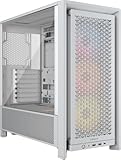
- FRAME Modular Case System - The revolutionary FRAME system gives new meaning to the word customization. Want to upgrade the motherboard tray to billet aluminum? Want to swap out your front I/O panel for more USB ports? Now you can. A case that can change and grow with your needs (or just your mood). The options are nearly limitless
- 3x CORSAIR RS ARGB PWM Fans - High-performance fans pre-installed in the front of case. Support daisy-chainable 4-pin PWM connections and Zero RPM mode for near-silent operation at low loads. Each Fan has eight LEDs and easily controllable with your motherboard’s +5V ARGB connector
- CORSAIR InfiniRail Fan Mounting System - This steel multi-point mounting system offers unmatched flexibility in front and roof fan configuration. Simply slide the rail to mount fans up to 200mm (140mm in the roof) wherever you like, ensuring targeted airflow
- Clean Lines or Turbo Cooled - The internal side panel near the motherboard tray can be used as a cable cover for clean cable management, or you can remove it and mount fans to the side for increased cooling potential
- 3D Y-Pattern Airflow Panel - Optimized for high airflow and minimal restriction, the steel front panel is perforated in three dimensions with a Y-pattern that provides a low-obstruction path for cool air
The review specification lists seven PCIe expansion slots and three positions usable for a vertical configuration. Vertical mounting can improve presentation but may move the card closer to a side panel or intake and can affect airflow. Treat it as an optional layout, not a thermal upgrade.
Storage
Tom’s Hardware reports capacity for up to four 2.5-inch drives and two 3.5-inch drives. Confirm which brackets are included with the SKU you are buying and whether installing a drive cage interferes with your chosen radiator or fan position.
Cooling performance: what the reviews actually measured
Independent results are encouraging, but the methods are not interchangeable. Tom’s Hardware used an Intel Core i9-14900K, an Ocypus Iota A62 WH dual-tower cooler with one fan, an ASUS Z790-P Prime WiFi motherboard, an MSI RTX 4070 Ti Super Ventus 3X OC graphics card and Ocypus Gamma F12 BK ARGB system fans. The case used a side-mounted intake. One test capped system and CPU fans at 30%; another allowed full speed.
Recommended Free Tools
| Tom’s Hardware test | Reported result | How to interpret it |
|---|---|---|
| CPU-only load, fans capped at 30% | 213.1 W cooled | An outlet-defined cooling metric under that hardware and fan cap, not a target CPU temperature |
| CPU-only load, fans at full speed | 293.5 W cooled | Shows the effect of allowing higher airflow in the same test framework |
| Combined CPU/GPU load, fans at full speed | 278.1 W cooled | A mixed-load result for the specified components and side-intake arrangement |
Tom’s Hardware described the case’s result as strong in its four-case comparison. The figures are useful for understanding capacity under controlled conditions, but they do not predict the temperature of your processor or graphics card. Silicon quality, room temperature, power limits, cooler orientation, fan curves, dust and radiator placement can all change the outcome.
GamersNexus reviewed the RS ARGB configuration with three RS120 ARGB fans and reported noise-normalized and standardized-fan comparisons using temperatures relative to ambient. That approach answers a different question from watts cooled: it helps compare thermal behavior at matched acoustic or fan conditions. Because the fan bundle and methodology differ, do not place the GamersNexus temperatures in the same table as Tom’s Hardware’s watt figures or treat either set as a universal guarantee.
For a fair comparison with another case, use the same processor power limit, graphics-card power, cooler, fans, fan speeds, room conditions and radiator orientation. A result obtained with a bundled RS fan set is not an apples-to-apples result against a fanless chassis fitted with unrelated fans.
Rank #4

- FSC-Certified Wood Panel – The wood is FSC certified and sourced from ethically-managed forests, providing a natural look with outstanding rigidity
- Solid Wood – The solid wood is not veneer or laminate and provide a natural look that allows your PC to blend in with living room or office furniture
- Single-Piece Construction – Each front panel is precision-cut from a single piece of real wood, then carefully separated to preserve the natural grain pattern
- 420mm Radiator Support – There is ample room in the chassis to mount liquid cooling hardware, with support in the roof to mount a 420mm radiator to tame even the hottest CPUs
- Install Up to 11x 120mm Fans – Maintain constant airflow throughout the chassis with ample options for fan placement including 11x 120mm or 10x 140mm fan mounts for full-system airflow and effective cooling
Noise expectations and fan control
The FRAME 4000D has enough mounting capacity to run low speeds, but capacity alone does not make a system quiet. Noise comes from the fans you install, their bearing and motor characteristics, turbulence at filters and panels, pump speed and the fan curve selected in your motherboard or controller software.
A sensible tuning sequence is to establish a safe baseline, then reduce noise:
- Connect every fan to a known motherboard header or controller and label its position.
- Set a conservative curve that keeps the CPU and GPU within their normal operating limits during a sustained workload.
- Check temperatures at idle, during a 10-minute CPU load and during a graphics-heavy game or benchmark.
- Lower intake and exhaust speeds together in small steps, watching for a temperature rise that is larger than the acoustic benefit.
- If the GPU is hot while the CPU is comfortable, move or add a side intake before increasing every exhaust fan.
The case’s filters and modular panels are maintenance items, not acoustic insulation. Clean them when dust buildup raises fan speed, and avoid blocking an intake with a desk wall or cable bundle.
Independent reader supportYour contribution helps us test, update, and keep practical guides available for everyone.Building in the FRAME 4000D
The modular parts are most valuable before the motherboard and radiator make access difficult. Plan the layout on paper, then install the rails and fans while the interior is open.
- Confirm the parts. Photograph the delivered case, rails, brackets, filters, screws and fans. Verify the SKU and bundled-fan count before removing protective film.
- Choose the airflow direction. Mark intake and exhaust on a simple diagram. Decide whether the radiator is front or top mounted and reserve the unobstructed path for the graphics card.
- Set the InfiniRail positions. Slide the fan mounts to align with the CPU socket, graphics-card intake or radiator. Tighten the rails after checking that fan frames will not collide with memory, pump tubing or front-panel cables.
- Install the power supply and cable paths. Route the 24-pin, CPU EPS and graphics-card cables before filling the main chamber. Reverse-connector boards may require a different order and access path.
- Mount the motherboard. Check standoff positions against the board, install the I/O shield if it is separate, and confirm that rear connectors have clear openings before tightening the board.
- Install the cooler or radiator. Dry-fit the radiator and fans first. Verify that the radiator thickness leaves room for motherboard heatsinks and memory, then secure it and connect the pump or fan leads.
- Install storage and expansion cards. Fit drive brackets before a large graphics card blocks access. Support the card with the supplied anti-sag assembly when needed.
- Connect front I/O. Attach the Type-C, USB Type-A, combined audio and power-switch leads to the motherboard headers specified in its manual. Keep the cables clear of fan blades and filters.
- Test before closing panels. Boot with the panels off, confirm every fan spins in the intended direction, check for pump noise or rubbing, and verify that front USB and audio work.
- Close and retest. Refit filters and panels, then repeat the workload checks. Panel clearance can change sound and temperatures, especially with a side intake.
The top strap is intended to help remove the top tray. Tom’s Hardware specifically cautions against using it as a handle to carry the complete case. Lift the chassis from its structural lower frame instead.
Free tools Windows power users keep installed
One-click scans. No signup required.
Parts, repairs and long-term ownership
Corsair maintains a FRAME-specific spare-parts page listing replacement panels, filters, InfiniRail components, front I/O parts and an anti-sag assembly. This is a practical advantage over cases whose small brackets or filters are unavailable after a move or an accident.
Best Value

- XENEON EDGE LCD INCLUDED – The XENEON EDGE 14.5” LCD TOUCHSCREEN comes pre-installed and pre-wired in the side panel so there’s nothing needed to install it as it’s ready to use right out of the box
- Easy Side-Panel Access – The XENEON EDGE 145” LCD TOUCHSCREEN is mounted in the FRAME side-panel kit for easy access on the side of your computer, so full control of all its features is right at your fingertips
- Powerful iCUE Widgets – Customize a wide range of sophisticated iCUE Widgets and open up a whole new world of real-time customizable data including monitoring hardware temps and usage levels, Twitch chat, image and video display, volume control, and much more
- iCUE Widgets or Second Display – Setup the LCD as a widget control center or use it as a second display for Windows, all from your desktop
- Updated Front I/O Panel – The front I/O has been updated with three USB Type-C ports, with one port providing blistering 20Gb/s speeds and the other two offering fast 5Gb/s data transfer rates
Do not substitute parts made for the regular 4000D or 4000D X. Corsair’s support documentation explicitly warns that those parts are not compatible with FRAME models. Match the replacement to the FRAME 4000D name and your exact regional variant, and confirm availability before assuming a part can be ordered.
Check Corsair’s FRAME Series spare-parts guidance (updated August 7, 2025).
Is the Corsair FRAME 4000D worth it?
Value depends on the complete system cost, not the empty chassis price. Add the fans, controller, radiator brackets or vertical-mount accessories your build needs, then compare that total with fan-equipped alternatives. A $104.99 US listing for one black SKU cannot establish the value of every edition, and prices change by region and date.
Choose it when
- You want to experiment with front, side or top intake and value rails over a fixed fan grid.
- Your motherboard is Mini-ITX, Micro-ATX, ATX or a supported E-ATX board up to 305 × 277 mm.
- You need room for up to two 360 mm radiators or a large number of 120 mm fans.
- You are comfortable selecting fans and tuning their curves rather than expecting a plug-and-play thermal result.
- Model-specific replacement filters, panels and InfiniRail parts matter for a long service life.
Look elsewhere when
- You want a complete quiet-build fan package and the listing is the fanless base SKU.
- Your priority is the smallest possible case rather than modular mid-tower dimensions.
- You need a guaranteed graphics-card, radiator or cooler fit that the published generic dimensions do not establish.
- You will not use the adjustable mounting system and can get a cheaper fixed-layout case with the same included hardware.
Final assessment
The FRAME 4000D earns its place through flexibility rather than a single headline benchmark. Its broad board support, InfiniRail positioning, reverse-connector compatibility and dual-360-radiator capacity give builders many workable layouts. Testing from Tom’s Hardware and GamersNexus indicates strong cooling potential when the case is configured appropriately, while also showing why fan choice, speed and test method matter.
Buy the exact SKU that matches your cooling plan. The fanless base is attractive for builders who already own fans or want to choose every component; an RS or RS ARGB package can be the better deal when its included fans replace purchases you would otherwise make. Once that distinction is accounted for, the FRAME 4000D is a well-rounded choice for a configurable, repairable airflow build rather than a universal recommendation for every PC.
Read Tom’s Hardware’s benchmark methodology and comparison and read GamersNexus’ RS ARGB testing and noise-normalized analysis.
Quick Recap
Product prices and availability are accurate as of the date/time indicated and are subject to change. Any price and availability information displayed on Amazon at the time of purchase will apply.

