
Usually, no—but the answer depends on the game and on what Bethesda now calls a “Creation.” In Skyrim, Bethesda says original Creation Club items do not disable achievements or trophies. The newer Skyrim Special Edition Creations menu is broader, however, and Bethesda’s general rule is that achievements are disabled unless an individual Creation is specifically exempt. In Fallout 4, enabling a mod disables achievements, while an explicitly achievement-friendly Creation can be an exception. Check the item’s designation and the support guidance for your game before loading it.
At a glance: which content disables achievements?
| Game and content | Bethesda’s stated rule | Practical decision |
|---|---|---|
| Skyrim original Creation Club item | Creation Club items will not disable achievements or trophies. | Eligible original Creation Club content can be used while pursuing achievements. |
| Skyrim Special Edition broader Creations menu | Achievements are disabled unless otherwise specified. | Do not assume every item in the current menu is an original Creation Club item; verify its achievement designation. |
| Fallout 4 ordinary mod | Once a mod is enabled, achievements and trophies cannot be unlocked. | Keep mods disabled for an achievement run, or return to a save from before mods were enabled. |
| Fallout 4 Creation | Bethesda’s current guidance says achievements are disabled unless otherwise specified. | An item explicitly marked achievement-friendly may be an exception, but check its current status. |
These rules are not a universal guarantee for every platform, game version, Creation, or save. Bethesda can change support guidance as menus and content are updated.


As an Amazon Associate I earn from qualifying purchases.
Official references: Skyrim Creation Club achievement guidance, Skyrim Creations installation guidance, and Fallout 4 mod achievement guidance.
Why “Creation Club mod” is an ambiguous term
Players often use “Creation Club mods” to describe any official add-on downloaded from Bethesda’s in-game store. Bethesda’s newer interface uses Creations as a wider category that can include the original paid Creation Club releases as well as other Creations and mods. That naming change is the source of much of the confusion: a rule written for original Creation Club items does not automatically cover every entry in the current Creations menu.
#1 Best Overall

- ENTER THE WORLD OF SKYRIM: Experience the legendary open-world RPG as a tabletop adventure, exploring Tamriel through branching quests, iconic factions, and rich Elder Scrolls lore.
- COOPERATIVE OR SOLO PLAY: Designed for 1–4 players, allowing you to adventure solo or team up to face dragons, uncover conspiracies, and shape the fate of Skyrim together.
- OPEN-ENDED QUEST SYSTEM: Choose how you approach each mission—diplomacy, stealth, or combat—as your decisions permanently impact the story and the world around you.
- DEEP CHARACTER PROGRESSION: Build unique heroes with evolving skills, gear, and abilities inspired by the video game’s iconic progression systems.
- HIGH REPLAYABILITY: Modular scenarios, multiple quest paths, and varied character builds ensure every campaign feels fresh and every journey through Skyrim is different.
Think of the name as two layers:
- Original Creation Club content: Bethesda’s curated add-ons, including content bundled with Skyrim Anniversary Edition. Bethesda’s dedicated Skyrim support article says these items will not disable achievements or trophies.
- Current Creations: the broader menu used to distribute different types of content. Bethesda’s installation instructions use the default rule “Achievements are disabled unless otherwise specified,” so an item needs an explicit exception rather than an assumption based on the menu name.
When an item’s label and a general support article appear to conflict, use the item’s own achievement designation and the current guidance for that specific game. Do not infer safety merely from the fact that the download is listed under Creations.
Skyrim: original Creation Club items versus newer Creations
Original Creation Club items are covered by an explicit exception
Bethesda’s Skyrim support page states: “Creation Club items will not disable achievements/trophies.” The same page explains that Creation Club content, including content bundled with Skyrim Anniversary Edition, went through full testing. On that specific category, Bethesda’s answer is clear: using the item does not by itself turn off the game’s achievement or trophy system.
This does not mean buying the Anniversary Edition is required. The bundle is one way to obtain the included content; the achievement rule concerns the status of the eligible Creation Club items, not ownership of a particular edition.
Free tools Windows power users keep installed
One-click scans. No signup required.
The current Skyrim Creations menu has a broader default rule
Bethesda’s installation instructions for Skyrim Special Edition say: “Achievements are disabled unless otherwise specified.” This is the rule to use when you are choosing an item from the modern Creations menu and cannot establish that it is one of the original Creation Club releases.
Rank #2

- EXPAND TO 8 PLAYERS: This expansion increases the player count from the base game, allowing 5–8 players to explore Skyrim together in epic, large-scale tabletop adventures.
- MORE HEROES, MORE CHAOS: Supports bigger parties and bolder strategies, perfect for groups who want deeper cooperation, rivalry, and emergent storytelling across the province of Skyrim.
- SEAMLESS CAMPAIGN INTEGRATION: Designed to plug directly into The Elder Scrolls: Skyrim – Adventure Board Game, preserving narrative depth, progression, and immersive gameplay.
- PERFECT FOR GAME NIGHTS & EVENTS: Ideal for larger gaming groups, clubs, and marathon sessions where more players means more interaction, alliances, and unforgettable moments.
- EXPANSION ONLY: Requires The Elder Scrolls: Skyrim – Adventure Board Game base game to play; enhances existing campaigns without replacing core systems.
In practice, inspect the item’s details for an achievement-friendly or equivalent exemption before downloading. If no exception is shown, treat the item as achievement-disabling. This conservative approach avoids confusing an older Creation Club guarantee with a newer, differently classified Creation.
What to do before starting an achievement run
- Open the item’s details in the in-game Creations interface and identify whether it is an original Creation Club item or another type of Creation.
- Read the item’s achievement designation. An explicit exemption is the relevant evidence; the word “Creation” alone is not.
- Make a separate save before enabling anything. It gives you a known point to return to if the game reports that achievements are disabled.
- After enabling the item, check the game’s status message before investing many hours in the run. A warning means you should stop and resolve the content issue rather than assume the next achievement will still unlock.
Fallout 4: mods are different from achievement-friendly Creations
Any enabled mod blocks achievements
Bethesda’s Fallout 4 support article says: “Once a game has a mod enabled, you will not be able to unlock achievements or trophies.” That is a categorical rule for mods. If your goal is an achievement or trophy, do not enable an ordinary mod in that playthrough.
Bethesda’s recovery instruction is specific: disable all mods and load a save from before the mods were enabled. Merely switching a mod off while continuing from a save created with mods is not presented as a universal fix.
The Tool Desk
Outbyte Driver Updater FREEFix the driver behind crashes, sound loss and screen glitchesFind Drivers →Outbyte PC Repair FREEClear out junk files and repair common Windows errorsFree Scan →Current Fallout 4 Creations can have exceptions
Bethesda’s current Creations guidance uses the qualification “Achievements are disabled unless otherwise specified.” Therefore, a Creation that is explicitly marked achievement-friendly can be an exception to the ordinary mod rule. The designation matters because the unified Creations category can contain content with different achievement behavior.
Use the item’s current status, not an old forum post or a recollection of how the content was classified in an earlier menu. Bethesda’s support material does not establish one result for every individual Creation, platform, game build, or save.
How to check a Creation safely
Use this decision process whenever you are uncertain:
- Identify the game. Skyrim and Fallout 4 do not have identical rules. Start with the support guidance for the game you are playing.
- Classify the content. Determine whether it is an original Creation Club item, a broader Creation, or a conventional mod. The current menu name is not enough.
- Look for an explicit achievement designation. “Unless otherwise specified” means the exception must be stated for that item; do not treat silence as approval.
- Protect a clean save. Keep a save made before enabling the content. For Fallout 4, this is essential because Bethesda’s restoration instruction requires loading a pre-mod save.
- Check for a warning. If the game displays an “Achievements are disabled” message, stop and follow the troubleshooting path below before continuing the affected save.
What to do when achievements are reported as disabled
Skyrim: remove or disable the Creation, but do not expect a guaranteed repair
Bethesda’s Skyrim removal guidance allows Creations to be deleted or disabled from the in-game library. That tells you how to remove the content; it does not establish that achievements will resume on every save that has already been affected. If the run matters, return to a save from before the questionable Creation was enabled whenever possible.
After returning to a clean save, verify that no other non-exempt Creation remains active. A single additional item can continue to trigger the disabled state, so review the complete library rather than removing only the last item you installed.
Rank #4
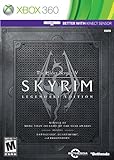
- Live Another Life, In Another World: Play any type of character you can imagine, and do whatever you want; the freedom of choice, storytelling, and adventure of The Elder Scrolls comes to life in one legendary experience from all three official add-ons.
- Dawnguard: The Vampire Lord Harkon has returned to power. By using the Elder Scrolls, he seeks to do the unthinkable - to end the sun itself. Will you join the ancient order of the Dawnguard and stop him? Or will you become a Vampire Lord?
- Hearthfire: Purchase land and build your own home from the ground up - from a simple one-room cottage to a sprawling compound complete with an armory, alchemy laboratory, and more.
- Dragonborn: Journey off the coast of Morrowind, to the vast island of Solstheim. Traverse the ash wastes and glacial valleys of this new land as you become more powerful with shouts that bend the will of your enemies and even tame dragons.
Fallout 4: use Bethesda’s pre-mod save procedure
For Fallout 4 mods, disable every mod and load a save from before any mod was enabled. Bethesda specifically gives this sequence for earning achievements again. Do not represent deletion alone as a guaranteed way to repair the current save.
If the content was an explicitly achievement-friendly Creation, check its current designation and remove any ordinary, non-friendly Creations first. Then test from a clean earlier save instead of assuming the existing save has been reset.
Achievement-friendly Creation still triggers the warning
Bethesda has documented an issue in which some players see an achievements-disabled message with certain Verified Creations that were previously free Creations. Its troubleshooting guidance is to remove Creations that are not achievement-friendly and, in some cases, uninstall the previous version of the Creation before playing. The older version can remain installed even after you add a newer, friendly version, leaving the game with conflicting content.
What’s actually slowing this PC down?
Pick the symptom - the matching free tool is one click away.
This issue is not proof that every Verified Creation disables achievements. It is a reason to check the item’s version history and installed-content list when a supposedly friendly item produces the warning.
Best Value
Common mistakes to avoid
- Equating “Creation” with “original Creation Club.” The current menu is broader, and Skyrim’s general instruction uses an “unless otherwise specified” rule.
- Applying Skyrim’s exception to Fallout 4 mods. Fallout 4’s ordinary mod rule is that enabling a mod blocks achievements.
- Assuming deletion always restores a save. Bethesda gives a pre-mod save procedure for Fallout 4 and does not promise that removal repairs every affected Skyrim save.
- Leaving an older version installed. The achievement-friendly Creation issue can involve a previous free version that was not fully uninstalled.
- Using advice for another game. Bethesda documents a
contentcatalog.txtstep for a Starfield troubleshooting case; that file instruction should not be applied to Skyrim or Fallout 4.
Platform, version, and save limitations
Bethesda’s support pages do not establish a universal result for every console or PC configuration, every game update, every Creation, or every existing save. Menu labels and achievement designations can change as Bethesda updates the games. If your interface differs from the instructions, use the current support page for that game and inspect the item’s live description.
Achievements and trophies also depend on the platform’s own tracking system. Bethesda’s wording covers both terms, but the evidence does not justify promising that a particular item will behave identically across all platforms or that a status change will retroactively repair progress.
A practical rule for an achievement-focused playthrough
For the lowest-risk run, begin from an unmodified save, enable only content whose current listing explicitly says it is achievement-friendly, and keep a backup save before every change. In Skyrim, original Creation Club items have Bethesda’s stated no-disable exception; other Creations require their own designation. In Fallout 4, leave ordinary mods off and use only Creations that are expressly exempt. If any warning appears, stop, remove the non-friendly or conflicting content, and return to the appropriate pre-content save rather than testing the next achievement on a potentially invalid run.
PC Slower Than It Used to Be?
A free scan shows the junk files, broken settings and background clutter dragging Windows down - then fixes them in one click.Free scan · Windows 10 & 11Crashes, No Sound, or Screen Glitches?
Random freezes, missing sound and display glitches usually trace back to one bad driver. Find and replace yours safely.Free scan · under a minuteQuick Recap
Product prices and availability are accurate as of the date/time indicated and are subject to change. Any price and availability information displayed on Amazon at the time of purchase will apply.

