
Do these 3 things before closing this tab:
1Fix the driver behind crashes, sound loss and screen glitches2Clear out junk files and repair common Windows errors3Scan for outdated or missing drivers - takes under a minuteStart by learning focus targeting, protecting inventory space, and unlocking movement tools. Crimson Desert is a single-player action game from Pearl Abyss released on March 19, 2026. Its opening hours combine real-time combat, vertical exploration, gathering, reputation systems, and quest rewards that permanently improve your options.
The advice below combines the launch guidance published by Xbox Wire, PC Gamer’s April 2026 guides, and PowerPyx’s practical walkthrough material. Button prompts, item availability, and balance can change by platform or patch, so treat Xbox button names as Xbox-specific and follow the prompts shown in your current game.
As an Amazon Associate I earn from qualifying purchases.
Learn the basic interactions before leaving the opening area
1. Make focus targeting your first habit
On Xbox, the left bumper activates focus targeting. It can select the person you want to speak to in a crowd, the exact item you want to pick up, an enemy, or the part of a tree you intend to strike. This prevents the common mistake of interacting with the nearest object instead of the intended one. On other platforms, check the control screen for the equivalent command.
Quick wins for a faster PC:
Clear out junk files and repair common Windows errorsFree Scan →Fix the driver behind crashes, sound loss and screen glitchesFind Drivers →2. Open the control display and remap early
Do not rely on a memorized button layout from another action game. Check the in-game controls menu, test combat and traversal commands in a safe area, and remap anything that causes missed dodges, jumps, or interactions. Revisit the display after unlocking new abilities because some actions add contextual prompts.
#1 Best Overall

- Join Kliff, captain of the Greymanes, and his comrades as they embark on a relentless journey to defend Pywel and fulfill their mission.
- Along your perilous path stands both dependable allies and countless foes who will stop at nothing to see your downfall.
- Face trials to uncover the truth of the catastrophe looming over Pywel and restore peace to the continent.
- Explore the mesmerizing landscapes of the continent where mystical beings, hidden treasures, and thrilling adventures await.
- Pre-order to receive the Khaled Shield (Pre Order Code on Receipt). PS5 Editions include the Grotevant Plate Set DLC as a PS5 exclusive bonus. (In Pack DLC Voucher). Bonus DLC Includes: Grotevan Plate Helm, Grotevan Plate Armor, along with Grotevan cloak, gloves, and boots!
3. Try a controller on PC, but treat it as a preference
PC Gamer guide writer Rory Norris recommends a controller because he found mouse-and-keyboard controls awkward. That is an editorial preference, not a requirement or an official performance claim. Compare the options for yourself:
| Input option | What to consider |
|---|---|
| Controller | Usually gives consistent analog movement and comfortable access to combat actions; recommended by one PC Gamer writer. |
| Mouse and keyboard | Provides direct camera and menu control, but may require more remapping to make combat comfortable. |
| Either option | Use the layout that lets you aim focus, dodge, and manage the camera without lifting your fingers from movement controls. |
4. Read every contextual prompt
Crimson Desert’s world contains people, animals, plants, pickups, and environmental objects that can be approached in different ways. A prompt can change when you move, focus a different target, or approach from another angle. If an interaction seems unavailable, reposition before assuming the object is decorative.
5. Use the environment as a source of information
The world is designed to signal useful activity through visible objects and map markers. Watch for unusual ruins, pressure plates, climbable routes, and resource nodes rather than sprinting directly between quest icons. This habit makes later traversal and fast-travel discovery much easier.
Expand inventory capacity before it becomes a problem
6. Inspect quest rewards before accepting a mission
Some missions award permanent inventory slots, and the Xbox Wire beginner guide says the reward is visible before you accept the quest. Read the reward panel instead of accepting every mission immediately. An early capacity upgrade can be more useful than a minor item reward when you are gathering materials.
7. Prioritize faction quests that award bags
PowerPyx identifies faction quests as one route to bags. When several faction objectives are available, compare their rewards and favor the ones that expand carrying options if your inventory is filling quickly. The exact reward structure can vary with the current version, so verify the item shown in your own quest screen.
8. Check merchants for additional carrying options
Merchants are another place to inspect for bags or related inventory upgrades. Do not assume every vendor stocks the same item, and do not buy based on a guide’s old shop list without checking the current inventory. Make merchant visits part of your normal town routine.
9. Do not confuse slots with weight
The Xbox guide states that weight does not determine how inventory slots are used. You still need to watch the number of occupied slots and the capacity shown in your interface. If your screen presents a different limitation after a patch, follow that current in-game rule rather than an older guide.
Find fast travel and master vertical movement
10. Investigate map hints labeled “mysterious energy”
Fast travel is discovered through Abyss Nexuses rather than simply assumed to be available everywhere. The Xbox guide directs players toward map markers labeled “mysterious energy.” Travel to the marked area and search the surroundings for the structure and mechanism that activate the point.
Rank #2

- A VAST, SEAMLESS WORLD — Explore the continent of Pywel as a fully seamless open world, where countless destinies unfold across uncharted lands filled with danger, beauty, and discovery.
- RELENTLESS ACTION, BRUTAL COMBAT — Fight for survival in fast‑paced, visceral battles using swords, spears, bows, elemental abilities, and powerful skills, where a single moment can determine victory or defeat.
- DAWNING FATE — Witness the fragile balance between rival factions shatter as Kliff and the Greymanes are drawn into a brutal conflict that reshapes the fate of the continent.
- THOSE WHO PROTECT AND THOSE WHO TORMENT — Confront the Black Bears and their ruthless leader Myurdin as allies fall, loyalties fracture, and Pywel descends further into chaos.
- THE BEGINNING OF A NEW JOURNEY — Set out to rebuild the Greymanes, reclaim a lost homeland, and pursue vengeance along a path that reveals deeper truths about power, war, and destiny.
11. Look for ruins and pressure plates around the marker
An Abyss Nexus is associated with unusual ruins and a pressure plate. If you reach the marker but cannot find the travel point, widen your search instead of standing on the icon. Circle the area, examine the ruin, and look for the plate that opens or activates the nexus.
12. Check the useful nexus north of Hernand
The Xbox guide specifically calls out a location north of Hernand. Treat it as an exploration lead, not a guarantee that every player’s map or current patch will match the same route. Once discovered, a nexus can make return trips and regional questing substantially less time-consuming.
13. Use Sky Islands as shortcuts
Sky Islands can provide a faster route across difficult terrain. They are not merely scenic viewpoints: reaching one can let you bypass long ground routes and set up a glide toward another destination. Plan your departure point before jumping so you do not waste stamina correcting your course.
14. Distinguish gliding from hovering
The Xbox guide notes that gliding consumes stamina while hovering does not. Use sustained gliding when you need distance, but avoid holding the glide indefinitely when a shorter controlled descent will do. Watch the stamina meter before committing to a long gap.
15. Open the glider before a free-fall landing
After stepping or falling from a high point, deploy the glider before reaching the ground. Waiting until the final moment can leave too little time to recover. Practice the timing over safe terrain so the command becomes automatic before you attempt a long Sky Island route.
Spend early upgrades on survival and mobility
16. Take health upgrades when you are learning enemy patterns
Xbox Wire recommends health as an early priority. More health gives you room to learn attack telegraphs, recover from an unfamiliar encounter, and survive exploration hazards without turning every mistake into a reload. It is a practical foundation before specializing in damage.
17. Invest in stamina for both combat and travel
Stamina affects more than sprinting. It matters for evasive movement, aerial travel, and gliding. Early stamina upgrades support both exploration and fighting, so they remain useful even if you later change your preferred combat approach.
Free tools Windows power users keep installed
One-click scans. No signup required.
18. Unlock Double Jump for route flexibility
Double Jump is highlighted by Xbox Wire as an early movement improvement. It can change which ledges, rooftops, and gaps are reachable, reducing the number of detours required during exploration. Test it around settlements and ruins to learn its actual height and timing.
Rank #3
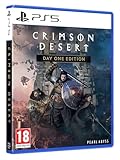
- Crimson Desert is an open-world action-adventure game set in the beautiful yet brutal continent of Pywel. Take on the role of the Greymane Kliff and embark on a journey across the continent to reclaim everything youve lost. Explore uncharted lands, encounter mysterious factions, and experience firsthand a world that is as breathtaking as it is merciless.
19. Build Axiom Force for movement, not just damage
The Xbox guide specifically calls out Axiom Force levels 2 and 3 for aerial abilities. Consider those upgrades when vertical traversal feels restrictive. They can complement Double Jump and make Sky Island routes easier to approach, even if your main interest is combat.
20. Avoid searching for a single mandatory build
PC Gamer’s skills coverage presents several viable combat options rather than a universally required setup. Choose upgrades that solve your current problem: survivability, mobility, evasion, bleed pressure, area control, or stun buildup. Reassess after a few encounters instead of spending every point to imitate a supposed perfect build.
Independent reader supportYour contribution helps us test, update, and keep practical guides available for everyone.Build a combat toolkit instead of one repeated attack
21. Use Evasive Slash when damage and repositioning overlap
Evasive Slash is discussed as an option that combines offense with movement. It is useful when you want to leave an attack’s danger zone while still applying pressure. Practice its spacing against ordinary enemies before relying on it in a boss arena.
22. Consider bleed-oriented attacks as a sustained-damage option
PC Gamer’s guide discusses Stab and Turning Slash among the choices available for players who want bleed pressure. Treat that as a playstyle direction, not a guaranteed best answer. Bleed-focused attacks make more sense when you can stay close safely and keep the target under pressure.
23. Keep an area attack for groups
Spinning Slash is one of the listed options for handling multiple opponents. A group encounter is a poor place to use a narrow single-target sequence repeatedly. Create space, wait for enemies to cluster, and use an area attack when the positioning justifies its commitment.
24. Use Force Palm to build stun pressure
Force Palm is described in PC Gamer’s skills guide as an option for stun buildup. Stun-oriented tools are valuable when an enemy’s attack pattern is difficult to interrupt with ordinary strikes. Watch the target’s response and avoid spending the ability blindly while the enemy is protected.
25. Practice Dodge and Counter separately
Dodge and Counter solve different timing problems. Dodge is the safer response when you do not know an attack’s exact window. Counter demands more confidence but can punish a readable strike. Learn each against common enemies so you are not trying to discover both timings during a difficult fight.
The Tool Desk
Outbyte Driver Updater FREEScan for outdated or missing drivers - takes under a minuteDriver Scan →Outbyte PC Repair FREERepair Windows errors before they cause bigger problemsFix Now →26. Cook ingredients instead of relying only on raw food
PowerPyx reports that cooked ingredients restore more health than raw ingredients. Cooking therefore turns gathering into a combat resource rather than a purely economic activity. Keep a reserve prepared before entering an unfamiliar region or starting a quest chain with several fights.
Rank #4

- A boundless connected, wide world - countless destinies await you on the seamlessly designed open world continent Pywel
- Versatile action, merciless battles - There is no predetermined solution on the battlefield of Crimson Desert
- The beginning of fate - In Pailune on the continent of Pywel there is a fragile balance between different powers
- Contents: the game, "deluxe package", "Khaled Shield" DLC, Steelbook, character cards, patches, etc.
27. Remember that food can be used during combat
The same guide says food can be eaten repeatedly during combat. Check your current control prompt and use a safe opening rather than waiting until your health is nearly empty. Healing while repositioning is generally less risky than attempting it directly in an enemy’s attack animation.
28. Restore equipment reinforcement before serious encounters
PowerPyx recommends using a grindstone and anvil to restore reinforcement before boss fights. Make equipment maintenance part of your preparation routine when you return to a settlement. If the current interface uses different names or requirements, follow the tools and prompts available in your version.
29. Treat a boss entrance as a readiness check
Before crossing into a boss encounter, confirm that your healing supply, stamina upgrades, selected abilities, and equipment condition match the challenge ahead. If one of those is lacking, leave the area and prepare instead of turning the first attempt into an avoidable resource drain. The guide material supports preparation, but does not establish a universally correct boss build.
PC Slower Than It Used to Be?
A free scan shows the junk files, broken settings and background clutter dragging Windows down - then fixes them in one click.Free scan · Windows 10 & 11Outdated Drivers Are Slowing You Down
One free scan finds every outdated or missing driver and matches the right update for your exact hardware.Free scan · exact hardware matchGather the materials that improve your gear
30. Find a provisioner for gathering tools
PowerPyx identifies a Hernand provisioner as a source for a pickaxe and logging axe. These tools enable ore and wood gathering for equipment upgrades. Shop inventories can change, so confirm the tools are actually listed before making a dedicated trip based on an older walkthrough.
31. Gather ore and wood whenever a route makes it efficient
Once you have the relevant tools, collect upgrade materials during normal travel instead of making repeated empty trips. Ore and wood serve different crafting and improvement needs, so keep both in your routine. Focus targeting can help select the intended node when several objects overlap.
Understand crime and reputation before experimenting
32. Check ownership markings and wear a mask before stealing
Xbox Wire says the game visibly marks property belonging to someone else and requires a mask before stealing. Reputation consequences can be tracked even when nobody witnesses the act. Read the ownership indicator and consider whether the item is worth the long-term consequence before interacting.
33. Use greetings to offset reputation loss
The Xbox guide says greetings can offset reputation loss. Reputation is therefore not only a punishment system; ordinary social interactions can help repair your standing. If you choose a criminal playstyle, monitor the reputation display and use available greeting interactions rather than assuming unseen actions have no effect.
Platform and version notes
Xbox Wire’s beginner guide was published at launch in March 2026 and uses Xbox button notation. PC Gamer’s broader guide hub was last updated April 8, 2026, while PowerPyx supplies third-party instructions for survival, gathering, and maintenance. The listed availability is Xbox Series X|S and Xbox on PC. Because patch-level accuracy and all-platform mappings are not established here, confirm controls, shop stock, and quest rewards in your current build.
Quick Recap
Product prices and availability are accurate as of the date/time indicated and are subject to change. Any price and availability information displayed on Amazon at the time of purchase will apply.

