
Crimson Desert is a single-player open-world action-adventure on Pywel, not an MMO. The quickest way to make progress is to treat its map, combat, quests, and Abyss activities as separate systems: learn what each icon means, keep exploration tools and storage under control, then prepare deliberately for named encounters.
This guide covers the launch platforms, progression decisions, confusing interface situations, exploration blockers, named puzzle locations, boss preparation, quest recovery, current patch context, and the upcoming Charting the Unknown expansion. Exact puzzle sequences and boss-specific weaknesses can change with updates, so use the version notes and the in-game objective text before following any older walkthrough.
As an Amazon Associate I earn from qualifying purchases.
What Crimson Desert is and what this guide covers
Crimson Desert follows Kliff after an ambush scatters the Greymanes. His campaign is built around finding the survivors and rebuilding the faction while travelling across Pywel. Pearl Abyss describes a combat system that combines weapons, hand-to-hand attacks, kicks, and grapples with climbing and gliding for exploration.
Do these 3 things before closing this tab:
1Repair Windows errors before they cause bigger problems2Scan for outdated or missing drivers - takes under a minute3Clear out junk files and repair common Windows errorsThe game launched worldwide on March 19, 2026, at 3:00 p.m. PDT. It is available on PlayStation 5, Xbox Series X|S, Steam, Apple Mac, Epic Games Store, and ROG Xbox Ally. This is a solo adventure: progression, puzzles, and bosses are designed around your character rather than a persistent online party.
#1 Best Overall

- Join Kliff, captain of the Greymanes, and his comrades as they embark on a relentless journey to defend Pywel and fulfill their mission.
- Along your perilous path stands both dependable allies and countless foes who will stop at nothing to see your downfall.
- Face trials to uncover the truth of the catastrophe looming over Pywel and restore peace to the continent.
- Explore the mesmerizing landscapes of the continent where mystical beings, hidden treasures, and thrilling adventures await.
- Pre-order to receive the Khaled Shield (Pre Order Code on Receipt). PS5 Editions include the Grotevant Plate Set DLC as a PS5 exclusive bonus. (In Pack DLC Voucher). Bonus DLC Includes: Grotevan Plate Helm, Grotevan Plate Armor, along with Grotevan cloak, gloves, and boots!
A PC Gamer guide index separates the game into early systems, mounts and pets, puzzles and treasure maps, equipment, bosses, quests, resources, and extra tips. That division is useful because a solution for a map problem will not necessarily fix a quest state or an Abyss lock. The sections below follow the same practical order, while distinguishing confirmed information from details that need a current, location-specific walkthrough.
Before you start: platform, patch, and edition checks
Supported platforms
| Platform | Launch status | Important qualification |
|---|---|---|
| PlayStation 5 | Worldwide launch March 19, 2026 | Use the console’s current game update before attempting a newly published solution. |
| Xbox Series X|S | Worldwide launch March 19, 2026 | Xbox Series hardware is specified; do not assume Xbox One support. |
| Steam | Worldwide launch March 19, 2026 | Version 2.03.02 hotfix was listed as available. |
| Epic Games Store | Worldwide launch March 19, 2026 | Version 2.03.02 hotfix was listed as available. |
| Apple Mac | Worldwide launch March 19, 2026 | The September 23, 2026 hotfix notice included Mac; Mac App Store rollout was still in progress at that time. |
| ROG Xbox Ally | Listed in the launch announcement | Confirm the installed build and control profile on the handheld. |
The current patch context
Pearl Abyss published Version 2.03.02 as an all-platform hotfix on September 23, 2026. The notice listed Steam PC and Mac, PlayStation, Xbox, and Epic Games Store; the Mac App Store rollout was still in progress. The fixes matter directly to stuck players:
- An NPC could be missing during The Mysterious Pot.
- Newly discovered map icons could fail to appear in some regions.
- The Ether Rest Abyss could block progression when its power core was not detected.
If an older video tells you an icon, NPC, or power core should be present and yours is not, check your installed version and the latest official notice before abandoning the quest. Do not mix instructions from a pre-hotfix build with a post-hotfix save without confirming the objective state.
Choosing an edition
Pearl Abyss lists physical Standard, Deluxe, and Collector’s editions and says current owners receive a free Enhanced-edition upgrade. The supported comparison is straightforward:
| Edition information established by the publisher | What you can safely conclude |
|---|---|
| Standard | Contains the base game; physical availability is identified for PlayStation 5 and Xbox Series X|S. |
| Deluxe | A physical edition is listed, but current price, retailer stock, and regional contents are not established here. |
| Collector’s | A physical edition is listed, but current price, retailer stock, and regional contents are not established here. |
| Enhanced upgrade | Current owners are stated to receive it free; verify entitlement on your platform account. |
Availability and contents can differ by country and storefront. Treat a retailer listing as the authority for a purchase, not a historical edition name.
First-hour priorities that prevent later confusion
Separate story objectives from optional discoveries
When the map fills with markers, identify the active story objective first. Optional treasure maps, bounties, Abyss activities, and resource errands can wait. If you change objectives repeatedly, write down the active name before opening another marker; this prevents following a clue for one quest while the tracker is displaying another.
Learn the verbs before chasing upgrades
Combat is built around more than a single weapon string. Practise switching between weapon attacks, hand-to-hand strikes, kicks, and grapples in a safe encounter. The same verbs that stagger an enemy can also help you create space, interrupt a wind-up, or reach an environmental route. Climbing and gliding are not decorative extras: they are part of how Pywel’s vertical spaces are read.
Free tools Windows power users keep installed
One-click scans. No signup required.
Rank #2

- A VAST, SEAMLESS WORLD — Explore the continent of Pywel as a fully seamless open world, where countless destinies unfold across uncharted lands filled with danger, beauty, and discovery.
- RELENTLESS ACTION, BRUTAL COMBAT — Fight for survival in fast‑paced, visceral battles using swords, spears, bows, elemental abilities, and powerful skills, where a single moment can determine victory or defeat.
- DAWNING FATE — Witness the fragile balance between rival factions shatter as Kliff and the Greymanes are drawn into a brutal conflict that reshapes the fate of the continent.
- THOSE WHO PROTECT AND THOSE WHO TORMENT — Confront the Black Bears and their ruthless leader Myurdin as allies fall, loyalties fracture, and Pywel descends further into chaos.
- THE BEGINNING OF A NEW JOURNEY — Set out to rebuild the Greymanes, reclaim a lost homeland, and pursue vengeance along a path that reveals deeper truths about power, war, and destiny.
Keep a written note for unclear icons
If a map symbol is unfamiliar, record its shape and the region rather than guessing its purpose. Reopen the map after completing the nearby objective and check whether the symbol changed. This is especially useful while a patch-related icon-display issue is possible.
How to read progression systems without wasting resources
Skills and respec decisions
The game’s early-system coverage includes skills and respec. Spend the first points on actions you use reliably, then test them in ordinary encounters before committing to a specialised pattern. If a respec option is available in your build, use it to correct a playstyle mismatch rather than repeatedly buying every branch. The exact cost and unlock condition are version-sensitive; read the current in-game confirmation window before accepting.
Contribution, bounties, and faction progress
Contribution appears alongside skills, bounties, artifacts, character unlocks, time, and fast travel in the game’s early progression questions. Treat contribution as a long-term progression resource: finish the nearby requirement, note what was awarded, and avoid spending it merely because a menu presents a new option. Bounties can pull you away from the story, so accept them when you have a clear route or are already travelling through that area.
Artifacts and character unlocks
Artifacts and character unlocks are separate goals from ordinary equipment. When a menu shows an item as unavailable, first check whether the requirement is a quest, a discovery, a resource, or a character event. Do not assume that a locked entry is a missing random drop.
Time and fast travel
Time progression can affect whether a quest, NPC, or activity is available. If an objective appears inactive, advance time only after confirming that the game actually permits it for that task; moving the clock is not a universal fix. Fast travel is likewise an earned convenience, not a substitute for unlocking the destination. The safest sequence is to discover the location, complete any activation requirement shown by the game, and then test the travel option from the map.
Exploration, storage, mounts, and pets
Climbing and gliding
Use vertical traversal to inspect routes above and below the obvious road. A ledge that looks decorative may be the intended approach to a treasure or puzzle. Glide only after checking your landing space; an unreachable drop can turn a successful climb into a long detour.
Mounts and pets
Mounts and pets are treated as their own guide category because they change how you cross Pywel and manage encounters. Before setting out, confirm which companion is active, where it can be summoned, and whether the current objective expects you to enter on foot. If a marker does not update, dismiss the mount or pet and re-enter the objective area rather than repeatedly circling it.
Rank #3
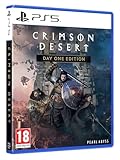
- Crimson Desert is an open-world action-adventure game set in the beautiful yet brutal continent of Pywel. Take on the role of the Greymane Kliff and embark on a journey across the continent to reclaim everything youve lost. Explore uncharted lands, encounter mysterious factions, and experience firsthand a world that is as breathtaking as it is merciless.
Storage and early keys
Storage is one of the documented early hurdles. Keep quest objects, upgrade materials, and ordinary loot in separate mental groups. When a key appears, do not spend it on the first locked container you see unless the objective names that container. A key may be tied to a particular room or quest state, and using it elsewhere can make your notes harder to reconcile with a walkthrough.
Blinding Flash and Abyss Gears
Blinding Flash and Abyss Gears are also called out among early questions. If either appears unavailable, check the ability or equipment requirement in the current menu, then verify that the relevant tutorial or quest has been completed. A missing prompt is more likely to be a progression gate or patch-state problem than proof that the item has vanished from the world.
Puzzle and treasure-map method
The named puzzle locations in current guide coverage include Hernand Castle Strongbox, Dragon’s Stone Chamber, Halssius Conflux, Thinker’s Meadow Abyss Nexus, and Sanctum of Benediction. The available source material establishes these targets but does not establish a verified, patch-current sequence for every switch, symbol, or chest. Do not rely on an invented order. Use this repeatable method instead.
- Read the objective exactly. Copy the location name and any verb such as open, align, activate, or retrieve. A treasure-map clue and an Abyss objective may point to the same landmark but require different actions.
- Survey the whole room. Walk the perimeter, look above and below eye level, and check climbable surfaces before touching a mechanism. Many wasted attempts come from activating the visible object before finding the clue that governs it.
- Record the initial state. Note which lights, symbols, doors, pressure plates, or rotating pieces are active. If the room resets, you can compare the new state instead of repeating random inputs.
- Test one change at a time. Activate a single mechanism, observe the animation and sound, then update your note. If two objects change together, treat them as one linked step.
- Leave and return only when the game permits it. A reset can restore a puzzle, but abandoning an objective can also change its state. Save or use the game’s normal checkpoint before experimenting.
- Verify the reward. Open the strongbox, chest, or Abyss reward only after the objective updates. If the container opens but the quest does not progress, reload the latest checkpoint and check the active quest name.
Hernand Castle Strongbox
Approach this as a lock-and-route problem: identify the strongbox objective, search the surrounding castle for the stated key or mechanism, and avoid consuming an unrelated key. If the box is visibly open but the marker remains, reload after confirming that the correct quest is selected.
Dragon’s Stone Chamber
Use the room-survey method before manipulating any stone or symbol. Look for a relationship between the chamber’s visible clue and the interactable objects; do not infer a sequence from a different build or a similarly named room.
Recommended Free Tools
Halssius Conflux
Mark the entrance and the last completed interaction. Conflux-style areas can make it difficult to tell whether you are solving a puzzle or following a traversal route, so verify the objective text after every major activation.
Thinker’s Meadow Abyss Nexus
Distinguish the Nexus objective from ordinary exploration. If power, gear, or an interaction is missing, check the Abyss requirement and patch version before repeating the route.
Rank #4

- A boundless connected, wide world - countless destinies await you on the seamlessly designed open world continent Pywel
- Versatile action, merciless battles - There is no predetermined solution on the battlefield of Crimson Desert
- The beginning of fate - In Pailune on the continent of Pywel there is a fragile balance between different powers
- Contents: the game, "deluxe package", "Khaled Shield" DLC, Steelbook, character cards, patches, etc.
Sanctum of Benediction
Keep the sanctum’s objective selected while examining the room. If a door, altar, or reward does not react, leave the area through the intended exit, reload the latest checkpoint, and test again on the updated build rather than forcing a sequence that is not confirmed for your version.
Independent reader supportYour contribution helps us test, update, and keep practical guides available for everyone.Boss preparation and a safe combat loop
Named encounters in guide coverage include Crimson Nightmare, Marnie’s Excavatron, Hornsplitter, Reed Devil, and Beloth the Darksworn. The available evidence does not verify a complete move list, elemental weakness, or guaranteed cheese strategy for each boss, so the advice here focuses on mechanics confirmed by the game’s official combat description.
Quick wins for a faster PC:
Clear out junk files and repair common Windows errorsFree Scan →Fix the driver behind crashes, sound loss and screen glitchesFind Drivers →Before entering the arena
- Equip the weapon combination you can control under pressure, not merely the one with the highest displayed damage.
- Keep a hand-to-hand option ready for close openings and a kick or grapple available for creating space or interrupting when the encounter allows it.
- Clear nearby inventory space so a reward or quest item cannot be blocked by storage.
- Set the correct objective and note the entrance checkpoint. This makes a failed attempt informative instead of a navigation problem.
- Check your current skills, artifacts, and any Abyss-related gear requirement before starting.
During the fight
- Watch the boss’s wind-up rather than attacking on contact. Learn one safe punish window first.
- Use movement and climbing space when the arena permits it; do not remain trapped against a wall while waiting for a grapple opportunity.
- Alternate attacks instead of repeating one string. Weapons, hand-to-hand strikes, kicks, and grapples serve different ranges and interruption opportunities.
- After a successful stagger, take the confirmed damage window and disengage before the next pattern. Greedy follow-up attacks are the usual cause of a preventable defeat.
- If the boss has a phase transition, stop and read the new objective or prompt. A phase change can alter which interaction is valid.
Applying the loop to the named bosses
For Crimson Nightmare, Marnie’s Excavatron, Hornsplitter, Reed Devil, and Beloth the Darksworn, begin with observation rather than a claimed weakness. Record the attack that catches you, the distance at which it starts, and whether a kick, grapple, or weapon swap creates a reliable opening. That record remains useful if a later patch changes damage values or timing. A walkthrough that supplies exact counters should identify its game version and platform.
Quest and progression recovery
The Mysterious Pot
Version 2.03.02 specifically addressed an NPC who could be missing during The Mysterious Pot. Update first, select the quest again, then revisit the expected area. If the NPC still does not appear, reload the latest checkpoint and verify that another quest has not replaced the active objective. Avoid abandoning the quest until you have confirmed the build and objective state.
Map icons that do not appear
The hotfix also addressed newly discovered map icons failing to display in some regions. If discovery seems complete but no icon is visible, leave the region, reload, and check the map at a different zoom level after updating. Keep a written landmark note so you can continue without the missing icon.
Ether Rest Abyss power core
Progression in the Ether Rest Abyss could be blocked when its power core was not detected. Confirm that the core objective is selected, reload the checkpoint, and approach the interaction again on Version 2.03.02 or later. If the game still does not detect it, capture the platform and build number before reporting the issue; those details are more useful than repeating the same input.
Windows Errors? Fix Them Before They Spread
Repair common Windows errors and clear accumulated junk for a smoother, more stable PC - no reinstall needed.Free scan · no reinstallOutdated Drivers Are Slowing You Down
One free scan finds every outdated or missing driver and matches the right update for your exact hardware.Free scan · exact hardware matchCharting the Unknown: what is and is not available
As of October 13, 2026, Charting the Unknown is upcoming rather than released. Pearl Abyss’s revised notice gives a release time of October 29, 2026, at 22:00 UTC, with region-specific times listed in that notice. The pre-order notice says the DLC will not launch on Mac App Store and is unavailable in certain markets and regions.
Keep base-game walkthroughs separate from promised DLC content. A quest, map marker, or item that is absent before October 29 is not evidence that your save is broken; it may simply belong to the expansion. Recheck the official notice after release for platform and regional changes.
What the sales figure means
Pearl Abyss reported more than 5 million copies sold worldwide on May 6, 2026. That is a company-reported sales milestone, not an independently audited concurrent-player count. It indicates broad commercial reach but does not tell you how many people are online at a given moment; the game remains a single-player experience.
Quick Recap
A practical checklist for a stuck objective
- Confirm platform, installed version, and whether the objective is base-game or DLC.
- Read the exact quest or puzzle wording and select it as the active objective.
- Check storage, keys, skills, artifacts, Abyss Gears, and character requirements.
- Re-enter the area on foot if a mount or pet may be preventing an interaction.
- Survey the room vertically and record the initial state before changing a mechanism.
- Reload the latest checkpoint after a missing NPC, icon, or power-core detection failure.
- Only then compare a walkthrough, ensuring that its platform and patch match yours.
Product prices and availability are accurate as of the date/time indicated and are subject to change. Any price and availability information displayed on Amazon at the time of purchase will apply.
The Tool Desk
Outbyte PC Repair FREERepair Windows errors before they cause bigger problemsFix Now →Outbyte Driver Updater FREEFix the driver behind crashes, sound loss and screen glitchesFind Drivers →
