
PC Slower Than It Used to Be?
A free scan shows the junk files, broken settings and background clutter dragging Windows down - then fixes them in one click.Free scan · Windows 10 & 11Outdated Drivers Are Slowing You Down
One free scan finds every outdated or missing driver and matches the right update for your exact hardware.Free scan · exact hardware matchTo increase the inventory space that Kliff carries in Crimson Desert, obtain inventory bags. The reported bag upgrades add different numbers of carried slots: small bags add one, medium bags add three, and large bags add five. The documented sources are faction or commission quest rewards and merchant stock. A separate solution exists for items you do not need to carry: Greymane camp expansion increases private storage, which Pearl Abyss says can reach 1,000 slots in version 1.02.00. Camp storage does not enlarge the character’s carried inventory.
What “inventory space” means in Crimson Desert
The game has two storage problems that look similar but require different upgrades:
As an Amazon Associate I earn from qualifying purchases.
- Carried inventory: the slots available to Kliff while exploring, fighting, looting and completing objectives. Inventory bags are the reported way to enlarge this capacity.
- Private storage: a reserve at camp for materials, equipment and other items you want to keep but do not need in the field. Greymane camp expansion improves this separate capacity.
Putting an item in private storage can free a carried slot, but it does not create another carried slot. Conversely, acquiring a bag does not increase the number of spaces available in camp storage.
Recommended Free Tools
Inventory bags and their slot gains
PowerPyx’s guide identifies three bag sizes. Its figures are secondary-guide information rather than an official item database, so check the item description in your current game before spending currency or committing to a quest.
#1 Best Overall

- Join Kliff, captain of the Greymanes, and his comrades as they embark on a relentless journey to defend Pywel and fulfill their mission.
- Along your perilous path stands both dependable allies and countless foes who will stop at nothing to see your downfall.
- Face trials to uncover the truth of the catastrophe looming over Pywel and restore peace to the continent.
- Explore the mesmerizing landscapes of the continent where mystical beings, hidden treasures, and thrilling adventures await.
- Pre-order to receive the Khaled Shield (Pre Order Code on Receipt). PS5 Editions include the Grotevant Plate Set DLC as a PS5 exclusive bonus. (In Pack DLC Voucher). Bonus DLC Includes: Grotevan Plate Helm, Grotevan Plate Armor, along with Grotevan cloak, gloves, and boots!
| Bag | Reported carried-slot increase | Documented ways to obtain it | What to verify |
|---|---|---|---|
| Small bag | +1 slot | Merchant stock; some quest rewards | Whether the merchant currently has one and the displayed price |
| Medium bag | +3 slots | Quest or commission rewards | The reward preview before accepting or completing the activity |
| Large bag | +5 slots | Quest rewards are reported, but a complete location list is not established | The specific reward source and the item’s current effect |
Gamer Guides reports a small bag for 50 copper and says commissions can award medium bags. Treat both the price and availability as guide-reported: merchant inventories and prices can differ by progression, location or patch, and the cited material does not establish that every merchant will stock the item.
How to obtain and activate a bag
Use the following routine whenever your carried inventory begins filling up. Menu wording can vary between platforms or later updates, but the underlying checks are the same.
- Open the journal. Go to the faction or commission quest listings. Review the reward preview for each relevant activity rather than accepting a quest solely because its objective is nearby.
- Prioritize a bag reward when it fits your route. A quest that grants an inventory bag may be more valuable than a similar activity that only pays ordinary loot, especially when a full inventory is forcing frequent trips to camp.
- Visit merchants in towns. Open each merchant’s inventory and look for a small bag. If one appears, read the displayed cost and confirm that you have enough copper. The often-cited 50-copper price is not a guaranteed current price.
- Acquire the item. Complete the selected quest or purchase the bag. Keep the item in a safe location until you can use it; do not assume that merely owning it has already expanded your capacity.
- Use the bag through its in-game prompt. Select the bag and follow the action shown by the game. The reviewed guides describe bags as inventory-expansion items, so activation is a separate step from receiving or buying one.
- Confirm the result. Reopen the carried-inventory screen and check that the available slot count has changed. If the count is unchanged, inspect the item again for a required use action, check whether it was already consumed, and reload only after ruling out a display delay.
Choosing between quest rewards and merchants
There is no complete, authoritative time-and-cost comparison for every route. Choose according to what you need immediately and what your current progression makes practical.
What’s actually slowing this PC down?
Pick the symptom - the matching free tool is one click away.
Rank #2

- A VAST, SEAMLESS WORLD — Explore the continent of Pywel as a fully seamless open world, where countless destinies unfold across uncharted lands filled with danger, beauty, and discovery.
- RELENTLESS ACTION, BRUTAL COMBAT — Fight for survival in fast‑paced, visceral battles using swords, spears, bows, elemental abilities, and powerful skills, where a single moment can determine victory or defeat.
- DAWNING FATE — Witness the fragile balance between rival factions shatter as Kliff and the Greymanes are drawn into a brutal conflict that reshapes the fate of the continent.
- THOSE WHO PROTECT AND THOSE WHO TORMENT — Confront the Black Bears and their ruthless leader Myurdin as allies fall, loyalties fracture, and Pywel descends further into chaos.
- THE BEGINNING OF A NEW JOURNEY — Set out to rebuild the Greymanes, reclaim a lost homeland, and pursue vengeance along a path that reveals deeper truths about power, war, and destiny.
| Route | Immediate requirement | Currency cost | Strength | Uncertainty |
|---|---|---|---|---|
| Faction or commission reward | Complete the activity and meet its requirements | Not stated; the sources do not establish a universal fee | Can provide medium bags and other reported bag rewards without relying on a shop inventory | The reward list is quest-specific; inspect the preview before committing |
| Merchant purchase | Reach a town and find a merchant carrying the item | Guide-reported small-bag example: 50 copper; confirm the current value in-game | Direct acquisition when stock is available | Stock, price and merchant availability are not guaranteed across saves or updates |
If you are already traveling near a commission board, checking rewards costs little and may reveal a larger upgrade. If you need one extra slot immediately and a merchant displays a small bag, buying it avoids waiting for a quest completion. The evidence does not support a definitive claim that one route is always faster or cheaper.
Greymane camp: expanding private storage
Use camp progression when the problem is accumulated materials, spare gear or crafting supplies rather than the number of items Kliff can carry during a mission. Pearl Abyss patch notes for version 1.02.00 state that private storage capacity scales with Greymane camp expansion and can reach 1,000 slots. The notes were revised on April 4, 2026.
- Return surplus items to camp. Move resources and equipment that you are not taking on the next expedition into private storage.
- Progress Greymane camp expansion. Follow the camp-upgrade path available in your game. The patch notes tie storage capacity to the expansion level rather than to a bag item.
- Check the storage capacity after an upgrade. Open private storage and verify the new limit. The increase applies to the reserve, not to the carried-inventory counter.
The 1,000-slot figure is a private-storage maximum described in those official patch notes; it is not a confirmed maximum for carried inventory. The available evidence does not establish a definitive cap for the slots Kliff can carry.
Rank #3
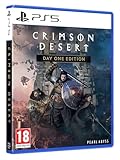
- Crimson Desert is an open-world action-adventure game set in the beautiful yet brutal continent of Pywel. Take on the role of the Greymane Kliff and embark on a journey across the continent to reclaim everything youve lost. Explore uncharted lands, encounter mysterious factions, and experience firsthand a world that is as breathtaking as it is merciless.
A practical inventory routine
Before leaving a settlement
- Open carried inventory and identify items that can remain in private storage.
- Check faction and commission rewards for an inventory bag before selecting your next objective.
- Visit nearby merchants and inspect their current stock rather than assuming a bag will be present.
- Leave several empty carried slots for quest items and unexpected loot.
During an expedition
- Keep quest-critical items and the equipment you actually plan to use; avoid filling slots with duplicate low-priority materials.
- When the inventory approaches its limit, decide whether returning to camp is cheaper in time than discarding or selling something you may need later.
- Do not count private-storage capacity as a substitute for carried slots while you are away from camp.
After obtaining a bag
- Activate it using the item’s displayed action.
- Verify the carried-slot counter immediately.
- Record which bag has been used if you are comparing quest rewards, so you do not mistake a completed acquisition for an unused item.
Troubleshooting when inventory space does not increase
The bag is in my inventory, but the slot count is unchanged
Receiving a bag and using a bag are separate steps in the documented process. Highlight the item and look for the game’s use or expansion prompt. After activating it, close and reopen the inventory screen to refresh the displayed count.
The Tool Desk
Outbyte Driver Updater FREEScan for outdated or missing drivers - takes under a minuteDriver Scan →Outbyte PC Repair FREERepair Windows errors before they cause bigger problemsFix Now →The merchant has no small bag
Merchant stock is not established as universal. Check other merchants as you reach towns, and use the journal’s faction or commission listings for reward alternatives. Do not assume that the 50-copper example applies to every shop, region or update.
A quest did not award the bag I expected
Recheck the reward preview and the exact quest or commission. The available guides describe bag rewards by activity, not as a guaranteed reward for every quest in a category. If the preview did not show an inventory bag, the activity should not be treated as a confirmed source.
Rank #4
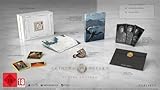
- A boundless connected, wide world - countless destinies await you on the seamlessly designed open world continent Pywel
- Versatile action, merciless battles - There is no predetermined solution on the battlefield of Crimson Desert
- The beginning of fate - In Pailune on the continent of Pywel there is a fragile balance between different powers
- Contents: the game, "deluxe package", "Khaled Shield" DLC, Steelbook, character cards, patches, etc.
Camp storage is larger, but carried inventory is still full
That result is expected when you upgraded Greymane camp. Private storage and carried inventory are separate systems. Move reserve items into camp storage, then obtain and activate an inventory bag if you need more field capacity.
The menu label is different from a guide
Platform and version changes can alter menu wording. Look for the journal’s faction or commission quest area, a reward preview, the merchant’s item list and the item action that confirms use. The cited sources do not establish one universal label for every platform.
What is and is not confirmed about inventory limits
The available evidence supports the bag increments, the reported acquisition routes and the Greymane private-storage expansion. It does not reliably establish:
- a final maximum number of carried slots;
- a complete list of every bag location or quest;
- a guaranteed merchant, town or respawn schedule for small bags;
- identical menu wording on every platform;
- a fixed price that remains unchanged after updates.
For a current save, the reward preview, item description, merchant price and inventory counter are the most reliable checks. Patch changes can make older guide details obsolete, while the official version 1.02.00 storage statement specifically concerns private storage.
Fast decision guide
| Your problem | Best next check | Why |
|---|---|---|
| You cannot pick up another field item | Search journal rewards for an inventory bag, then inspect town merchants | A bag is the documented carried-capacity upgrade |
| You have many materials waiting at camp | Advance Greymane camp expansion and move reserves into private storage | Camp progression addresses long-term storage, not carried slots |
| You can afford a shop item now | Read the merchant’s current small-bag price and item description | The reported 50-copper example may not match your save |
| You are planning your next commission | Inspect its reward preview before accepting | Bag rewards are activity-specific |
| You want the largest documented single upgrade | Look for a large-bag reward and verify its effect in-game | The guide-reported gain is greater, but a complete source list is not established |
Bottom line
For more space in the field, obtain and use inventory bags through quest rewards or merchant purchases. Small, medium and large bags are reported to add one, three and five carried slots respectively, with the exact item and availability requiring in-game confirmation. For overflow that can stay at camp, expand Greymane: Pearl Abyss documents private storage scaling to 1,000 slots in version 1.02.00. Treat those as complementary upgrades, not interchangeable ones.
Quick Recap
Product prices and availability are accurate as of the date/time indicated and are subject to change. Any price and availability information displayed on Amazon at the time of purchase will apply.
Do these 3 things before closing this tab:
1Repair Windows errors before they cause bigger problems2Scan for outdated or missing drivers - takes under a minute3Clear out junk files and repair common Windows errors
