
Crimson Desert’s World Builder is an in-game editor mod that lets you assemble custom places in Pywel from assets already shipped with the game. The mod listing says its browser contains more than 48,000 prefabs, which you can search, place, transform, group, save and reload. It is aimed at environmental creation—cities, castles, villages and houses—rather than making new campaign quests.
The feature set listed for version 17 goes beyond static decoration. It includes NPC formations, time-of-day and weather controls, project import and export, optional autoloading, and a small API for other ASI mods. The listing records version 17 as last updated September 27, 2026, so controls and compatibility should be checked on the current World Builder page before you install or share a project.
As an Amazon Associate I earn from qualifying purchases.
What World Builder adds to Crimson Desert
World Builder is a community-made mod that opens an editor while you are playing Crimson Desert. Instead of treating Pywel as a fixed map, it gives you a catalog of the game’s existing environmental assets and tools for arranging them into a scene. The result can be a decorated courtyard, a roadside settlement, a fortified town, a castle approach or a small house assembled to your own plan.
The mod’s own Nexus listing describes a catalog of 48,000-plus prefabs. That number is a claim made by the listing, not an independently audited inventory, and the available count can change as the game or mod changes. A prefab is an object or assembled asset that can be spawned into the world; the number should not be read as 48,000 unique, fully simulated gameplay systems.
#1 Best Overall

- Join Kliff, captain of the Greymanes, and his comrades as they embark on a relentless journey to defend Pywel and fulfill their mission.
- Along your perilous path stands both dependable allies and countless foes who will stop at nothing to see your downfall.
- Face trials to uncover the truth of the catastrophe looming over Pywel and restore peace to the continent.
- Explore the mesmerizing landscapes of the continent where mystical beings, hidden treasures, and thrilling adventures await.
- Pre-order to receive the Khaled Shield (Pre Order Code on Receipt). PS5 Editions include the Grotevant Plate Set DLC as a PS5 exclusive bonus. (In Pack DLC Voucher). Bonus DLC Includes: Grotevan Plate Helm, Grotevan Plate Armor, along with Grotevan cloak, gloves, and boots!
The creator’s announcement specifically presents towns, castles, villages and small homes as examples of what players can build. Those examples show the intended creative scope, not an official promise of a quest editor, dialogue system or campaign-authoring toolkit. A separate Pearl Abyss developer update discusses player experiences in Pywel, but it does not endorse or document World Builder; the mod and the developer update should be treated as separate projects.
What the 48,000-prefab catalog means in practice
Browsing is the starting point. You search the catalog, choose an asset and place it in the current scene. The editor then exposes a mouse-driven gizmo for moving and manipulating the object. Because the catalog is made from assets shipped with Crimson Desert, the range includes the visual language of the existing world rather than a separate library of user-created meshes.
A large catalog is useful only when the editor can keep a scene organized. World Builder’s listed scene tools let you see placed objects as a list, select several at once, create groups, duplicate or delete items, and undo or redo changes. Ground snapping helps align objects with terrain instead of leaving buildings, props or roads floating slightly above or below the surface.
| Build approach | Tools that matter | Good use | Important qualification |
|---|---|---|---|
| Decorative environment | Prefab search, mouse gizmo, ground snapping, grouping and multi-select | Villages, courtyards, homes, ruins and town layouts | Objects are assembled from assets the game already provides |
| Living scene | NPC spawning in formations, time controls and weather controls | Staging a patrol, gathering or a particular atmosphere | The listing describes placement and control features, not a full behavior or quest-authoring system |
| Interactive set piece | Gimmick prefabs using the game’s native spawn path | Doors, chests, torches and campfires that retain supported interactions | Interaction depends on the individual prefab and the game’s implementation |
| Mod-assisted scene | Small C API for other ASI mods | Allowing another compatible mod to spawn or move objects | Requires an ASI mod that uses the API; this is not a visual scripting editor |
How to build a scene
The listing describes a workflow that stays inside the game. Exact key bindings can change, and the author notes that placement moved to mouse-based manipulation in a recent version, so use the controls shown on the current mod page rather than an older video or guide.
Rank #2

- A VAST, SEAMLESS WORLD — Explore the continent of Pywel as a fully seamless open world, where countless destinies unfold across uncharted lands filled with danger, beauty, and discovery.
- RELENTLESS ACTION, BRUTAL COMBAT — Fight for survival in fast‑paced, visceral battles using swords, spears, bows, elemental abilities, and powerful skills, where a single moment can determine victory or defeat.
- DAWNING FATE — Witness the fragile balance between rival factions shatter as Kliff and the Greymanes are drawn into a brutal conflict that reshapes the fate of the continent.
- THOSE WHO PROTECT AND THOSE WHO TORMENT — Confront the Black Bears and their ruthless leader Myurdin as allies fall, loyalties fracture, and Pywel descends further into chaos.
- THE BEGINNING OF A NEW JOURNEY — Set out to rebuild the Greymanes, reclaim a lost homeland, and pursue vengeance along a path that reveals deeper truths about power, war, and destiny.
- Open the editor in-game. Start Crimson Desert with World Builder installed and invoke the editor through the mod’s current in-game control. The listing does not establish a universal keyboard shortcut, so do not assume a key from an earlier release.
- Search the prefab browser. Use the catalog to find the building, prop, terrain piece or other asset you need. With tens of thousands of entries, search terms and repeated inspection are more practical than scrolling through the entire list.
- Place the object. Spawn the selected prefab into the scene, then use the mouse gizmo to move and manipulate it. Position, orientation and scale decisions are made in the scene rather than by editing a separate model file.
- Align it to the world. Use ground snapping when an object needs to sit on terrain. For a deliberate floating, buried or elevated effect, leave snapping off and adjust the object manually.
- Organize the scene list. Select several objects, group related pieces, duplicate repeated elements and delete mistakes. Undo and redo provide a safer way to test a layout than rebuilding a section from scratch.
- Save a project. World Builder supports project save and load, plus importing and optional autoloading according to the listing. Use separate project files for major versions of a build so an experiment does not overwrite a working layout.
Why grouping and multi-select matter
A town becomes difficult to revise when every wall, roof and prop must be moved individually. Grouping lets you treat a house, market stall or defensive wall as a unit, while multi-select is useful for shifting a whole street or correcting a district’s height. Duplicate is particularly valuable for repeated architecture, but duplicated objects should still be checked for ground alignment and unintended overlap.
Project files versus native saves
The author’s description says builds are kept in World Builder project files and do not modify the game files or native save data. That is the mod author’s stated design, not an independently tested safety guarantee. Back up important projects, keep ordinary game saves separate, and recheck the listing after a Crimson Desert update before assuming an older project will load unchanged.
Adding people, time and weather
NPC formations
The listing includes NPC spawning in formations. This makes it possible to populate a scene with an arranged group rather than leaving a settlement visually empty. Formations are best understood as placement and staging tools: the available evidence does not establish custom NPC dialogue, schedules, faction logic or quest triggers.
Windows Errors? Fix Them Before They Spread
Repair common Windows errors and clear accumulated junk for a smoother, more stable PC - no reinstall needed.Free scan · no reinstallCrashes, No Sound, or Screen Glitches?
Random freezes, missing sound and display glitches usually trace back to one bad driver. Find and replace yours safely.Free scan · under a minuteTime of day
Time controls let you inspect the same build under different lighting conditions. A narrow street that reads clearly at midday may become too dark at night, while a castle silhouette can work better at sunrise or sunset. Treat time as part of scene presentation, not as proof that a project creates a persistent new world state for every player.
Rank #3
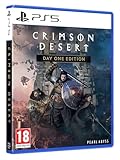
- Crimson Desert is an open-world action-adventure game set in the beautiful yet brutal continent of Pywel. Take on the role of the Greymane Kliff and embark on a journey across the continent to reclaim everything youve lost. Explore uncharted lands, encounter mysterious factions, and experience firsthand a world that is as breathtaking as it is merciless.
Weather
Weather controls add another presentation layer. Rain, clear skies and other supported states can change visibility and mood while you evaluate a layout. The listing confirms weather controls but does not provide a complete list of weather states or explain whether every setting persists after leaving the editor.
Interactive prefabs are a special case
Older descriptions of World Builder may imply that special objects are merely visual. The current listing instead says interactive gimmick prefabs—including examples such as torches, doors, chests and campfires—use the game’s own spawn path. That means some placed objects can retain interactions supplied by Crimson Desert.
Do not generalize this into a guarantee that every object in the catalog is interactive. A door, chest or fire may work because it has a supported native behavior, while an ordinary decorative mesh remains decoration. Test each important object in the actual scene, especially after a game or mod update.
Quick wins for a faster PC:
Fix the driver behind crashes, sound loss and screen glitchesFind Drivers →Clear out junk files and repair common Windows errorsFree Scan →Using the API with other mods
World Builder exposes a small C API for other ASI mods to spawn and move objects. This is aimed at mod authors rather than players who only want to arrange a house. A compatible ASI mod can use the interface to create or reposition objects programmatically, allowing a tool or system outside World Builder to drive a scene.
Rank #4

- A boundless connected, wide world - countless destinies await you on the seamlessly designed open world continent Pywel
- Versatile action, merciless battles - There is no predetermined solution on the battlefield of Crimson Desert
- The beginning of fate - In Pailune on the continent of Pywel there is a fragile balance between different powers
- Contents: the game, "deluxe package", "Khaled Shield" DLC, Steelbook, character cards, patches, etc.
The available description does not document a complete API reference, function list, header package or compatibility matrix. Developers should use the current listing and any files distributed with the specific release before writing an integration. Do not assume that an API written for version 17 will remain unchanged across later releases.
A practical way to plan a large build
- Block out the footprint. Start with major structures and terrain-facing pieces. Leave paths and sight lines open before adding small props.
- Establish a repeatable unit. Build one house, stall or wall segment, then duplicate it. Group each finished unit so the district can be moved as the design evolves.
- Check terrain contact. Use snapping for foundations and roads, then inspect corners, stairs and slopes manually. Automated alignment cannot replace a visual check on uneven ground.
- Add population last. Place NPC formations after the architecture is stable. This prevents a layout change from forcing you to redo the staging.
- Test atmosphere. Cycle through available times and weather states to find lighting problems, blocked routes and silhouettes that disappear in poor visibility.
- Save milestones. Keep a clean version before experimental duplication, heavy prop dressing or API-driven changes. If a project fails to load after an update, the earlier milestone is easier to diagnose.
What World Builder does not establish
- It is not documented as an official Pearl Abyss editor or supported campaign-development tool.
- The evidence does not establish custom quests, dialogue, missions, cutscenes or a way to publish a playable campaign to other players.
- The 48,000-plus prefab total comes from the mod listing and has no independent statistical audit.
- Installation requirements, performance impact, multiplayer behavior and compatibility with every game build are not established here.
- The no-modification claim comes from the author’s description and should not replace backups or ordinary mod-safety precautions.
Version, updates and compatibility checks
The Nexus listing identifies version 17 and gives September 27, 2026 as its last update. Mods can change quickly, and a game patch can affect object spawning, input behavior, project loading or API compatibility. Before installing, verify that the page still lists the same version, read its current requirements and change notes, and confirm that your Crimson Desert build is supported.
When a project behaves differently after an update, isolate the change: load a known-good project, test a simple prefab, check mouse manipulation and ground snapping, and then try NPC, weather or interactive objects separately. If only API-driven content fails, the integration may need an update even when ordinary placement still works.
The Tool Desk
Outbyte Driver Updater FREEScan for outdated or missing drivers - takes under a minuteDriver Scan →Outbyte PC Repair FREERepair Windows errors before they cause bigger problemsFix Now →Who should use it?
World Builder is most compelling for players who enjoy environmental composition and want to reinterpret familiar Pywel locations. The catalog provides breadth, while grouping, project management and presentation controls provide the tools needed to turn individual props into a coherent place. It is less suitable if your primary goal is to write quests, create new character behavior or publish a conventional total-conversion campaign.
As a creative sandbox, its value is agency: you decide where a settlement sits, how dense its streets feel, which NPC groups occupy it and what time or weather presents it. As a mod, it also carries the normal uncertainty of version-dependent tools. Keep project backups, attribute the prefab count to the listing rather than treating it as an audited statistic, and recheck compatibility whenever Crimson Desert or World Builder updates.
Quick Recap
Sources
- World Builder at Crimson Desert Nexus – Mods and Community — feature description, prefab count, project behavior and version information.
- World Building – Out Now — creator announcement describing example builds.
- Pearl Abyss Dev Update | Crimson Desert — separate developer communication about player experiences in Pywel.
Product prices and availability are accurate as of the date/time indicated and are subject to change. Any price and availability information displayed on Amazon at the time of purchase will apply.

