
The Tool Desk
Outbyte PC Repair FREEClear out junk files and repair common Windows errorsFree Scan →Outbyte Driver Updater FREEFix the driver behind crashes, sound loss and screen glitchesFind Drivers →For a new PC purchase, choose Dark Souls II: Scholar of the First Sin. Scholar is the build targeted by current modding tools, supports the updated DirectX 11 PC engine, includes the original game and all released DLC, and advertises online sessions of up to six players. Keep the 2014 PC release only when you specifically need an archival comparison with the original placements, balance, or DirectX 9 build.
The two products are not interchangeable editions for technical purposes. “Dark Souls II” (2014 PC), “Scholar DX9,” “Scholar DX11,” and the console versions are separate branches. That distinction determines which mods work, which players you can match with, and what a cut-content investigation is actually showing.
| # | Preview | Product | Price | |
|---|---|---|---|---|
| 1 |

|
Dark Souls II: Scholar of the First Sin - PlayStation 4 | $21.39 | Buy on Amazon |
| 2 |

|
Dark Souls 2 Scholar Of The First Sin | $29.99 | Buy on Amazon |
| 3 |
|
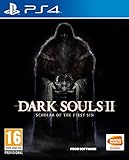
Dark Souls II: Scholar of the First Sin (PS4) | $22.20 | Buy on Amazon |
| 4 |

|
Dark Souls II: Scholar of the First Sin - Xbox 360 | $39.75 | Buy on Amazon |
As an Amazon Associate I earn from qualifying purchases.
What is different between Dark Souls II and Scholar of the First Sin?
The original Dark Souls II launched in 2014. On PC it is the legacy DirectX 9 release, with its own executable, data files, enemy placements, item placements, lighting, and balance. Dark Souls II: Scholar of the First Sin arrived in 2015 as an updated re-release. It contains the base game and released DLC, changes gameplay and encounters, rebalances content, improves visuals, and uses a DirectX 11 PC engine.
Recommended Free Tools
The official Steam listing describes Scholar as an “exclusive, Director’s Cut” and says it includes all Dark Souls II content released to date in one package, plus additional changes. In practical terms, Scholar is not simply a graphics patch for the 2014 game. It is a different data branch with a different authored arrangement of the world.
#1 Best Overall
- All 3 DLC Pack Contents: Crown of the Sunken King, Crown of the Old Iron King, Crown of the Ivory King
- Additional NPCs Added For Enhanced Story Experience To Assist Guiding Players Through Level
- Parameter Setting Adjustments for Improved Balance
- Augmented Item Descriptions
- Increase in Maximum Online Players
| Edition or branch | Release and platform identity | Why it matters for this guide |
|---|---|---|
| Dark Souls II (2014) | Original PC release; DirectX 9 | Best for archival comparison with the launch arrangement; limited support from current Scholar-focused tools |
| Scholar of the First Sin DX9 | Scholar branch running the DirectX 9 PC version | Separate from the original 2014 product and separate from Scholar DX11 for compatibility purposes |
| Scholar of the First Sin DX11 | Scholar PC build using the DirectX 11 engine | Main target for current PC modding, level editing, restoration, and randomizer projects |
| Scholar of the First Sin on PS4 or Xbox One | Console Scholar branch | Has its own executable and matchmaking environment; do not assume PC compatibility |
Always identify the exact branch before installing a mod or making an online claim. A guide that says only “Dark Souls II” may be referring to the original release, Scholar DX9, or Scholar DX11.
Which version is better for modding?
Scholar of the First Sin is the clear choice for current PC modding. The modern tool ecosystem is built around it, while the original 2014 release is mainly useful as a legacy reference.
DSMapStudio support
DSMapStudio’s Dark Souls II support is for Scholar of the First Sin, not the original 2014 release. The program is used to inspect and edit maps, entities, parameters, and other game data. If your project depends on current DSMapStudio workflows, start with a Scholar installation and follow the tool’s stated build requirements.
SotFS Level Editor and Repacker
The Nexus SotFS Level Editor and Repacker can add, remove, and manipulate enemies. Its compatibility is limited to an authentic Steam copy of Scholar of the First Sin. It is therefore unsuitable for the original 2014 PC executable, pirated files, or an unspecified Scholar branch.
Randomizers and ModEngine projects
A Scholar randomizer supports enemy and item randomization through ModEngine files. That gives Scholar players a current route to randomized challenge runs without editing every placement by hand. Read the randomizer’s release notes for the exact Scholar build it expects; “Scholar” alone does not establish DX9, DX11, or console compatibility.
Lighting and restoration projects
PCGamingWiki lists DS2LightingEngine among Scholar-related modifications. It also warns that some restoration projects, including Vanilla Restoration Project, may be incompatible with online play. Compatibility is project-specific: a visual mod, a parameter edit, and a map overhaul do not carry the same risk.
A safe Scholar modding setup
Use separate installations or clearly separated profiles for online and experimental work. The safest arrangement is a clean, unmodded game for normal matchmaking and an offline mod setup for testing.
- Confirm the branch. In your game library, verify that you own and installed Scholar of the First Sin, then confirm whether the tool documentation expects Scholar DX9 or DX11. Do not point a Scholar tool at the original 2014 executable.
- Back up the clean files. Keep an untouched installation or a restorable copy before adding an editor, randomizer, lighting overhaul, or restoration patch.
- Read each project’s compatibility notes. Check the required executable, distribution platform, DLC assumptions, load order, and whether the author advises offline use.
- Create an offline mod profile. Use the project’s documented ModEngine or launcher method, and disconnect from matchmaking while testing modified files.
- Keep saves separated. Avoid taking a character created with altered maps, items, or parameters into an unmodded online session. The evidence does not establish one universal anti-cheat rule for every mod, so treat modified saves as experimental data.
- Restore before going online. Disable the mod loader, restore clean files, and verify the game installation before launching an online session.
This workflow does not guarantee that every modification is harmless. It limits avoidable mistakes and respects each project’s own compatibility warning.
Can you research cut content in Scholar?
Yes. Scholar is a practical platform for cut-content investigation and restoration, but the material you uncover should be labeled as unused or unfinished development content rather than canonical, shipped game content.
What current tools expose
DSMapStudio’s restoration guide documents unused parameter rows and map assets. Its Dark Souls II examples include a cut sewer area and a location referred to as “Dragon’s House.” These assets can reveal intended layouts, object placement, or encounter ideas that are absent from the retail game.
The restored sewer map
In a report dated April 19, 2026, PC Gamer described modder Doneda’s recovery and exploration of a large cut sewer map by manipulating MapStudioBinary files. The report says the area is incomplete: it lacks enemies and fine environmental detail. That makes it valuable evidence of development work, not proof that the map was ever finished or intended to play exactly as a retail area.
Free tools Windows power users keep installed
One-click scans. No signup required.
Restoration projects in playable form
Scholar of the First Sin PLUS documents practical changes such as altered enemy and item placements, reduced enemy counts, environmental edits, retranslation, and a restored cut-content element. Such projects are interpretations built on recovered data. Record the project version and changes when using them as research material, because a restoration mod may combine recovered assets with the author’s own design decisions.
Rank #3
- The undead curse continues to spread across the kingdom of Drangleic in the ultimate Dark Souls II experience
- Features the game's 3 DLC chapters: Crown of the Sunken King, Crown of the Old Iron King, and Crown of the Ivory King
- Also includes an array of brand new content, including an expanded story featuring additional in-game events
Why the original still matters
The 2014 release remains useful for archival comparison. If you want to document how the launch game placed enemies, items, or objects before Scholar’s rework, you need the original branch or reliable captures from it. Scholar shows a different authored arrangement and is the better-supported environment for editing; it does not replace the original as evidence of the 2014 state.
How to conduct a cut-content investigation
- Define the reference build. State whether your baseline is original 2014 PC, Scholar DX9, Scholar DX11, or a console version.
- Preserve untouched files. Copy the relevant game data before opening it in an editor, and keep a record of the executable and tool versions.
- Inspect maps and parameters. Use Scholar-compatible DSMapStudio workflows to identify unused rows, map assets, entities, and references that do not appear in a normal playthrough.
- Separate evidence from reconstruction. Mark recovered geometry, unused parameters, and developer leftovers as evidence. Mark enemy placement, item placement, lighting, or scripting added by a mod author as reconstruction.
- Compare branches carefully. A difference between original and Scholar may be a deliberate rebalancing or redesign, not cut content. A file present in Scholar may also be unused rather than removed from the 2014 game.
- Document incompleteness. Note missing enemies, collision, lighting, scripting, textures, or fine detail. An explorable map is not necessarily a finished level.
- Keep the research offline. Restoration and parameter edits can conflict with online play, so use a separate profile and do not test them in matchmaking.
How online play differs
Scholar’s official store description says online sessions increased from four players to six. That is the advertised session-size change, not a promise that every branch can connect to every other branch.
FromSoftware’s current FAQ states that online services for the PS4, Xbox One, and Windows DirectX 9/11 versions are ongoing, so online play can still be enjoyed on those platforms. This confirms service availability for those listed versions as of the FAQ’s current guidance.
Windows Errors? Fix Them Before They Spread
Repair common Windows errors and clear accumulated junk for a smoother, more stable PC - no reinstall needed.Free scan · no reinstallOutdated Drivers Are Slowing You Down
One free scan finds every outdated or missing driver and matches the right update for your exact hardware.Free scan · exact hardware matchDo the original and Scholar share servers?
There is no single yes-or-no answer without naming the platform and build. Treat these as distinct matchmaking branches:
- Original Dark Souls II on PC
- Scholar of the First Sin DX9 on PC
- Scholar of the First Sin DX11 on PC
- Scholar of the First Sin on PS4
- Scholar of the First Sin on Xbox One
Do not promise cross-branch matchmaking unless a platform-specific source confirms it. A player on the 2014 PC release should not assume they can summon or invade someone on Scholar DX11, and a PC player should not assume access to console matchmaking. The game’s title alone is not enough information; identify the executable and platform first.
Online session size
| Question | What is established | What remains version-specific |
|---|---|---|
| How many players does Scholar advertise? | The official 2015 listing says the online session limit increased from four to six players. | Actual participation still depends on the relevant platform, mode, network conditions, and game rules. |
| Are services still available? | FromSoftware’s FAQ lists PS4, Xbox One, and Windows DX9/11 services as ongoing. | Availability outside those listed branches should not be inferred. |
| Can original and Scholar players match? | No universal cross-branch guarantee is established. | Check the exact PC or console build before planning a session. |
Modded online play: what to avoid
Some restoration modifications are explicitly flagged as potentially incompatible online. Even when a project appears cosmetic, it may alter files that the game, another player, or a service check expects to be unchanged.
Rank #4
- All 3 DLC Pack Contents: Crown of the Sunken King, Crown of the Old Iron King, Crown of the Ivory King
- Additional NPCs Added For Enhanced Story Experience To Assist Guiding Players Through Level
- Parameter Setting Adjustments for Improved Balance
- Augmented Item Descriptions
- Do not use a restoration mod in an online profile unless its author explicitly documents online compatibility.
- Do not assume that a mod safe on Scholar DX11 is safe on Scholar DX9, the original release, or console.
- Do not carry randomized items, altered enemy data, or restored maps into a normal co-op or invasion session.
- Do not infer a universal anti-cheat policy from one project’s success. Compatibility and enforcement can vary by modification and branch.
PC requirements and edition choice
Scholar’s PC requirements include DirectX 11. PCGamingWiki lists a recommended graphics level around a GeForce GTX 750 or Radeon HD 7850 class GPU. Check that requirement before buying or installing the DX11 build, especially on older systems. The original 2014 PC release uses DirectX 9 and is a separate technical target, but choosing it solely to avoid checking hardware sacrifices access to the current Scholar tool ecosystem.
| Your priority | Best starting point | Reason |
|---|---|---|
| Current map editing and restoration | Scholar of the First Sin on PC | DSMapStudio and current level-editing workflows target Scholar |
| Enemy or item randomization | Scholar of the First Sin on PC | Scholar randomizers use ModEngine-based files |
| Six-player online sessions | Scholar, on a supported branch | The official listing advertises an increase to six players |
| Archival study of the 2014 release | Original Dark Souls II PC | Preserves the launch branch’s placements and DirectX 9 environment |
| Console online play | Scholar on PS4 or Xbox One | FromSoftware lists those services as ongoing |
| One purchase for modern PC play and research | Scholar of the First Sin | It combines the released content with the supported modding branch |
Common mistakes and fixes
Installing a Scholar tool on the original game
Symptom: the editor cannot read files, fails to launch, or produces invalid output. Fix: verify that the tool explicitly supports your branch; DSMapStudio’s Dark Souls II support is Scholar-focused, and the SotFS Level Editor/Repacker requires an authentic Steam Scholar copy.
Assuming “Scholar” means one PC build
Symptom: a mod loads incorrectly even though it says it supports Scholar. Fix: check whether it expects DX9 or DX11. The two PC engines are separate targets.
Mixing a modded save with online files
Symptom: altered content appears in a normal profile or online launch. Fix: restore clean files, use separate saves and profiles, and follow the project’s own offline instructions.
Treating recovered assets as finished levels
Symptom: a cut map feels empty or broken. Fix: record missing enemies, scripts, collision, and detail; describe it as unfinished development content rather than a lost final area.
Do these 3 things before closing this tab:
1Fix the driver behind crashes, sound loss and screen glitches2Repair Windows errors before they cause bigger problems3Scan for outdated or missing drivers - takes under a minuteAssuming all Dark Souls II players share matchmaking
Symptom: signs or invasions do not appear. Fix: compare platform, executable branch, region settings, network status, and game version before troubleshooting the connection itself.
Verdict
Buy Dark Souls II: Scholar of the First Sin for a new PC installation if your priorities are modding, cut-content research, or active online play. It is the branch supported by DSMapStudio, the SotFS Level Editor/Repacker, Scholar randomizers, and current restoration work; it also includes the released game and DLC and advertises six-player sessions.
Keep the original 2014 PC release as a separate archival tool. It preserves the launch arrangement that Scholar changed and is essential when your research question is specifically “what did the original game ship with?” For any modded experiment, maintain a clean online installation and treat the exact executable—original, Scholar DX9, Scholar DX11, or console—as part of the project’s specification.
Quick Recap
Product prices and availability are accurate as of the date/time indicated and are subject to change. Any price and availability information displayed on Amazon at the time of purchase will apply.

