
What’s actually slowing this PC down?
Pick the symptom - the matching free tool is one click away.
Direct answer: Dead Take does not present itself as a traditional cheat-code game. Its practical “cheats” are route guidance, puzzle solutions, hidden lore, corrupted-video discoveries and achievement cleanup. The game is a single-player psychological-horror adventure in which you search a mansion for a missing friend, investigate documents and objects, recover damaged clips and splice footage to understand the mystery.
Spoiler warning: Use the sections in order. The first method is spoiler-light; later sections point to direct walkthroughs, lore locations, video splices and 100% achievement help.
As an Amazon Associate I earn from qualifying purchases.
What Dead Take is, and what “cheats” means here
Dead Take’s Steam listing describes a first-person, single-player psychological-horror experience built around searching a mansion after a party to find a missing friend. Exploration is combined with environmental puzzles, collectible video files and the reconstruction of corrupted footage. The official listing records 19 Steam achievements.
That structure matters when you search for help. A code list or an invincibility toggle is not the normal solution path documented for this game. “Cheats” generally means a nudge for the next objective, a direct answer to an environmental puzzle, a route to a secret, a missing video splice or an achievement checklist. Treat every guide as a spoiler tool and choose the narrowest level of help that gets you moving.
#1 Best Overall

- When federal agents threaten his family, former outlaw John Marston is forced to hunt down the gang of criminals he once called friends.
- Experience Marston’s journey across the sprawling expanses of the American West and Mexico as he fights to bury his blood-stained past in the critically acclaimed adventure.
- Also included is Undead Nightmare, the ground-breaking horror story expansion that transforms the world of Red Dead Redemption into an apocalyptic fight for survival against a zombie horde.
- Experience the epic western adventures that defined a generation
Pocketpair’s release announcement calls the game a hybrid in which “interactive exploration” is merged with a “narrative-driven mystery” through live-action elements integrated directly into gameplay. It was announced for Steam and the Epic Games Store; Steam lists July 31, 2025 as the release date. Availability, price and storefront details can change, so verify the live store pages before buying or reinstalling.
Pick the right kind of help before you open a guide
The Steam Community guide index groups assistance by the problem you are trying to solve. Start with a spoiler-free guide if you only need a hint, and move to a full walkthrough when you want an exact sequence. The index supports the stated scope of each guide, but individual solutions should still be checked on the linked page.
| Your goal | Best resource type | What it reveals |
|---|---|---|
| Keep the story unspoiled | “Dead Take – Spoiler Free Walkthrough – All Puzzles” | Hints and puzzle coverage while minimizing story disclosures |
| Finish the main route | A complete story walkthrough | Objective order, required interactions and direct puzzle answers |
| Reach 100% achievements | “Dead Take 100% Walkthrough – All Achievements” | Achievement conditions and a cleanup route |
| Find narrative evidence | “An Actor Prepares” lore-location guide | Locations of optional documents, objects or other lore evidence |
| Track every recording | “All the videos and splices” | Video-file locations and the combinations that expose additional context |
All of these titles appear in the Dead Take Steam Community guide index. Open the index rather than relying on an old search snippet: guide status, wording and coverage can change.
A spoiler-light method for solving puzzles yourself
Dead Take rewards careful inspection more than speed. Use this loop whenever a door, device or story beat will not advance.
- State the immediate objective in one sentence. Write down what the game is asking you to accomplish, such as entering a new area, making a machine work or understanding a recovered clip. This prevents you from searching the entire mansion at random.
- Recheck the current room and its approaches. Walk the perimeter, look at doors from both sides and inspect furniture, screens, projectors, containers and loose papers. Environmental games often separate the clue from the object it explains.
- Read documents and examine items completely. The walkthrough coverage from Into Indie Games specifically advises exploring the mansion’s documents and items. Do not treat a readable page or pickup as decoration; note names, numbers, symbols, dates and repeated wording.
- Follow visual relationships. Compare markings, portraits, labels, room layouts and machinery rather than guessing combinations. A clue that appears useless in isolation may make sense after another item is collected.
- Test the smallest change first. If a device has several controls, alter one setting at a time and observe the result. This preserves your understanding of the puzzle and makes it easier to undo a wrong attempt.
- Separate progression evidence from optional lore. A document may explain the mystery without opening the next route. Keep a simple list with two columns—“advances the objective” and “story context”—so you do not discard a clue merely because it did not unlock a door.
- Escalate by hint, not by full solution. If you are stuck, consult a spoiler-free puzzle guide first. Use a direct answer only after you have identified the room and objective; broad walkthrough reading can reveal scenes you wanted to discover yourself.
Opening progression: getting inside, the cinema and the projector
The opening portions of the Into Indie Games Dead Take walkthrough cover getting inside the mansion, reaching the cinema and repairing the projector. Those headings are useful checkpoints: if your current objective matches one of them, jump to that section instead of reading the entire page.
Rank #2
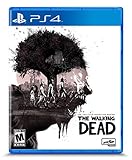
- Play the series that revolutionized storytelling in games. The Walking Dead: The Telltale Definitive Series contains all 4 Seasons, 400 Days DLC, and The Walking Dead: Michonne.
- “Graphic black” art style brings Season 4's enhanced visual style to all previous seasons of the acclaimed series.
- Exclusive looks at the making of the game from the developers, VO artists, and other team members that brought Clementine’s story to life.
- Character performances, lip syncing, and other gameplay and UI enhancements make this the definitive Telltale’s The Walking Dead experience.
- Music player that includes 140+ tracks across all seasons, art gallery, 3D model viewer with playable voice lines, & new 3D front end.
Do not copy a combination or interaction sequence without confirming that the guide is describing the same room and objective. Early areas can contain documents and items that look optional but establish the logic for a later interaction. Before opening a solution, record what you have already tried and which objects you have collected. That lets you use the walkthrough as a precise answer key rather than losing the story’s intended order.
For an exact answer, use the walkthrough page itself. The available material establishes the opening route and the projector-repair segment, but it does not independently verify every individual solution, so a reproduced code or button sequence should be checked against the live page before you act on it.
How the corrupted videos and splices work as a progression system
Steam describes corrupted video files stored on USB drives and memory cards. Some clips can be spliced together, and the resulting footage reveals additional context. This is not a separate collectible mini-game you can safely ignore if you want the full story: video recovery is one of the game’s stated ways of understanding what happened.
Organize files before combining them
- Keep a written inventory of every USB drive, memory card and clip name.
- Record where you found each file and whether it was complete, damaged or already linked to another clip.
- When a splice succeeds, note both source clips and the new information it reveals.
This prevents a common mistake: repeatedly trying combinations without knowing which files have already been tested. It also makes achievement cleanup faster because you can distinguish a missing file from an unmade splice.
When a splice does not reveal anything
Confirm that both files are actually available and that you are using the game’s intended splice interface, not merely viewing one clip. Revisit nearby rooms and storage areas for documents or devices you may have skipped. If the game still does not advance, compare your inventory against an “All the videos and splices” checklist in the Steam guide index; use the smallest missing entry as your next target rather than reading every late-game spoiler.
Rank #3

- WHO DOESN'T LOVE A MYSTERY?: The bluffing, hide your identity, sprint to survive, mystery game from the 90's is fun for all
- LIGHTS OUT: Players make their way around the mansion doing their best to survive the traps. When a trap springs it could be curtains for you and your character
- OUTFOX YOUR OPPONENT: Players need to be on their toes to keep up with everyone's movement and to conceal their real identity. It takes a shrewd strategy
- LOOK OUT: All the cool traps from the original game are in this faithful reproduction. If you are the last one standing you win
- NEVER THE SAME GAME TWICE: Because there's a large cast of characters, dice, and traps, there are so many potential outcomes that you'll never get bored to death playing 13 Dead End Drive
Secrets and lore: finding “An Actor Prepares” material
Optional evidence is central to a mystery built from documents, objects and reconstructed media. The Steam guide index lists a dedicated lore-location guide titled “An Actor Prepares.” Use it when your priority is narrative completeness rather than simply reaching the ending.
Outdated Drivers Are Slowing You Down
One free scan finds every outdated or missing driver and matches the right update for your exact hardware.Free scan · exact hardware matchPC Slower Than It Used to Be?
A free scan shows the junk files, broken settings and background clutter dragging Windows down - then fixes them in one click.Free scan · Windows 10 & 11Search by area and by item type. After an important scene, return to rooms that were previously inaccessible or only partially explored, then compare your notes with the guide’s location list. Read lore in the order you find it where possible; a location guide tells you where an item is, but the game’s impact often depends on discovering why that item matters at that point in the search.
If you are preserving surprises, stop after the location description and avoid paragraphs that quote or interpret the evidence. If you are assembling the entire story, pair the lore list with your video-splice inventory. Written evidence and recovered footage are complementary, and a gap in one list can explain an apparent gap in the other.
Independent reader supportYour contribution helps us test, update, and keep practical guides available for everyone.Achievement completion and a clean 19-achievement route
Steam lists 19 achievements for Dead Take. That count is a product feature, not a completion-time estimate or a difficulty rating. A reliable 100% attempt should combine story progression, optional lore and video tracking rather than waiting until the final scene to search the mansion again.
- Play the main route while keeping an inventory. Note every unusual object, document, drive and memory card, including items that do not immediately trigger an achievement.
- Use a spoiler-free puzzle guide for roadblocks. Avoid opening the achievement walkthrough for ordinary progression; it may expose conditions or scenes you would rather discover.
- Mark every optional discovery immediately. When a lore item or clip is found, record its room and the achievement or splice it appears to support.
- Check the 100% guide before the point of no return. The Steam index’s “Dead Take 100% Walkthrough – All Achievements” is designed for this purpose. Compare its checklist with your notes and complete any safe backtracking first.
- Do a final evidence pass. Verify that your video inventory includes every required file and completed splice, then revisit the locations named by “An Actor Prepares” for any missed lore entry.
Because community guides can be updated, use the live index and guide pages for the current achievement conditions. Do not assume that an achievement has triggered merely because you performed a similar action; check the Steam overlay or achievement list before moving on.
Rank #4

- IMMERSIVE GAMEPLAY: The exciting push your luck dice game set in the comic book pages of The Walking Dead.
- SURVIVE! In The Walking Dead: The Dice Game, Rick Grimes is recruiting for an open spot in their group of survivors. Players take on the role of hopefuls who are required to undertake a supply run while trying to outwit other survivors and Walkers.
- EXPLORE & GATHER: Who can recover the biggest stash of resources as they explore the rooms and vehicles in the abandoned town?
- RESOURCES ARE LIMITED to the number of dice in your pool, so you'll need your wits about you to try & survive. Push your luck to press further on & play through events and challenges or play it safe & live to fight another day. The choice is yours!
How to use walkthroughs without ruining the mystery
Use location-first searching
Search a guide for the room, chapter or objective currently on screen. Reading from the top can reveal later reveals, optional endings or the identity of a missing clip. A location-first approach gives you the answer you need while preserving the rest of the narrative.
Match terminology exactly
Guide writers may call the same object a projector, player, terminal or machine. Match the guide’s screenshot, room description or preceding objective before following instructions. If none of those match, back out and finish nearby exploration instead of forcing the sequence.
Keep a spoiler boundary
Decide in advance whether you will allow puzzle answers, story explanations, lore locations or achievement conditions. A spoiler-free puzzle guide is appropriate for the first category; the lore, splice and 100% guides intentionally go further. Opening all four at once removes that control.
Where to play and what is officially established
Dead Take is listed as a single-player game on Steam, with the Steam release dated July 31, 2025. Pocketpair’s announcement states that it is available on Steam and the Epic Games Store. The official pages do not establish a required special controller, accessory, printed manual or physical strategy guide. Check the current storefront listing for regional price, system requirements and availability because those details are volatile.
The game’s live-action integration is part of its presentation, not a separate mode that must be enabled. The core loop remains first-person mansion exploration, environmental problem-solving, collection of damaged media and clip splicing.
Quick troubleshooting checklist when progress appears blocked
- No new objective: reread the latest document or item and inspect the room where it was collected; a clue may need to be applied nearby.
- A door or device seems inert: check whether another interaction, power source or repaired component is required before the final control becomes usable.
- You cannot find a clip: compare your inventory against the video-and-splice guide and search by the last area you visited.
- You missed lore: use “An Actor Prepares” by location, then return to rooms that became accessible after a story event.
- An achievement did not appear: confirm the exact condition in the current 100% walkthrough and verify the achievement list before continuing.
- You are seeing too much story: close the full walkthrough and switch to the spoiler-free puzzle guide until you reach the next genuine roadblock.
The most efficient way to choose your next step
For a first playthrough, explore normally, read every document you willingly encounter and keep a clip inventory. When stuck, use the spoiler-free puzzle guide. After finishing the story, use the lore-location and video-splice guides for targeted cleanup, then consult the 100% achievement walkthrough for anything still unearned. This order keeps direct answers available without turning the entire mystery into a checklist on your first visit to the mansion.
Quick Recap
Product prices and availability are accurate as of the date/time indicated and are subject to change. Any price and availability information displayed on Amazon at the time of purchase will apply.

