
Delta Force does not have a verified universal cheat code or one best gun for every player. In practice, players usually mean one of two legitimate systems: official reward CDKs redeemed with an account or character UID, and weapon-build share codes that import an attachment setup into the gunsmith. They are not interchangeable, and a build made for Warfare should not automatically be used in Operations.
This guide explains how each system works, how to avoid failed redemptions and imports, and how to choose a build for a specific weapon such as the M4A1, K416 or CR-15 without treating community recommendations as proven game-balance results.
As an Amazon Associate I earn from qualifying purchases.
“Cheats” in Delta Force usually means two different code systems
Searches for Delta Force cheats often combine reward codes with weapon loadout codes. They solve different problems:
Quick wins for a faster PC:
Repair Windows errors before they cause bigger problemsFix Now →Fix the driver behind crashes, sound loss and screen glitchesFind Drivers →Clear out junk files and repair common Windows errorsFree Scan →| Code type | What it does | Where it is used | What can make it fail |
|---|---|---|---|
| Official reward CDK | Claims an event or promotional reward for an account | Delta Force’s official Redemption Center | Wrong character UID, invalid CDK, account or region restrictions, or a code not supplied through an official channel |
| Weapon build/share code | Stores an attachment configuration for one named weapon | The in-game gunsmith | Wrong weapon, missing characters when copying, an outdated seasonal code, or mode incompatibility |
A build code does not unlock an exploit, bypass progression or guarantee better performance. It is a convenient way to reproduce someone’s attachment choices. A CDK is a reward claim, not a gun setup. Treating the two as the same is the fastest way to follow the wrong instructions.
#1 Best Overall

- 1. Premium Metal Material: Authentic Tactile Experience Crafted from high-quality metal, this Delta Force keycard replica delivers a solid, weighty feel that perfectly mimics the in-game gear, offering gamers an authentic tactile experience they can hold and appreciate.
- 2. 1:1 Scale Replication: Exact In-Game Precision With a 1:1 scale design, every detail—from the engravings to the card shape—mirrors the keycards in Delta Force exactly, allowing fans to own a true-to-game piece of equipment.
- 3. Intricate Detailing: Museum-Grade Craftsmanship Boasting meticulous engravings and finishes, each keycard features museum-grade detailing that highlights the iconic symbols and text, making it a standout collectible for any Delta Force enthusiast.
- 4. Gift Box Set with 4: Perfect for Collectors & Gifting As a gift box set with 4 room cards,Zero Dam;Space City;Brakkesh;Layali Grove. it is an ideal gift for Delta Force fans and a valuable addition to any game souvenir collection, combining aesthetics and practicality.
- 5. Durable Build: Long-Lasting Gaming Memorabilia The robust metal construction ensures durability, so this keycard replica won’t wear or fade easily, promising to be a long-lasting keepsake for years of gaming nostalgia.
How to redeem an official Delta Force reward CDK
The official Redemption Center supports both a UID-based flow and a login-based flow. The page warns that an incorrect character UID or CDK prevents rewards from being delivered. It also says: “Exclusive CDK Please use the CDK provided through official channels, or the redemption may fail.”
UID-based redemption
- Open the official Delta Force Redemption Center.
- Choose the UID-based redemption option if you are not using the login flow.
- Copy your character UID from your in-game profile. Do not type it from memory; one wrong digit sends the request to the wrong account or stops the claim.
- Paste the complete CDK exactly as issued, including every letter and number.
- Submit the form and check the account or in-game mailbox specified by the redemption service for the reward.
Login-based redemption
- Open the same official redemption page and select the login option.
- Sign in with the account connected to your Delta Force character.
- Enter the complete CDK and submit it.
- Confirm that the account shown by the page is the one on which you want the reward.
The official page’s second accuracy warning is direct: “Information Accuracy Please enter the correct character UID and CDK, or the rewards will not be sent to your account.” If a claim fails, recheck the UID, the full code, the account, and any event or region eligibility shown by the official instructions before trying again.
Why this article does not list “active” CDKs
No particular reward CDK has a verified validity period in the available material. CDKs can be limited to an event, account, region or expiration window. Copying a code from an unverified list can waste time and may violate the official redemption guidance. Use a code announced through an official Delta Force event, channel or redemption notice, then confirm its eligibility on the official page.
Free tools Windows power users keep installed
One-click scans. No signup required.
How to import a weapon build or loadout code
A weapon build code is tied to a particular weapon and records its attachment configuration. Community guides describe the process as an import through the gunsmith rather than a reward claim.
Rank #2

- Exquisite Craftsmanship: Meticulously crafted to replicate the brilliance of a real gem, the "African Heart" showcases unparalleled detail, making it a standout piece for any Delta Force enthusiast and a testament to superior artistry.
- Exclusive Game Collectible: A rare gem from Delta Force, this "African Heart" is a must-have for fans, offering a unique way to connect with the delta game’s world and flaunt your passion for exclusive gaming memorabilia.
- Luxurious Display Piece: Encased in a sleek acrylic box, the "African Heart" serves as a dazzling display item, elevating the aesthetic of any space while showcasing your taste for luxury and gaming culture.
- Symbol of Prestige: Owning the "African Heart" from Delta Force isn’t just about collecting; it’s about embodying the prestige and excitement of the game, making it a statement piece for any fan.
- Open the game’s gunsmith or weapon-customization screen.
- Select the exact weapon named by the code. Do not select a similar rifle and assume the attachments will transfer.
- Open the share-code or import control.
- Paste the entire code, including the weapon name or other characters included in the original string.
- Confirm the import and inspect the resulting attachment list before entering a match.
Copy the complete string in one operation where possible. The community code guidance identifies a missing character and a weapon mismatch as common causes of failure. If the import is rejected, re-copy the original code, verify the weapon selection, and check whether the code was updated for a newer season.
Check the mode before you equip the result
Delta Force’s modes can have different objectives, pacing and build recommendations. A recent guide published October 3, 2026 labels its code collection as Warfare and explicitly warns readers not to treat those recommendations as Operations builds. A code that imports successfully is not automatically appropriate for the other mode.
| Before importing | Question to answer | If you cannot answer it |
|---|---|---|
| Mode | Was the code made for Warfare or Operations? | Find the source’s mode label or do not rely on the recommendation. |
| Weapon | Does the selected gun exactly match the code? | Return to the gunsmith and select the named weapon. |
| Season or date | When was the code last updated? | Expect attachment or balance changes and test it before committing to it. |
| Role | Is the setup intended for the range and job you need? | Use the attachments as a starting point, not a universal answer. |
Choosing a build for the M4A1, K416 or CR-15
There is no controlled evidence in the available sources proving that one of these rifles is the best gun for every player, map or mode. Community build indexes show that many weapon-specific setups exist, but listing counts are not measurements of weapon quality. A useful recommendation therefore names the weapon, mode, role and assumptions instead of declaring a universal winner.
M4A1
For an M4A1 recommendation, first state whether the player is loading Warfare or Operations. Then identify the intended engagement range and whether the player values easier handling, fast target transitions or a more deliberate sight picture. Import a code only after confirming those labels. If the source gives no mode or role, describe it as an unverified starting point rather than “the best M4A1 build.”
Rank #3
K416
The same rule applies to the K416: a code belongs to the weapon and the context in which it was created. Compare two K416 setups by their stated mode, intended range and attachment choices, not by a site’s number of submitted builds. Check the date because community codes are revised by season.
CR-15
For the CR-15, preserve the source’s own description of its role. Do not infer damage, recoil, accuracy or time-to-kill advantages from the code alone. If the guide demonstrates a particular use but does not provide measured testing, present that as a practical recommendation, not an independently verified performance claim.
A practical framework for comparing two real build codes
When you have two codes for the same weapon, use this order:
Recommended Free Tools
- Filter by mode. Remove a Warfare code from an Operations comparison unless the source explicitly confirms compatibility.
- Confirm the weapon. A code for one gun is not evidence for another, even if both are assault rifles.
- Read the stated role and range. Keep a close-range setup separate from a long-range or general-purpose setup.
- Record the season or update date. A code can become stale after balance or attachment changes.
- Check any stated cost. Include attachment or in-game economy figures only when the source provides current numbers; otherwise mark the cost as not stated.
- Test in the mode you will play. Look for controllability, sight picture and practical comfort, then keep the setup that fits your aim and movement rather than a headline ranking.
This method avoids turning a community submission into a promise about every player’s results. It also gives you a reproducible reason for choosing one setup over another.
Rank #4
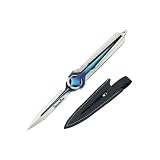
- 【1:1 Game-Inspired Authentic Design】Precision-crafted with intricate engraving and detailed finishing, this Delta Force model faithfully recreates iconic in-game details from popular tactical shooter games, making it a premium collectible for gaming enthusiasts.
- 【Safe & Law-Compliant Prop】Featuring a blunt, unsharpened edge, Delta Force merch decorative prop is non-functional and fully safe for display/cosplay use, compliant with US laws regarding replica weapons.
- 【Complete Gift Box Set】Includes a premium gift box, protective leather sheath (to prevent scratches), and a dedicated display stand—ready to gift or showcase right out of the package.
- 【Durable Eco-Friendly Zinc Alloy】Made of high-quality eco-friendly zinc alloy, Delta Force Game Desmoulins' Edge Bundle model is rust-resistant, scratch-proof, and fade-resistant, ensuring long-lasting durability for shelf/desk display.
- 【Versatile Gifting & Decor Use】Ideal for gaming room decor, cosplay props, or shelf collections. The elegant gift box makes it a thoughtful gift for birthdays, holidays, or any occasion for tactical shooter fans.
Using the official Delta Force HQ Tool Station
The official HQ Tool Station includes share-code recommendations and other game information. Its data is not necessarily populated for a new or unlinked character: some sections display “No data yet. Start the game and play a match.” That means an empty panel does not prove that a weapon has no recommendation, and a populated panel should still be read with its mode and date labels.
Play a match when the tool requests match history, then return to the station and check whether recommendations or statistics have appeared. Do not present an unavailable statistic as a general weapon-performance fact.
Troubleshooting failed codes
The reward CDK is rejected
- Confirm that you used the official Redemption Center and the correct login or UID flow.
- Copy the character UID again from the in-game profile.
- Paste the complete CDK without added spaces or missing characters.
- Check the event’s account, region and expiration conditions.
- If the code came from an unofficial list, obtain a current code through an official channel instead.
The weapon code will not import
- Re-copy the entire code; one missing character can invalidate it.
- Select the exact weapon named by the source before opening the import control.
- Check the source’s mode label. Warfare and Operations recommendations should not be mixed without confirmation.
- Look for a season or update date. Older codes may no longer match the current attachment system.
- If it imports but behaves unexpectedly, inspect every attachment and test it in the intended mode.
The code imports but the build feels wrong
Successful import only proves that the game accepted the attachment configuration. It does not prove that the setup suits your sensitivity, movement habits, range preference or objective. Save the original configuration, change one attachment at a time, and keep notes on which change improves your control. Do not describe a personal adjustment as a universal meta result.
Security and account-safe practices
Use only the official redemption page for account-linked rewards. Never provide a third-party site with your login credentials or character information merely to “activate” a CDK. A weapon build code should be pasted into the in-game gunsmith; it should not require an external executable, injector or account transfer. Those tools are outside the legitimate code systems described here and are not necessary to import an attachment setup.
How current are Delta Force codes?
Reward CDKs, build codes and community rankings are volatile. The code guidance says builds are updated by season, while the October 3, 2026 Warfare guide is a dated snapshot rather than a permanent guarantee. Recheck the official redemption instructions, the current weapon screen and the mode label after balance updates. If a recommendation has no date, mode or weapon identification, treat it as incomplete.
The most defensible answer to “What is the best Delta Force gun?” is therefore conditional: name the mode, select the weapon, identify the role and range, verify the code’s season, and test the imported setup yourself. CDKs are for officially issued rewards; weapon codes are for attachment sharing. Keeping those systems separate prevents failed claims and misleading build advice.
Quick Recap
Product prices and availability are accurate as of the date/time indicated and are subject to change. Any price and availability information displayed on Amazon at the time of purchase will apply.

