Free tools Windows power users keep installed
One-click scans. No signup required.
Maybe—but there is no update rule that applies to every SCUF controller. Check the exact model and variant, then follow its official SCUF instructions. For example, SCUF says Vantage owners who are not experiencing issues do not need to install Firmware Update 1.1; Valor and Envision have different, model-specific update routes.
How to decide whether your SCUF needs an update
- Identify the controller’s model and variant from the controller or purchase information.
- Find that model in SCUF’s support index and open its setup or configuration guidance. Check that the instructions name your exact model.
- Read what the update is for, which operating system and connection it requires, and whether SCUF recommends it for your situation or only for a particular feature or issue.
- If the official procedure calls for a PC updater, use the specified operating system and connection method. Follow the model-specific steps without disconnecting or substituting firmware intended for another controller.
If the model is unclear, an update fails, or the controller develops recognition or calibration problems, use SCUF’s support route for that model rather than trying another model’s firmware.
Update guidance differs by SCUF model
| Model or procedure | When it applies | Host and connection |
|---|---|---|
| Vantage Firmware Update 1.1 | Vantage only. SCUF says no action is required if the controller is not experiencing issues. The stated target is Vantage units shipped before March 6, 2019, or purchased from GameStop, when the owner is experiencing issues. | Windows 10 is required. |
| Valor Companion App guidance | Follow the instructions for the exact Valor variant. SCUF’s beta FAQ, dated October 6, 2026, says Valor Pro Wireless and Valor Wired TMR can use the Valor Companion App. Valor Wired with Hall Effect (non-TMR) needs an additional firmware-updater step. | Use the variant-specific instructions in SCUF’s FAQ. |
| Valor Pro 1K polling firmware | An optional, model- and mode-specific procedure—not a general SCUF update. | Windows 10 or 11 PC and USB-C connection; follow SCUF’s exact updater steps. |
| Valor PC 1ms high-speed mode | A Valor-specific firmware mode intended for PC. SCUF warns not to use it on console. | PC only; follow the specific SCUF article. |
| Envision firmware and software | Envision-specific setup and firmware controls. Its manual describes checking firmware or forcing an update when reverting from beta firmware. | iCUE on PC. |
What to know before installing firmware
Vantage
SCUF’s guidance for Vantage Firmware Update 1.1 explicitly says: “If you are not experiencing any issues, then no action is required on your part at this time.” That applies to this Vantage update, not to every SCUF controller or firmware release. The updater requires Windows 10.
Valor
Valor procedures vary by variant and by the feature being enabled. The Companion App beta FAQ dated October 6, 2026 distinguishes Valor Wired with Hall Effect (non-TMR) from Valor Pro Wireless and Valor Wired TMR. Separately, the Valor Pro 1K polling procedure uses a Windows 10 or 11 PC and USB-C; it is not a universal update instruction. SCUF’s Valor PC 1ms firmware is for Valor and PC use only, not console. Check the relevant page for its current steps and any listed beta issues or workarounds.
Do these 3 things before closing this tab:
1Clear out junk files and repair common Windows errors2Scan for outdated or missing drivers - takes under a minute3Repair Windows errors before they cause bigger problems#1 Best Overall

- Built for PS5 Consoles: Officially Licensed PlayStation 5 performance controller, engineered for easy setup and low-latency connectivity. Designed to meet Sony Interactive Entertainment’s exacting performance standards for input response, power management, and wireless stability you can trust
- 11 Additional Inputs: x4 rear paddles, x2 side action buttons, G-Keys; all fully customizable for personalized gameplay, faster reactions, and more control at your fingertips
- New SCUF Mobile App: Customize almost every input on your controller. Full control over your trigger and thumbsticks response curves, action (Triangle, Circle, Square, and Cross) buttons, and true 0% thumbstick deadzone. Directly from your phone (iOS & Android) to your controller in real time
- Endurance TMR Thumbsticks: Delivers increased durability, preventing the wear and tear that causes drift and/or jitter while consistently providing precision and smooth control
- Omron Mechanical Switches: Faster activating, mouse-like clicks across Instant Triggers, Instant D-Pad, and Instant Action Buttons. Utilising Omron switches for the most durable, consistent, and crisp feeling possible
Envision
Envision setup and software use iCUE on PC. Follow the Envision manual’s firmware controls for the relevant situation, including its instructions for checking firmware or forcing an update when reverting from beta firmware.
Other SCUF models
SCUF’s support index separates guidance for families including Reflex, Omega, Nomad, and others. The procedures above do not establish whether an update is available for those models. Look up the exact model in the index and use its own instructions.
Rank #2
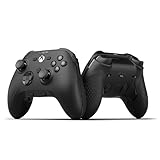
- FASTER GAMEPLAY: Features four rear paddles so you can react faster in-game and with our instant triggers that eliminate trigger pull, shaving milliseconds off your reaction time. And when you're on PC, activate the 1k Hz polling rate for lightning-fast inputs
- MULTIPLE WAYS TO CONNECT: Switch between low-latency wireless, Bluetooth, or ultra-fast wired. No matter how you play, Valor Pro keeps your connection stable so you can stay locked in
- TAILORED FUNCTIONALITY: Customize your inputs and adjust the TMR thumbstick deadzones directly from your Xbox or PC using the SCUF app; Built for total control with no need to pause
- ULTIMATE CUSTOMIZATION: Show off your personality and coordinate your controller with your space. With a wide range of colors, designs, and swappable faceplates and thumbsticks, it’s easy to create a look that’s all you
- MORE COMFORT: Utilizing over a decade of expertise our performance grip provides ultimate non-slip comfort, and the new wraparound bumpers have more surface area for faster movements
Why you should not use another model’s firmware
Firmware can be specific to both the controller and its intended mode. SCUF warns that its Valor PC firmware “was only designed for Valor. It will not work with other SCUF controllers.” Do not treat an updater for one SCUF family—or a Valor PC-only mode—as suitable for a different model or for console use.
For Valor Pro firmware setup, SCUF specifies a USB-C connection to a PC. Use a suitable data cable if you need one; you may already have one. The update guidance does not mean you need to buy a cable or other accessory.
Quick Recap
Rank #4

- Anti-drift Hall effect thumbsticks prolong the life of your controller
- Four rear, remappable paddles keep your thumbs on the sticks for faster reactions
- Five fully remappable G-Keys for advanced macros and Corsair iCUE integration
- Two unique side-mounted SAX buttons are designed to provide additional configurability and fit the natural placement of your fingers
- OMRON mechanical button switches operate like a mouse click for instant activations
Rank #3

- FASTER GAMEPLAY: Features four rear paddles so you can react faster in-game and with our instant triggers that eliminate trigger pull, shaving milliseconds off your reaction time. And when you're on PC, activate the 1k Hz polling rate for lightning-fast inputs.
- MULTIPLE WAYS TO CONNECT: Switch between low-latency wireless, Bluetooth, or ultra-fast wired. No matter how you play, Valor Pro keeps your connection stable so you can stay locked in.
- TAILORED FUNCTIONALITY: Use the audio control system to change volume levels on the fly and save up to three remapping configurations with the flip of a switch.
- ULTIMATE CUSTOMIZATION: Show off your personality and coordinate your controller with your space. With a wide range of colors, designs, and swappable faceplates and thumbsticks, it’s easy to create a look that’s all you.
- MORE COMFORT: Utilizing over a decade of expertise our performance grip provides ultimate non-slip comfort, and the new wraparound bumpers have more surface area for faster movements.
Product prices and availability are accurate as of the date/time indicated and are subject to change. Any price and availability information displayed on Amazon at the time of purchase will apply.




