
For DRAGON QUEST VII Reimagined, the fastest legitimate gold shortcut is the built-in Gold Acquired difficulty setting: open Difficulty Level and choose More. It changes the reward rules without a code, save edit, or exploit. For travel, use Zoom after visiting a destination; past and present versions of the same place are separate map entries, and story events can temporarily block travel. These instructions apply to Reimagined, not automatically to the original PlayStation game or the 3DS remake.
This guide covers the current Reimagined release available on Nintendo Switch 2, Nintendo Switch, PlayStation 5, Xbox Series X|S, Steam, and Microsoft Store on Windows. Square Enix’s release notice says the Steam launch followed the other listed platforms by one day.
| # | Preview | Product | Price | |
|---|---|---|---|---|
| 1 |
|
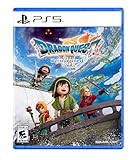
DRAGON QUEST VII Reimagined - PlayStation 5 | $44.99 | Buy on Amazon |
| 2 |

|
Dragon Quest VII Reimagined - Nintendo Switch 2 | $63.04 | Buy on Amazon |
| 3 |

|
DRAGON QUEST 7 REIMAGINED Complete Guide and Walkthrough (Latest Update) | $19.99 | Buy on Amazon |
As an Amazon Associate I earn from qualifying purchases.
Which Dragon Quest VII version is this guide for?
The title’s “cheats” terminology can cause confusion because Dragon Quest VII now refers to several substantially different games. The instructions below are for DRAGON QUEST VII Reimagined, the current release as of October 13, 2026. Square Enix describes it as a reworking with diorama-style visuals, updated gameplay mechanics, and a streamlined story.
Free tools Windows power users keep installed
One-click scans. No signup required.
Reimagined is sold for Nintendo Switch 2, Nintendo Switch, PlayStation 5, Xbox Series X|S, Steam, and Microsoft Store on Windows. The official release notice lists Steam as launching one day after the other platforms. The original PlayStation edition released in 2000, while the later 3DS version has its own navigation and transport rules. A Zoom instruction for Reimagined should not be applied to the 3DS game.
#1 Best Overall
- Unravel the mysteries of the past in DRAGON QUEST VII Reimagined! Gather your companions and travel beyond the shores of your small kingdom to discover why it is the only remaining island in the world.
- A Diorama Brought to Life - DRAGON QUEST VII Reimagined blends a beautiful diorama art style with Akira Toriyama's iconic character designs to make every encounter feel vibrant, heartfelt, and full of adventure. From lush forests and bustling towns to ancient ruins and whimsical monsters, every environment is bursting with color and personality.
- Travel through History to Restore the Present - Scattered stone fragments unlock portals to long-lost eras with their own challenges to solve. Restore the islands, solve mysteries, and make allies in the past to breathe life back into the present.
- A Beloved Tale with a Streamlined Narrative - DRAGON QUEST VII Reimagined is told through a series of vignettes with an overarching narrative. The main story has also been streamlined to make the journey more accessible to all players.
- Classic Combat, Improved! - The battle system in DRAGON QUEST VII Reimagined has undergone significant changes. Turn the tides of battle with new vocational perks. Each vocation has its own unique ability, from all-out attacks to those that support your allies. Battle speed adjustments and an auto-battle feature are also available. Battles can progress without interruptions between each turn, depending on the tactics selected for the protagonist and allies. While on the field, players can pre-emptively strike monsters and instantly defeat them If the monster is weaker than the party.
How to increase gold earnings in Reimagined
Use the Gold Acquired setting
- Open the game’s Difficulty Level settings.
- Find Gold Acquired.
- Set it to More.
- Return to play and verify the next battle reward in your inventory or status display.
The exact More label is documented by a community-submitted tips guide. Xbox Wire independently confirms that Reimagined lets players alter how much gold they earn. Treat this as an in-game reward setting, not an external cheat: no cheat device, modified save, or exploit is required.
What changing difficulty affects
Difficulty Level is a group of challenge and progression controls rather than a gold-only toggle. Xbox Wire says the game also allows adjustments for damage, experience, vocation proficiency, and whether enemies attack on the world map. Raising gold while leaving combat at a comfortable level is a sensible way to reduce grinding; changing several options at once can make it harder to tell which setting altered your experience.
| Setting area | Practical effect | Useful approach |
|---|---|---|
| Gold Acquired | Changes the amount of gold awarded by battles. | Choose More when buying equipment or supplies is slowing progress. |
| Damage | Adjusts how punishing combat is. | Keep a manageable level if you still want ordinary fights to matter. |
| Experience | Adjusts experience rewards. | Change it only when your level curve, rather than your wallet, is the problem. |
| Vocation proficiency | Adjusts progress toward vocation development. | Xbox Wire recommends maximizing proficiency for faster vocation progress if that is your priority. |
| World-map enemy attacks | Controls whether enemies initiate attacks while you travel outside towns and dungeons. | Reduce interruptions when moving between known locations. |
There is no supported gold-per-hour figure or universally best farming location in the available official material. Your payout depends on the setting, encounters, equipment purchases, and how much optional combat you do. Avoid guides that promise a guaranteed hourly rate unless they show version-specific testing.
Recommended Free Tools
What not to treat as confirmed
A community guide claims that a Gold Golem Heart accessory from the Digital Deluxe edition adds 50% battle gold. That bonus has not been corroborated by an official source, so it should not be used as a guaranteed farming plan. The adjustable Gold Acquired option is the clearly supported shortcut.
How Zoom travel works in Reimagined
Unlocking a destination
- Travel to the town, castle, dungeon entrance, or other location on foot or by the story’s normal route.
- Allow the location to register on the world map.
- Open the world map and select Zoom.
- Choose a previously visited destination from the available list.
A secondary, community-submitted guide reports that Zoom can reach previously visited locations underground or inside castles as well as ordinary surface locations. Because the official materials reviewed do not spell out every Zoom control, use the map’s current list as the authority if a particular interior is missing.
Past and present are different destinations
Reimagined’s central structure uses stone fragments to open portals to long-lost eras. Actions in the past restore islands in the present, but the two versions of a place remain separate travel points. Visit the present-day location itself if you want it to appear as a present-day Zoom destination; visiting only its past version may not unlock the modern entry.
When Zoom is unavailable
Story events can block travel. If a location is normally available but cannot be selected, check whether the current objective requires you to remain in an area, complete a conversation, obtain a fragment, or resolve a local event. A blocked destination is not evidence that the setting is broken. Finish the active sequence, return to the map, and check the list again.
Quick wins for a faster PC:
Fix the driver behind crashes, sound loss and screen glitchesFind Drivers →Clear out junk files and repair common Windows errorsFree Scan →Scan for outdated or missing drivers - takes under a minuteDriver Scan →Why stone fragments matter to travel
Fragments are not merely collectibles. In the Reimagined story, they open portals to earlier eras, and what you do there changes which islands exist in the present. This means that exploration and fast travel are linked: a missing island or route may be a story-state issue rather than a navigation failure.
When an area does not appear, confirm three things before backtracking through every map:
Rank #2
- Hand-Crafted Aesthetic - The character designs, originally crafted by world-renowned manga artist Akira Toriyama, have been reimagined into a charming 3D art style using dolls actually created in the real world. Environments and dungeons are also brought to life with a unique hand-crafted, diorama-style aesthetic that vividly illustrates the beloved world of the DRAGON QUEST series Enhanced Story - While remaining faithful to the original story, the narrative of DRAGON QUEST VII Reimagined has been enhanced to provide a more streamlined story experience. Alongside the main adventure, players can enjoy optional side quests, stories and minigames
- You have obtained the fragment required for that portal.
- You have completed the immediate past-era objective that changes the present.
- You have visited the resulting present-day location at least once so it can become a Zoom destination.
Those checks explain why a destination can be logically “unlocked” in the story yet absent from the travel menu.
Make routine battles faster without wasting resources
Choose the right auto-battle behavior
Reimagined includes auto-battle options. Xbox Wire describes Fight Wisely as the balanced choice and warns that Show No Mercy can consume magic points quickly. Use an aggressive mode only when the encounter is disposable and your party has enough MP or inexpensive recovery available.
Do these 3 things before closing this tab:
1Repair Windows errors before they cause bigger problems2Fix the driver behind crashes, sound loss and screen glitches3Clear out junk files and repair common Windows errorsBosses deserve manual control. A scripted battle can punish an automatic command that spends MP on the wrong target, ignores a status ailment, or fails to defend during a dangerous phase. Turn auto-battle back on after the boss when you return to ordinary encounters.
Adjust battle speed for ordinary encounters
The game provides battle-speed adjustment alongside auto-battle. Increase the speed for fights you can win reliably, then reduce it when you need to read enemy behavior, time a defense, or diagnose why a tactic is failing. Speed changes reduce animation time; they do not replace healing, equipment upgrades, or a sound party setup.
Build a party that saves money and time
Keep healing available
Xbox Wire recommends maintaining healing capability rather than filling every slot with offensive vocations. A party that can recover during or immediately after a fight spends fewer consumables and makes the higher-gold setting more useful because extra earnings are not immediately erased by repeated item purchases.
Use Moonlighting deliberately
Reimagined’s Moonlighting feature allows a character to hold two vocations at once, and the same source says vocation changes can be made in dungeons. Use that flexibility to cover a missing role before a difficult area: retain an offensive vocation while adding healing or support capability instead of rebuilding the entire party in town.
Because vocation proficiency can also be adjusted in Difficulty Level, decide whether you want normal progression or a faster development curve before changing it. Faster proficiency is convenient for experimentation, but it can reduce the pacing challenge intended by the default settings.
Shortcuts that reduce travel and treasure hunting
Map essential commands early
Xbox Wire says Heal All can initially be assigned to the directional pad, with additional commands becoming available later. Put recovery on a button you can reach without opening several menus. This is especially useful after a sequence of routine battles when you want to restore the party before opening the map.
Use Nose for Treasure when it unlocks
The Nose for Treasure shortcut is designed to help locate hidden loot. Activate it when you have searched the obvious route and suspect that a chest or item is nearby. It is a discovery aid, not a gold multiplier, so use the increased battle-gold setting for income and this command for reducing missed pickups.
Independent reader supportYour contribution helps us test, update, and keep practical guides available for everyone.Fast travel and transport in the 3DS remake
The 3DS edition is a separate game and should be navigated on its own terms. Nintendo’s manual identifies the ship as one of several transport modes. The ship sails the ocean and can encounter underwater monsters, so ocean travel is an active gameplay route rather than a direct equivalent of Reimagined’s Zoom menu.
PC Slower Than It Used to Be?
A free scan shows the junk files, broken settings and background clutter dragging Windows down - then fixes them in one click.Free scan · Windows 10 & 11Crashes, No Sound, or Screen Glitches?
Random freezes, missing sound and display glitches usually trace back to one bad driver. Find and replace yours safely.Free scan · under a minuteIn the 3DS version, tablet fragments are brought back to the Shrine of Mysteries to open new areas. That fragment-and-shrine loop is the relevant progression check for the remake. Do not look for Reimagined’s Gold Acquired difficulty control or assume that a Reimagined Zoom list exists in the same form.
Edition comparison at a glance
| Edition | Platforms or era | Travel system covered here | Gold and progression guidance | Story and gameplay context |
|---|---|---|---|---|
| DRAGON QUEST VII Reimagined | Switch 2, Switch, PS5, Xbox Series X|S, Steam, Microsoft Store on Windows; current release in October 2026 | Zoom to visited destinations; past and present entries are separate; story events can block travel. | Difficulty Level includes Gold Acquired; the community guide identifies More. Other adjustable areas include damage, experience, vocation proficiency, and world-map attacks. | Updated gameplay, diorama visuals, and a streamlined story according to Square Enix. |
| 3DS remake | Nintendo 3DS | Ship travel across the ocean; tablet fragments return to the Shrine of Mysteries to open areas. | Do not import Reimagined’s Gold Acquired or Zoom instructions. | Uses the remake’s own transport and progression flow. |
| Original PlayStation release | PlayStation, released in 2000 | Not covered by the Reimagined Zoom instructions in this guide. | Reimagined settings are not universal Dragon Quest VII cheats. | Legacy version with different presentation and systems. |
Troubleshooting common problems
“I selected More, but I do not see extra gold.”
Check that you changed Gold Acquired, not a neighboring setting such as experience or vocation proficiency. Confirm the change in the same difficulty menu, then complete a normal battle and inspect the reward. The setting changes battle income; it does not retroactively add money from fights you already completed.
“Zoom does not show the place I just reached.”
Visit the location itself, not only a nearby map tile or its past-era counterpart. Then reopen the world map. If it is still absent, finish the current story event first, since travel restrictions can be temporary.
“Auto-battle leaves me out of MP.”
Switch from Show No Mercy to Fight Wisely, lower the battle speed while you watch the party’s behavior, and take manual control for expensive or dangerous encounters. Restore the party before continuing a long route.
“The 3DS walkthrough says to use a ship, but I am playing Reimagined.”
Use the edition label on your title screen or platform listing. Reimagined’s relevant shortcut is Zoom after visiting a destination; the 3DS manual’s ship and Shrine of Mysteries instructions belong to the remake.
A practical setup for a first playthrough
- Leave combat settings at a comfortable challenge level and set Gold Acquired to More if purchases are restricting progress.
- Keep at least one healing-capable character while assigning offensive roles to the remaining party members.
- Use Moonlighting to cover a missing role when entering a dungeon instead of rebuilding the party from scratch.
- Map Heal All and later Nose for Treasure to convenient shortcuts.
- Use Fight Wisely and a faster battle speed for routine encounters; control bosses manually.
- Visit both past and present versions of important locations so each can register as its own Zoom destination.
- When a route is unavailable, check the active story event and fragment progression before assuming the map is bugged.
These settings preserve the game’s intended systems while removing the most common sources of friction: insufficient spending money, repeated walks between known locations, slow routine battles, and missed recovery or treasure commands.
The Bottom Line
In DRAGON QUEST VII Reimagined, set Difficulty Level → Gold Acquired → More for the clearest supported gold boost, and use Zoom only after visiting each destination in the correct past or present version. Treat 3DS ship and Shrine of Mysteries advice as a separate edition’s guidance.
Quick Recap
Product prices and availability are accurate as of the date/time indicated and are subject to change. Any price and availability information displayed on Amazon at the time of purchase will apply.

