Recommended Free Tools
A 2019 DreamcastChannel project makes an IDE hard drive fit neatly inside a Dreamcast by repurposing the console’s GD-ROM assembly. “Plug-n-play” describes how the modified unit reconnects through the original drive connector—not an off-the-shelf installation: the optical assembly is gutted, an IDE cable is soldered to its PCB, and a custom 3D-printed bracket holds the drive.
How the Dreamcast hard-drive mod works
Hackaday’s July 29, 2019 report describes a build by DreamcastChannel that moves the IDE connection from the motherboard to the GD-ROM drive assembly. Earlier approaches soldered all 44 IDE lines directly to the motherboard; this design instead repurposes the optical drive’s metal assembly and circuit board as the interface and mount.
- Guts the GD-ROM assembly: The optical mechanism is removed, leaving the metal housing and PCB.
- Connects the IDE cable: The cable is soldered to pads on the GD-ROM PCB.
- Mounts the hard drive: A 3D-printed bracket secures the drive to the assembly’s metal case.
- Refits the assembly: The modified unit connects to the Dreamcast through the original GD-ROM connector.
The result is a tidy internal fit, but building it calls for soldering, a fabricated bracket, and modification of the optical-drive assembly. Hackaday’s description does not establish that this is a retail kit or specify a drive model, capacity, or form factor. Hackaday’s project report documents the construction.
What DreamShell does—and what compatibility means
The reported setup uses a hacked BIOS and DreamShell. DreamShell is the software layer for working with storage and launching content; its project describes it as a Dreamcast operating system based on KallistiOS, with a modular interface, device drivers, file formats, and an ISO Loader. Its build instructions also include a command for making an IDE/SD FAT32 image. See the DreamShell project repository.
Do these 3 things before closing this tab:
1Clear out junk files and repair common Windows errors2Fix the driver behind crashes, sound loss and screen glitches3Repair Windows errors before they cause bigger problems#1 Best Overall
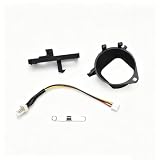
- This kit is designed to mount a high airflow quiet fan in the place of the original stock fan for Sega Dreamcast console.
- This mod shines in systems with GDROM emulators like the USB-GDROM and the GDEMU. It makes those systems nearly silent.
- It may not do much to systems with the original disk drive still installed as the disk drive is louder than the cooling fan.
- This kit is NOT for Dreamcast early revision known as VA0, these systems are fairly rare in all regions except Japan.
- The easiest way to determine if you have this model is to open the system, if you have a silver or grey fan attached to a metal heatsink, it is a VA0.
The Dreamcast wiki’s community-maintained IDE hard-drive modification guide describes using DreamShell to run games from an IDE drive, or a SATA drive with a compatible adapter, and characterizes compatibility as good but imperfect. That is not a guarantee that every game or image will work. Hackaday likewise presents the build as a way to play backup games, not as proof of universal compatibility.
How it compares with GDEMU and MODE
These options all change how a Dreamcast loads content, but their hardware and installation are different. The DreamcastChannel build repurposes the GD-ROM assembly for an IDE hard drive. GDEMU and MODE are optical-drive emulators that replace the GD-ROM; GDEMU uses SD cards, while MODE supports SATA storage.
Rank #2

- Compatible with Dreamcast consoles, specifically designed for VA0 and VA1 motherboards.
- Utilizes open-source Dreamshell BIOS compatible with easy installation with minimal soldering required.
- Enhances gaming experience with faster loading times and no regional restrictions on game access.
- Supports 2.5-inch SATA HDDs with a minimum capacity of 256GB and a height of up to 7mm.
- Note: This adapter is not compatible with CD games and does not support SD cards or other motherboard versions.
| Option | Drive and storage | Installation and revision notes | Compatibility evidence |
|---|---|---|---|
| DreamcastChannel IDE retrofit | Guts and reuses the GD-ROM assembly; uses an IDE hard drive. | Requires soldering the IDE cable to the GD-ROM PCB and a 3D-printed mount. The reported unit refits through the original connector. The report does not specify supported console revisions. | The Dreamcast wiki describes DreamShell game compatibility as good but imperfect; no standardized test or percentage is provided. |
| GDEMU | Replaces the GD-ROM with an SD-card optical-drive emulator. | The Dreamcast wiki identifies VA1 compatibility and warns against VA0 and VA2; check the specific board revision before choosing one. | The cited pages describe SD-card loading but provide no standardized comparison with the IDE retrofit. ConsoleMods also discusses clone-quality issues and a 2022 production context, which does not establish current stock. See Dreamcast wiki’s GDEMU page and ConsoleMods’ GDEMU guide. |
| MODE | Replaces the optical drive; its manufacturer manual documents SATA hard-drive or SSD mounting on the board. | A dedicated replacement device rather than a modified GD-ROM assembly. The cited manual does not establish console-revision compatibility for every configuration. | The manual documents the storage option, not a standardized compatibility comparison against the other approaches. See the MODE manufacturer page and manual. |
The available sources do not provide comparable speed tests or standardized game-compatibility results, so they do not support ranking these options on performance. They also do not establish current stock or prices.
Independent reader supportYour contribution helps us test, update, and keep practical guides available for everyone.Which approach fits your goal?
- Choose the IDE retrofit if you want to follow this particular custom build and are prepared to modify the GD-ROM assembly, solder connections, and make a mount. The project report does not provide a universal parts list or establish that a complete kit is sold.
- Consider GDEMU if SD-card loading is the goal and your console revision is compatible. Verify the revision and the quality and source of the specific device; the cited production note is from 2022, not a current availability check.
- Consider MODE if you want a dedicated optical-drive replacement with documented SATA hard-drive or SSD support. Consult its manual for installation and configuration details.
For any route, check the instructions for the exact hardware and console revision you have. The IDE retrofit report does not identify a specific hard-drive form factor, capacity, or model, so it is not enough on its own to select a drive.
Quick Recap
Rank #3
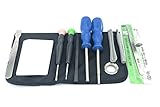
- 12 piece tool kit consisting of screwdrivers and pry tools
- Good for sega Genesis, game gear, Saturn, Master System, and more
- Works on both consoles and CARTRIDGES.
- 4 screwdrivers, 8 opening tools, Tweezers, handy storage pouch
Product prices and availability are accurate as of the date/time indicated and are subject to change. Any price and availability information displayed on Amazon at the time of purchase will apply.



