If FC 24 Clubs Drop-In says “No opponents found” or loses the connection after finding a match, first check EA and your platform’s service status. If services are available, check the lobby’s cross-play settings, then test your local connection. EA previously acknowledged and patched one Drop-In connection-loss defect, but that historical fix does not establish the cause of a problem happening now.
Work through these checks in order
- Check EA and platform service status. EA’s connection troubleshooting guide recommends checking EA service and platform network status. If an outage is reported, wait for service to recover before changing your network settings. EA’s live-status page currently lists FC 27, FC 26 and FC 25, but not FC 24. That omission does not by itself confirm that FC 24 online services have ended; its current status is not established by the page. Check EA’s FC 24 support page for support and troubleshooting options.
- Check the Clubs lobby’s cross-play compatibility. FC 24 includes cross-play in Clubs. The first player in the lobby, or its host, determines whether the lobby is cross-play enabled. Players joining from another platform need cross-play enabled. To change the lobby’s cross-play status, everyone must leave; the host changes the setting and invites the group again. See EA’s FC cross-play instructions.
- Try one community-reported settings workaround. A player in an EA Forums discussion suggested turning matchmaking and cross-play off, re-entering Clubs, then changing the settings back. This is an individual report, not an EA-confirmed fix, and it is not guaranteed to work. Read the “No opponents found” discussion.
- Test your local connection. EA’s general advice includes trying a wired connection instead of Wi-Fi, checking router placement and signal, restarting the router, and verifying that your device’s date and time are correct. EA also suggests considering a different DNS if your current DNS is unreliable. These are broad connection checks, not a specific or guaranteed remedy for Drop-In matchmaking. An Ethernet cable can help test whether unstable Wi-Fi is contributing; it cannot fix an EA-side matchmaking problem.
- Note the platform and exact error if it continues. FC 24 is available on PlayStation 5, Xbox Series X|S, PlayStation 4, Xbox One, PC and Nintendo Switch. Include your platform and whether the issue is “No opponents found” or a “connection lost” message when searching EA Help or contacting support through the FC 24 support page.
What EA has said about Drop-In connection failures
Players in the EA Forums thread reported both “No opponents found” and losing the connection after the game said opponents had been found. These are user reports, not evidence of how common the problem is or proof that every report has the same cause.
| # | Preview | Product | Price | |
|---|---|---|---|---|
| 1 |
|
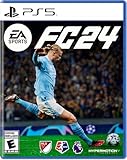
EA SPORTS FC 24 - PlayStation 5 | $24.00 | Buy on Amazon |
| 2 |

|
EA SPORTS FC 24 Standard Edition PS5 | German | $24.05 | Buy on Amazon |
| 3 |

|
EA SPORTS College Football 27 - Standard Edition PS5 |Disc I VideoGame | $49.94 | Buy on Amazon |
| 4 |

|
EA Sports FC 24 (Nordic) | $36.00 | Buy on Amazon |
| 5 |

|
EA Sports FC24 (PS4) | $35.00 | Buy on Amazon |
EA community staff member EA_Mako said the issue “should now be resolved following today’s Title Update #3.” The accompanying patch note said: “Addressed instances of connection being lost when opponents were found in Drop-In matches, resulting in the affected matches not starting.” This is a historical statement that EA addressed that specific defect in an update. It does not confirm that the same bug is active now, or explain every current matchmaking failure. See EA’s forum response and discussion.
Quick Recap
Best Value
- 5030930125196
Rank #4
- 5035226125188
- 1227563
Rank #3
- Standard Edition for PlayStation 5 (disc) includes the full EA SPORTS College Football 27 game.
- DYNASTY BLUEPRINT – Control your program’s future with recruiting, NIL, staff, facilities, and Athletic Director Expectations..
- ROAD TO GLORY – Build your player, explore new positions, earn NIL deals, chase the Heisman, and raise your Legacy Score.
- MASCOT MASHUP – Play as your favorite mascot, collect 120+ icons, and compete in wild 11-on-11 matchups full of school spirit.
Rank #2
- Item no. 1159423
#1 Best Overall
- EA SPORTS FC 24 is the next chapter in a more innovative future of football.
- The revolutionized Frostbite Engine delivers The World’s Game in lifelike detail, bringing a new level of immersion to each match.
- 19,000+ fully licensed players, 700+ teams, and 30+ leagues playing together in the most authentic football experience ever created.
- Feel closer to the game with three cutting-edge technologies powering unparalleled realism in every match.
- Some features may require an internet connection and an online subscription.
How to tell which kind of problem you may be facing
- Service-side possibility: EA or your platform reports an outage. Wait for it to clear before troubleshooting your home network.
- Lobby compatibility possibility: Players are on different platforms and the host’s cross-play setting or a joining player’s setting is incompatible. Reassemble the lobby with the correct host setting.
- Local connection possibility: Other online activity is also unstable, or Wi-Fi signal is weak. Use EA’s general connection checks to test your network.
- Unclear or persistent failure: If services appear available and the lobby and local connection checks do not help, record the platform and exact message and contact EA Help. The available evidence does not establish a single cause or a guaranteed workaround for every Drop-In failure.
Product prices and availability are accurate as of the date/time indicated and are subject to change. Any price and availability information displayed on Amazon at the time of purchase will apply.




